
Comparison Zhiyun Crane Plus vs FeiYu Tech A2000
Add to comparison | 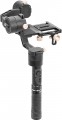 | 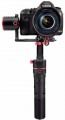 |
|---|---|---|
| Zhiyun Crane Plus | FeiYu Tech A2000 | |
| Compare prices 1 | from £1,185.00 | |
| User reviews | ||
| TOP sellers | ||
Easy calibration. Rotation of the “head” within 360°. Multiple mounting holes to accommodate additional accessories. Remote control from a smartphone. Spare batteries included. No carrying case. The “head” cannot be fixed during transportation. | ||
| Type | for camera | for camera |
| In box | tripod stand | quick release plate tripod stand |
Gimbal specifications | ||
| Max. load | 2.5 kg | 2.8 kg |
| Rotation angle | 360° | 360° |
| Tilt angle | 360° | 360° |
| Bank angle | 360° | 360° |
| Max. controlled speed | 150 °/sec | |
Battery | ||
| Battery model | 2x26500 | 2x18650 |
| Battery life | 12 h | 12 h |
| Removable battery |  | |
Shooting features | ||
| Camera control | joystick | joystick |
| Functions | camera position fixing axis lock | camera position fixing axis lock |
| Shooting modes | Time lapse autopanorama tracking mode | Time lapse autopanorama inversion mode |
General | ||
| Connection | Bluetooth | Bluetooth |
| Dimensions (folded) | 374x188x173 mm | 177x219x376 mm |
| Weight | 950 g | 1252 g |
| Added to E-Catalog | february 2018 | november 2017 |


Compare Zhiyun Crane Plus and FeiYu Tech A2000
Price comparison
You may be interested in
Zhiyun Crane Plus often compared


FeiYu Tech A2000 often compared


Glossary
In box
— Phone mount(like a screen). The ability to use your smartphone as your stabiliser screen. The device's camera is not used in this case: filming is carried out either on the built-in camera of the stabiliser or on the action camera attached to it. Note that the smartphone can be used not only as a viewfinder but also to control the camera; specific features depend on the stabiliser model.
— Focus control mechanism. A device that allows the stabiliser controls to focus the lens on the installed camera. It simplifies the use of manual focus lenses greatly.
— Two-handed handle. The two-handed handle increases agility, stability and precision.
— Quick release plate. This element makes it possible to quickly install and remove the camera from the stabiliser without using third-party tools.
— Tripod. The presence of a small tripod in the stabiliser kit — a tripod, which allows you to use the device in a stationary position, setting it on a flat hard surface. Usually the tripod is detachable.
— Remote control. The presence in the kit of a small remote control. It is convenient when the device is installed at a remote distance, for example, in a car.
— Bag / Case. The pre...sence of a bag or case in the standard package of the stabilizer. Bags often come with handles or a strap for convenient carrying, while cases are somewhat simpler — they don't have handles and are designed to be carried in a travel bag, backpack, etc. A bag or case protects the device from dust and other contaminants and to some extent shields the contents from damage in case of bumps or falls. Additionally, bags or cases can often be used to store extra accessories.
— Focus control mechanism. A device that allows the stabiliser controls to focus the lens on the installed camera. It simplifies the use of manual focus lenses greatly.
— Two-handed handle. The two-handed handle increases agility, stability and precision.
— Quick release plate. This element makes it possible to quickly install and remove the camera from the stabiliser without using third-party tools.
— Tripod. The presence of a small tripod in the stabiliser kit — a tripod, which allows you to use the device in a stationary position, setting it on a flat hard surface. Usually the tripod is detachable.
— Remote control. The presence in the kit of a small remote control. It is convenient when the device is installed at a remote distance, for example, in a car.
— Bag / Case. The pre...sence of a bag or case in the standard package of the stabilizer. Bags often come with handles or a strap for convenient carrying, while cases are somewhat simpler — they don't have handles and are designed to be carried in a travel bag, backpack, etc. A bag or case protects the device from dust and other contaminants and to some extent shields the contents from damage in case of bumps or falls. Additionally, bags or cases can often be used to store extra accessories.
Max. load
The maximum weight that the stabiliser is designed to carry.
This is the maximum weight of the camera with all accessories allowed for this model.
This is the maximum weight of the camera with all accessories allowed for this model.
Max. controlled speed
The maximum controlled speed supported by the stabiliser is, in fact, the highest speed of rotation of the camera along one axis or another, provided by the device. This is the maximum rotation speed of the entire structure, at which the stabiliser automation can provide effective stabilisation along the corresponding axis (that is, keep the camera stationary).
This item is directly related to the purpose of the stabiliser — for shooting while hiking or cycling on flat terrain, a high stabilization speed is hardly necessary, but during surfing, acrobatic aerobatics and other similar activities, the “slow” stabiliser often turns out to be ineffective.
This item is directly related to the purpose of the stabiliser — for shooting while hiking or cycling on flat terrain, a high stabilization speed is hardly necessary, but during surfing, acrobatic aerobatics and other similar activities, the “slow” stabiliser often turns out to be ineffective.
Battery model
Model of the battery used in the stabiliser. This information is not very important when choosing: if you wish, knowing the battery model, you can find detailed information about it. However, the key characteristics of the battery are usually given in general information about the stabiliser. Nevertheless, model information can be useful if you plan to purchase an additional battery, or if you already have a battery and you need to evaluate its compatibility with the device.
Shooting modes
— Time lapse. Shooting video in time lapse mode involves a very low frame rate (one frame every few seconds, or even minutes). In the completed video, the effect of fast movement is achieved (for example, the day from sunrise to sunset fits in just a few minutes). However, this is the general principle of time lapse; but the specific ways of its implementation may be different depending on the specific model of the stabiliser.
- Selfie mode. A separate mode for shooting selfies. This function can be implemented in different ways, depending on the purpose of the device. It is aimed at filming himself and the immediate environment of the operator.
- Sports mode. The mode is designed for high-quality shooting of dynamic scenes in motion. In sports mode, the stabiliser automatically compensates for frame deviations from the reference location, while the motor runs at the highest possible speed.
- Panorama. In this shooting mode, the camera attached to the device automatically rotates around its axis, taking a series of shots, from which the panoramic image is then “glued together”. Most often, this function involves the creation of horizontal panoramas. However, camera movement in the vertical plane can also be provided.
— Tracking mode. Automatic tracking of a...certain object by pointing the camera so that the shooting target is constantly in the centre of the image, or at least in the frame. The subject for tracking is set by the stabiliser operator.
— Inversion mode. This mode allows you to turn the device upside down, retaining all its functions and camera position. It will come in handy when shooting from atypical angles (for example, from the ground).
- Selfie mode. A separate mode for shooting selfies. This function can be implemented in different ways, depending on the purpose of the device. It is aimed at filming himself and the immediate environment of the operator.
- Sports mode. The mode is designed for high-quality shooting of dynamic scenes in motion. In sports mode, the stabiliser automatically compensates for frame deviations from the reference location, while the motor runs at the highest possible speed.
- Panorama. In this shooting mode, the camera attached to the device automatically rotates around its axis, taking a series of shots, from which the panoramic image is then “glued together”. Most often, this function involves the creation of horizontal panoramas. However, camera movement in the vertical plane can also be provided.
— Tracking mode. Automatic tracking of a...certain object by pointing the camera so that the shooting target is constantly in the centre of the image, or at least in the frame. The subject for tracking is set by the stabiliser operator.
— Inversion mode. This mode allows you to turn the device upside down, retaining all its functions and camera position. It will come in handy when shooting from atypical angles (for example, from the ground).