
Comparison HP 22x 22 " black vs Samsung C24RG50F 24 " black
Add to comparison | 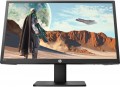 | 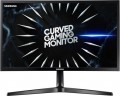 |
|---|---|---|
| HP 22x 22 " black | Samsung C24RG50F 24 " black | |
from £190.99 | Compare prices 2 | |
| User reviews | ||
| TOP sellers | ||
| Product type | gaming | gaming |
| Size | 22 " | 24 " |
Screen | ||
| Curved screen | 1800R | |
| Panel type | TN+film | *VA |
| Surface treatment | anti-glare | anti-glare |
| Resolution | 1920x1080 (16:9) | 1920x1080 (16:9) |
| FPS | 144 Hz | 144 Hz |
| Pixel size | 0.25 mm | 0.28 mm |
| Response time (GtG) | 1 ms | 4 ms |
| Vertical viewing angle | 160 ° | 178 ° |
| Horizontal viewing angle | 170 ° | 178 ° |
| Brightness | 270 cd/m² | 250 cd/m² |
| Static contrast | 1 000:1 | 3 000:1 |
| Dynamic Contrast | 9 000 000:1 | |
| Colour depth | 8-bit (16.7M Colors) | 8-bit (16.7M Colors) |
| Colour space (NTSC) | 72 % | |
Connection | ||
| Video transmission | VGA HDMI v1.4 | DisplayPort v1.2 2xHDMI v1.4 |
| Connectors (optional) | mini-Jack output (3.5 mm) | |
Features | ||
| Features | Flicker-Free AMD FreeSync Premium | Flicker-Free AMD FreeSync Premium |
| Speakers |  |  |
| Sound power | 4 W | |
| Game Features | aim | |
General | ||
| Wall mount | VESA 100x100mm | |
| Power consumption | 17 W | 32 W |
| Dimensions (WxHxD) | 503x384x201 mm | 548x431x243 mm |
| Weight | 3.9 kg | 3.3 kg |
| Color | ||
| Added to E-Catalog | december 2019 | june 2019 |



Compare HP 22x and Samsung C24RG50F
Price comparison
You may be interested in
HP 22x often compared


Samsung C24RG50F often compared


Glossary
Size
Diagonal size of the monitor matrix, in inches.
This parameter is one of the most important for any screen — it determines the total size of its working area. In general, it is believed that larger monitors are more comfortable: a large screen allows you to see a large fragment of text, images, etc. without having to scroll the "picture". On the other hand, the diagonal directly affects the dimensions, weight and cost of the monitor. In addition, it is worth remembering that screens with the same diagonal can have different aspect ratios and different specializations: for example, widescreen models are convenient for playing games and watching movies, while classic 4:3 or 5:4 solutions are preferable for working with documents. Now there are monitors of different diagonals on the market, among them the most popular are: 19–20", 22", 23 – 24", 25 – 26", 27 – 28", 29 – 30", 32", 34" and more.
This parameter is one of the most important for any screen — it determines the total size of its working area. In general, it is believed that larger monitors are more comfortable: a large screen allows you to see a large fragment of text, images, etc. without having to scroll the "picture". On the other hand, the diagonal directly affects the dimensions, weight and cost of the monitor. In addition, it is worth remembering that screens with the same diagonal can have different aspect ratios and different specializations: for example, widescreen models are convenient for playing games and watching movies, while classic 4:3 or 5:4 solutions are preferable for working with documents. Now there are monitors of different diagonals on the market, among them the most popular are: 19–20", 22", 23 – 24", 25 – 26", 27 – 28", 29 – 30", 32", 34" and more.
Curved screen
The presence of a curved screen in the monitor design.
Such a screen has the left and right edges curved forward - it is believed that this shape significantly improves perception compared to a flat surface. At the same time, it makes sense to provide this feature only on fairly large diagonals - at least 30"; therefore, it is typical mainly for high-end models. It is also worth noting that in order to take advantage of all the advantages of a curved screen, you need to look at it from a certain point - at the optimal distance, strictly in the center; however, for computer monitors this is usually not a problem.
The main parameter of a curved screen is the radius of curvature. It is indicated in millimeters along the radius of a circle, the bend of which corresponds to the bend of the monitor: for example, the designation 1800R indicates a radius of 1.8 m.
The smaller the number in this designation, the more curved the screen (all other things being equal). At the same time, some manufacturers claim that the ideal curvature value is 1000R: supposedly, it is with this curvature of the screen that the image on it turns out to be as close as possible to a person’s natural field of vision, and the closer the curvature of the monitor is to 1000R, the better the viewing experience. However, in practice a lot depends on personal preference; and when viewed from a long distance (exceeding the radius of curvature by one a...nd a half times or more), all the advantages of a curved screen are lost.
Such a screen has the left and right edges curved forward - it is believed that this shape significantly improves perception compared to a flat surface. At the same time, it makes sense to provide this feature only on fairly large diagonals - at least 30"; therefore, it is typical mainly for high-end models. It is also worth noting that in order to take advantage of all the advantages of a curved screen, you need to look at it from a certain point - at the optimal distance, strictly in the center; however, for computer monitors this is usually not a problem.
The main parameter of a curved screen is the radius of curvature. It is indicated in millimeters along the radius of a circle, the bend of which corresponds to the bend of the monitor: for example, the designation 1800R indicates a radius of 1.8 m.
The smaller the number in this designation, the more curved the screen (all other things being equal). At the same time, some manufacturers claim that the ideal curvature value is 1000R: supposedly, it is with this curvature of the screen that the image on it turns out to be as close as possible to a person’s natural field of vision, and the closer the curvature of the monitor is to 1000R, the better the viewing experience. However, in practice a lot depends on personal preference; and when viewed from a long distance (exceeding the radius of curvature by one a...nd a half times or more), all the advantages of a curved screen are lost.
Panel type
The panel type determines the technology used to build a monitor’s screen and how it renders color, contrast, viewing angles, black levels, and response time. This parameter has a noticeable impact on how the monitor is used.
— TN+film. A TN+film panel is designed for fast pixel response and is found in inexpensive or older gaming monitors. It is chosen when minimal latency is important, for example in fast-paced online games, but it falls behind IPS, VA, and OLED in color reproduction and viewing angles.
— *VA. A VA panel is characterized by high static contrast, so dark scenes look deeper than on most IPS monitors. This is a good choice for movies, gaming, evening work, and multimedia, especially if rich black levels are important without switching to OLED. The main drawback of VA is possible smearing of dark objects in motion, so for shooters and fast-paced games, it is better to consider not only the stated milliseconds but also real-world reviews of the specific model.
— IPS. An IPS panel maintains color and brightness well when viewed from different angles, making it suitable for workspaces, study, gaming, and amateur image editing. It is one of the most balanced options when you need an everyday monitor without a clear bias toward movies or esports. In terms of black depth, IPS usually loses to VA and OLED, so in a dark room, black may look...more like dark gray.
— OLED .An OLED panel consists of self-emissive pixels that can switch off completely to display black. As a result, the monitor delivers maximum contrast, very fast response, and expressive HDR, which is especially noticeable in games, movies, and dark scenes. The limitation of OLED is the risk of burn-in from static elements such as taskbars, logos, and software interfaces, so these models require more careful use for continuous office work.
In addition, the main panel types can be enhanced, namely by being equipped with miniature LEDs or an additional quantum-dot layer.
— Mini LED. An enhanced backlighting system for LCD monitors in which a large number of small LEDs are used instead of conventional LEDs. This backlighting allows individual areas of the screen to be dimmed more precisely, so HDR scenes look more contrast-rich and blacks appear deeper than on ordinary IPS or VA monitors with basic backlighting. For example, Mini LED is especially useful for gaming, movies, and HDR content, but quality depends heavily on the number of dimming zones and the settings of the specific model.
— Quantum dots (QD). Quantum-dot technology adds a special color layer to the screen, making red, green, and other saturated shades purer. It can be found in different types of monitors: QD-IPS, QD-VA, QD-OLED. In practice, this is useful for HDR, gaming, movies, and image editing where a wide color gamut is important, but the QD label itself does not guarantee accurate factory calibration.
— TN+film. A TN+film panel is designed for fast pixel response and is found in inexpensive or older gaming monitors. It is chosen when minimal latency is important, for example in fast-paced online games, but it falls behind IPS, VA, and OLED in color reproduction and viewing angles.
— *VA. A VA panel is characterized by high static contrast, so dark scenes look deeper than on most IPS monitors. This is a good choice for movies, gaming, evening work, and multimedia, especially if rich black levels are important without switching to OLED. The main drawback of VA is possible smearing of dark objects in motion, so for shooters and fast-paced games, it is better to consider not only the stated milliseconds but also real-world reviews of the specific model.
— IPS. An IPS panel maintains color and brightness well when viewed from different angles, making it suitable for workspaces, study, gaming, and amateur image editing. It is one of the most balanced options when you need an everyday monitor without a clear bias toward movies or esports. In terms of black depth, IPS usually loses to VA and OLED, so in a dark room, black may look...more like dark gray.
— OLED .An OLED panel consists of self-emissive pixels that can switch off completely to display black. As a result, the monitor delivers maximum contrast, very fast response, and expressive HDR, which is especially noticeable in games, movies, and dark scenes. The limitation of OLED is the risk of burn-in from static elements such as taskbars, logos, and software interfaces, so these models require more careful use for continuous office work.
In addition, the main panel types can be enhanced, namely by being equipped with miniature LEDs or an additional quantum-dot layer.
— Mini LED. An enhanced backlighting system for LCD monitors in which a large number of small LEDs are used instead of conventional LEDs. This backlighting allows individual areas of the screen to be dimmed more precisely, so HDR scenes look more contrast-rich and blacks appear deeper than on ordinary IPS or VA monitors with basic backlighting. For example, Mini LED is especially useful for gaming, movies, and HDR content, but quality depends heavily on the number of dimming zones and the settings of the specific model.
— Quantum dots (QD). Quantum-dot technology adds a special color layer to the screen, making red, green, and other saturated shades purer. It can be found in different types of monitors: QD-IPS, QD-VA, QD-OLED. In practice, this is useful for HDR, gaming, movies, and image editing where a wide color gamut is important, but the QD label itself does not guarantee accurate factory calibration.
Pixel size
The size of one dot (pixel) on a monitor screen. This parameter is related to the maximum resolution of the monitor and its diagonal size — the higher the resolution, the smaller the pixel size (with the same diagonal) and vice versa, the larger the diagonal, the larger the size of one pixel (with the same resolution). The smaller the size of one pixel, the clearer the image will be displayed by the monitor, the less grainy it will be noticeable, which is especially important on large monitors. On the other hand, a small pixel size creates discomfort when working with fine details and text — this mainly applies to monitors with a small diagonal.
Response time (GtG)
The time each individual pixel on the monitor takes to switch from one state to another. The lower the response time, the faster the matrix responds to the control signal, resulting in less delay and better image quality in dynamic scenes.
Note that in this case, the gray-to-gray method is used (the time it takes to switch from 10% gray to 90% gray). Pay attention to this parameter if the monitor is specifically purchased for fast-paced games, movie watching, or other applications involving quick screen movements. However, there’s no need to chase the fastest models. It’s not often possible to discern the difference between 1 ms and 5 ms. For most scenarios, monitors with a 4 ms response time will suffice. In any case, it’s best to rely on live impressions for a true comparison.
Note that in this case, the gray-to-gray method is used (the time it takes to switch from 10% gray to 90% gray). Pay attention to this parameter if the monitor is specifically purchased for fast-paced games, movie watching, or other applications involving quick screen movements. However, there’s no need to chase the fastest models. It’s not often possible to discern the difference between 1 ms and 5 ms. For most scenarios, monitors with a 4 ms response time will suffice. In any case, it’s best to rely on live impressions for a true comparison.
Vertical viewing angle
This parameter determines in which sector in the vertical plane relative to the monitor screen the user's eyes must be in order to see pure, undistorted colours on the screen. For example, a viewing angle of 170° means that the width of such a sector is 170°; the middle of the field of view, usually, is a line perpendicular to the screen. The larger the vertical viewing angle, the higher or lower relative to eye level you can place the monitor without tilting it.
Horizontal viewing angle
This setting determines in which sector of the horizontal plane relative to the monitor screen the user's eyes must be in order to see pure, undistorted colours on the screen. For example, a viewing angle of 170° means that the width of such a sector is 170°; the middle of the field of view, usually, is a line perpendicular to the screen. The larger the horizontal viewing angle, the more aside from it the observer can sit; large viewing angles are especially useful when there are several people behind the monitor at once, for example, when watching a movie.
Brightness
The maximum brightness provided by the monitor screen.
Choosing a monitor with high brightness is especially important if the device is going to be used in bright ambient light — for example, if the workplace is exposed to sunlight. A dim image can be "dampened" by such lighting, making work uncomfortable. In other conditions, the high brightness of the screen is very tiring for the eyes.
Most modern monitors give out about 200 – 400 cd / m2 — this is usually quite enough even in the sun. However, there are also higher values: for example, in LCD panels (see "Type") the brightness can reach several thousand cd/m2. This is necessary taking into account the specifics of such devices — the image must be clearly visible from a long distance.
Choosing a monitor with high brightness is especially important if the device is going to be used in bright ambient light — for example, if the workplace is exposed to sunlight. A dim image can be "dampened" by such lighting, making work uncomfortable. In other conditions, the high brightness of the screen is very tiring for the eyes.
Most modern monitors give out about 200 – 400 cd / m2 — this is usually quite enough even in the sun. However, there are also higher values: for example, in LCD panels (see "Type") the brightness can reach several thousand cd/m2. This is necessary taking into account the specifics of such devices — the image must be clearly visible from a long distance.
Static contrast
Static contrast provided by the monitor screen.
This value describes the difference between the brightest whites and darkest blacks that the screen is capable of producing. In this case, unlike dynamic contrast (see below), the difference is indicated on the condition that the brightness of the screen backlight remains unchanged. In other words, this is the contrast that is guaranteed to be achievable within one frame. Static contrast is inevitably lower than dynamic. However, it is she who describes the basic capabilities of the screen.
The minimum static contrast ratio for tolerable image quality is considered to be 250:1, but even the most modest modern monitors give out about 400:1 (and a value of 1000:1 is not the highest class), and in high-end models this figure can reach 2000:1 and even more. .
This value describes the difference between the brightest whites and darkest blacks that the screen is capable of producing. In this case, unlike dynamic contrast (see below), the difference is indicated on the condition that the brightness of the screen backlight remains unchanged. In other words, this is the contrast that is guaranteed to be achievable within one frame. Static contrast is inevitably lower than dynamic. However, it is she who describes the basic capabilities of the screen.
The minimum static contrast ratio for tolerable image quality is considered to be 250:1, but even the most modest modern monitors give out about 400:1 (and a value of 1000:1 is not the highest class), and in high-end models this figure can reach 2000:1 and even more. .