
Comparison LG OLED77W9 vs LG OLED77C9
Add to comparison | 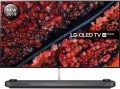 | 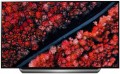 |
|---|---|---|
| LG OLED77W9 | LG OLED77C9 | |
| Outdated Product | Outdated Product | |
| User reviews | ||
| TOP sellers | ||
Support Google Assistant, Amazon Alexa. Apple AirPlay 2 support. α9 Gen2 processor | ||
| Size | 77 " | 77 " |
| Operating system | Smart TV (proprietary system) | Smart TV (proprietary system) |
Display | ||
| Matrix | OLED | OLED |
| Screen surface | anti-glare | anti-glare |
| Resolution | 3840x2160 px | 3840x2160 px |
| Upscaling | up to 4K | up to 4K |
| Frame rate | 100/120 Hz | 100/120 Hz |
| HDR support | HDR10 | HDR10, Dolby Vision |
| Colour enhancement |  | |
| Black enhancement | |  |
| NVIDIA compatible | G-Sync Compatible | |
Multimedia | ||
| Sound power | 60 W | 40 W |
| Number of speakers | 4 | 2 |
| Subwoofer | | |
| Audio decoders | Dolby Surround, Dolby Atmos | Dolby Atmos |
| Digital tuner | DVB-T2 (terrestrial) DVB-C (cable) DVB-S (satellite) DVB-S2 (satellite) | DVB-T2 (terrestrial) DVB-C (cable) DVB-S (satellite) DVB-S2 (satellite) |
| Picture-in-picture | | |
Features | ||
| Features | AirPlay 2 Wi-Fi 5 (802.11ac) Miracast Bluetooth v5.0 voice control Amazon Alexa Google Assistant | AirPlay 2 Wi-Fi 5 (802.11ac) Miracast Bluetooth v5.0 voice control Amazon Alexa Google Assistant |
Connectors | ||
| HDMI | 4 | 4 |
| HDMI version | v 2.1 | v 2.1 |
| Additional inputs | 1xUSB-A 2.0 LAN | 1xUSB-A 2.0 LAN |
| Outputs | mini-Jack (3.5 mm) headphones optical | mini-Jack (3.5 mm) headphones optical |
General | ||
| RAM | 3 GB | 3 GB |
| Built-in memory | 8 GB | 8 GB |
| Wall mount | proprietary | VESA 400x200 mm |
| Power consumption | 210 W | |
| Energy efficiency class | A | A |
| Dimensions (WxHxD) | 1722x1047x253 mm | |
| Dimensions without stand (WxHxD) | 1721x989x6 mm | 1722x991x56 mm |
| Weight | 30.4 | 36.5 |
| Color | ||
| Added to E-Catalog | may 2019 | april 2019 |


Compare LG OLED77W9 and OLED77C9
You may be interested in
LG OLED77C9 often compared


Glossary
HDR support
TV support for high dynamic range technology — HDR.
This technology is designed to expand the range of brightness reproduced by the TV; Simply put, an HDR model will display brighter whites and darker blacks than a regular TV. In fact, this means a significant improvement in colour quality. On the one hand, HDR provides a very "live" image, close to what the human eye sees, with an abundance of shades and tones that a normal screen cannot convey; on the other hand, this technology allows to achieve very bright and rich colours.
However for the full use of this feature, you need not only an HDR TV, but also content (movies, TV broadcasts, etc.) that was originally created for HDR. Also note that there are several different HDR technologies that are not compatible with each other. Therefore, when buying a TV with this feature, it is highly advisable to clarify which version of HDR it supports (HDR10, HDR10 + or Dolby Vision). And the following are found:
— HDR10. Historically the first of the consumer HDR formats, less advanced than the options described below but extremely widespread. In particular, HDR10 is supported by almost all streaming services that provide HDR content, and it is also common for Blu-ray discs. Allows to work with a colour depth of 10 bits (hence the name). At the same time, devices of this format are also compatible wi...th content in HDR10+, although its quality will be limited by the capabilities of the original HDR10.
— HDR10+. An improved version of HDR10. With the same colour depth (10 bits), it uses the so-called dynamic metadata, which allows transmitting information about the colour depth not only for groups of several frames, but also for individual frames. This results in an additional improvement in colour reproduction.
– Dolby Vision. An advanced standard used particularly in professional cinematography. Allows to achieve a colour depth of 12 bits, uses the dynamic metadata described above, and also makes it possible to transmit two image options at once in one video stream — HDR and standard (SDR). At the same time, Dolby Vision is based on the same technology as HDR10, so in modern video technology this format is usually combined with HDR10 or HDR10+.
This technology is designed to expand the range of brightness reproduced by the TV; Simply put, an HDR model will display brighter whites and darker blacks than a regular TV. In fact, this means a significant improvement in colour quality. On the one hand, HDR provides a very "live" image, close to what the human eye sees, with an abundance of shades and tones that a normal screen cannot convey; on the other hand, this technology allows to achieve very bright and rich colours.
However for the full use of this feature, you need not only an HDR TV, but also content (movies, TV broadcasts, etc.) that was originally created for HDR. Also note that there are several different HDR technologies that are not compatible with each other. Therefore, when buying a TV with this feature, it is highly advisable to clarify which version of HDR it supports (HDR10, HDR10 + or Dolby Vision). And the following are found:
— HDR10. Historically the first of the consumer HDR formats, less advanced than the options described below but extremely widespread. In particular, HDR10 is supported by almost all streaming services that provide HDR content, and it is also common for Blu-ray discs. Allows to work with a colour depth of 10 bits (hence the name). At the same time, devices of this format are also compatible wi...th content in HDR10+, although its quality will be limited by the capabilities of the original HDR10.
— HDR10+. An improved version of HDR10. With the same colour depth (10 bits), it uses the so-called dynamic metadata, which allows transmitting information about the colour depth not only for groups of several frames, but also for individual frames. This results in an additional improvement in colour reproduction.
– Dolby Vision. An advanced standard used particularly in professional cinematography. Allows to achieve a colour depth of 12 bits, uses the dynamic metadata described above, and also makes it possible to transmit two image options at once in one video stream — HDR and standard (SDR). At the same time, Dolby Vision is based on the same technology as HDR10, so in modern video technology this format is usually combined with HDR10 or HDR10+.
Black enhancement
TV supports some kind of black enhancement technology.
Deep blacks are as important to an image as the quality of other colours. At the same time, it is not as easy to achieve it as it might seem at first glance: the black areas of the screen are “lit up” by the backlight and, without additional tricks, may not look dark enough. Thus, modern TVs use various additional black enhancement technologies. One of the options for this technology is local backlighting, in which LEDs are placed not on the sides of the screen, but behind it: each of them illuminates its own section of the sensor and can be turned off if necessary. There are other, more complex ways to achieve high-quality black.
Deep blacks are as important to an image as the quality of other colours. At the same time, it is not as easy to achieve it as it might seem at first glance: the black areas of the screen are “lit up” by the backlight and, without additional tricks, may not look dark enough. Thus, modern TVs use various additional black enhancement technologies. One of the options for this technology is local backlighting, in which LEDs are placed not on the sides of the screen, but behind it: each of them illuminates its own section of the sensor and can be turned off if necessary. There are other, more complex ways to achieve high-quality black.
NVIDIA compatible
Televisions with G-Sync Compatible support are models certified by NVIDIA to work correctly with the adaptive synchronization technology. They synchronize the screen's refresh rate with the frame rate of the GeForce graphics card, eliminating screen tearing and stuttering. Unlike "true" G-Sync modules, the VESA Adaptive-Sync standard (or AMD FreeSync) is used here, but tested and approved by NVIDIA. These televisions are particularly popular among gamers: when connecting a PC or gaming console, the picture becomes smoother and more responsive, which is crucial in dynamic games and at high graphic settings.
Sound power
The nominal power of the sound produced by the TV's sound system.
The larger the screen and the greater the estimated distance to the viewer, the more powerful the sound system must be in order to be heard normally. Manufacturers take this moment into account, moreover, most often they also provide a solid volume margin. So if a TV is bought for home viewing in a quiet, calm environment, you can not pay much attention to the sound power: it is guaranteed to be enough for such a usage. It makes sense to specifically look for models with high-power speakers for a noisy environment — for example, a cafe or other public space. Detailed recommendations on this matter can be found in special sources, but here we note that even in such cases, connecting external speakers can be a good alternative.
The larger the screen and the greater the estimated distance to the viewer, the more powerful the sound system must be in order to be heard normally. Manufacturers take this moment into account, moreover, most often they also provide a solid volume margin. So if a TV is bought for home viewing in a quiet, calm environment, you can not pay much attention to the sound power: it is guaranteed to be enough for such a usage. It makes sense to specifically look for models with high-power speakers for a noisy environment — for example, a cafe or other public space. Detailed recommendations on this matter can be found in special sources, but here we note that even in such cases, connecting external speakers can be a good alternative.
Number of speakers
The number of speakers installed in the TV.
Theoretically, one speaker is enough to work with sound, but most entry-level and mid-range models (as well as many premium devices) provide two speakers — for stereo operation, which allows to achieve some surround sound effect. And more than two speakers usually means the TV has enhanced audio capabilities such as a subwoofer or soundbar (see below).
Theoretically, one speaker is enough to work with sound, but most entry-level and mid-range models (as well as many premium devices) provide two speakers — for stereo operation, which allows to achieve some surround sound effect. And more than two speakers usually means the TV has enhanced audio capabilities such as a subwoofer or soundbar (see below).
Audio decoders
A decoder can be broadly described as a standard in which digital audio (often multi-channel) is recorded. For normal playback of such sound, it is necessary that the corresponding decoder is supported by the device. Dolby Digital and DTS were the first in multi-channel decoding, gradually improving and introducing new features. The final stage for 2020 is Dolby Atmos and DTS X decoders.
– Dolby Atmos. A decoder that uses not a rigid distribution of sound across channels, but the processing of audio objects, due to which it can be used with almost any number of channels on a reproducing system — the sound will be divided between channels so that each audio object is heard as close as possible to its proper place. When using Dolby Atmos, ceiling speakers (or speakers facing the ceiling) are highly desirable. However, in extreme cases, you can do without them.
— DTS X. An analogue of the Dolby Atmos described above, when the sound is distributed not through individual channels, but through audio objects. The digital signal contains information about where (according to the director's intention) the object audible to the user should be and how it should move, and the processor of the reproducing device processes this information and determines exactly how the sound should be distributed over the available channels in order to achieve the required localization. Thanks to this, DTS X is not tied to a specific number of audi...o channels — there can be as many as you like, the system will automatically divide the sound into them, achieving the desired sound. Also note that this decoder allows you to separately adjust the volume of dialogues.
– Dolby Atmos. A decoder that uses not a rigid distribution of sound across channels, but the processing of audio objects, due to which it can be used with almost any number of channels on a reproducing system — the sound will be divided between channels so that each audio object is heard as close as possible to its proper place. When using Dolby Atmos, ceiling speakers (or speakers facing the ceiling) are highly desirable. However, in extreme cases, you can do without them.
— DTS X. An analogue of the Dolby Atmos described above, when the sound is distributed not through individual channels, but through audio objects. The digital signal contains information about where (according to the director's intention) the object audible to the user should be and how it should move, and the processor of the reproducing device processes this information and determines exactly how the sound should be distributed over the available channels in order to achieve the required localization. Thanks to this, DTS X is not tied to a specific number of audi...o channels — there can be as many as you like, the system will automatically divide the sound into them, achieving the desired sound. Also note that this decoder allows you to separately adjust the volume of dialogues.
Picture-in-picture
The ability to display on the TV screen "pictures" from several sources at once. Usually, in the picture-in-picture mode, a small window is displayed in the background of the main image (or several such windows), which is displayed in full screen, in it you can see an additional image. One of the most popular ways to use this “multitasking” is to skip commercial breaks in TV broadcasts: for this time, you can switch the main image to a more interesting channel, and leave the ad in the auxiliary window to not miss the end of the commercial and continue watching. It is worth considering, however, that the images for each window must come from different sources — in other words, it will not work to turn on two channels at the same time from one tuner.
Wall mount
Most TVs have a VESA wall mount which may vary in size. The basis for such mount is a rectangular plate with four holes for screws in the corners. The main characteristic of such a mount is the distance between the holes — it is measured along the sides of the rectangle and is expressed in two numbers. The original VESA format is 100x100, these mounts are used for most medium-sized LCD TVs. For small screens, 75x75 mounts are provided, for large ones — 200x200 and more (up to 800x400).
However, there are also models that are equipped with a standard (proprietary) mount from the manufacturer. Mostly these are either ultra-thin TVs or designer lines. Anyway, the mount in the kit is suitable only for the selected model.
However, there are also models that are equipped with a standard (proprietary) mount from the manufacturer. Mostly these are either ultra-thin TVs or designer lines. Anyway, the mount in the kit is suitable only for the selected model.
Power consumption
The electrical power normally consumed by the TV. This parameter strongly depends on the screen size and sound power (see above), however, it can be determined by other parameters — primarily additional features and technologies implemented in the design. It is worth noting that most modern LCD TVs are quite economical, and most often this parameter does not play a significant role — in most cases, power consumption is about several tens of watts. And even large models with a diagonal of 70 – 90" consume about 200 – 300 W — this can be compared with the system unit of a low-power desktop PC.