
Comparison Edifier R1280T vs Dialog W-204
Add to comparison | 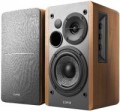 | 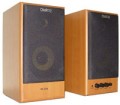 |
|---|---|---|
| Edifier R1280T | Dialog W-204 | |
| Compare prices 30 | from $79.00 | |
| User reviews | ||
| TOP sellers | ||
| Speakers | kit 2.0 | kit 2.0 |
| Lines | 2 | 2 |
Specs | ||
| Sensitivity | 85 dB | |
| Signal-to-noise ratio | 85 dB | |
| Frequency range | 75 – 18000 Hz | 40 – 18000 Hz |
| Speaker output | 42 W | 40 W |
| Front | 21 W/channel | 20 W/channel |
| Speaker port tube |  |  |
Features | ||
| Functions | treble control bass control | treble control bass control |
| Connection | RCA | RCA headphone output |
General | ||
| Detachable cable | sound | |
| Remote control | wireless | |
| Volume control | side and remote | front |
| Speaker material | MDF | MDF |
| Front speaker size (WxHxD) | 146x234x196 mm | 148x285x185 mm |
| Weight | 4.9 kg | |
| Color | ||
| Added to E-Catalog | october 2013 | march 2009 |





Compare Edifier R1280T and Dialog W-204
Price comparison
You may be interested in
My comparisons
Edifier R1280T often compared


Dialog W-204 often compared

Glossary
Sensitivity
Sensitivity characterizes the loudness of the speakers when a signal of a certain power is applied to them. The higher this indicator, the higher the volume will be with the same characteristics of the signal source; simply put, on the same computer and the same volume settings, more sensitive speakers will play louder.
In general, an indicator of 85 dB is considered good, 90 dB and above is excellent. On the other hand, computer speakers rarely need a very high volume — they are usually located close to the user and are designed only for him. So in general, this parameter can be ignored.
In general, an indicator of 85 dB is considered good, 90 dB and above is excellent. On the other hand, computer speakers rarely need a very high volume — they are usually located close to the user and are designed only for him. So in general, this parameter can be ignored.
Signal-to-noise ratio
The ratio of the level of the useful signal (actually reproduced sound) to the level of extraneous noise provided by the speaker amplifier in normal mode.
Any amplifier inevitably creates its own noise; You can't get rid of them, but you can reduce their level. The higher the signal-to-noise ratio, the clearer the sound will be, the less noticeable extraneous interference will be. In modern computer speakers, this figure can vary from 52 – 55 dB (the minimum figure so that the noise does not cause much discomfort) to 90 – 95 dB (comparable to fairly advanced Hi-Fi equipment). However, note that the signal-to-noise ratio is far from the only parameter that affects the sound quality, and its high value does not guarantee a pleasant sound from the speakers.
Any amplifier inevitably creates its own noise; You can't get rid of them, but you can reduce their level. The higher the signal-to-noise ratio, the clearer the sound will be, the less noticeable extraneous interference will be. In modern computer speakers, this figure can vary from 52 – 55 dB (the minimum figure so that the noise does not cause much discomfort) to 90 – 95 dB (comparable to fairly advanced Hi-Fi equipment). However, note that the signal-to-noise ratio is far from the only parameter that affects the sound quality, and its high value does not guarantee a pleasant sound from the speakers.
Frequency range
The range of audio frequencies supported by acoustics. The wider this range — the fuller the reproduced sound, the lower the likelihood that some of these details at low or high frequencies will remain “behind the scenes”. At the same time, the human ear is able to hear frequencies of the order of 16 – 22,000 Hz, and with age, this range narrows even more. In modern audio equipment, especially at the top level, there may be more extensive ranges, but from a practical point of view, this does not make much sense. In addition, it is worth noting that a wide frequency range in itself does not guarantee high-quality sound — a lot also depends on the frequency response.
Speaker output
Total speaker power rating — the sum of the power ratings of all components (front, rear, centre, etc.)
Rated usually means the highest average sound power that the speakers can produce without overloading and damage. Individual peaks of sound can significantly exceed this figure, but it is the average value that is key — in particular, it is it that determines the overall loudness of the acoustics. However it should be borne in mind here that in sets with a subwoofer, the latter can account for about half of the total power of the entire system, while the actual volume is determined mainly by the main speakers. In fact, this means that with equal total power, acoustics with a subwoofer can sound noticeably quieter than a model without a subwoofer: for example, a 2.0 system at 20 W will have 10 W per main channel, while in a 2.1 model at 20 W with 10- watt subwoofer on the main speakers will have only 5 watts.
As for specific values, in the quietest modern PC speakers, the power does not exceed 10 watts. An indicator of 10 – 25 W can be called relatively modest, 25 – 50 W — average, and values of 50 – 100 W and above are found mainly in sets with subwoofers, where a significant part of the power falls on the bass speaker (although there are also ordinary stereo speakers with similar features)....
Theoretically, the power of acoustics also affects its compatibility with a specific amplifier: speakers should not be inferior to it in terms of rated power, otherwise sound distortion and even equipment damage are possible. However, computer acoustics in the vast majority of cases are used with their own amplifiers, optimally matched to the speakers installed in the speakers. So this moment becomes relevant only in some very specific cases — for example, when replacing a complete external amplifier (see below) with another one.
Rated usually means the highest average sound power that the speakers can produce without overloading and damage. Individual peaks of sound can significantly exceed this figure, but it is the average value that is key — in particular, it is it that determines the overall loudness of the acoustics. However it should be borne in mind here that in sets with a subwoofer, the latter can account for about half of the total power of the entire system, while the actual volume is determined mainly by the main speakers. In fact, this means that with equal total power, acoustics with a subwoofer can sound noticeably quieter than a model without a subwoofer: for example, a 2.0 system at 20 W will have 10 W per main channel, while in a 2.1 model at 20 W with 10- watt subwoofer on the main speakers will have only 5 watts.
As for specific values, in the quietest modern PC speakers, the power does not exceed 10 watts. An indicator of 10 – 25 W can be called relatively modest, 25 – 50 W — average, and values of 50 – 100 W and above are found mainly in sets with subwoofers, where a significant part of the power falls on the bass speaker (although there are also ordinary stereo speakers with similar features)....
Theoretically, the power of acoustics also affects its compatibility with a specific amplifier: speakers should not be inferior to it in terms of rated power, otherwise sound distortion and even equipment damage are possible. However, computer acoustics in the vast majority of cases are used with their own amplifiers, optimally matched to the speakers installed in the speakers. So this moment becomes relevant only in some very specific cases — for example, when replacing a complete external amplifier (see below) with another one.
Front
The power rating of each individual front speaker provided in the speaker system. This parameter can be specified for a system with any number of speakers (see above) — all sound formats used in computer acoustics provide a pair of front speakers.
In the most general terms, the higher the power, the louder the speaker is capable of sounding. For more information about this parameter, see "Total power" above. Also note here that for stereo systems without a subwoofer, the power of one front channel is half of the total power; in more advanced acoustics, the power ratio between the channels may be different.
In the most general terms, the higher the power, the louder the speaker is capable of sounding. For more information about this parameter, see "Total power" above. Also note here that for stereo systems without a subwoofer, the power of one front channel is half of the total power; in more advanced acoustics, the power ratio between the channels may be different.
Speaker port tube
A phase inverter is a tube of a special design that connects the inner volume of the speaker housing with the outer space. Due to the precisely selected length, such a tube improves the sound of low frequencies, making it more saturated and uniform. The main disadvantage of a phase inverter is that a hum may occur due to the movement of air in the tube; however, manufacturers design speakers in such a way as to minimize the likelihood of this phenomenon.
Note that the presence of a phase inverter is especially useful for subwoofers, but this feature can also be found in general-purpose stereo speakers — for the same reasons.
Note that the presence of a phase inverter is especially useful for subwoofers, but this feature can also be found in general-purpose stereo speakers — for the same reasons.
Connection
— mini-Jack (3.5 mm). The 3.5 mm jack is used as a standard analog audio output on almost all modern PCs and laptops. Additionally, it's installed in most smartphones, tablets, and portable players, and is quite common in many other types of equipment. In light of this, the mini-jack plug is equipped on most contemporary computer speakers (except perhaps for Bluetooth models). It can be a plug on a non-removable or removable cable, or an adapter from another connector — for example, "2 RCA — mini-jack".
— RCA. The RCA connector, also colloquially known as "tulip," is used here as a line input for receiving an analog audio signal, similar to the 3.5 mm mini-jack. The differences lie in several important aspects. Firstly, RCA operates on the "one connector per channel" principle, and the number of such connectors will depend on the sound format. For instance, stereo acoustics will require a set of two such connectors, a 5.1 system — six, and so on. Secondly, RCA is quite popular in traditional audio equipment but is relatively uncommon among computers. Therefore, in computer acoustics, this input is relatively rare — mainly found in rather advanced models (including solutions with an external amplifier). Moreover, note that in sets with a subwoofer, an RCA connector may also be provided in the main satellite for connecting the "sub," playing the role of an output in this case.
— USB-A.... Sound transmission from a PC, laptop, monitor, or another device is carried out through a standard USB connector of the USB-A format. In this case, the sound is transmitted digitally, reducing the speakers' dependency on the computer's sound card quality.
— USB-C. Sound is transmitted via the USB-C port, through which the speakers receive a digital audio signal from a compatible device. This format is particularly well-suited for modern electronics, where USB-C has already become one of the main connection interfaces. In practice, this makes the speakers more convenient for new laptops, tablets, and other devices without a separate analog output.
— Optical input. A digital input for transmitting high-quality sound, including multichannel. This connection is notable for being completely immune to electrical interference; however, the fiber optic cable is not well-suited to bends and strong pressure.
— Coaxial input. An input for transmitting sound in digital form, allowing for multichannel sound transmission. It uses the RCA connector (known colloquially as "tulip"), though it is incompatible with the RCA interface described above. Unlike optical connections, coaxial connections are susceptible to electromagnetic interference, but they don't require special delicacy in handling the cable.
— Microphone input. An input for connecting an external microphone, located directly on the speakers' body. The purpose of this function is similar to the headphone output described above: connecting a microphone to a speaker placed on the table is often more convenient than connecting it directly to the system unit. Generally, speakers with this feature have an additional plug connected to the sound card's microphone input.
— Subwoofer output. The availability of a connector for connecting a subwoofer allows further enhancement of the system's lower frequency sound. Naturally, the subwoofer is purchased separately, and the output serves as an option to expand the acoustics as needed.
— Headphone output. An output for connecting headphones, located directly on the body of one of the speakers. This connector is particularly convenient when using headphones with a traditional desktop PC: attaching the headphones to a speaker body located on the table is noticeably more convenient than stretching the cord to the system unit. As a rule, the role of this output is played by a standard mini-Jack 3.5 mm socket, which is exactly what most modern headphones (both for computers and general use) are designed for.
— RCA. The RCA connector, also colloquially known as "tulip," is used here as a line input for receiving an analog audio signal, similar to the 3.5 mm mini-jack. The differences lie in several important aspects. Firstly, RCA operates on the "one connector per channel" principle, and the number of such connectors will depend on the sound format. For instance, stereo acoustics will require a set of two such connectors, a 5.1 system — six, and so on. Secondly, RCA is quite popular in traditional audio equipment but is relatively uncommon among computers. Therefore, in computer acoustics, this input is relatively rare — mainly found in rather advanced models (including solutions with an external amplifier). Moreover, note that in sets with a subwoofer, an RCA connector may also be provided in the main satellite for connecting the "sub," playing the role of an output in this case.
— USB-A.... Sound transmission from a PC, laptop, monitor, or another device is carried out through a standard USB connector of the USB-A format. In this case, the sound is transmitted digitally, reducing the speakers' dependency on the computer's sound card quality.
— USB-C. Sound is transmitted via the USB-C port, through which the speakers receive a digital audio signal from a compatible device. This format is particularly well-suited for modern electronics, where USB-C has already become one of the main connection interfaces. In practice, this makes the speakers more convenient for new laptops, tablets, and other devices without a separate analog output.
— Optical input. A digital input for transmitting high-quality sound, including multichannel. This connection is notable for being completely immune to electrical interference; however, the fiber optic cable is not well-suited to bends and strong pressure.
— Coaxial input. An input for transmitting sound in digital form, allowing for multichannel sound transmission. It uses the RCA connector (known colloquially as "tulip"), though it is incompatible with the RCA interface described above. Unlike optical connections, coaxial connections are susceptible to electromagnetic interference, but they don't require special delicacy in handling the cable.
— Microphone input. An input for connecting an external microphone, located directly on the speakers' body. The purpose of this function is similar to the headphone output described above: connecting a microphone to a speaker placed on the table is often more convenient than connecting it directly to the system unit. Generally, speakers with this feature have an additional plug connected to the sound card's microphone input.
— Subwoofer output. The availability of a connector for connecting a subwoofer allows further enhancement of the system's lower frequency sound. Naturally, the subwoofer is purchased separately, and the output serves as an option to expand the acoustics as needed.
— Headphone output. An output for connecting headphones, located directly on the body of one of the speakers. This connector is particularly convenient when using headphones with a traditional desktop PC: attaching the headphones to a speaker body located on the table is noticeably more convenient than stretching the cord to the system unit. As a rule, the role of this output is played by a standard mini-Jack 3.5 mm socket, which is exactly what most modern headphones (both for computers and general use) are designed for.
Detachable cable
The presence of detachable cables will save you from possible damage to the device associated with bending the wires. If such an incident occurs, an easy replacement of the wire with a new one allows you to continue using the speakers, and not carry them to a service centre. However, this solution is mainly used in higher-level models, which affects the cost. At the same time, not only audio cables can be removable, for which connectors are provided (according to the classics, this is RCA), but also the power cable.
Remote control
The type of remote control that the speakers are equipped with — of course, if such a remote control is provided at all.
— Wired. The remote control is a separate device connected to the control component of the system (“main” speaker, subwoofer, external amplifier) using a separate wire. Such a remote control is not as mobile as a wireless one, and the wire itself can create some inconvenience. On the other hand, these shortcomings are not always really noticeable: computer speakers are most often located in close proximity to the listener, and he does not have a need for "long-range" control. At the same time, wired remotes are reliable, inexpensive, do not require batteries and work even without being in direct line of sight of the speakers (unlike wireless ones, which often use IR control). However note that only the most basic functions are usually carried out on such a remote control — such as adjusting the volume and tone.
— Wireless. Wireless remotes most often operate via an infrared channel — similar to remotes for TVs, air conditioners, etc. The main advantages of such control are freedom of movement within at least a few metres from the acoustics. In addition, wireless remotes are often given control over advanced settings. At the same time, there should be no obstacles between the remote control and the receiver (one of the speakers, subwo...ofer, etc.); and such accessories cost much more than wired remotes.
— Wired and wireless. Acoustic kits equipped with two remote controls at once — wired and wireless. The features of both options are described in detail above, and their combination allows you to choose the remote control depending on what is required at the moment — to have control at hand while sitting at the computer, or to adjust the sound from a distance of several metres, moving around the room. In addition, wired and wireless remotes may differ in terms of functionality. However, it is worth considering that such equipment significantly affects the cost.
— Wired. The remote control is a separate device connected to the control component of the system (“main” speaker, subwoofer, external amplifier) using a separate wire. Such a remote control is not as mobile as a wireless one, and the wire itself can create some inconvenience. On the other hand, these shortcomings are not always really noticeable: computer speakers are most often located in close proximity to the listener, and he does not have a need for "long-range" control. At the same time, wired remotes are reliable, inexpensive, do not require batteries and work even without being in direct line of sight of the speakers (unlike wireless ones, which often use IR control). However note that only the most basic functions are usually carried out on such a remote control — such as adjusting the volume and tone.
— Wireless. Wireless remotes most often operate via an infrared channel — similar to remotes for TVs, air conditioners, etc. The main advantages of such control are freedom of movement within at least a few metres from the acoustics. In addition, wireless remotes are often given control over advanced settings. At the same time, there should be no obstacles between the remote control and the receiver (one of the speakers, subwo...ofer, etc.); and such accessories cost much more than wired remotes.
— Wired and wireless. Acoustic kits equipped with two remote controls at once — wired and wireless. The features of both options are described in detail above, and their combination allows you to choose the remote control depending on what is required at the moment — to have control at hand while sitting at the computer, or to adjust the sound from a distance of several metres, moving around the room. In addition, wired and wireless remotes may differ in terms of functionality. However, it is worth considering that such equipment significantly affects the cost.