
Comparison Corsair K68 vs Logitech G413
Add to comparison | 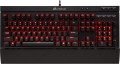 | 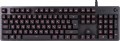 |
|---|---|---|
| Corsair K68 | Logitech G413 | |
from £109.99 | Compare prices 1 | |
| User reviews | ||
| TOP sellers | ||
Mechanical design of the keys. High precision switches. Durable aluminium-magnesium housing. System of protection against accidental clicks. Additional USB port. Logitech Gaming Software. braided cable The backlight is solid colour, not RGB. | ||
| Connection | wired | wired |
| Cable length | 1.8 m | 1.8 m |
| Type | for game | for game |
| Form factor | 100% (full size) | 100% (full size) |
| Layout | ANSI | JIS |
Keyboard | ||
| Key profile | high | high |
| Key type | classic type | classic type |
| Switch technology | mechanical | mechanical |
| Switches | Cherry MX Red (Linear) | Romer-G Tactile |
| Additional keys | 9 | |
| Programmable keys | 6 | |
| Anti-Ghosting |  |  |
| #KRO | 26-KRO | |
| Fn key | | |
Features | ||
| Cyrillic colour | transparent | transparent |
| Application of symbols (Latin) | laser engraving | |
| Application of symbols (Cyrillic) | laser engraving | |
| Volume control | add. keys | fn |
| Palm rest | removable | |
| Built-in memory | | |
| Game mode | | |
| USB hub | 1xUSB-A | |
| Lighting | red | red |
Connection and power supply | ||
| Cable | USB-A | USB-A braided |
General | ||
| Skeleton keyboard | | |
| Waterproof | | |
| Metal top panel | | |
| Replacement keys included | | |
| Size | 455x170x39 mm | 445x132x34 mm |
| Weight | 1120 g | 1105 g |
| Color | ||
| Added to E-Catalog | june 2019 | may 2017 |


Compare Corsair K68 and Logitech G413
Price comparison
You may be interested in
My comparisons
Corsair K68 often compared


Logitech G413 often compared


Glossary
Layout
The layout describes the physical geometry of the keys and their standard arrangement: the shape of Enter and Shift, the presence of additional keys, the width of the space bar, and consequently, compatibility with keycap sets and typing familiarity. The standards hardly affect productivity in software and gaming — comfort and how easy it is to find suitable keycaps/cases are more important. The following types are found:
— ANSI (American). A distinctive feature of the American layout is the single-row Enter key; it is the only popular layout where this key occupies one row, not two. Additionally, unlike the European ISO, the Shift keys on ANSI keyboards have the same width, and the Alt key has the same function. The backslash “\” is usually placed above the Enter and can be longer.
— ISO (European). One characteristic feature of the European layout is the Enter key, which occupies two rows and is slightly wider at the top. Also, the modifier keys are asymmetrical: the Shift keys differ in size (the left one is shorter than the right), and the Alts differ in function (the right Alt is marked as “Alt Gr” and is used for typing special characters of European languages). From the similar in many ways "Japanese" JIS layout, the ISO layout differs by the placement of the backslash “\” — it is standardly located near the left Shift (in some models, it is duplicated near the Enter). As a result,...the left Shift is shorter than usual; this can be inconvenient, especially for new users.
— KS (Korean). The “Korean” layout can be distinguished by the characteristic shape of the Enter key: it occupies two rows and is longer at the bottom than at the top. Another feature is the backslash “\”, which is located to the left of the Backspace, resulting in a shorter Backspace than in other layouts.
— JIS (Japanese). A layout much like the European ISO: it has the same two-row Enter with an increased length of the upper half. In many models, the right Alt is labeled “Alt Gr” and is designed for typing special symbols. The main differences lie in two aspects: the length of the left Shift (it is standard in JIS, not shortened) and the placement of the backslash “\” (it is standardly installed to the left of the lower half of the Enter, where some ISO keyboards have a second, additional backslash).
— ANSI (American). A distinctive feature of the American layout is the single-row Enter key; it is the only popular layout where this key occupies one row, not two. Additionally, unlike the European ISO, the Shift keys on ANSI keyboards have the same width, and the Alt key has the same function. The backslash “\” is usually placed above the Enter and can be longer.
— ISO (European). One characteristic feature of the European layout is the Enter key, which occupies two rows and is slightly wider at the top. Also, the modifier keys are asymmetrical: the Shift keys differ in size (the left one is shorter than the right), and the Alts differ in function (the right Alt is marked as “Alt Gr” and is used for typing special characters of European languages). From the similar in many ways "Japanese" JIS layout, the ISO layout differs by the placement of the backslash “\” — it is standardly located near the left Shift (in some models, it is duplicated near the Enter). As a result,...the left Shift is shorter than usual; this can be inconvenient, especially for new users.
— KS (Korean). The “Korean” layout can be distinguished by the characteristic shape of the Enter key: it occupies two rows and is longer at the bottom than at the top. Another feature is the backslash “\”, which is located to the left of the Backspace, resulting in a shorter Backspace than in other layouts.
— JIS (Japanese). A layout much like the European ISO: it has the same two-row Enter with an increased length of the upper half. In many models, the right Alt is labeled “Alt Gr” and is designed for typing special symbols. The main differences lie in two aspects: the length of the left Shift (it is standard in JIS, not shortened) and the placement of the backslash “\” (it is standardly installed to the left of the lower half of the Enter, where some ISO keyboards have a second, additional backslash).
Switches
The model of switches (switches) used in the keyboard - switching mechanisms installed under each individual key. These details are given if the design uses advanced mechanics, positioned as a better option than traditional switches. Mostly gaming keyboards are equipped with such mechanics.
The most popular switch brands in our time are Cherry MX, considered the "classic of the genre" for high-quality mechanics; Gateron, practically not inferior to him; not so advanced, but also cheaper Kailh and Keychron, as well as ultra-budget Outemu. For all these brands, different types of switches have a different stem color, which can be used to determine the features of the keyboard. It is also worth saying that modern mechanical switches are divided into three main varieties: linear, tactile and clicky.
- Linear. Such solutions are closest to conventional membrane keyboards: the key travel is uniform along the entire length, with minimal resistance and the absence of a clear actuation point. There is an opinion that the linear "mechanics" is best suited for games where you have to deal with fast and frequent clicks; however, in practice, this moment largely depends on the personal tastes of th...e user, nothing prevents the use of such keyboards for working with texts.
- Tactile. Switches with a clearly defined actuation point - a kind of barrier to the path of the key. Such a "barrier" allows you to clearly determine by touch whether the key has worked or not. Tactile keyboards are valued primarily by tech who have to type large volumes of texts.
- Tactile-auditory (Clicky). In such switches, the actuation point is felt not only by touch, but also by ear: the actuation of the key is accompanied by a clearly audible click, which is often compared to the sound of the keys of a typewriter. Due to this, this option is also very popular among users dealing with texts. Some people consider switches of this type not very suitable for games, since they are supposedly not very convenient for frequent, fast pressing; however, a quality Clicky switch is as good as a linear switch in this regard, and the choice depends solely on personal preference. But the unequivocal disadvantages of such keyboards include a rather loud click sound, which in some situations may be superfluous.
As for specific colors, here are their features:
- Red (red). Linear type switches with minimum resistance. They are popular, in particular, among professional gamers who deal with dynamic games and try by all means to speed up their reaction to gaming events. On the other hand, a low force increases the likelihood of accidentally pressing an unnecessary button.
— Black. Another type of linear switches. They have a tighter move compared to Red, which, on the one hand, requires a little more effort, on the other hand, minimizes the chance of accidentally pressing the wrong key.
Blue. Switches in clicky format, with tactile feedback and a click.
— Brown. Switches with tactile feedback, but no "click". The Brown action is great for when you want a keyboard with tactile feedback and at the same time you want to avoid unnecessary noise (although the sound is still louder than on a membrane keyboard). In addition, it is considered a good option for tech who are just starting to get acquainted with mechanical keyboards.
— Silver. Linear switches designed for maximum operating speed. They have a very low stroke - about 1 - 1.2 mm - as well as a very small pressing force, which contributes to high speed. At the same time, the use of such a keyboard requires a certain skill, since even a small effort from an accidental touch usually leads to the operation of a key.
The most popular switch brands in our time are Cherry MX, considered the "classic of the genre" for high-quality mechanics; Gateron, practically not inferior to him; not so advanced, but also cheaper Kailh and Keychron, as well as ultra-budget Outemu. For all these brands, different types of switches have a different stem color, which can be used to determine the features of the keyboard. It is also worth saying that modern mechanical switches are divided into three main varieties: linear, tactile and clicky.
- Linear. Such solutions are closest to conventional membrane keyboards: the key travel is uniform along the entire length, with minimal resistance and the absence of a clear actuation point. There is an opinion that the linear "mechanics" is best suited for games where you have to deal with fast and frequent clicks; however, in practice, this moment largely depends on the personal tastes of th...e user, nothing prevents the use of such keyboards for working with texts.
- Tactile. Switches with a clearly defined actuation point - a kind of barrier to the path of the key. Such a "barrier" allows you to clearly determine by touch whether the key has worked or not. Tactile keyboards are valued primarily by tech who have to type large volumes of texts.
- Tactile-auditory (Clicky). In such switches, the actuation point is felt not only by touch, but also by ear: the actuation of the key is accompanied by a clearly audible click, which is often compared to the sound of the keys of a typewriter. Due to this, this option is also very popular among users dealing with texts. Some people consider switches of this type not very suitable for games, since they are supposedly not very convenient for frequent, fast pressing; however, a quality Clicky switch is as good as a linear switch in this regard, and the choice depends solely on personal preference. But the unequivocal disadvantages of such keyboards include a rather loud click sound, which in some situations may be superfluous.
As for specific colors, here are their features:
- Red (red). Linear type switches with minimum resistance. They are popular, in particular, among professional gamers who deal with dynamic games and try by all means to speed up their reaction to gaming events. On the other hand, a low force increases the likelihood of accidentally pressing an unnecessary button.
— Black. Another type of linear switches. They have a tighter move compared to Red, which, on the one hand, requires a little more effort, on the other hand, minimizes the chance of accidentally pressing the wrong key.
Blue. Switches in clicky format, with tactile feedback and a click.
— Brown. Switches with tactile feedback, but no "click". The Brown action is great for when you want a keyboard with tactile feedback and at the same time you want to avoid unnecessary noise (although the sound is still louder than on a membrane keyboard). In addition, it is considered a good option for tech who are just starting to get acquainted with mechanical keyboards.
— Silver. Linear switches designed for maximum operating speed. They have a very low stroke - about 1 - 1.2 mm - as well as a very small pressing force, which contributes to high speed. At the same time, the use of such a keyboard requires a certain skill, since even a small effort from an accidental touch usually leads to the operation of a key.
Additional keys
The number of additional keys provided in the design of the keyboard.
Such keys do not belong to the standard layout and are intended for quick access to specific functions or individual applications — for example, to control the media player or open mail with one click. This function is convenient because commands from additional keys are usually recognized by the system regardless of what is on the screen — thanks to this, for example, you do not have to close the text editor to switch tracks in the player.
Note that in this case we are talking about individual keys that have a strictly defined purpose and corresponding markings. Programmable buttons, the Fn key (see below) and the functions of the main keys implemented through Fn are not taken into account in this paragraph.
Such keys do not belong to the standard layout and are intended for quick access to specific functions or individual applications — for example, to control the media player or open mail with one click. This function is convenient because commands from additional keys are usually recognized by the system regardless of what is on the screen — thanks to this, for example, you do not have to close the text editor to switch tracks in the player.
Note that in this case we are talking about individual keys that have a strictly defined purpose and corresponding markings. Programmable buttons, the Fn key (see below) and the functions of the main keys implemented through Fn are not taken into account in this paragraph.
Programmable keys
The number of programmable keys provided in the design of the keyboard. Like the additional ones described above, such keys are located outside the standard layout. At the same time, they do not have a rigidly defined purpose — each individual function can be set by the user himself, hence the name. Some manufacturers, however, can initially programme these keys, but this programme can still be changed if desired.
The advantage of such equipment is obvious: additional features of the keyboard can be easily customized. Gamers especially appreciate this feature, so programmable keys are often found in gaming models. On the other hand, the keys themselves usually have neutral markings (for example, P1, P2 ...), and the user has to remember which function is “linked” to where; this can cause confusion.
The advantage of such equipment is obvious: additional features of the keyboard can be easily customized. Gamers especially appreciate this feature, so programmable keys are often found in gaming models. On the other hand, the keys themselves usually have neutral markings (for example, P1, P2 ...), and the user has to remember which function is “linked” to where; this can cause confusion.
Anti-Ghosting
Technology aimed at neutralizing phantom button presses in keyboards with gaming ambitions. The function allows you to simultaneously press numerous keys without false positives of adjacent buttons — a similar situation often occurs in membrane keyboards due to their design features.
#KRO
A parameter that determines the maximum number of simultaneously pressed keys, the signal from which the keyboard is able to process and transmit to the computer. Instead of the "lattice" symbol in the abbreviation KRO, a number is indicated showing the allowable number of simultaneously pressed buttons. Most membrane keyboards come in the 2KRO and 3KRO grades, mechanical models usually start at 6KRO. The NKRO marking says that it is possible to issue a signal from an unlimited number of keys in one sitting.
Application of symbols (Latin)
Legend application indicates how the Latin characters on the keys are made and how well they will survive years of heavy typing.
— Double-shot. The keycap is molded from two different plastics: the main “body” and a separate legend insert are formed together in a single mold, so the letters don’t wear off or fade at all. This method is ideal for RGB backlighting: if the legend layer is semi-transparent, light passes through the symbols without halos. ABS double-shot is more common (bright glow, pleasantly smooth feel), while the pricier PBT double-shot is rarer and offers higher surface wear resistance. Compared to laser engraving, the lifespan is an order of magnitude higher, and it beats the dye-sub method for backlighting (dye-sub doesn’t shine through). Downsides include cost and sometimes visible seams/thick walls that can affect the click’s sound profile. In practice, these keycaps are in demand for mechanical gaming keyboards, esports arenas, developers, and frequent hotkey typing—where double-shot keeps legends readable for years.
— Sublimation. A method of applying Latin symbols to keycaps where, under heat and pressure, the dye penetrates the top layer of plastic, creating a durable, “absorbed” legend. The print won’t rub off from fingers, resists household cleaners and UV light, preserves a matte texture, and maintains high contrast on light backgrounds, but it doesn’t let RGB shine through the symbols and is limited in palette. Compared to laser...engraving, it offers higher lifespan and readability, and versus double-shot it only loses in shine-through effects. Typical use cases include mechanical keyboards for typing, developers, and office work, where durability, the tactile matte PBT feel, and stable readability over years matter.
— Laser engraving. Burning/removing the top coating layer with a beam to form highly precise symbols. Legends last for years, but over time the fill paint can wear and contrast can drop in high-contact areas. Advantages include thin typefaces, clean contours, RGB compatibility, and low cost. Compared to double-shot, engraving is cheaper and more flexible in design, but not “forever”; versus dye-sub it wins on backlighting, but loses in tactile uniformity and longevity. Typical applications are mass-market office and gaming models with backlighting.
— Double-shot. The keycap is molded from two different plastics: the main “body” and a separate legend insert are formed together in a single mold, so the letters don’t wear off or fade at all. This method is ideal for RGB backlighting: if the legend layer is semi-transparent, light passes through the symbols without halos. ABS double-shot is more common (bright glow, pleasantly smooth feel), while the pricier PBT double-shot is rarer and offers higher surface wear resistance. Compared to laser engraving, the lifespan is an order of magnitude higher, and it beats the dye-sub method for backlighting (dye-sub doesn’t shine through). Downsides include cost and sometimes visible seams/thick walls that can affect the click’s sound profile. In practice, these keycaps are in demand for mechanical gaming keyboards, esports arenas, developers, and frequent hotkey typing—where double-shot keeps legends readable for years.
— Sublimation. A method of applying Latin symbols to keycaps where, under heat and pressure, the dye penetrates the top layer of plastic, creating a durable, “absorbed” legend. The print won’t rub off from fingers, resists household cleaners and UV light, preserves a matte texture, and maintains high contrast on light backgrounds, but it doesn’t let RGB shine through the symbols and is limited in palette. Compared to laser...engraving, it offers higher lifespan and readability, and versus double-shot it only loses in shine-through effects. Typical use cases include mechanical keyboards for typing, developers, and office work, where durability, the tactile matte PBT feel, and stable readability over years matter.
— Laser engraving. Burning/removing the top coating layer with a beam to form highly precise symbols. Legends last for years, but over time the fill paint can wear and contrast can drop in high-contact areas. Advantages include thin typefaces, clean contours, RGB compatibility, and low cost. Compared to double-shot, engraving is cheaper and more flexible in design, but not “forever”; versus dye-sub it wins on backlighting, but loses in tactile uniformity and longevity. Typical applications are mass-market office and gaming models with backlighting.
Application of symbols (Cyrillic)
Legend application indicates how the Latin letters are made on the keys and how well they will survive years of heavy typing.
— Double-shot. The keycap is molded from two different plastics: the main “body” and a separate insert with the legend are formed in the mold as a single piece, so the letters don’t wear off or fade at all. This method is ideal for RGB backlighting: if the legend layer is semi‑transparent, light passes through the symbols without halos. ABS double-shot is more common (bright glow, pleasantly smooth feel), while the more expensive PBT double-shot is rarer and offers higher surface durability. Compared to laser engraving, the lifespan is an order of magnitude higher, and it beats the sublimation method in backlighting (dye-sub doesn’t shine through). Downsides include the price and sometimes visible seams/thick walls that can affect key sound. In practice, these keycaps are in demand for mechanical gaming keyboards, esports arenas, developers, and frequent hotkey typing—situations where double-shot preserves legibility for years.
— Dye-sublimation. A method of applying Latin symbols to keycaps where dye penetrates the top layer of plastic under heat and pressure, creating a durable “soaked-in” legend. The print doesn’t rub off from fingers, isn’t afraid of household chemicals or UV light, keeps a matte texture, and offers high contrast on light backgrounds, but it doesn’t let RGB backlighting shine through the symbols and has palette li...mitations. Compared to laser engraving, durability and legibility are higher, and versus double-shot it only loses in shine-through effects. Typical use cases include mechanical keyboards for typing, developers, and office work, where long life, tactile matte PBT, and stable legibility over years are important.
— Laser engraving. Burning/removing the top coating layer with a beam to form a highly precise symbol. The symbols last for years, but over time the paint fill can wear off and contrast can drop in high-contact areas. Advantages include thin fonts, clean contours, RGB compatibility, and affordable cost. Compared to double-shot, engraving is cheaper and more flexible in design, but not “forever”; against dye-sub it wins with backlighting, but loses in tactile uniformity and longevity. Typical applications include mass-market office and gaming models with backlighting, as well as bilingual layouts where the Latin legends are made with a more durable technology and Cyrillic is added by laser.
— Double-shot. The keycap is molded from two different plastics: the main “body” and a separate insert with the legend are formed in the mold as a single piece, so the letters don’t wear off or fade at all. This method is ideal for RGB backlighting: if the legend layer is semi‑transparent, light passes through the symbols without halos. ABS double-shot is more common (bright glow, pleasantly smooth feel), while the more expensive PBT double-shot is rarer and offers higher surface durability. Compared to laser engraving, the lifespan is an order of magnitude higher, and it beats the sublimation method in backlighting (dye-sub doesn’t shine through). Downsides include the price and sometimes visible seams/thick walls that can affect key sound. In practice, these keycaps are in demand for mechanical gaming keyboards, esports arenas, developers, and frequent hotkey typing—situations where double-shot preserves legibility for years.
— Dye-sublimation. A method of applying Latin symbols to keycaps where dye penetrates the top layer of plastic under heat and pressure, creating a durable “soaked-in” legend. The print doesn’t rub off from fingers, isn’t afraid of household chemicals or UV light, keeps a matte texture, and offers high contrast on light backgrounds, but it doesn’t let RGB backlighting shine through the symbols and has palette li...mitations. Compared to laser engraving, durability and legibility are higher, and versus double-shot it only loses in shine-through effects. Typical use cases include mechanical keyboards for typing, developers, and office work, where long life, tactile matte PBT, and stable legibility over years are important.
— Laser engraving. Burning/removing the top coating layer with a beam to form a highly precise symbol. The symbols last for years, but over time the paint fill can wear off and contrast can drop in high-contact areas. Advantages include thin fonts, clean contours, RGB compatibility, and affordable cost. Compared to double-shot, engraving is cheaper and more flexible in design, but not “forever”; against dye-sub it wins with backlighting, but loses in tactile uniformity and longevity. Typical applications include mass-market office and gaming models with backlighting, as well as bilingual layouts where the Latin legends are made with a more durable technology and Cyrillic is added by laser.
Volume control
Volume control methodprovided in the keyboard (if such a possibility is provided at all).
— Through Fn. Adjustment using the Fn key (see above): increasing and decreasing the volume is carried out by simultaneously pressing Fn and one of the main keys of the keyboard (usually from the F1 — F12 row), The main advantage of this control is that it allows you not to overload the keyboard with additional controls — this, in turn, has a positive effect on the dimensions and cost. The disadvantage is the need to simultaneously press two keys, which is not always convenient.
— Additional keys. Control with additional keys specially designed for working with volume. A very convenient and practical option: additional keys are usually clearly labeled, while they take up less space and are cheaper than a wheel or a touch slider (see below).
— Wheel. Control by means of a mechanical wheel, the rotation of which up and down or left and right provides a change in volume. A fairly user-friendly option — visual, intuitive and accessible even blindly. At the same time, the wheel can take up quite a lot of space, and it significantly affects the cost of the keyboard.
— Touch slider. Management using a touch surface, the movement of a finger in one direction or another. The sensor takes up minimal space, looks neat...and generally fits well with the overall design of the keyboard, but it is not cheap. Therefore, this option is extremely rare, mainly in high-end gaming or multimedia keyboards.
— Through Fn. Adjustment using the Fn key (see above): increasing and decreasing the volume is carried out by simultaneously pressing Fn and one of the main keys of the keyboard (usually from the F1 — F12 row), The main advantage of this control is that it allows you not to overload the keyboard with additional controls — this, in turn, has a positive effect on the dimensions and cost. The disadvantage is the need to simultaneously press two keys, which is not always convenient.
— Additional keys. Control with additional keys specially designed for working with volume. A very convenient and practical option: additional keys are usually clearly labeled, while they take up less space and are cheaper than a wheel or a touch slider (see below).
— Wheel. Control by means of a mechanical wheel, the rotation of which up and down or left and right provides a change in volume. A fairly user-friendly option — visual, intuitive and accessible even blindly. At the same time, the wheel can take up quite a lot of space, and it significantly affects the cost of the keyboard.
— Touch slider. Management using a touch surface, the movement of a finger in one direction or another. The sensor takes up minimal space, looks neat...and generally fits well with the overall design of the keyboard, but it is not cheap. Therefore, this option is extremely rare, mainly in high-end gaming or multimedia keyboards.