
Comparison Cougar Aurora vs Cougar Aurora S
Add to comparison | 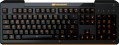 | 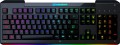 |
|---|---|---|
| Cougar Aurora | Cougar Aurora S | |
from £77.03 | from £18.99 | |
| User reviews | ||
| TOP sellers | ||
| Connection | wired | wired |
| Cable length | 1.6 m | 1.6 m |
| Type | for game | for game |
| Form factor | 100% (full size) | 100% (full size) |
| Layout | ANSI | ANSI |
Keyboard | ||
| Key profile | low | low |
| Key type | classic type | classic type |
| Switch technology | membrane | membrane |
| Anti-Ghosting |  | |
| #KRO | 19-KRO | 19-KRO |
| Fn key | | |
Features | ||
| Volume control | fn | fn |
| Game mode | | |
| Lighting | multicolor | RGB |
| Lighting effects | + | + |
Connection and power supply | ||
| Cable | USB-A | USB-A |
General | ||
| Size | 450x180x25 mm | 450x180x25 mm |
| Weight | 750 g | 750 g |
| Color | ||
| Added to E-Catalog | july 2019 | july 2019 |


Compare Cougar Aurora and Aurora S
You may be interested in
Cougar Aurora S often compared


Glossary
Lighting
The colour of the backlight provided in the design of the keyboard.
In general, the backlight performs two functions: practical (makes the keys more visible in low light) and aesthetic (gives the keyboard a beautiful appearance). However, it cannot be said that non-backlit keyboards will be unusable in the dark, the light from the monitor will still illuminate the buttons. The simplest version of the backlight is one-colour. In this case, specific colours can be different: for example, white is well suited for general-purpose keyboards (work or home), but other shades can be found in gaming or design models, for example, red, green, blue, purple or orange. If two or three colours are indicated for the keyboard, this may mean either the ability to switch between these colours, or that this model comes in several versions that differ in the shade of the backlight; these nuances should be clarified separately.
The most advanced options are multi-colour and RGB backlighting. Multi-colour systems are called systems in which more than three colour options are provided, sometimes with intermediate shades. And RGB-backlight all...ows you to choose almost any shade at the request of the user; in addition, the possibility of synchronization (see "Illumination with effects") is found mainly in such systems, although single-colour keyboards can also be equipped with other effects.
In general, the backlight performs two functions: practical (makes the keys more visible in low light) and aesthetic (gives the keyboard a beautiful appearance). However, it cannot be said that non-backlit keyboards will be unusable in the dark, the light from the monitor will still illuminate the buttons. The simplest version of the backlight is one-colour. In this case, specific colours can be different: for example, white is well suited for general-purpose keyboards (work or home), but other shades can be found in gaming or design models, for example, red, green, blue, purple or orange. If two or three colours are indicated for the keyboard, this may mean either the ability to switch between these colours, or that this model comes in several versions that differ in the shade of the backlight; these nuances should be clarified separately.
The most advanced options are multi-colour and RGB backlighting. Multi-colour systems are called systems in which more than three colour options are provided, sometimes with intermediate shades. And RGB-backlight all...ows you to choose almost any shade at the request of the user; in addition, the possibility of synchronization (see "Illumination with effects") is found mainly in such systems, although single-colour keyboards can also be equipped with other effects.