
Comparison Motospeed GK89 vs Logitech G613
Add to comparison |  | 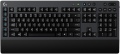 |
|---|---|---|
| Motospeed GK89 | Logitech G613 | |
from £63.58 | Compare prices 2 | |
| User reviews | ||
| TOP sellers | ||
Comes with phone stand and USB extension cable. Wrist rest. Up to 18 months on two AA batteries. Lightspeed technology provides a stable wireless connection with minimal latency | ||
| Connection | radio | Bluetooth / radio |
| Multi-Device |  |  |
| Type | for game | for game |
| Form factor | 100% (full size) | 100% (full size) |
| Layout | ANSI | ANSI |
Keyboard | ||
| Key profile | high | high |
| Key type | classic type | classic type |
| Switch technology | mechanical | mechanical |
| Switches | Romer-G Tactile | |
| Additional keys | 16 | |
| Programmable keys | 6 | |
| Fn key | | |
Features | ||
| Volume control | fn | add. keys |
| Palm rest | + | |
| Game mode | | |
| Lighting | multicolor | |
| Lighting effects | + | |
Connection and power supply | ||
| Power source | battery | 2xAA |
| Battery time | 18 months | |
| Receiver (dongle) | USB A | USB A |
General | ||
| Skeleton keyboard | | |
| Size | 438x135x38 mm | 478x216x33 mm |
| Weight | 860 g | 1410 g |
| Color | ||
| Added to E-Catalog | october 2019 | february 2018 |


Compare Motospeed GK89 and Logitech G613
Price comparison
You may be interested in
My comparisons
Logitech G613 often compared


Glossary
Connection
— Wired. Connection using a cable with one or another type of connector — most often USB, less often PS/2 or a proprietary plug (see "Connection interface"). Wired keyboards are notable for their low cost and overall convenience — in the sense that they do not require batteries and the operating time is unlimited. However the wire limits mobility; however, given that most often the keyboard is used in close proximity to the computer, this shortcoming cannot be called critical.
— Radio. Wireless connection over the air, usually through a wireless adapter connected to a computer via a USB port. The main advantage of this option can be called the actual absence of a wire; while the communication range is usually several metres, which gives freedom of movement and even allows you to use the keyboard as a "computer remote control". On the other hand, wireless models are much more expensive than wired ones, and their operation requires separate power supply from batteries or a rechargeable battery, the charge of which is limited — accordingly, the continuous operation time is limited. Separately, we note that this option is designed mainly for stationary PCs; if a wireless keyboard is needed for a laptop, it is better to pay attention to Bluetooth models (see below).
— Bluetooth. Another way to wir...elessly connect keyboards. Technically, Bluetooth is based on radio waves, but this technology has its own characteristics, so it is listed separately from the "normal" radio connection (see above). The main one of these features is that many models of modern electronics (almost all laptops and tablets, some PCs, etc.) are equipped with built-in Bluetooth modules, which allows you to connect such keyboards without using additional adapters. In addition, the range of such a connection is officially at least 10 m (in fact, of course, it depends on obstacles, interference, etc.). It is this option that will be optimal if you need a wireless keyboard for a Bluetooth-enabled device.
— Bluetooth / radio. Wireless keyboards that can connect both via Bluetooth and radio. See above for more details on each of these options. Also note here that such a keyboard is usually connected directly to a Bluetooth device (for example, a laptop), and if the computer does not support Bluetooth, you can connect a USB adapter to it and use a radio connection. Thus, the keyboard is as versatile as possible in connection. However, such versatility significantly affects the cost, and is required not so often; so this option is not widely used.
— Bluetooth / radio / wired. Keyboards that support all three connection methods described above. This is the most versatile option, giving the user the freedom to choose for different situations. For example, while playing a game or watching a movie, you can sit in a comfortable chair away from the screen by connecting the device wirelessly, and when typing or surfing the Internet, you can move to the table and use the wire, saving battery power. At the same time, such versatility is not often required and is expensive, so models with this type of connection are not popular either.
— Radio. Wireless connection over the air, usually through a wireless adapter connected to a computer via a USB port. The main advantage of this option can be called the actual absence of a wire; while the communication range is usually several metres, which gives freedom of movement and even allows you to use the keyboard as a "computer remote control". On the other hand, wireless models are much more expensive than wired ones, and their operation requires separate power supply from batteries or a rechargeable battery, the charge of which is limited — accordingly, the continuous operation time is limited. Separately, we note that this option is designed mainly for stationary PCs; if a wireless keyboard is needed for a laptop, it is better to pay attention to Bluetooth models (see below).
— Bluetooth. Another way to wir...elessly connect keyboards. Technically, Bluetooth is based on radio waves, but this technology has its own characteristics, so it is listed separately from the "normal" radio connection (see above). The main one of these features is that many models of modern electronics (almost all laptops and tablets, some PCs, etc.) are equipped with built-in Bluetooth modules, which allows you to connect such keyboards without using additional adapters. In addition, the range of such a connection is officially at least 10 m (in fact, of course, it depends on obstacles, interference, etc.). It is this option that will be optimal if you need a wireless keyboard for a Bluetooth-enabled device.
— Bluetooth / radio. Wireless keyboards that can connect both via Bluetooth and radio. See above for more details on each of these options. Also note here that such a keyboard is usually connected directly to a Bluetooth device (for example, a laptop), and if the computer does not support Bluetooth, you can connect a USB adapter to it and use a radio connection. Thus, the keyboard is as versatile as possible in connection. However, such versatility significantly affects the cost, and is required not so often; so this option is not widely used.
— Bluetooth / radio / wired. Keyboards that support all three connection methods described above. This is the most versatile option, giving the user the freedom to choose for different situations. For example, while playing a game or watching a movie, you can sit in a comfortable chair away from the screen by connecting the device wirelessly, and when typing or surfing the Internet, you can move to the table and use the wire, saving battery power. At the same time, such versatility is not often required and is expensive, so models with this type of connection are not popular either.
Multi-Device
The keyboard's ability to quickly switch between multiple devices. Multi-Device allows you to simultaneously work with a tablet, TV, and other devices with one keyboard.
Switches
Manufacturer of the mechanisms installed beneath the keyboard keys. The brand helps identify the origin and family of the mechanisms, but the typing feel and operating characteristics depend primarily on the specific model. Different models may vary in actuation force and point, travel distance, noise level, and rated lifespan. For example, switches from the same brand may be designed both for fast gaming commands and for typing with pronounced tactile feedback. To make it easier to navigate the innumerable number of switches, they have been divided into 3 categories: linear, tactile, and clicky.
— Linear (linear). The stem moves smoothly, without a tactile bump or a separate click. Such switches, for example Cherry MX Red (Linear), are convenient for fast-paced games where the WASD keys or commands need to be pressed several times in quick succession. Models with a low actuation force may cause accidental keystrokes while typing.
— Tactile (tactile). A small bump can be felt during the keystroke, helping identify the actuation point without a mandatory loud click. For example, Cherry MX Brown (Tactile) switches are suitable for typing lengthy texts and everyday keyboard use. The prominence of the tactile feedback depends on the specific model and may be barely noticeable or quite pronounced.
— Clicky (clicky). At the actuation point, they pro...duce noticeable tactile feedback and a distinct click, like Cherry MX Blue (Clicky). This dual feedback helps control input and avoid bottoming out the keys, so these switches are well suited for typing, programming, and other tasks involving intensive typing. However, loud clicks may disturb others in an office, shared room, or during voice communication.
— Linear (linear). The stem moves smoothly, without a tactile bump or a separate click. Such switches, for example Cherry MX Red (Linear), are convenient for fast-paced games where the WASD keys or commands need to be pressed several times in quick succession. Models with a low actuation force may cause accidental keystrokes while typing.
— Tactile (tactile). A small bump can be felt during the keystroke, helping identify the actuation point without a mandatory loud click. For example, Cherry MX Brown (Tactile) switches are suitable for typing lengthy texts and everyday keyboard use. The prominence of the tactile feedback depends on the specific model and may be barely noticeable or quite pronounced.
— Clicky (clicky). At the actuation point, they pro...duce noticeable tactile feedback and a distinct click, like Cherry MX Blue (Clicky). This dual feedback helps control input and avoid bottoming out the keys, so these switches are well suited for typing, programming, and other tasks involving intensive typing. However, loud clicks may disturb others in an office, shared room, or during voice communication.
Additional keys
The number of additional keys provided in the design of the keyboard.
Such keys do not belong to the standard layout and are intended for quick access to specific functions or individual applications — for example, to control the media player or open mail with one click. This function is convenient because commands from additional keys are usually recognized by the system regardless of what is on the screen — thanks to this, for example, you do not have to close the text editor to switch tracks in the player.
Note that in this case we are talking about individual keys that have a strictly defined purpose and corresponding markings. Programmable buttons, the Fn key (see below) and the functions of the main keys implemented through Fn are not taken into account in this paragraph.
Such keys do not belong to the standard layout and are intended for quick access to specific functions or individual applications — for example, to control the media player or open mail with one click. This function is convenient because commands from additional keys are usually recognized by the system regardless of what is on the screen — thanks to this, for example, you do not have to close the text editor to switch tracks in the player.
Note that in this case we are talking about individual keys that have a strictly defined purpose and corresponding markings. Programmable buttons, the Fn key (see below) and the functions of the main keys implemented through Fn are not taken into account in this paragraph.
Programmable keys
The number of programmable keys provided in the design of the keyboard. Like the additional ones described above, such keys are located outside the standard layout. At the same time, they do not have a rigidly defined purpose — each individual function can be set by the user himself, hence the name. Some manufacturers, however, can initially programme these keys, but this programme can still be changed if desired.
The advantage of such equipment is obvious: additional features of the keyboard can be easily customized. Gamers especially appreciate this feature, so programmable keys are often found in gaming models. On the other hand, the keys themselves usually have neutral markings (for example, P1, P2 ...), and the user has to remember which function is “linked” to where; this can cause confusion.
The advantage of such equipment is obvious: additional features of the keyboard can be easily customized. Gamers especially appreciate this feature, so programmable keys are often found in gaming models. On the other hand, the keys themselves usually have neutral markings (for example, P1, P2 ...), and the user has to remember which function is “linked” to where; this can cause confusion.
Fn key
The presence on the keyboard of the Fn key(short for function). It belongs to modifiers, similar to Shift or Ctrl: by itself it does not perform any action, but when pressed simultaneously with another key, it changes its original purpose. Fn is often found in compact keyboards (see "Format"), but can also be set in full-sized ones. The features it provides include quickly changing the screen brightness or sound volume directly from the keyboard, using the centre keys as a Numpad, launching individual applications, and so on. Specific features of using the Fn key depend on the keyboard model.
Volume control
Volume control methodprovided in the keyboard (if such a possibility is provided at all).
— Through Fn. Adjustment using the Fn key (see above): increasing and decreasing the volume is carried out by simultaneously pressing Fn and one of the main keys of the keyboard (usually from the F1 — F12 row), The main advantage of this control is that it allows you not to overload the keyboard with additional controls — this, in turn, has a positive effect on the dimensions and cost. The disadvantage is the need to simultaneously press two keys, which is not always convenient.
— Additional keys. Control with additional keys specially designed for working with volume. A very convenient and practical option: additional keys are usually clearly labeled, while they take up less space and are cheaper than a wheel or a touch slider (see below).
— Wheel. Control by means of a mechanical wheel, the rotation of which up and down or left and right provides a change in volume. A fairly user-friendly option — visual, intuitive and accessible even blindly. At the same time, the wheel can take up quite a lot of space, and it significantly affects the cost of the keyboard.
— Touch slider. Management using a touch surface, the movement of a finger in one direction or another. The sensor takes up minimal space, looks neat...and generally fits well with the overall design of the keyboard, but it is not cheap. Therefore, this option is extremely rare, mainly in high-end gaming or multimedia keyboards.
— Through Fn. Adjustment using the Fn key (see above): increasing and decreasing the volume is carried out by simultaneously pressing Fn and one of the main keys of the keyboard (usually from the F1 — F12 row), The main advantage of this control is that it allows you not to overload the keyboard with additional controls — this, in turn, has a positive effect on the dimensions and cost. The disadvantage is the need to simultaneously press two keys, which is not always convenient.
— Additional keys. Control with additional keys specially designed for working with volume. A very convenient and practical option: additional keys are usually clearly labeled, while they take up less space and are cheaper than a wheel or a touch slider (see below).
— Wheel. Control by means of a mechanical wheel, the rotation of which up and down or left and right provides a change in volume. A fairly user-friendly option — visual, intuitive and accessible even blindly. At the same time, the wheel can take up quite a lot of space, and it significantly affects the cost of the keyboard.
— Touch slider. Management using a touch surface, the movement of a finger in one direction or another. The sensor takes up minimal space, looks neat...and generally fits well with the overall design of the keyboard, but it is not cheap. Therefore, this option is extremely rare, mainly in high-end gaming or multimedia keyboards.
Palm rest
The presence of an additional palm rest in the design of the keyboard. Such a stand is located in the lower (closest to the user) part of the device and is a kind of continuation of the “board”, providing additional support and increasing the comfort of use. However, comfort is largely a matter of personal preference, and not all users like stands; therefore, most often they are made removable.
Lighting
The colour of the backlight provided in the design of the keyboard.
In general, the backlight performs two functions: practical (makes the keys more visible in low light) and aesthetic (gives the keyboard a beautiful appearance). However, it cannot be said that non-backlit keyboards will be unusable in the dark, the light from the monitor will still illuminate the buttons. The simplest version of the backlight is one-colour. In this case, specific colours can be different: for example, white is well suited for general-purpose keyboards (work or home), but other shades can be found in gaming or design models, for example, red, green, blue, purple or orange. If two or three colours are indicated for the keyboard, this may mean either the ability to switch between these colours, or that this model comes in several versions that differ in the shade of the backlight; these nuances should be clarified separately.
The most advanced options are multi-colour and RGB backlighting. Multi-colour systems are called systems in which more than three colour options are provided, sometimes with intermediate shades. And RGB-backlight all...ows you to choose almost any shade at the request of the user; in addition, the possibility of synchronization (see "Illumination with effects") is found mainly in such systems, although single-colour keyboards can also be equipped with other effects.
In general, the backlight performs two functions: practical (makes the keys more visible in low light) and aesthetic (gives the keyboard a beautiful appearance). However, it cannot be said that non-backlit keyboards will be unusable in the dark, the light from the monitor will still illuminate the buttons. The simplest version of the backlight is one-colour. In this case, specific colours can be different: for example, white is well suited for general-purpose keyboards (work or home), but other shades can be found in gaming or design models, for example, red, green, blue, purple or orange. If two or three colours are indicated for the keyboard, this may mean either the ability to switch between these colours, or that this model comes in several versions that differ in the shade of the backlight; these nuances should be clarified separately.
The most advanced options are multi-colour and RGB backlighting. Multi-colour systems are called systems in which more than three colour options are provided, sometimes with intermediate shades. And RGB-backlight all...ows you to choose almost any shade at the request of the user; in addition, the possibility of synchronization (see "Illumination with effects") is found mainly in such systems, although single-colour keyboards can also be equipped with other effects.