
Comparison Hator Rockfall EVO TKL vs Hator Rockfall TKL
Add to comparison | 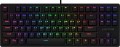 | 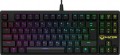 |
|---|---|---|
| Hator Rockfall EVO TKL | Hator Rockfall TKL | |
| Outdated Product | Outdated Product | |
| User reviews | ||
| TOP sellers | ||
No Key Rollover (unlimited number of simultaneously pressed keys). Replacement Kailh Optical switches. Resource 80 million clicks. Metal base. RGB lighting. Spare caps. | No Key Rollover (unlimited number of simultaneously pressed keys) | |
| Connection | wired | wired |
| Cable length | 1.8 m | 1.8 m |
| Type | for game | for game |
| Form factor | 80% (TKL, without Numpad) | 80% (TKL, without Numpad) |
| Layout | ANSI | JIS |
Keyboard | ||
| Key profile | high | high |
| Key type | classic type | classic type |
| Switch technology | optical | optical |
| Switches | Kailh Black (Linear) | Kailh Black (Linear) |
| Hot Swap |  |  |
| Anti-Ghosting | | |
| #KRO | N-KRO | |
| Fn key | | |
Features | ||
| Cyrillic colour | transparent | transparent |
| Volume control | fn | fn |
| Built-in memory | | |
| Game mode | | |
| Lighting | RGB | RGB |
| Lighting effects | + | + |
Connection and power supply | ||
| Cable | USB-A braided | USB-A braided |
General | ||
| Metal top panel | | |
| Metal base | | |
| Size | 360x133x36 mm | 360x133x36 mm |
| Weight | 735 g | 735 g |
| Color | ||
| Added to E-Catalog | march 2020 | december 2018 |


Compare Hator Rockfall EVO TKL and Rockfall TKL
You may be interested in
My comparisons
Hator Rockfall EVO TKL often compared


Hator Rockfall TKL often compared

Glossary
Layout
The layout describes the physical geometry of the keys and their standard arrangement: the shape of Enter and Shift, the presence of additional keys, the width of the space bar, and consequently, compatibility with keycap sets and typing familiarity. The standards hardly affect productivity in software and gaming — comfort and how easy it is to find suitable keycaps/cases are more important. The following types are found:
— ANSI (American). A distinctive feature of the American layout is the single-row Enter key; it is the only popular layout where this key occupies one row, not two. Additionally, unlike the European ISO, the Shift keys on ANSI keyboards have the same width, and the Alt key has the same function. The backslash “\” is usually placed above the Enter and can be longer.
— ISO (European). One characteristic feature of the European layout is the Enter key, which occupies two rows and is slightly wider at the top. Also, the modifier keys are asymmetrical: the Shift keys differ in size (the left one is shorter than the right), and the Alts differ in function (the right Alt is marked as “Alt Gr” and is used for typing special characters of European languages). From the similar in many ways "Japanese" JIS layout, the ISO layout differs by the placement of the backslash “\” — it is standardly located near the left Shift (in some models, it is duplicated near the Enter). As a result,...the left Shift is shorter than usual; this can be inconvenient, especially for new users.
— KS (Korean). The “Korean” layout can be distinguished by the characteristic shape of the Enter key: it occupies two rows and is longer at the bottom than at the top. Another feature is the backslash “\”, which is located to the left of the Backspace, resulting in a shorter Backspace than in other layouts.
— JIS (Japanese). A layout much like the European ISO: it has the same two-row Enter with an increased length of the upper half. In many models, the right Alt is labeled “Alt Gr” and is designed for typing special symbols. The main differences lie in two aspects: the length of the left Shift (it is standard in JIS, not shortened) and the placement of the backslash “\” (it is standardly installed to the left of the lower half of the Enter, where some ISO keyboards have a second, additional backslash).
— ANSI (American). A distinctive feature of the American layout is the single-row Enter key; it is the only popular layout where this key occupies one row, not two. Additionally, unlike the European ISO, the Shift keys on ANSI keyboards have the same width, and the Alt key has the same function. The backslash “\” is usually placed above the Enter and can be longer.
— ISO (European). One characteristic feature of the European layout is the Enter key, which occupies two rows and is slightly wider at the top. Also, the modifier keys are asymmetrical: the Shift keys differ in size (the left one is shorter than the right), and the Alts differ in function (the right Alt is marked as “Alt Gr” and is used for typing special characters of European languages). From the similar in many ways "Japanese" JIS layout, the ISO layout differs by the placement of the backslash “\” — it is standardly located near the left Shift (in some models, it is duplicated near the Enter). As a result,...the left Shift is shorter than usual; this can be inconvenient, especially for new users.
— KS (Korean). The “Korean” layout can be distinguished by the characteristic shape of the Enter key: it occupies two rows and is longer at the bottom than at the top. Another feature is the backslash “\”, which is located to the left of the Backspace, resulting in a shorter Backspace than in other layouts.
— JIS (Japanese). A layout much like the European ISO: it has the same two-row Enter with an increased length of the upper half. In many models, the right Alt is labeled “Alt Gr” and is designed for typing special symbols. The main differences lie in two aspects: the length of the left Shift (it is standard in JIS, not shortened) and the placement of the backslash “\” (it is standardly installed to the left of the lower half of the Enter, where some ISO keyboards have a second, additional backslash).
Hot Swap
"Hot" replacement of mechanical keyboard switches without the procedure of disassembling and soldering the manipulator. Hot Swap technology allows you to change one switch for another in a matter of seconds. This is convenient both when the switches fail, and when using the keyboard in different scenarios. Most often, the technology is used in advanced gaming devices.
Anti-Ghosting
Technology aimed at neutralizing phantom button presses in keyboards with gaming ambitions. The function allows you to simultaneously press numerous keys without false positives of adjacent buttons — a similar situation often occurs in membrane keyboards due to their design features.
#KRO
A parameter that determines the maximum number of simultaneously pressed keys, the signal from which the keyboard is able to process and transmit to the computer. Instead of the "lattice" symbol in the abbreviation KRO, a number is indicated showing the allowable number of simultaneously pressed buttons. Most membrane keyboards come in the 2KRO and 3KRO grades, mechanical models usually start at 6KRO. The NKRO marking says that it is possible to issue a signal from an unlimited number of keys in one sitting.
Metal top panel
Metal Top Panel in a keyboard primarily affects the rigidness of the body and the typing feel: the work area flexes less, the body is less likely to start creaking, and the appearance is generally perceived as more premium. In manufacturer specifications, this part is often referred to as the aluminum top plate or top case, but in pre-built assemblies, there are instances where the metal serves as a thin decorative cover—it's better to check actual model photos and the device's weight, not just an appealing description in the product card. In practice, this option is often chosen for ready-made gaming PC kits and office setups where the keyboard is used actively every day and users want it to maintain its "integrity" for longer.
Metal base
The metallic base is most noticeable in its stability on the desk: the weight is concentrated at the bottom, vibrations are dampened better, the keyboard slides less, and usually sounds quieter on a hard surface. In finished builds, this feature is often chosen as a simple way to enhance the experience without complicating the design from above—the body feels more solid even with abrupt key presses. A typical scenario is active gameplay or fast work typing, where the device stays in place and doesn't annoy with excessive vibrations.