
Comparison hard Drives (HDD)
Save List
Add to comparison | 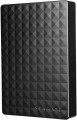 |
|---|---|
| Seagate Expansion Portable Hard Drive 2.5" STEA1000400 1 TB | |
| Compare prices 1 | |
| TOP sellers | |
| Placement | external |
| Type | HDD |
| Features | for PC |
| Volume | 1 TB |
| Form factor | 2.5 " |
| Connection | USB-A 5Gbps |
| Manufacturer's warranty | 2 years |
Technical specs | |
| RPM | 5400 rpm |
General | |
| Power source (external) | USB port |
| Material | plastic |
| Size | 117x80x15 mm |
| Weight | 170 g |
| Color | |
| Added to E-Catalog | june 2015 |

Price comparison
You may be interested in
My comparisons
Glossary
Placement
— External. Hard drives designed to be used as external removable devices. They are carried out in separate protected cases, often they are powered from an external source; are designed to be plugged in and out regularly and are well suited for transporting large amounts of information between computers. The most popular way to connect such drives is USB, but there are other options (for more details, see "Connection interfaces")
— Internal. Hard drives designed to be installed inside a computer or laptop case and permanently function as an element of a computer system. They do not involve frequent reconnection — technically it is possible, but much more problematic than in the case of external drives. Most often they are connected via the SATA interface of one version or another (see "Connection interfaces"), other options are relatively rare, mainly among professional models.
— Internal. Hard drives designed to be installed inside a computer or laptop case and permanently function as an element of a computer system. They do not involve frequent reconnection — technically it is possible, but much more problematic than in the case of external drives. Most often they are connected via the SATA interface of one version or another (see "Connection interfaces"), other options are relatively rare, mainly among professional models.
Type
The type to which the drive belongs. Hard drives in a broad sense again include several types of drives:
— HDD. Hard drives in the classical sense of the word are drives that record information on rotating magnetic platters. Despite the emergence of more advanced types of drives, classic HDDs still do not lose popularity due to the combination of impressive volumes and low cost. Their main disadvantages are significant weight and power consumption, as well as relatively low speed of reading and writing data.
— SSHD. Hybrid drives that combine the HDD described above and an SSD solid-state drive in one case; while the system perceives SSHD as a single device. The idea of such a combination is to increase the speed of reading and writing, while retaining the main advantage of the HDD — large volumes at a low cost. To do this, the solid state part of the SSHD acts as a high-speed clipboard between the system and the HDD; in terms of speed, such systems, although they do not reach full-fledged SSDs, are noticeably superior to traditional hard drives.
— RAID array. RAID arrays implemented as separate devices (usually external, see "Execution"). Such a device consists of several hard drives installed in one housing and combined into an array, perceived by the system as a single drive. There are several types (levels) of RAID, which differ in the way disks interact in an array and..., accordingly, in the specifics of their application. So, in RAID 0, information is alternately written to each disk, which increases the speed of work; in RAID 1, each disk is a copy of all the others, which gives maximum fault tolerance, etc. Detailed information on RAID levels can be found in special sources. Also note here that buying a RAID array may turn out to be more convenient than assembling it from separately purchased disks: a ready-made array is initially equipped with everything you need and requires only minimal configuration. The main thing is to clarify before buying which RAID levels the selected model supports.
— HDD. Hard drives in the classical sense of the word are drives that record information on rotating magnetic platters. Despite the emergence of more advanced types of drives, classic HDDs still do not lose popularity due to the combination of impressive volumes and low cost. Their main disadvantages are significant weight and power consumption, as well as relatively low speed of reading and writing data.
— SSHD. Hybrid drives that combine the HDD described above and an SSD solid-state drive in one case; while the system perceives SSHD as a single device. The idea of such a combination is to increase the speed of reading and writing, while retaining the main advantage of the HDD — large volumes at a low cost. To do this, the solid state part of the SSHD acts as a high-speed clipboard between the system and the HDD; in terms of speed, such systems, although they do not reach full-fledged SSDs, are noticeably superior to traditional hard drives.
— RAID array. RAID arrays implemented as separate devices (usually external, see "Execution"). Such a device consists of several hard drives installed in one housing and combined into an array, perceived by the system as a single drive. There are several types (levels) of RAID, which differ in the way disks interact in an array and..., accordingly, in the specifics of their application. So, in RAID 0, information is alternately written to each disk, which increases the speed of work; in RAID 1, each disk is a copy of all the others, which gives maximum fault tolerance, etc. Detailed information on RAID levels can be found in special sources. Also note here that buying a RAID array may turn out to be more convenient than assembling it from separately purchased disks: a ready-made array is initially equipped with everything you need and requires only minimal configuration. The main thing is to clarify before buying which RAID levels the selected model supports.
Features
The general purpose of a hard drive is the type of devices for which it was originally intended.
— For PC. Hard drives designed for use with conventional consumer computers and laptops. At the same time, the possibility of installing an internal HDD (see "Performance") directly depends on the form factor (see the relevant paragraph), while external models are not subject to such restrictions — it is enough for them to have the appropriate connection connector. Also note that almost all external hard drives are designed specifically for PCs; making server models external is not technically justified.
— For the server. Hard drives designed for servers have increased speed and reliability, because they constantly have to receive and give large amounts of information. To ensure speed, they may provide an increased rotation speed (up to 15,000 rpm). Such drives are made only internal (see "Performance"), and, in addition to SATA, they can use other, more specific connection methods — for example, SAS(see "Connection interfaces").
— For game console. Specialized hard drives designed for use with game consoles. They are made only external (see "Performance"), they are intended mainly for storing games — including saves and user settings profiles. The main difference between such devices and classic external HDDs is...precisely the optimization for working with game consoles, including the availability of special software tools for improved integration. Many of these drives are originally designed for a specific model or family of set-top boxes.
— For PC. Hard drives designed for use with conventional consumer computers and laptops. At the same time, the possibility of installing an internal HDD (see "Performance") directly depends on the form factor (see the relevant paragraph), while external models are not subject to such restrictions — it is enough for them to have the appropriate connection connector. Also note that almost all external hard drives are designed specifically for PCs; making server models external is not technically justified.
— For the server. Hard drives designed for servers have increased speed and reliability, because they constantly have to receive and give large amounts of information. To ensure speed, they may provide an increased rotation speed (up to 15,000 rpm). Such drives are made only internal (see "Performance"), and, in addition to SATA, they can use other, more specific connection methods — for example, SAS(see "Connection interfaces").
— For game console. Specialized hard drives designed for use with game consoles. They are made only external (see "Performance"), they are intended mainly for storing games — including saves and user settings profiles. The main difference between such devices and classic external HDDs is...precisely the optimization for working with game consoles, including the availability of special software tools for improved integration. Many of these drives are originally designed for a specific model or family of set-top boxes.
Volume
The capacity of a hard disk drive shows how much data the HDD can store—from documents and photos to games, movies, backups, and large work archives. This parameter determines whether the drive is suitable for a simple home system, file storage, or, for example, for long-term accumulation of video recordings from surveillance cameras.
Models small by modern standards are more often chosen for documents, music, and basic files, whereas drives of 4 – 8 TB and larger are already interesting for large media libraries, backups, and NAS systems. Compared to SSDs, high-capacity HDDs are usually more cost-effective per gigabyte, so they are often chosen particularly when the maximum space is more important than record-breaking speed. For example, a drive of 1 or 2 TB might be enough for a regular PC, while 6 – 10 TB could be suitable for a movie collection, family archive, or constant video recording.
Models small by modern standards are more often chosen for documents, music, and basic files, whereas drives of 4 – 8 TB and larger are already interesting for large media libraries, backups, and NAS systems. Compared to SSDs, high-capacity HDDs are usually more cost-effective per gigabyte, so they are often chosen particularly when the maximum space is more important than record-breaking speed. For example, a drive of 1 or 2 TB might be enough for a regular PC, while 6 – 10 TB could be suitable for a movie collection, family archive, or constant video recording.
Form factor
The form factor in which the hard drive is made.
This indicator determines primarily the size of the device. But its more specific meaning depends on the execution (see the relevant paragraph). So, in the case of external drives, only the overall dimensions of the case depend on the form factor, and then quite approximately. But internal HDDs are installed in slots with a well-defined size and location of holes for fasteners; these holes are made specifically for one form factor or another. For desktop PCs, the standard form factor is 3.5", for laptops — 2.5" ; at the same time, there has been a recent trend in desktops towards miniaturization and the transition to 2.5-inch drives. Theoretically, there is an even smaller form factor — 1.8", but in fact it is used mainly among ultra-compact external HDDs.
This indicator determines primarily the size of the device. But its more specific meaning depends on the execution (see the relevant paragraph). So, in the case of external drives, only the overall dimensions of the case depend on the form factor, and then quite approximately. But internal HDDs are installed in slots with a well-defined size and location of holes for fasteners; these holes are made specifically for one form factor or another. For desktop PCs, the standard form factor is 3.5", for laptops — 2.5" ; at the same time, there has been a recent trend in desktops towards miniaturization and the transition to 2.5-inch drives. Theoretically, there is an even smaller form factor — 1.8", but in fact it is used mainly among ultra-compact external HDDs.
Connection
— SATA. Nowadays, it is the most popular interface for connecting internal hard drives. The first version of SATA provides a data transfer rate of about 1.2 Gbps, SATA 2 has a practical data transfer rate of about 2.4 Gbps (300 MB/s), and the most advanced generation SATA 3 offers a speed of 4.8 Gbps (600 MB/s).
— eSATA. A modification of the SATA interface designed for connecting external hard drives; it is not compatible with internal SATA. The practical data transfer rate is similar to SATA 2 and amounts to about 2.4 Gbps (300 MB/s).
— SAS. A modification of the SCSI interface, provides data transfer speeds up to 6 Gbps (750 MB/s). It is predominantly used in servers, and is practically not used in desktop PCs and laptops.
— USB-A 2.0. The earliest of the USB standards found in modern hard drives, exclusively external ones (see "Design"). It involves connecting to a traditional full-sized USB-A port, allows data transfer speeds up to 480 Mbps, and has fairly low power supply, which often requires additional power for drives with this type of connection. In light of all this and the emergence of more advanced standards like USB 5Gbps / 10 Gbps, USB 2.0 is considered outdated today and is found very rarely, mainly in inexpensive and early models of drives. However, a drive with this interface can also be connected...to a newer USB-A port—provided the connectors match.
— USB-A 5Gbps (previously known as USB 3.2 gen1 and USB 3.0). The standard for connecting external HDDs, which replaced the aforementioned USB 2.0. It uses the traditional full-sized USB-A connector, provides data transfer speeds up to 4.8 Gbps (600 MB/s), and has higher power supply, which makes it easier for such drives to manage without external power. However, for the same reason, attention is needed when connecting USB 5Gbps drives to older USB 2.0 connectors—as such a connector may not have enough power to supply the newer drive.
— USB-A 10Gbps. A further development of the USB 5Gbps standard (formerly known as USB 3.2 gen2 and USB 3.1). In this version, the maximum data transfer speed has been increased to 10 Gbps, and the power supply can reach up to 100W (with USB Power Delivery support). Meanwhile, drives with this type of connection can work with older versions of full-sized USB-A connectors—provided there is enough power supply.
— USB-C 5Gbps (previously known as USB-C 3.2 gen1 and USB-C 3.0). Connection through a USB-C type connector, corresponding to the capabilities of USB 5Gbps. The possibilities are described above, and the difference from USB-A 5Gbps in this case lies only in the type of connector: it is a relatively small (slightly larger than microUSB) socket with a reversible design. Due to its compact size, USB-C is found in both full-sized PCs and laptops, as well as compact gadgets such as smartphones and tablets; some drives with this connection initially allow "mobile" use.
— USB-C 10Gbps (previously known as USB-C 3.2 gen2 and USB-C 3.1). An update and improvement of the above-mentioned USB-C 5Gbps—the same USB-C connector and an increased data transfer speed up to 10 Gbps (as in "regular" USB-A 10Gbps).
— Thunderbolt. A high-speed interface for connecting external peripherals. It is primarily used in Apple computers and laptops, although it is also found in technologies from other manufacturers. Note that in modern HDDs, two versions of Thunderbolt are mainly encountered, differing in not only speed but also connector: Thunderbolt v2 (up to 20 Gbps) uses a miniDisplayPort type plug, and Thunderbolt v3 (up to 40 Gbps) uses a USB-C type plug (see above). In light of this, in some hard drives, USB-C and Thunderbolt connections are implemented through a single hardware connector that automatically determines which computer input the device is connected to.
— eSATA. A modification of the SATA interface designed for connecting external hard drives; it is not compatible with internal SATA. The practical data transfer rate is similar to SATA 2 and amounts to about 2.4 Gbps (300 MB/s).
— SAS. A modification of the SCSI interface, provides data transfer speeds up to 6 Gbps (750 MB/s). It is predominantly used in servers, and is practically not used in desktop PCs and laptops.
— USB-A 2.0. The earliest of the USB standards found in modern hard drives, exclusively external ones (see "Design"). It involves connecting to a traditional full-sized USB-A port, allows data transfer speeds up to 480 Mbps, and has fairly low power supply, which often requires additional power for drives with this type of connection. In light of all this and the emergence of more advanced standards like USB 5Gbps / 10 Gbps, USB 2.0 is considered outdated today and is found very rarely, mainly in inexpensive and early models of drives. However, a drive with this interface can also be connected...to a newer USB-A port—provided the connectors match.
— USB-A 5Gbps (previously known as USB 3.2 gen1 and USB 3.0). The standard for connecting external HDDs, which replaced the aforementioned USB 2.0. It uses the traditional full-sized USB-A connector, provides data transfer speeds up to 4.8 Gbps (600 MB/s), and has higher power supply, which makes it easier for such drives to manage without external power. However, for the same reason, attention is needed when connecting USB 5Gbps drives to older USB 2.0 connectors—as such a connector may not have enough power to supply the newer drive.
— USB-A 10Gbps. A further development of the USB 5Gbps standard (formerly known as USB 3.2 gen2 and USB 3.1). In this version, the maximum data transfer speed has been increased to 10 Gbps, and the power supply can reach up to 100W (with USB Power Delivery support). Meanwhile, drives with this type of connection can work with older versions of full-sized USB-A connectors—provided there is enough power supply.
— USB-C 5Gbps (previously known as USB-C 3.2 gen1 and USB-C 3.0). Connection through a USB-C type connector, corresponding to the capabilities of USB 5Gbps. The possibilities are described above, and the difference from USB-A 5Gbps in this case lies only in the type of connector: it is a relatively small (slightly larger than microUSB) socket with a reversible design. Due to its compact size, USB-C is found in both full-sized PCs and laptops, as well as compact gadgets such as smartphones and tablets; some drives with this connection initially allow "mobile" use.
— USB-C 10Gbps (previously known as USB-C 3.2 gen2 and USB-C 3.1). An update and improvement of the above-mentioned USB-C 5Gbps—the same USB-C connector and an increased data transfer speed up to 10 Gbps (as in "regular" USB-A 10Gbps).
— Thunderbolt. A high-speed interface for connecting external peripherals. It is primarily used in Apple computers and laptops, although it is also found in technologies from other manufacturers. Note that in modern HDDs, two versions of Thunderbolt are mainly encountered, differing in not only speed but also connector: Thunderbolt v2 (up to 20 Gbps) uses a miniDisplayPort type plug, and Thunderbolt v3 (up to 40 Gbps) uses a USB-C type plug (see above). In light of this, in some hard drives, USB-C and Thunderbolt connections are implemented through a single hardware connector that automatically determines which computer input the device is connected to.
Manufacturer's warranty
Manufacturer's warranty provided for this model.
In fact, this is the minimum service life promised by the manufacturer, subject to the rules of operation. Most often, the actual service life of the device is much longer than the guaranteed one.
In fact, this is the minimum service life promised by the manufacturer, subject to the rules of operation. Most often, the actual service life of the device is much longer than the guaranteed one.
RPM
For drives used in a PC (see "Intended use"), 5400 rpm(normal) and 7200 rpm(high) are considered standard speeds. There are also more specific options, including models with the ability to adjust the speed depending on the load. In server HDDs, in turn, higher speeds can be used — 10,000 rpm and even 15,000 rpm.
Power source (external)
— USB port. Powering an external hard drive directly through the USB connector used to connect to a computer. The advantage of such disks is that they do not require a separate power supply — thus, they can be used even with laptops in the absence of an electrical outlet. However, it is worth considering that the power of the current supplied through the USB connector may sometimes not be enough to start the disc — especially if the connection is made through a USB hub at the same time as several other devices.
— Thunderbolt. Powered directly through the Thunderbolt connector — the same one used for the main connection. For more information about the connector itself, see “Connection Interfaces”, otherwise this option is completely similar to the USB power supply described above (adjusted for the fact that Thunderbolt does not use hubs).
— Power supply. Power supply of an external drive from a separate unit connected to a standard 220V network. Such drives may have a connection interface other than USB, are free from problems associated with insufficient power supply, but their mobility is limited by the availability of electrical outlets.
— Thunderbolt. Powered directly through the Thunderbolt connector — the same one used for the main connection. For more information about the connector itself, see “Connection Interfaces”, otherwise this option is completely similar to the USB power supply described above (adjusted for the fact that Thunderbolt does not use hubs).
— Power supply. Power supply of an external drive from a separate unit connected to a standard 220V network. Such drives may have a connection interface other than USB, are free from problems associated with insufficient power supply, but their mobility is limited by the availability of electrical outlets.