
Comparison Epson EH-TW650 vs Epson EB-U42
Add to comparison | 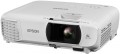 | 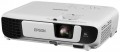 |
|---|---|---|
| Epson EH-TW650 | Epson EB-U42 | |
from £657.40 | from £822.51 | |
| User reviews | ||
| TOP sellers | ||
| Main function | home | presentations |
Lamp and image | ||
| Lamp type | UHE | UHE |
| Service life | 4500 h | 6000 h |
| Service life (energy-saving) | 7500 h | 10000 h |
| Lamp power | 210 W | 210 W |
| Brightness | 3100 lm | 3600 lm |
| Dynamic contrast | 15 000:1 | 15 000:1 |
| Colour rendering | 1.07 billion colours | 1.07 billion colours |
| Horizontal frequency | 15 – 92 kHz | 15 – 92 kHz |
| Frame rate | 50 – 85 Hz | 50 – 85 Hz |
Projection system | ||
| Technology | 3LCD | 3LCD |
| Size | 0.61" | 0.67" |
| Real resolution | 1920x1080 px | 1920x1200 px |
| Image format support | 4:3, 16:9, 16:10 | 4:3, 16:9, 16:10 |
Projecting | ||
| Rear projection |  | |
| Throw distance, min | 0.88 m | |
| Throw distance, max | 10.44 m | |
| Image size | 30 – 300 " | 30 – 300 " |
| Throw ratio | 1.02:1 – 1.23:1 | 1.38:1 – 1.68:1 |
| Optical zoom | 1.2 x | 1.2 x |
| Zoom and focus | manual | manual |
| Keystone correction (vert), ± | 30 ° | 30 ° |
| Keystone correction (horizontal), ± | 30 ° | 30 ° |
Features | ||
| Features | MHL support | MHL support |
| Wi-Fi | Wi-Fi 4 (802.11n) | Wi-Fi 4 (802.11n) |
Hardware | ||
| USB-A 2.0 | 1 pcs | 1 pcs |
| Number of speakers | 1 | 1 |
| Sound power | 2 W | 2 W |
| Video connectors | VGA composite AV-input | VGA composite AV-input |
| HDMI inputs | 2 | 2 |
| HDMI version | v 1.4 | v 1.4 |
| Audio connectors | RCA (audio) | RCA (audio) |
| Service connectors | USB (slave) | USB (slave) |
General | ||
| Noise level (nominal) | 28 dB | 37 dB |
| Noise level (energy-saving / quiet) | 28 dB | |
| Power source | mains | mains |
| Power consumption | 298 W | |
| Size (HxWxD) | 92x302x252 mm | 87x302x249 mm |
| Weight | 2.7 kg | 2.8 kg |
| Color | ||
| Added to E-Catalog | december 2017 | october 2017 |


Compare Epson EH-TW650 and EB-U42
The Epson EH-TW650 and Epson EB-U42 projectors have similar characteristics but are intended for different purposes. The EH-TW650, aimed at home theater use, offers a brightness of 3100 lm and a dynamic contrast of 15,000:1, making it an excellent choice for movie viewing. Meanwhile, the EB-U42, designed for presentations, has a slightly higher brightness of 3600 lm and a resolution of 1920x1200 pixels, ensuring clarity of text and graphics. The lamp life for the EH-TW650 is 4500 hours (7500 hours in eco mode), whereas for the EB-U42 it is higher — 6000 hours (10,000 hours in eco mode). Both projectors support Wi-Fi and have similar dimensions and weight, but the noise level for the EB-U42 in eco mode reaches 28 dB, making it slightly quieter. The choice between them depends on your needs: for movies, the EH-TW650 is better, and for office presentations, the EB-U42.
You may be interested in
Epson EH-TW650 often compared


Epson EB-U42 often compared


Glossary
Main function
Main purpose of the projector.
This parameter is somewhat subjective and largely depends on how the device is positioned by the manufacturer; nevertheless, for the most comfortable use, it is best to follow the stated purpose. The options may include: universal, for presentations, for home theater, professional, portable, gaming. Here is a more detailed description of each option:
— Universal. The simplest type of projector, roughly speaking—any model that does not belong to one of the specializations described below. Most have fixed optics, a projection distance of 1 – 12 m, an image diagonal of approximately 1 – 7 m (see below), and a relatively low price.
— For presentations. Projectors primarily intended for business use, particularly for giving presentations. They generally have a short projection distance with a fairly large image diagonal, allowing them to be used in small rooms; they can work with both widescreen and standard image formats (see below), and support resolutions typical of computer graphics cards—for example, 1280х800. At the same time, the native resolution itself (see below) may be quite low. In addition, an almost mandatory feature of this type of projector—with rare exceptions—is a 15-pin D-Sub...input (see “Connectors”).
— For home theater. Projectors intended primarily for watching films. The main criterion for assigning a particular model to this category is how the projector is positioned by the manufacturer itself (in other words, whether this purpose is specified in the official documentation). However, there are also some common features: cinema-oriented models generally support widescreen image formats, have a high native resolution (see below), allowing them to work with HD video, and are equipped with the appropriate interfaces (see “Connectors”).
— Professional. High-end projectors with advanced specifications, numerous features and, accordingly, a considerable price. They are characterized by high image contrast ratios, support high-resolution video (including cinematic image formats), feature optical zoom for scaling the image without loss of quality, allow the connection of multichannel audio systems, and much more. The specific set of options in professional projectors may vary depending on the model, but in any case, these are fully loaded devices with top-tier specifications.
— Portable projector. An ultra-compact type of projector: most models are small enough to be carried in a pocket. These devices are primarily intended for giving impromptu presentations. Their form factor and power supply can vary. Some models are standalone devices with their own built-in storage and batteries (and sometimes even a full-fledged mobile OS such as Android on board). Others are designed like external cases or add-ons and, when in use, are attached directly to a mobile phone, using it as the signal and power source. However, in all cases, portable projectors have rather modest specifications due to their small size—for example, they have neither high brightness nor high image contrast. Battery life (in models with their own batteries) generally ranges from 40 minutes to an hour and a half. Energy-efficient LED lamps are also characteristic of this type (see below).
— Gaming. Specialized projectors intended for use with video games. Externally, they often feature a distinctive “aggressive” design, which may follow the style of a particular line of gaming PCs or laptops. As the name suggests, their practical specifications are primarily geared toward delivering a high-quality gaming image. To this end, projectors for this purpose typically offer, among other things, high native resolution (at least 1920х720, and more often 1920х1080 or higher), color reproduction of 1 billion colors, support for refresh rates (see below) of up to 120 Hz inclusive, and at least one HDMI input for receiving a digital signal from a computer graphics card. In addition, such models often support 3D. The maximum image diagonal may reach 7.5 m or more; this category also includes ultra-wide-angle devices capable of providing an image diagonal of about 3 m from a distance of about half a meter.
This parameter is somewhat subjective and largely depends on how the device is positioned by the manufacturer; nevertheless, for the most comfortable use, it is best to follow the stated purpose. The options may include: universal, for presentations, for home theater, professional, portable, gaming. Here is a more detailed description of each option:
— Universal. The simplest type of projector, roughly speaking—any model that does not belong to one of the specializations described below. Most have fixed optics, a projection distance of 1 – 12 m, an image diagonal of approximately 1 – 7 m (see below), and a relatively low price.
— For presentations. Projectors primarily intended for business use, particularly for giving presentations. They generally have a short projection distance with a fairly large image diagonal, allowing them to be used in small rooms; they can work with both widescreen and standard image formats (see below), and support resolutions typical of computer graphics cards—for example, 1280х800. At the same time, the native resolution itself (see below) may be quite low. In addition, an almost mandatory feature of this type of projector—with rare exceptions—is a 15-pin D-Sub...input (see “Connectors”).
— For home theater. Projectors intended primarily for watching films. The main criterion for assigning a particular model to this category is how the projector is positioned by the manufacturer itself (in other words, whether this purpose is specified in the official documentation). However, there are also some common features: cinema-oriented models generally support widescreen image formats, have a high native resolution (see below), allowing them to work with HD video, and are equipped with the appropriate interfaces (see “Connectors”).
— Professional. High-end projectors with advanced specifications, numerous features and, accordingly, a considerable price. They are characterized by high image contrast ratios, support high-resolution video (including cinematic image formats), feature optical zoom for scaling the image without loss of quality, allow the connection of multichannel audio systems, and much more. The specific set of options in professional projectors may vary depending on the model, but in any case, these are fully loaded devices with top-tier specifications.
— Portable projector. An ultra-compact type of projector: most models are small enough to be carried in a pocket. These devices are primarily intended for giving impromptu presentations. Their form factor and power supply can vary. Some models are standalone devices with their own built-in storage and batteries (and sometimes even a full-fledged mobile OS such as Android on board). Others are designed like external cases or add-ons and, when in use, are attached directly to a mobile phone, using it as the signal and power source. However, in all cases, portable projectors have rather modest specifications due to their small size—for example, they have neither high brightness nor high image contrast. Battery life (in models with their own batteries) generally ranges from 40 minutes to an hour and a half. Energy-efficient LED lamps are also characteristic of this type (see below).
— Gaming. Specialized projectors intended for use with video games. Externally, they often feature a distinctive “aggressive” design, which may follow the style of a particular line of gaming PCs or laptops. As the name suggests, their practical specifications are primarily geared toward delivering a high-quality gaming image. To this end, projectors for this purpose typically offer, among other things, high native resolution (at least 1920х720, and more often 1920х1080 or higher), color reproduction of 1 billion colors, support for refresh rates (see below) of up to 120 Hz inclusive, and at least one HDMI input for receiving a digital signal from a computer graphics card. In addition, such models often support 3D. The maximum image diagonal may reach 7.5 m or more; this category also includes ultra-wide-angle devices capable of providing an image diagonal of about 3 m from a distance of about half a meter.
Service life
Minimum projector lamp life as stated by the manufacturer. Specified by the total time of continuous operation. Note that if the projector was operated without violations, then upon reaching this time, the lamp will not necessarily fail — on the contrary, it can work for quite a long time. However, when evaluating durability, it is best to focus on the claimed service life.
Service life (energy-saving)
When working in economy mode, the brightness of the backlight is noticeably reduced, on average by 30-50%. With a decrease in brightness, heat dissipation also decreases, which saves the working life of the illuminator, thereby increasing the lamp life. Thus, the ECO mode allows you to extend the lamp life by an average of 30%. If the typical projector lamp life is 4000 hours, regular use of the ECO mode will extend the backlight life to approximately 5500 hours.
Brightness
The brightness of the image produced by the projector at maximum backlight brightness. Usually, the average brightness of the screen, derived from a special formula, is indicated. The higher it is, the less the image depends on ambient light: a bright projector can provide a clearly visible image even in daylight, but a dim one will require dimming. On the other hand, increasing brightness reduces contrast and accuracy of colour reproduction.
Accordingly, when choosing this parameter, you need to consider the conditions in which you plan to use the projector. So, for office or school/university use, a brightness of at least 3000 lm is desirable — this allows you to get normal visibility without obscuring the room. In turn, among the top models a very low brightness can be found, because. such projectors are usually installed in rooms specially designed for them with good darkness level. And in ultra-compact devices it is impossible to achieve high brightness for technical reasons.
Detailed recommendations on the optimal brightness for certain conditions can be found in special sources. Here we note that anyway, it is worth choosing according to this indicator with some margin. As mentioned above, as brightness increases, contrast and colour quality decrease, and you may need to use the projector at a reduced brightness to achieve the desired picture quality.
Accordingly, when choosing this parameter, you need to consider the conditions in which you plan to use the projector. So, for office or school/university use, a brightness of at least 3000 lm is desirable — this allows you to get normal visibility without obscuring the room. In turn, among the top models a very low brightness can be found, because. such projectors are usually installed in rooms specially designed for them with good darkness level. And in ultra-compact devices it is impossible to achieve high brightness for technical reasons.
Detailed recommendations on the optimal brightness for certain conditions can be found in special sources. Here we note that anyway, it is worth choosing according to this indicator with some margin. As mentioned above, as brightness increases, contrast and colour quality decrease, and you may need to use the projector at a reduced brightness to achieve the desired picture quality.
Size
The size of the panel/chip affects the depth and final quality of the image. The larger the panel/chip, the more light it is able to process, which means the picture will be clearer and more structured. The average projector has a sensor of 0.5-0.7″, advanced projectors use sensors of 1.2-1.5″ and more.
Real resolution
The native resolution of the image produced by the projector matrix.
The minimum for modern projectors is actually the VGA standard, which assumes a resolution of 800x600 or close to it. The most limited of modern high-definition standards is HD (720); the classic size of such a frame is 1280x720, but projectors also have other options (up to 1920x720). A more advanced HD format is Full HD (1080), which also has several variations (the most popular is 1920x1080). And among high-end projectors there are models of Quad HD, Ultra HD (4K) and even Ultra HD (8K) standards.
In general, the higher the resolution, the clearer and more detailed image the projector can produce. On the other hand, this indicator directly affects the cost, and all the benefits of high resolution can only be appreciated if the reproduced content also corresponds to it. Note that modern projectors can work with higher resolutions than the “native” ones – for more details, see “Maximum video resolution”.
The minimum for modern projectors is actually the VGA standard, which assumes a resolution of 800x600 or close to it. The most limited of modern high-definition standards is HD (720); the classic size of such a frame is 1280x720, but projectors also have other options (up to 1920x720). A more advanced HD format is Full HD (1080), which also has several variations (the most popular is 1920x1080). And among high-end projectors there are models of Quad HD, Ultra HD (4K) and even Ultra HD (8K) standards.
In general, the higher the resolution, the clearer and more detailed image the projector can produce. On the other hand, this indicator directly affects the cost, and all the benefits of high resolution can only be appreciated if the reproduced content also corresponds to it. Note that modern projectors can work with higher resolutions than the “native” ones – for more details, see “Maximum video resolution”.
Throw distance, min
The closest distance to the screen that the projector can be used on. Typically, this is the minimum distance at which the image from the projector remains in focus.
This parameter is especially important if the device is to be placed at a small distance from the screen (for example, in a cramped room). Some modern projectors are able to work normally at a distance of 10 – 20 cm. Also note that the throw distances are determined primarily by the lens, and if the initial range of these distances does not suit you, perhaps the situation can be solved by replacing the optics.
This parameter is especially important if the device is to be placed at a small distance from the screen (for example, in a cramped room). Some modern projectors are able to work normally at a distance of 10 – 20 cm. Also note that the throw distances are determined primarily by the lens, and if the initial range of these distances does not suit you, perhaps the situation can be solved by replacing the optics.
Throw distance, max
The farthest distance from the screen that the projector can be used on. This is the maximum distance at which the image remains in focus and maintains acceptable brightness — at least enough for viewing in a darkened room on a high-quality screen.
It is necessary to choose according to this parameter taking into account the expected operating conditions and the distances to be dealt with. At the same time, it's ok to have a certain margin for the maximum distance — since, as already mentioned, it is usually indicated for an perfect screen and a darkened room, and such conditions are not always available. Also note that although the throw distances depend on the lens, not every projector with an interchangeable lens allows the installation of more "long-range" optics than the standard one — the device may simply not have enough brightness for an increased distance.
It is necessary to choose according to this parameter taking into account the expected operating conditions and the distances to be dealt with. At the same time, it's ok to have a certain margin for the maximum distance — since, as already mentioned, it is usually indicated for an perfect screen and a darkened room, and such conditions are not always available. Also note that although the throw distances depend on the lens, not every projector with an interchangeable lens allows the installation of more "long-range" optics than the standard one — the device may simply not have enough brightness for an increased distance.
Throw ratio
The projector's throw distance is vital in determining what size projection screen to use and how far away it should be from the projector. Most projectors have a variable throw ratio. In the extreme positions, these are wide-angle mode (smallest value) and telephoto lens mode (largest value). Knowing these values, you will be able to determine the range of throw distances within which the projector must be placed in order for the projected image to match the specified dimensions of the projection screen.
According to these values, you need to check or set the optical zoom. We divide the larger value by the smaller value, and we get a figure, for example 1.33-2.16: 1.
If we want to calculate whether this projector is suitable for a certain image size, we do this: 1.33*3 (image width)=the distance at which the projector should hang.
According to these values, you need to check or set the optical zoom. We divide the larger value by the smaller value, and we get a figure, for example 1.33-2.16: 1.
If we want to calculate whether this projector is suitable for a certain image size, we do this: 1.33*3 (image width)=the distance at which the projector should hang.