
Comparison BenQ MX535 vs BenQ MS535
Add to comparison | 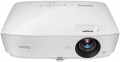 | 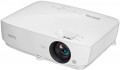 |
|---|---|---|
| BenQ MX535 | BenQ MS535 | |
from £679.19 | from £569.79 | |
| TOP sellers | ||
| Main function | presentations | presentations |
Lamp and image | ||
| Lamp type | UHP | UHP |
| Service life | 5000 h | 5000 h |
| Service life (energy-saving) | 10000 h | 10000 h |
| Lamp power | 203 W | 210 W |
| Brightness ANSI Lumens | 3600 lm | 3600 lm |
| Dynamic contrast | 15 000:1 | 15 000:1 |
| Colour rendering | 1.07 billion colours | 1.07 billion colours |
| Horizontal frequency | 15 – 102 kHz | 15 – 102 kHz |
| Frame rate | 32 – 120 Hz | 23 – 120 Hz |
Projection system | ||
| Technology | DLP | DLP |
| Real resolution | 1024x768 px | 800x600 px |
| Max. video resolution | 1920x1200 px | |
| Image format support | 4:3, 5:4, 16:9, 16:10 | 4:3, 14:9, 16:9, 16:10 |
Projecting | ||
| Rear projection |  | |
| Image size | 30 – 300 " | 30 – 300 " |
| Throw ratio | 1.94:1 – 2.32:1 | 1.94:1 – 2.32:1 |
| Optical zoom | 1.2 x | 1.2 x |
| Zoom and focus | manual | manual |
| Keystone correction (vert), ± | 40 ° | 40 ° |
Features | ||
| Features | 3D support | 3D support |
Hardware | ||
| Number of speakers | 1 | 1 |
| Sound power | 2 W | 2 W |
| Video connectors | VGA S-Video composite AV-input | VGA S-Video composite AV-input |
| HDMI inputs | 2 | 2 |
| HDMI version | v 1.4 | v 1.4 |
| Audio connectors | 3.5 mm input (mini-Jack) 3.5 mm output (mini-Jack) | 3.5 mm input (mini-Jack) 3.5 mm output (mini-Jack) |
| Service connectors | COM port (RS-232) USB (slave) | COM port (RS-232) USB (slave) |
General | ||
| Noise level (nominal) | 32 dB | 32 dB |
| Noise level (energy-saving / quiet) | 29 dB | 29 dB |
| Power source | mains | mains |
| Power consumption | 252 W | 252 W |
| Size (HxWxD) | 99x332x241 mm | 99x332x241 mm |
| Weight | 2.38 kg | 2.38 kg |
| Color | ||
| Added to E-Catalog | november 2018 | october 2018 |


Compare BenQ MX535 and MS535
BenQ MX535 and BenQ MS535 projectors are designed for presentations and share similar features, but there are some differences. Both devices use UHP lamps with a brightness of 3600 ANSI lumens and a dynamic contrast ratio of 15,000:1, ensuring good image quality. However, the MX535 has a higher native resolution of 1024x768 pixels, while the MS535 is 800x600 pixels, which may be important for detailed presentations. Both projectors support 3D and have similar dimensions and weight, but the MX535 can offer a clearer image due to its resolution. Users note that both projectors are quite quiet in operation, with a noise level of 32 dB. The choice between them will depend on your requirements for resolution and image detail.
You may be interested in
Glossary
Lamp power
The power consumption of the backlight lamp installed in the projector.
Theoretically, the more powerful the lamp, the brighter it is. However, this is only true when comparing lamps of the same type (see above); and even in this case, the brightness may also depend on the nuances of the design. Therefore, when evaluating the capabilities of a lamp, it is worth focus not so much on power, but on the directly claimed brightness in lumens (see below).
But what this parameter directly affects is the total power consumption of the projector: the lamp is the most “greedy” component of the device, compared to it, the power consumption of the rest of the electronics is very small. Also note that many powerful lamps have high heat dissipation and require cooling systems, which affects the size and weight of the projector.
Theoretically, the more powerful the lamp, the brighter it is. However, this is only true when comparing lamps of the same type (see above); and even in this case, the brightness may also depend on the nuances of the design. Therefore, when evaluating the capabilities of a lamp, it is worth focus not so much on power, but on the directly claimed brightness in lumens (see below).
But what this parameter directly affects is the total power consumption of the projector: the lamp is the most “greedy” component of the device, compared to it, the power consumption of the rest of the electronics is very small. Also note that many powerful lamps have high heat dissipation and require cooling systems, which affects the size and weight of the projector.
Frame rate
Frame rate, simply put, is the frame rate supported by the projector.
For normal playback, it is highly desirable that the frame rate of the projector match the original frame rate of the video signal. However, most modern models do not support a specific frame rate, but a whole range of frequencies, and quite an extensive one at that.
Note that for viewing most video materials, the range from 24 to 60 fps is quite enough. The exception is 3D content, which may require double the frame rate, up to 120Hz (see " 3D Support " for details).
For normal playback, it is highly desirable that the frame rate of the projector match the original frame rate of the video signal. However, most modern models do not support a specific frame rate, but a whole range of frequencies, and quite an extensive one at that.
Note that for viewing most video materials, the range from 24 to 60 fps is quite enough. The exception is 3D content, which may require double the frame rate, up to 120Hz (see " 3D Support " for details).
Real resolution
The native resolution of the image produced by the projector matrix.
The minimum for modern projectors is actually the VGA standard, which assumes a resolution of 800x600 or close to it. The most limited of modern high-definition standards is HD (720); the classic size of such a frame is 1280x720, but projectors also have other options (up to 1920x720). A more advanced HD format is Full HD (1080), which also has several variations (the most popular is 1920x1080). And among high-end projectors there are models of Quad HD, Ultra HD (4K) and even Ultra HD (8K) standards.
In general, the higher the resolution, the clearer and more detailed image the projector can produce. On the other hand, this indicator directly affects the cost, and all the benefits of high resolution can only be appreciated if the reproduced content also corresponds to it. Note that modern projectors can work with higher resolutions than the “native” ones – for more details, see “Maximum video resolution”.
The minimum for modern projectors is actually the VGA standard, which assumes a resolution of 800x600 or close to it. The most limited of modern high-definition standards is HD (720); the classic size of such a frame is 1280x720, but projectors also have other options (up to 1920x720). A more advanced HD format is Full HD (1080), which also has several variations (the most popular is 1920x1080). And among high-end projectors there are models of Quad HD, Ultra HD (4K) and even Ultra HD (8K) standards.
In general, the higher the resolution, the clearer and more detailed image the projector can produce. On the other hand, this indicator directly affects the cost, and all the benefits of high resolution can only be appreciated if the reproduced content also corresponds to it. Note that modern projectors can work with higher resolutions than the “native” ones – for more details, see “Maximum video resolution”.
Max. video resolution
The actual maximum frame resolution that the projector is capable of processing and displaying.
Many models allow project images at a higher resolution than the actual resolution of the projector matrix (see above). For example, a 1920x1080 video can be displayed on a device with a frame size of 1024x768. However, the quality of such an image will be noticeably lower than on a projector, which initially has a resolution of 1920x1080.
The maximum resolution is closely related to both the overall picture quality and the size of the projection screen. The higher the resolution, the sharper the image details become. Of course, the screen size itself should be taken into account. The fact is that on a 40-50″ projection surface there will not be much difference between the Quad HD and 4K formats. A high-resolution picture will be able to show itself on a truly large screen.
Many models allow project images at a higher resolution than the actual resolution of the projector matrix (see above). For example, a 1920x1080 video can be displayed on a device with a frame size of 1024x768. However, the quality of such an image will be noticeably lower than on a projector, which initially has a resolution of 1920x1080.
The maximum resolution is closely related to both the overall picture quality and the size of the projection screen. The higher the resolution, the sharper the image details become. Of course, the screen size itself should be taken into account. The fact is that on a 40-50″ projection surface there will not be much difference between the Quad HD and 4K formats. A high-resolution picture will be able to show itself on a truly large screen.
Image format support
Image formats supported by the projector.
In this case, format means the aspect ratio of the image. The general rule in this case is that the projector must support the same format in which the original content is recorded. Otherwise, the image will either be stretched in height or width, or with black stripes on the sides or top-bottom. Specifically, the formats can be divided into three main categories:
— Traditional, or rectangular. Classic formats in which the height of the picture is not much less than the width. The most popular options are 4:3, widely used in analogue TV, and 5:4, common in computer technology. Traditional formats are well suited for presentations, working with documents and graphics, and other similar tasks.
— Widescreen — formats in which the frame width is significantly (more than 1.5 times) greater than the height. The most popular of these standards are 16:9 and 16:10. These aspect ratios are well suited for games and movies; in particular, most high-definition content (HD 720p and above) is recorded in widescreen format.
— Extra wide. The formats are even wider than the widescreen ones described above — for example, 21:9. Mainly used in cinematography.
It is worth noting that many modern projectors are able to work with several types of formats at once — for example, with classic 4:3 and...wide-angle 16:9.
In this case, format means the aspect ratio of the image. The general rule in this case is that the projector must support the same format in which the original content is recorded. Otherwise, the image will either be stretched in height or width, or with black stripes on the sides or top-bottom. Specifically, the formats can be divided into three main categories:
— Traditional, or rectangular. Classic formats in which the height of the picture is not much less than the width. The most popular options are 4:3, widely used in analogue TV, and 5:4, common in computer technology. Traditional formats are well suited for presentations, working with documents and graphics, and other similar tasks.
— Widescreen — formats in which the frame width is significantly (more than 1.5 times) greater than the height. The most popular of these standards are 16:9 and 16:10. These aspect ratios are well suited for games and movies; in particular, most high-definition content (HD 720p and above) is recorded in widescreen format.
— Extra wide. The formats are even wider than the widescreen ones described above — for example, 21:9. Mainly used in cinematography.
It is worth noting that many modern projectors are able to work with several types of formats at once — for example, with classic 4:3 and...wide-angle 16:9.