
Comparison LG HF85LSR vs LG HF85JS
Add to comparison | 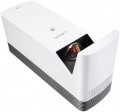 | 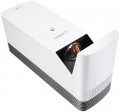 |
|---|---|---|
| LG HF85LSR | LG HF85JS | |
from £1,612.30 | Outdated Product | |
| TOP sellers | ||
Magic remote included. | ||
| Main function | universal | home |
| Operating system | Smart TV (proprietary system) | |
Lamp and image | ||
| Lamp type | Laser-LED | Laser-LED |
| Service life | 20000 h | 20000 h |
| Brightness | 1500 lm | 1500 lm |
| Dynamic contrast | 150 000:1 | 150 000:1 |
Projection system | ||
| Technology | DLP | DLP |
| Real resolution | 1920x1080 px | 1920x1080 px |
| Image format support | 4:3, 16:9 | 4:3, 16:9 |
Projecting | ||
| Rear projection |  | |
| Throw distance, min | 0.08 m | 0.1 m |
| Throw distance, max | 0.2 m | 0.2 m |
| Image size | 90 – 120 " | 90 – 120 " |
| Throw ratio | 0.19:1 | 0.19:1 |
| Zoom and focus | manual | manual |
| Lens shift |  | |
Features | ||
| Features | DLNA support multimedia (air mouse remote) voice control | DLNA support MHL support multimedia (air mouse remote) voice control |
| Bluetooth | v 4.0 | v 3.0 |
| Wi-Fi | Wi-Fi 5 (802.11ac) | Wi-Fi 4 (802.11n) |
Hardware | ||
| USB-A 2.0 | 2 pcs | 2 pcs |
| Number of speakers | 2 | 2 |
| Sound power | 6 W | 6 W |
| HDMI inputs | 2 | 2 |
| Audio connectors | 3.5 mm output (mini-Jack) optical | |
| Service connectors | LAN (RJ-45) | LAN (RJ-45) |
General | ||
| Noise level (nominal) | 28 dB | 30 dB |
| Noise level (energy-saving / quiet) | 26 dB | 26 dB |
| Power source | mains | mains |
| Power consumption | 140 W | 140 W |
| Size (HxWxD) | 189x118x353 mm | 189x118x353 mm |
| Weight | 3 kg | 3 kg |
| Color | ||
| Added to E-Catalog | june 2019 | may 2018 |


Compare LG HF85LSR and HF85JS
The projectors LG HF85LSR and LG HF85JS have similar features, such as lamp type (Laser-LED), lifespan (20,000 hours), brightness (1,500 lm), and dynamic contrast (150,000:1). Both devices use DLP technology and support a resolution of 1920x1080 pixels with an aspect ratio of 16:9 and 4:3. However, the HF85JS stands out with its Smart TV operating system (webOS 3.0) and MHL support, making it more suitable for home theater use. Meanwhile, the HF85LSR offers a more modern Bluetooth 4.0 compared to Bluetooth 3.0 on the HF85JS. The noise level in both projectors is similar, but the HF85JS is slightly louder in nominal mode (30 dB compared to 28 dB for the HF85LSR). Both projectors have the same dimensions and weight, making them convenient for installation.
You may be interested in
My comparisons
LG HF85JS often compared


Glossary
Main function
Main purpose of the projector.
This parameter is somewhat subjective and largely depends on how the device is positioned by the manufacturer; nevertheless, for the most comfortable use, it is best to follow the stated purpose. The options may include: universal, for presentations, for home theater, professional, portable, gaming. Here is a more detailed description of each option:
— Universal. The simplest type of projector, roughly speaking—any model that does not belong to one of the specializations described below. Most have fixed optics, a projection distance of 1 – 12 m, an image diagonal of approximately 1 – 7 m (see below), and a relatively low price.
— For presentations. Projectors primarily intended for business use, particularly for giving presentations. They generally have a short projection distance with a fairly large image diagonal, allowing them to be used in small rooms; they can work with both widescreen and standard image formats (see below), and support resolutions typical of computer graphics cards—for example, 1280х800. At the same time, the native resolution itself (see below) may be quite low. In addition, an almost mandatory feature of this type of projector—with rare exceptions—is a 15-pin D-Sub...input (see “Connectors”).
— For home theater. Projectors intended primarily for watching films. The main criterion for assigning a particular model to this category is how the projector is positioned by the manufacturer itself (in other words, whether this purpose is specified in the official documentation). However, there are also some common features: cinema-oriented models generally support widescreen image formats, have a high native resolution (see below), allowing them to work with HD video, and are equipped with the appropriate interfaces (see “Connectors”).
— Professional. High-end projectors with advanced specifications, numerous features and, accordingly, a considerable price. They are characterized by high image contrast ratios, support high-resolution video (including cinematic image formats), feature optical zoom for scaling the image without loss of quality, allow the connection of multichannel audio systems, and much more. The specific set of options in professional projectors may vary depending on the model, but in any case, these are fully loaded devices with top-tier specifications.
— Portable projector. An ultra-compact type of projector: most models are small enough to be carried in a pocket. These devices are primarily intended for giving impromptu presentations. Their form factor and power supply can vary. Some models are standalone devices with their own built-in storage and batteries (and sometimes even a full-fledged mobile OS such as Android on board). Others are designed like external cases or add-ons and, when in use, are attached directly to a mobile phone, using it as the signal and power source. However, in all cases, portable projectors have rather modest specifications due to their small size—for example, they have neither high brightness nor high image contrast. Battery life (in models with their own batteries) generally ranges from 40 minutes to an hour and a half. Energy-efficient LED lamps are also characteristic of this type (see below).
— Gaming. Specialized projectors intended for use with video games. Externally, they often feature a distinctive “aggressive” design, which may follow the style of a particular line of gaming PCs or laptops. As the name suggests, their practical specifications are primarily geared toward delivering a high-quality gaming image. To this end, projectors for this purpose typically offer, among other things, high native resolution (at least 1920х720, and more often 1920х1080 or higher), color reproduction of 1 billion colors, support for refresh rates (see below) of up to 120 Hz inclusive, and at least one HDMI input for receiving a digital signal from a computer graphics card. In addition, such models often support 3D. The maximum image diagonal may reach 7.5 m or more; this category also includes ultra-wide-angle devices capable of providing an image diagonal of about 3 m from a distance of about half a meter.
This parameter is somewhat subjective and largely depends on how the device is positioned by the manufacturer; nevertheless, for the most comfortable use, it is best to follow the stated purpose. The options may include: universal, for presentations, for home theater, professional, portable, gaming. Here is a more detailed description of each option:
— Universal. The simplest type of projector, roughly speaking—any model that does not belong to one of the specializations described below. Most have fixed optics, a projection distance of 1 – 12 m, an image diagonal of approximately 1 – 7 m (see below), and a relatively low price.
— For presentations. Projectors primarily intended for business use, particularly for giving presentations. They generally have a short projection distance with a fairly large image diagonal, allowing them to be used in small rooms; they can work with both widescreen and standard image formats (see below), and support resolutions typical of computer graphics cards—for example, 1280х800. At the same time, the native resolution itself (see below) may be quite low. In addition, an almost mandatory feature of this type of projector—with rare exceptions—is a 15-pin D-Sub...input (see “Connectors”).
— For home theater. Projectors intended primarily for watching films. The main criterion for assigning a particular model to this category is how the projector is positioned by the manufacturer itself (in other words, whether this purpose is specified in the official documentation). However, there are also some common features: cinema-oriented models generally support widescreen image formats, have a high native resolution (see below), allowing them to work with HD video, and are equipped with the appropriate interfaces (see “Connectors”).
— Professional. High-end projectors with advanced specifications, numerous features and, accordingly, a considerable price. They are characterized by high image contrast ratios, support high-resolution video (including cinematic image formats), feature optical zoom for scaling the image without loss of quality, allow the connection of multichannel audio systems, and much more. The specific set of options in professional projectors may vary depending on the model, but in any case, these are fully loaded devices with top-tier specifications.
— Portable projector. An ultra-compact type of projector: most models are small enough to be carried in a pocket. These devices are primarily intended for giving impromptu presentations. Their form factor and power supply can vary. Some models are standalone devices with their own built-in storage and batteries (and sometimes even a full-fledged mobile OS such as Android on board). Others are designed like external cases or add-ons and, when in use, are attached directly to a mobile phone, using it as the signal and power source. However, in all cases, portable projectors have rather modest specifications due to their small size—for example, they have neither high brightness nor high image contrast. Battery life (in models with their own batteries) generally ranges from 40 minutes to an hour and a half. Energy-efficient LED lamps are also characteristic of this type (see below).
— Gaming. Specialized projectors intended for use with video games. Externally, they often feature a distinctive “aggressive” design, which may follow the style of a particular line of gaming PCs or laptops. As the name suggests, their practical specifications are primarily geared toward delivering a high-quality gaming image. To this end, projectors for this purpose typically offer, among other things, high native resolution (at least 1920х720, and more often 1920х1080 or higher), color reproduction of 1 billion colors, support for refresh rates (see below) of up to 120 Hz inclusive, and at least one HDMI input for receiving a digital signal from a computer graphics card. In addition, such models often support 3D. The maximum image diagonal may reach 7.5 m or more; this category also includes ultra-wide-angle devices capable of providing an image diagonal of about 3 m from a distance of about half a meter.
Operating system
— Smart TV (proprietary system). The operating system of the projector is represented by the proprietary software shell of the manufacturer. Usually such operating systems have an attractive and convenient menu, similar to a traditional Smart TV. A proprietary operating system is developed by the manufacturer for the hardware resources of a particular projector model or a whole line. But, as practice shows, compared to the classic Smart TV, the functionality of proprietary system often has significant limitations, and the system itself, in fact, is a stripped-down version of a full-fledged Smart TV.
— Smart TV (Android AOSP). This type of operating system is a modification of the popular Android OS, mainly notable for being open source. It is a versatile operating system that gives the user much more freedom to create changes and customizations within the system. At the same time, the installation and work stability of certain applications on this platform are not guaranteed, and the overall system management was not specially “tailored” for large screens, which may cause some inconvenience. First of all, such solutions will will generate interest among users who understand the features of the Android OS, like to customize and control everything, and have time for this.
— Android TV. This type of projector has full-fledged Android TV software, spec...ially adapted to work on large screens. In accordance with the name, it is a type of Android OS, specially designed for projectors/TVs, etc. In addition to the common features of all “Androids” (such as the ability to install additional applications, including even games), it has a number of special features: optimized interface, integration with smartphones (including the ability to use them as a remote control), voice search, etc. Thanks to this, TVs with this feature are significantly superior in functionality to models with a Smart TV. Of course, a dedicated processor, graphics subsystem and memory are provided for the operation of a multifunctional OS, and the presence of such hardware resources is reflected in the total cost of the projector. Given the same optical design, models with Android TV will cost more than classic projectors with a simple multi-line menu.
Throw distance, min
The closest distance to the screen that the projector can be used on. Typically, this is the minimum distance at which the image from the projector remains in focus.
This parameter is especially important if the device is to be placed at a small distance from the screen (for example, in a cramped room). Some modern projectors are able to work normally at a distance of 10 – 20 cm. Also note that the throw distances are determined primarily by the lens, and if the initial range of these distances does not suit you, perhaps the situation can be solved by replacing the optics.
This parameter is especially important if the device is to be placed at a small distance from the screen (for example, in a cramped room). Some modern projectors are able to work normally at a distance of 10 – 20 cm. Also note that the throw distances are determined primarily by the lens, and if the initial range of these distances does not suit you, perhaps the situation can be solved by replacing the optics.
Lens shift
The projector has a movable lens that can move at least vertically, and in the most advanced models — also horizontally. This feature allows you to adjust the location of the "picture" relative to the screen — most often it is about setting the image exactly in the centre. Using a moving lens for this is much easier than moving the projector or screen itself. Therefore, such models with lens shift can be very useful for those who are not sure that the installation location will optimally match the screen location.
Features
— Light sensor. A sensor that detects the level of ambient light. Most commonly used to automatically adjust the brightness of the projector to suit current conditions. So, in a darkened room, high brightness is not needed, but in daylight, on the contrary, you cannot do without it. You can also adjust the operating mode manually, but it is more convenient when the projector does it automatically.
— DLNA support. DLNA technology is designed to connect home electronics into a single network and exchange content in real time. One of its advantages is that DLNA devices are guaranteed to be compatible with each other regardless of model and manufacturer. In a projector, this feature can be used, for example, to view a movie on a large screen from a computer hard drive, or to display an Internet broadcast on this screen that was originally opened on a tablet. DLNA works on the basis of a standard local network, with a connection via LAN (see "Management ports") or Wi-Fi (see below).
— MHL support. The projector has HDMI inputs that support the MHL standard. This standard is used to transfer video and audio from mobile gadgets (via microUSB) to external devices. Accordingly, this feature is useful for those who plan to connect smartphones and other portable equipment to the projector. At the same time, an MHL gadget connected t...o a compatible HDMI port can also be charged in the process. Note that you can also output the MHL signal to a regular HDMI port, but this will require an adapter, and the charging function will not be available.
— Picture-in-picture. Ability to play two channels simultaneously on one screen: main and additional (in a separate small window). The sound is played only for the main channel. This mode allows, for example, to skip a break in a football match and not be late for the second half. Note that for this function to work, images must come from different sources — for example, from two different tuners, or from a tuner and an external device (DVD player, media centre, etc.).
— PJ-Link protocol. The projector supports the PJ-Link protocol. This is a service standard designed to control projectors over local networks (usually LAN or HDBaseT, see "Management port"). All PJ-Link-enabled equipment (projectors, controllers) is fully interoperable regardless of brand and manufacturer, making it much easier to build networks of multiple projectors and replace individual components in such networks.
— 3D support. Support for 3D implies the ability to reproduce three-dimensional stereoscopic images. A 3D image can be based on various technologies. Traditionally, active (see the relevant paragraph), passive (see the relevant paragraph) and hybrid 3D technologies are distinguished. Special glasses are required to view the three-dimensional image. In the case of active 3D, special shutters are built into the glasses, which operate from an independent power source. For passive and hybrid 3D, regular 3D glasses without battery power are sufficient. — Active 3D. Active 3D technology is based on the principle of alternating flickering of the image. The flickering of the image on the screen is synchronized with the flickering of the lenses in the glasses, as a result, each eye receives a separate image, which makes the picture three-dimensional. The main advantage of active 3D is the ability to view images without reducing the original picture quality. You can look at the screen from any angle and from any position, while the image will still be three-dimensional. Among the shortcomings, there is the presence of some discomfort for the eyes, which occurs due to the regular flickering of lenses in glasses. Also, active 3D glasses may darken the original brightness of the image somewhat. Additionally, glasses of this type are very expensive. — Passive 3D. Passive 3D provides the display of a double image. Passive 3D glasses use special lenses that cut off the duplicate image in such a way that each eye sees only the image intended for it, which creates the illusion of a three-dimensional image. The main advantage of passive 3D is that it does not tyre the eyes, which is typical for active flickering 3D. Passive 3D glasses are inexpensive.
— Interactive pen. The projector supports interactive pen technology. This technology allows you to actually turn the projected image into an interactive whiteboard: with a pen, you can draw, write and make notes directly on the projected image, which is especially useful during presentations and educational events. It is worth taking into account that the pens themselves and additional equipment for their work may not be included in the set.
— Multimedia (air mouse remote). Air mouse remote are devices that have a gyroscope, which allows you not only to switch menu items with the “↑”, “↓” buttons, but to use the remote control as a mouse. By directing it to the screen, a cursor will appear that moves in the direction of the remote control. This makes management easier and faster.
— Voice control. The projector's support for voice control allows you to dictate certain commands through the remote control. However, voice control does not cover all functions and recognition accuracy may require re-entering the command. If you need a more extensive range of functions, then pay attention to the voice assistant.
— Voice assistant. For a long time now, device control has been shifting to voice commands. For this, certain interfaces and systems are used. The most popular are Amazon Alexa and Google Assistant. For "apple" devices, this is Apple Siri, but this technique is not presented in projectors. At the same time, unlike the voice control function, the voice assistant does not just turn on this or that function, mode, makes it louder, quieter, but allows you to perform certain operations in applications, whether it is to launch the desired clip on Youtube or display the weather in the browser.
— DLNA support. DLNA technology is designed to connect home electronics into a single network and exchange content in real time. One of its advantages is that DLNA devices are guaranteed to be compatible with each other regardless of model and manufacturer. In a projector, this feature can be used, for example, to view a movie on a large screen from a computer hard drive, or to display an Internet broadcast on this screen that was originally opened on a tablet. DLNA works on the basis of a standard local network, with a connection via LAN (see "Management ports") or Wi-Fi (see below).
— MHL support. The projector has HDMI inputs that support the MHL standard. This standard is used to transfer video and audio from mobile gadgets (via microUSB) to external devices. Accordingly, this feature is useful for those who plan to connect smartphones and other portable equipment to the projector. At the same time, an MHL gadget connected t...o a compatible HDMI port can also be charged in the process. Note that you can also output the MHL signal to a regular HDMI port, but this will require an adapter, and the charging function will not be available.
— Picture-in-picture. Ability to play two channels simultaneously on one screen: main and additional (in a separate small window). The sound is played only for the main channel. This mode allows, for example, to skip a break in a football match and not be late for the second half. Note that for this function to work, images must come from different sources — for example, from two different tuners, or from a tuner and an external device (DVD player, media centre, etc.).
— PJ-Link protocol. The projector supports the PJ-Link protocol. This is a service standard designed to control projectors over local networks (usually LAN or HDBaseT, see "Management port"). All PJ-Link-enabled equipment (projectors, controllers) is fully interoperable regardless of brand and manufacturer, making it much easier to build networks of multiple projectors and replace individual components in such networks.
— 3D support. Support for 3D implies the ability to reproduce three-dimensional stereoscopic images. A 3D image can be based on various technologies. Traditionally, active (see the relevant paragraph), passive (see the relevant paragraph) and hybrid 3D technologies are distinguished. Special glasses are required to view the three-dimensional image. In the case of active 3D, special shutters are built into the glasses, which operate from an independent power source. For passive and hybrid 3D, regular 3D glasses without battery power are sufficient. — Active 3D. Active 3D technology is based on the principle of alternating flickering of the image. The flickering of the image on the screen is synchronized with the flickering of the lenses in the glasses, as a result, each eye receives a separate image, which makes the picture three-dimensional. The main advantage of active 3D is the ability to view images without reducing the original picture quality. You can look at the screen from any angle and from any position, while the image will still be three-dimensional. Among the shortcomings, there is the presence of some discomfort for the eyes, which occurs due to the regular flickering of lenses in glasses. Also, active 3D glasses may darken the original brightness of the image somewhat. Additionally, glasses of this type are very expensive. — Passive 3D. Passive 3D provides the display of a double image. Passive 3D glasses use special lenses that cut off the duplicate image in such a way that each eye sees only the image intended for it, which creates the illusion of a three-dimensional image. The main advantage of passive 3D is that it does not tyre the eyes, which is typical for active flickering 3D. Passive 3D glasses are inexpensive.
— Interactive pen. The projector supports interactive pen technology. This technology allows you to actually turn the projected image into an interactive whiteboard: with a pen, you can draw, write and make notes directly on the projected image, which is especially useful during presentations and educational events. It is worth taking into account that the pens themselves and additional equipment for their work may not be included in the set.
— Multimedia (air mouse remote). Air mouse remote are devices that have a gyroscope, which allows you not only to switch menu items with the “↑”, “↓” buttons, but to use the remote control as a mouse. By directing it to the screen, a cursor will appear that moves in the direction of the remote control. This makes management easier and faster.
— Voice control. The projector's support for voice control allows you to dictate certain commands through the remote control. However, voice control does not cover all functions and recognition accuracy may require re-entering the command. If you need a more extensive range of functions, then pay attention to the voice assistant.
— Voice assistant. For a long time now, device control has been shifting to voice commands. For this, certain interfaces and systems are used. The most popular are Amazon Alexa and Google Assistant. For "apple" devices, this is Apple Siri, but this technique is not presented in projectors. At the same time, unlike the voice control function, the voice assistant does not just turn on this or that function, mode, makes it louder, quieter, but allows you to perform certain operations in applications, whether it is to launch the desired clip on Youtube or display the weather in the browser.
Bluetooth
Bluetooth version supported by the projector.
By itself, Bluetooth technology is designed for direct wireless connection between different devices. In projectors, this connection is most often used to broadcast sound to wireless headphones or speakers; Other uses of Bluetooth are possible (for example, connecting a remote control), but they are rare. Thus, you can not pay much attention to the specific version of Bluetooth supported by the projector — all versions are compatible with each other at least in basic functionality (including sound transmission).
By itself, Bluetooth technology is designed for direct wireless connection between different devices. In projectors, this connection is most often used to broadcast sound to wireless headphones or speakers; Other uses of Bluetooth are possible (for example, connecting a remote control), but they are rare. Thus, you can not pay much attention to the specific version of Bluetooth supported by the projector — all versions are compatible with each other at least in basic functionality (including sound transmission).
Wi-Fi
Wi-Fi standard supported by the projector.
Wi-Fi is known mainly as a way to connect wirelessly to the Internet and local networks. In addition, since relatively recently, this technology has also been used for direct connection between wireless devices. Accordingly, the methods of using Wi-Fi in projectors can also be different. Thus, some models are able to connect to local networks to work with content via DLNA (see above); in others, such a connection is used for control from a computer or other network device; in others, a “remote control” such as a smartphone or tablet can connect directly via Wi-Fi.
As for Wi-Fi versions, the most popular options in modern technology - Wi-Fi 6 (802.11ax), Wi-Fi 5 (802.11ac) - are quite compatible with each other, and the difference between them in this case is not critical. Therefore, you can not pay special attention to these details when choosing.
There are also Wi-Fi ready projectors, which do not have Wi-Fi out of the box, but when connected to the appropriate adapter (purchased separately) are capable of wireless connection.
Wi-Fi is known mainly as a way to connect wirelessly to the Internet and local networks. In addition, since relatively recently, this technology has also been used for direct connection between wireless devices. Accordingly, the methods of using Wi-Fi in projectors can also be different. Thus, some models are able to connect to local networks to work with content via DLNA (see above); in others, such a connection is used for control from a computer or other network device; in others, a “remote control” such as a smartphone or tablet can connect directly via Wi-Fi.
As for Wi-Fi versions, the most popular options in modern technology - Wi-Fi 6 (802.11ax), Wi-Fi 5 (802.11ac) - are quite compatible with each other, and the difference between them in this case is not critical. Therefore, you can not pay special attention to these details when choosing.
There are also Wi-Fi ready projectors, which do not have Wi-Fi out of the box, but when connected to the appropriate adapter (purchased separately) are capable of wireless connection.
Audio connectors
— RCA (audio). Analogue audio interface using RCA jacks. Depending on the model of the projector, it can serve as both an input (for example, in addition to the component video input) and an output for connecting external audio devices. We only note that in this case only one channel of sound is transmitted through one RCA connector, and a pair of “tulips” (for the left and right channel) is considered an input or output.
— 3.5 mm input (mini-Jack). This connector is more compact than RCA, in addition, it allows to work with two stereo channels through one jack. On the other hand, a 3.5 mm connection is less reliable and more prone to interference. Therefore, such an input is designed mainly for simple tasks — such as transmitting sound from the audio output of a PC or laptop.
— 3.5 mm output (mini-Jack). This in any case is an analogue output, however, its specific purpose may be different. So, in some projectors it plays the role of a linear interface and is used to output an audio signal to active sound system or an external amplifier. In other devices, the mini-Jack works as a headphone output. There are models where these functions are combined in one connector.
— Optical output. An output for transmission of a digital audio signal by a fibre optic cable; allows the transmission of multi-channel audio. Not...able for its complete insensitivity to electromagnetic interference. On the other hand, fibre optic cable is quite fragile, it must be protected from bending and strong pressure.
— Microphone input. Input for connecting an external microphone to the projector. Using it, you can stream sound from a microphone using the projector's own amplifier — for example, comment on a presentation through the same speakers through which the main sound goes.
— 3.5 mm input (mini-Jack). This connector is more compact than RCA, in addition, it allows to work with two stereo channels through one jack. On the other hand, a 3.5 mm connection is less reliable and more prone to interference. Therefore, such an input is designed mainly for simple tasks — such as transmitting sound from the audio output of a PC or laptop.
— 3.5 mm output (mini-Jack). This in any case is an analogue output, however, its specific purpose may be different. So, in some projectors it plays the role of a linear interface and is used to output an audio signal to active sound system or an external amplifier. In other devices, the mini-Jack works as a headphone output. There are models where these functions are combined in one connector.
— Optical output. An output for transmission of a digital audio signal by a fibre optic cable; allows the transmission of multi-channel audio. Not...able for its complete insensitivity to electromagnetic interference. On the other hand, fibre optic cable is quite fragile, it must be protected from bending and strong pressure.
— Microphone input. Input for connecting an external microphone to the projector. Using it, you can stream sound from a microphone using the projector's own amplifier — for example, comment on a presentation through the same speakers through which the main sound goes.
Noise level (nominal)
The maximum noise level generated by the projector.
In most models, the main source of noise is the cooling system — it often uses fans to efficiently remove the heat generated by the lamp. Of course, the lower the noise level, the more convenient the projector is to use, the less inconvenience it causes, and the better the sound accompaniment of the “picture” is heard (if it is provided at all). On the other hand, as the size and power increase, the noise level also inevitably increases, and measures to reduce it significantly affect the cost of the projector.
Portable models are the quietest (see "Main purpose") — most of them do not have active cooling and practically do not make noise, except for control keys clicking and other similar sounds. Therefore, this indicator for such projectors may not be indicated at all. The most "loud" are professional projectors — in them the noise level can reach 50 dB (human speech level at medium volume).
In most models, the main source of noise is the cooling system — it often uses fans to efficiently remove the heat generated by the lamp. Of course, the lower the noise level, the more convenient the projector is to use, the less inconvenience it causes, and the better the sound accompaniment of the “picture” is heard (if it is provided at all). On the other hand, as the size and power increase, the noise level also inevitably increases, and measures to reduce it significantly affect the cost of the projector.
Portable models are the quietest (see "Main purpose") — most of them do not have active cooling and practically do not make noise, except for control keys clicking and other similar sounds. Therefore, this indicator for such projectors may not be indicated at all. The most "loud" are professional projectors — in them the noise level can reach 50 dB (human speech level at medium volume).