
Comparison Hator Vortex EVO vs Hator Vortex
Add to comparison | 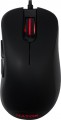 | 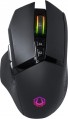 |
|---|---|---|
| Hator Vortex EVO | Hator Vortex | |
| Outdated Product | Outdated Product | |
| User reviews | ||
| TOP sellers | ||
| Product type | mouse | mouse |
| Connection | wired | wired |
| Sensor | optical | optical |
| Type | for game | for game |
Sensor and control | ||
| Sensor | PixArt 3389 | PixArt 3360 |
| Sensor resolution | 500 – 16000 DPI | 400 – 12000 DPI |
| Number of buttons | 4 | 6 |
| Side buttons |  | |
| DPI-button | | |
| Switch type | mechanical | mechanical |
| Switches | Omron | Kailh |
| Scroll wheels | 1 | 1 |
Additional features | ||
| Optimal grip | palmar | palmar |
| Programmable buttons | | |
| Built-in memory | | |
| Lighting | RGB | RGB |
| Lighting effects | + | + |
| Feet material | teflon (PTFE) | |
Connection and power supply | ||
| Cable | USB-A braided | USB-A braided |
| Cable length | 1.8 m | 1.8 m |
General | ||
| Size (LxWxH) | 122x67x42 mm | 130x75x42 mm |
| Weight | 90 g | 115 g |
| Color | ||
| Added to E-Catalog | march 2020 | december 2018 |


Compare Hator Vortex EVO and Vortex
Hator Vortex EVO and Hator Vortex mice have similar characteristics, but there are a few key differences. Vortex EVO is equipped with a PixArt 3389 sensor with a resolution of up to 16000 DPI, providing higher precision and speed than the PixArt 3360 sensor in Vortex with a maximum resolution of 12000 DPI. Additionally, Vortex EVO has 4 buttons, while Vortex offers 6 buttons, which may be advantageous for users. Users note that both models have a comfortable shape and quality materials, however, Vortex EVO receives more positive reviews for its performance and ease of use.
You may be interested in
Hator Vortex EVO often compared


Hator Vortex often compared


Glossary
Sensor
The model of the sensor installed in the mouse. This information is indicated mainly for models equipped with high-end sensors, which are significantly superior in their capabilities to simpler solutions. Such characteristics are important primarily for gaming mice, so most of the devices for which the sensor model is specified belong to this category.
Knowing the name, you can find detailed data on the sensor and evaluate its capabilities. Note that one of the most popular brands nowadays, under which advanced sensors are produced, is PixArt ; on the market are often found, in particular, sensors PixArt 3212, PixArt 3325, PixArt 3327, PixArt 3335, PixArt 3360, PixArt 3389, PixArt 3395, PixArt 3950.
Knowing the name, you can find detailed data on the sensor and evaluate its capabilities. Note that one of the most popular brands nowadays, under which advanced sensors are produced, is PixArt ; on the market are often found, in particular, sensors PixArt 3212, PixArt 3325, PixArt 3327, PixArt 3335, PixArt 3360, PixArt 3389, PixArt 3395, PixArt 3950.
Sensor resolution
Resolution of the sensor responsible for tracking mouse movements on the work surface. Specified in DPI — dots per inch.
The physical meaning of DPI as a whole is as follows. The sensor of a modern mouse works on the same principle as the camera matrix, and consists of pixels. And DPI is the number of pixels that fall on 1 inch of the underlying surface (length or width), "visible" by the sensor.
It is believed that more DPI means a more advanced sensor and mouse in general; nowadays, models for 3500 – 5000 DPI, 12000 DPI, 16000 DPI even more are not uncommon. In a way, it is — high resolution contributes to accuracy. However, the only thing that is directly determined by this indicator is the speed at which the cursor moves across the screen: the higher the resolution of the sensor, the greater the number of pixels that the cursor will move when the mouse itself moves a certain distance. At the same time, it is worth recalling that too high a speed is even more undesirable than too low. So the real need for high DPI ( 1000 and above) arises mainly when working on large screens (4K resolution and more); for more modest displays (HD and Full HD), smaller values are often enough.
The physical meaning of DPI as a whole is as follows. The sensor of a modern mouse works on the same principle as the camera matrix, and consists of pixels. And DPI is the number of pixels that fall on 1 inch of the underlying surface (length or width), "visible" by the sensor.
It is believed that more DPI means a more advanced sensor and mouse in general; nowadays, models for 3500 – 5000 DPI, 12000 DPI, 16000 DPI even more are not uncommon. In a way, it is — high resolution contributes to accuracy. However, the only thing that is directly determined by this indicator is the speed at which the cursor moves across the screen: the higher the resolution of the sensor, the greater the number of pixels that the cursor will move when the mouse itself moves a certain distance. At the same time, it is worth recalling that too high a speed is even more undesirable than too low. So the real need for high DPI ( 1000 and above) arises mainly when working on large screens (4K resolution and more); for more modest displays (HD and Full HD), smaller values are often enough.
Number of buttons
The number of buttons provided in the design of the mouse. However, the term "buttons" can also refer to specific hardware solutions — for example, a solid touch area used in many Apple mice counts as two buttons, because. it is divided into two working areas. But the clickable wheels, as well as the power button, are not taken into account in this calculation.
The minimum number of buttons for modern mice and other similar manipulators is two : this is the number that is necessary for comfortable work in most modern operating systems. If there are more than two keys, this means that there are additional buttons responsible for specific actions. So, even relatively inexpensive devices can be equipped with 3 – 4 buttons ; in addition to the 2 main buttons, they can have, for example, 2 side thumb keys, or 1 double/triple click button (see below). Solutions for 5 – 6 buttons are extremely popular nowadays; among them are many gaming mice, where the mentioned thumb buttons are supplemented with a double / triple click, a sniper button and/or a DPI switch (see also below about these functions). And in the most multifunctional models, 7 – 8 buttons and even more can be installed. In some cases, this number exceeds a dozen and a half; such mice are usually gaming devices designed for RPGs and other simil...ar genres where it is important to have a wide range of actions at your fingertips.
The minimum number of buttons for modern mice and other similar manipulators is two : this is the number that is necessary for comfortable work in most modern operating systems. If there are more than two keys, this means that there are additional buttons responsible for specific actions. So, even relatively inexpensive devices can be equipped with 3 – 4 buttons ; in addition to the 2 main buttons, they can have, for example, 2 side thumb keys, or 1 double/triple click button (see below). Solutions for 5 – 6 buttons are extremely popular nowadays; among them are many gaming mice, where the mentioned thumb buttons are supplemented with a double / triple click, a sniper button and/or a DPI switch (see also below about these functions). And in the most multifunctional models, 7 – 8 buttons and even more can be installed. In some cases, this number exceeds a dozen and a half; such mice are usually gaming devices designed for RPGs and other simil...ar genres where it is important to have a wide range of actions at your fingertips.
Switches
Mouse switches indicate which specific switches are installed under the main buttons: for example, Omron, Huano, Kailh, TTC, or the manufacturer’s proprietary solutions. They affect the click feel, actuation force, click volume, lifespan, and the likelihood of double-clicking developing over time.
Unlike the general switch type, which refers to the operating principle—mechanical or optical—the brand and model provide a more precise understanding of the build quality. For example, two mice with mechanical switches may feel different when pressed: some will be softer and quieter, while others will be stiffer, louder, and more “gaming-oriented” in feel.
Unlike the general switch type, which refers to the operating principle—mechanical or optical—the brand and model provide a more precise understanding of the build quality. For example, two mice with mechanical switches may feel different when pressed: some will be softer and quieter, while others will be stiffer, louder, and more “gaming-oriented” in feel.
Feet material
- Teflon (PTFE). Polytetrafluoroethylene (PTFE) glides - also known as Teflon - are characterized by an extremely low coefficient of friction. As a result, mice with Teflon feet boast excellent glide and high cursor speed on any type of surface. The minimum level of friction allows you to easily control the movements of the mouse. Manipulators with Teflon gliders perform well in dynamic games and reduce wrist strain during prolonged work at the computer.
— Metal. When properly sanded, the metal feet provide excellent glide for the mouse, and they also have a long service life before abrasion. Note that manipulators with metal gliders are best used on plastic or other hard-wearing playing surfaces. Using a mouse without a mouse pad runs the risk of scratching the surface.
— Metal. When properly sanded, the metal feet provide excellent glide for the mouse, and they also have a long service life before abrasion. Note that manipulators with metal gliders are best used on plastic or other hard-wearing playing surfaces. Using a mouse without a mouse pad runs the risk of scratching the surface.
Weight
The total weight of the mouse. For models with a wired connection, usually, it is indicated without cable, and for devices with weight adjustment (see above) — without weights.
This parameter is important primarily for professional gaming applications, although it is often relevant for ordinary users. Theoretically, less weight promotes speed and reduces fatigue. At the same time, in fact, much depends on the personal habits and preferences of the user: a mouse that is too light may “not be felt in the hands” and not give familiar feedback. Therefore, although most mice have a lower weight limit of 60 – 80 g, however, even among professional gaming models there are much more massive devices — 120 – 140 g or more. The lightest variety of "rodents" is laptop (see "In the direction"), among them devices come across and less than 60 g.
Also note that the weight to some extent depends on the size and “tricked out” of the device, but there is no unambiguous dependence here: models similar in size and functionality can differ markedly in weight.
This parameter is important primarily for professional gaming applications, although it is often relevant for ordinary users. Theoretically, less weight promotes speed and reduces fatigue. At the same time, in fact, much depends on the personal habits and preferences of the user: a mouse that is too light may “not be felt in the hands” and not give familiar feedback. Therefore, although most mice have a lower weight limit of 60 – 80 g, however, even among professional gaming models there are much more massive devices — 120 – 140 g or more. The lightest variety of "rodents" is laptop (see "In the direction"), among them devices come across and less than 60 g.
Also note that the weight to some extent depends on the size and “tricked out” of the device, but there is no unambiguous dependence here: models similar in size and functionality can differ markedly in weight.