
Comparison Synology DiskStation DS1618+ vs Synology DiskStation DS918+
Add to comparison | 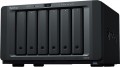 | 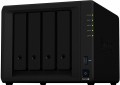 |
|---|---|---|
| Synology DiskStation DS1618+ | Synology DiskStation DS918+ | |
from £27.97 | from £554.99 | |
| TOP sellers | ||
The device has an M.2 connector for SSD. Transcoding 4K video to 1080p or lower. | ||
| Mount | desktop | desktop |
Drives | ||
| 3.5" drive slots | 6 | 4 |
| Max. storage capacity | 96 TB | 64 TB |
| HDD connection interface | SATA 3 | SATA 3 |
| Hot swap |  | |
| M.2 connector | 2 | |
| PCIe | 1 pcs | |
| RAID | RAID 0 RAID 1 RAID 5 RAID 6 RAID 10 Synology Hybrid RAID JBOD Basic | RAID 0 RAID 1 RAID 5 RAID 6 RAID 10 Synology Hybrid RAID JBOD Basic |
Connection | ||
| LAN ports | 4 | 2 |
| LAN speed | 1 Gbps | 1 Gbps |
| USB-A 5Gbps | 3 pcs | 2 pcs |
| eSATA | 2 | 1 |
Features | ||
| Software features | Web server FTP server print server multimedia (DLNA, iTunes, uPnP) transcoding BitTorrent client mail server database server video surveillance server backup DDNS domain integration AirPlay | Web server FTP server print server multimedia (DLNA, iTunes, uPnP) transcoding BitTorrent client mail server database server video surveillance server backup DDNS domain integration AirPlay |
Hardware | ||
| Operating system | DSM | DSM |
| CPU | Intel Atom C3538 | Intel Celeron J3455 |
| CPU cores | 4 cores (4 threads) | 4 cores (4 threads) |
| CPU speed | 2.1 GHz | 1.5 GHz |
| TurboBoost frequency | 2.3 GHz | |
| RAM | 4 GB | 4 GB |
| Max. RAM | 8 GB | |
| RAM slots | 2 | |
| Built-in memory | 4 GB | |
General | ||
| Power consumption | 56.86 W | 29 W |
| Cooling | active | active |
| Noise level | 19.8 dB | |
| Size | 166x282x243 mm | 166x199x223 mm |
| Weight | 5.05 kg | 2.28 kg |
| Added to E-Catalog | april 2019 | december 2017 |


Compare Synology DiskStation DS1618+ and DiskStation DS918+
You may be interested in
My comparisons
Synology DiskStation DS1618+ often compared


Synology DiskStation DS918+ often compared


Glossary
3.5" drive slots
The number of slots for drives in the form factor 3.5", provided in the design of the server.
Initially, 3.5 "is the traditional, most popular form factor of drives for server systems. It is noticeably larger than 2.5", but it allows you to create capacious, inexpensive (in terms of gigabytes) and reliable media, in which it is also easier to implement various additional functions. That is why, specifically in NAS servers, this form factor is also the most popular; slots under 2.5" are much less common in such equipment, and in most cases they complement 3.5".
As for the number of slots, it can vary from 2 (or even 1) in the most basic desktop systems to 8 or more in professional rack-mount solutions. And not only their maximum capacity depends on the specific number of drives, but also some other features of work — first of all, the physical possibility of using one or another RAID level.
Initially, 3.5 "is the traditional, most popular form factor of drives for server systems. It is noticeably larger than 2.5", but it allows you to create capacious, inexpensive (in terms of gigabytes) and reliable media, in which it is also easier to implement various additional functions. That is why, specifically in NAS servers, this form factor is also the most popular; slots under 2.5" are much less common in such equipment, and in most cases they complement 3.5".
As for the number of slots, it can vary from 2 (or even 1) in the most basic desktop systems to 8 or more in professional rack-mount solutions. And not only their maximum capacity depends on the specific number of drives, but also some other features of work — first of all, the physical possibility of using one or another RAID level.
Max. storage capacity
This item characterizes the maximum capabilities of the device for connecting drives. This way you can understand how much maximum memory can be added to the NAS server.
M.2 connector
Number of M.2 slots provided in the design of the NAS server.
M.2 slot is used for connecting various internal peripheral devices, mainly of a miniature form factor. This solution allows reducing the size of the NAS server itself. Solutions without 2.5" and 3.5" slots can make it compact. It is worth noting that this slot can implement two electrical (logical) interfaces — SATA 3.0 and PCI-Express, with each individual M.2 socket on the board being able to support either both interfaces simultaneously or just one of them. These details should be clarified before purchase, as they directly affect the capabilities of using M.2. For instance, with SATA 3.0 support, such a slot has a significantly lower speed compared to PCI-E; therefore, this M.2 variant is mainly used for inexpensive SSD modules. In turn, PCI-E is somewhat more expensive but provides maximum data transfer speed and allows connecting high-class solid-state drives to the NAS server.
M.2 slot is used for connecting various internal peripheral devices, mainly of a miniature form factor. This solution allows reducing the size of the NAS server itself. Solutions without 2.5" and 3.5" slots can make it compact. It is worth noting that this slot can implement two electrical (logical) interfaces — SATA 3.0 and PCI-Express, with each individual M.2 socket on the board being able to support either both interfaces simultaneously or just one of them. These details should be clarified before purchase, as they directly affect the capabilities of using M.2. For instance, with SATA 3.0 support, such a slot has a significantly lower speed compared to PCI-E; therefore, this M.2 variant is mainly used for inexpensive SSD modules. In turn, PCI-E is somewhat more expensive but provides maximum data transfer speed and allows connecting high-class solid-state drives to the NAS server.
PCIe
The number of PCIe slots available in the NAS server design.
PCIe is one of the most popular modern interfaces for connecting internal components to a computer's motherboard. Specifically in NAS servers, it can be used for wireless adapters and SSDs; in the latter case, PCIe allows for higher speeds than SATA and fully realizes the potential of solid-state memory. The number of such slots corresponds to the number of PCIe components that can be installed in the server simultaneously.
Note that PCIe connections can use different numbers of lanes (1x, 4x, 16x), and for normal operation, the slot on the "motherboard" should have no fewer lanes than the component being installed. In practice, this means that a component with a 1x slot can fit into any slot without issues, but for larger slots, the connection capability should be clarified separately. However, in the case of NAS servers, even the capabilities of PCIe 4x are rarely required, let alone 16x.
PCIe is one of the most popular modern interfaces for connecting internal components to a computer's motherboard. Specifically in NAS servers, it can be used for wireless adapters and SSDs; in the latter case, PCIe allows for higher speeds than SATA and fully realizes the potential of solid-state memory. The number of such slots corresponds to the number of PCIe components that can be installed in the server simultaneously.
Note that PCIe connections can use different numbers of lanes (1x, 4x, 16x), and for normal operation, the slot on the "motherboard" should have no fewer lanes than the component being installed. In practice, this means that a component with a 1x slot can fit into any slot without issues, but for larger slots, the connection capability should be clarified separately. However, in the case of NAS servers, even the capabilities of PCIe 4x are rarely required, let alone 16x.
LAN ports
The number of LAN ports provided in the design of the NAS server.
LAN — a connector used for a wired connection to Ethernet local networks (the most common "local" format today, it is also used to access the Internet). For a relatively simple network (say, within a medium office), one LAN port will be enough. However, models are produced where there are more than one such ports, mainly 2, 3 and 4 connectors. They are designed for large networks divided into subnets with separate access to the NAS server: the presence of several LAN connectors allows you to connect each of the subnets directly without using a router. This simplifies the network architecture and optimizes the load.
LAN — a connector used for a wired connection to Ethernet local networks (the most common "local" format today, it is also used to access the Internet). For a relatively simple network (say, within a medium office), one LAN port will be enough. However, models are produced where there are more than one such ports, mainly 2, 3 and 4 connectors. They are designed for large networks divided into subnets with separate access to the NAS server: the presence of several LAN connectors allows you to connect each of the subnets directly without using a router. This simplifies the network architecture and optimizes the load.
USB-A 5Gbps
Number of ports USB 3.2 gen1 provided in the design of the NAS server.
USB connectors are used in computer technology for connecting various external peripherals. In the case of NAS servers, this usually refers to external storage devices — flash drives, hard drives, etc. This allows information to be transferred from the internal storage to an external one (for example, for backup purposes) or vice versa, and even to expand the overall working capacity of the server. Additionally, in models with a VGA output (see below), a keyboard can also be connected via USB, and in models with a print server function (see "Software Features"), a printer can be connected accordingly. For added convenience, the USB connector can be placed on the front panel (see below).
Specifically, USB 5Gbps (previously known as USB 3.0 and USB 3.2 gen1) is the direct successor of USB 2.0 and the most widespread USB standard today. This version provides a data transfer speed of up to 4.8 Gbps, as well as fairly high power supply. These connectors are backward compatible with peripherals using USB 2.0.
USB connectors are used in computer technology for connecting various external peripherals. In the case of NAS servers, this usually refers to external storage devices — flash drives, hard drives, etc. This allows information to be transferred from the internal storage to an external one (for example, for backup purposes) or vice versa, and even to expand the overall working capacity of the server. Additionally, in models with a VGA output (see below), a keyboard can also be connected via USB, and in models with a print server function (see "Software Features"), a printer can be connected accordingly. For added convenience, the USB connector can be placed on the front panel (see below).
Specifically, USB 5Gbps (previously known as USB 3.0 and USB 3.2 gen1) is the direct successor of USB 2.0 and the most widespread USB standard today. This version provides a data transfer speed of up to 4.8 Gbps, as well as fairly high power supply. These connectors are backward compatible with peripherals using USB 2.0.
eSATA
The number of eSATA connectors provided in the design of the NAS server.
eSATA is a specialized interface for connecting external drives, primarily hard drives. It provides data transfer rates up to 2.4 Gbps — half that of USB 3.2 gen1, but significantly more than USB 2.0. And the clear advantage of such an interface is that it allows you to leave free USB ports that may be required for other devices. At the same time, eSATA drives are not very common nowadays, therefore, connectors of this type are provided in NAS servers quite rarely (and mostly in an amount of less than one).
eSATA is a specialized interface for connecting external drives, primarily hard drives. It provides data transfer rates up to 2.4 Gbps — half that of USB 3.2 gen1, but significantly more than USB 2.0. And the clear advantage of such an interface is that it allows you to leave free USB ports that may be required for other devices. At the same time, eSATA drives are not very common nowadays, therefore, connectors of this type are provided in NAS servers quite rarely (and mostly in an amount of less than one).
CPU
The model and specifications of the processor installed in the NAS server. The speed of the device largely depends on these characteristics, primarily the clock frequency. However, in fact, this parameter is often more of a reference value: simple everyday tasks (say, FTP and print servers, see "Software Features") do not require high computing power. But for working with extensive databases (see ibid.), a “faster” processor may be useful.
CPU speed
Clock speed of the processor installed in the NAS server.
The clock frequency is the frequency of the built-in oscillator, according to which all operations performed by the processor are synchronized. The higher this frequency, the more operations per second the CPU can perform and the easier it is to provide high computing power in it. However, note that the actual speed of the processor depends on many other features — the number of cores (see above), microarchitecture, volumes of the built-in cache memory, etc. So, only chips with similar characteristics and purpose can be directly compared by clock frequency ( desktop/mobile) and price category.
The clock frequency is the frequency of the built-in oscillator, according to which all operations performed by the processor are synchronized. The higher this frequency, the more operations per second the CPU can perform and the easier it is to provide high computing power in it. However, note that the actual speed of the processor depends on many other features — the number of cores (see above), microarchitecture, volumes of the built-in cache memory, etc. So, only chips with similar characteristics and purpose can be directly compared by clock frequency ( desktop/mobile) and price category.