
Comparison Ajax StarterKit Cam vs Xiaomi Mi Smart Sensor Set
Add to comparison |  | 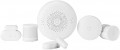 |
|---|---|---|
| Ajax StarterKit Cam | Xiaomi Mi Smart Sensor Set | |
| Compare prices 2 | Outdated Product | |
| TOP sellers | ||
“Geofence” function (setting up security system reminders when crossing a certain zone. The user’s location is determined by the smartphone’s GPS.). Connects up to 100 sensors. Ability to transfer photos from a motion sensor. The set includes the central unit Ajax Hub 2, a motion sensor Ajax MotionCam (check with the seller for the availability of the HDR function), an opening sensor Ajax DoorProtect, and a remote Ajax SpaceControl. Connection for 2 SIM cards and an Ethernet cable. | Coloured LED illumination of the control panel. The kit comes with a “smart” button — Xiaomi Smart Button. Ability to listen to online radio. | |
| Form factor | alarm system | alarm system |
| Connecting sensors (protocol) | Jeweller | Zigbee |
| Wireless zones | 50 | |
| Backup power | 16 h | |
Features | ||
| Security functions | push button alarm | |
Connection to control panel | ||
| Max. wireless sensors | 100 | |
| Sensor communication range | 2000 m | |
| Key fobs communication range | 1300 m | |
| Users (numbers to call) | 50 | |
Complete with central | ||
| Motion sensors | 1 | 2 |
| Opening sensors | 1 | 2 |
| Control fobs | 1 | |
| Siren |  |  |
Sensor characteristics | ||
| Motion sensor | Ajax MotionCam | Mi Smart Home Move Detector |
| Opening sensor | Ajax DoorProtect | Mi Smart Home Window Detector |
| Horizontal angle of coverage | 88.5 ° | 170 ° |
| Vertical coverage angle | 80 ° | |
| Motion sensor range | 12 m | 7 m |
| Opening sensor threshold | 20 mm | 22 mm |
| Tamper | | |
| animal immunity | | |
General | ||
| Control | control fob phone (GSM) | mobile app (Wi-Fi) |
| Operating temperature | -10 °C ~ +40 °C | 0 °C ~ +40 °C |
| Max. humidity | 75 % | 95 % |
| Control panel dimensions (HxWxD) | 163x163x36 mm | |
| Motion sensor dimensions (HxWxD) | 135x70x60 mm | 30x30x33 mm |
| Opening sensor dimensions (HxWxD) | 90x20x20 mm | 21x41x11 mm |
| Key fob dimensions (HxWxD) | 65x37x10 mm | |
| Added to E-Catalog | february 2020 | november 2019 |




Compare Ajax StarterKit Cam and Xiaomi Mi Smart Sensor Set
Price comparison
You may be interested in
My comparisons
Ajax StarterKit Cam often compared


Xiaomi Mi Smart Sensor Set often compared


Glossary
Connecting sensors (protocol)
Alarm sensors can be connected either wired or wirelessly. Wired ones are connected by cable to the central unit (hub) - they are stable and do not require batteries, but they require cable routing. Wireless ones operate on a protocol, they are installed faster without chiseling, but they depend on batteries and interference levels. The protocol itself directly affects compatibility with additional devices, including bundled sensors. In terms of specific options, modern alarm kits may use not only common standards like Wi-Fi and Bluetooth, but also specialized protocols - most often Z-Wave, Zigbee, or Jeweller. Here is a more detailed description of each of these standards:
— Wi-Fi. A technology mainly used for creating wireless computer networks and recently for direct communication between individual devices. Communication usually occurs in the 2.4 GHz or 5 GHz band. In the case of wireless sensors, one advantage of Wi-Fi is that it is a universally accepted standard; because of this, many sensors with this type of connection can operate without special equipment - they can connect to regular wireless routers or even standalone devices like laptops and tablets (some models even allow sending notifications via the Internet through the same router). However, this universality has a downside: Wi-F...i lacks additional optimization for working with wireless sensors. As a result, this connection is inferior to specialized protocols in overall reliability, special functionality, and energy efficiency. Thus, this type of connection is characteristic mainly of devices designed for simple application conditions, such as climate temperature/humidity sensors for smart home systems.
— Bluetooth. Another common wireless communication standard. It operates in the 2.4 GHz band; unlike Wi-Fi, it is used only for direct device-to-device connections. It is also not well-suited for professional use (specifically, the response delay can reach 2 to 3 seconds), and therefore is found mainly in sensors of a household specialization, designed to connect to smartphones/tablets or smart home systems. Most often, the Bluetooth LE protocol is used for communication, supported by Bluetooth modules version 4.0 and above: it is specially designed for miniature devices with small built-in battery capacity, allows data transmission with very low energy costs, and at the same time provides a range of up to 100 m.
— Z-Wave. A wireless communication standard specifically created for automation and control systems, including alarms and smart home. Along with the Zigbee described below, it is one of the common protocols used in such systems. Such communication is simple and inexpensive to implement, yet sufficiently functional and practical. It foresees the transmission of the simplest and shortest control commands, which contributes to energy savings, and it operates in the range of up to 1 GHz, thus protecting it from interference by Wi-Fi and Bluetooth devices. Moreover, Z-Wave-based networks can use MESH topology—where each individual device is also a full-fledged signal repeater for other system components. Devices in such networks can choose any path for signal routing, through any number of intermediate nodes, depending on the situation. For example, if a direct connection between two nodes is somehow impossible, the data will be sent "around" via other network devices, and the system will automatically determine the most optimal route. This allows for easily organizing extensive networks with many devices and large coverage areas.
— Zigbee. Another communication protocol created for automation systems (including smart home), alarm systems, industrial control, etc. In many aspects, it is similar to the Z-Wave described above: it allows for transmitting control signals with low energy consumption and creating MESH networks with signal direction through several nodes and automatic optimal route selection based on the current network situation. The main differences between Zigbee and Z-Wave are the high security of communication channels against hacking and the ability to ensure high response speeds. The downside of these advantages is the higher cost of implementing this protocol. Therefore, fewer devices are released under this communication standard compared to Z-Wave.
— Jeweller. A proprietary communication protocol developed by Ajax Systems. The specialization of the company is in alarms, and this protocol was initially created specifically with such systems in mind—this accounts for its advanced characteristics. In particular, Jeweller provides a communication range of up to 2 km with very low energy consumption, offers high-class protection against hacking, allows frequency changes during attempts to jam the operating range, and supports simultaneous connection of up to 150 devices to the gateway. However, the main disadvantage of this protocol is that its use is limited to a single manufacturer's devices. Therefore, it makes sense to purchase models with Jeweller support if the house uses (or plans to use) an alarm system from Ajax Systems.
— Fibra. The Fibra wired communication protocol was created by Ajax System specifically for security systems. The technology inherited the wireless capabilities of the related Jeweller protocol (see above), but all devices are connected via a traditional four-core cable. A single Fibra line up to 2000 m in length can connect as few as one sensor or several dozen (along with sirens and keyboards in any combination). The digital architecture, using the Fibra communication protocol, is structured in the proprietary Ajax PRO application. The transmitted data is secured with floating key encryption, and Fibra communication is organized according to the TDMA principle: each device is allocated a short time frame for data exchange with the hub. During the rest of the time, communication modules remain inactive, significantly reducing power consumption and helping avoid conflicts even when multiple sensors are triggered simultaneously. Fibra is hardware-supported only by devices from Ajax Systems, but special integration modules exist that allow such sensors to be connected to wired central units from other manufacturers.
— Own Frequency. In the context of alarms and Hubs, this parameter refers to the proprietary frequency that ensures wireless data exchange between elements of the security system. Its specific value is determined by the device manufacturer, but most often versions 433 – 434 MHz and 868 MHz are found. Using a proprietary frequency improves the reliability and security of the security system's operation, as it reduces the likelihood of interference from other wireless devices operating on nearby frequencies. When choosing by this parameter, it is important to consider equipment compatibility, standards, and licensing requirements (to avoid potential legal violations).
— Wi-Fi. A technology mainly used for creating wireless computer networks and recently for direct communication between individual devices. Communication usually occurs in the 2.4 GHz or 5 GHz band. In the case of wireless sensors, one advantage of Wi-Fi is that it is a universally accepted standard; because of this, many sensors with this type of connection can operate without special equipment - they can connect to regular wireless routers or even standalone devices like laptops and tablets (some models even allow sending notifications via the Internet through the same router). However, this universality has a downside: Wi-F...i lacks additional optimization for working with wireless sensors. As a result, this connection is inferior to specialized protocols in overall reliability, special functionality, and energy efficiency. Thus, this type of connection is characteristic mainly of devices designed for simple application conditions, such as climate temperature/humidity sensors for smart home systems.
— Bluetooth. Another common wireless communication standard. It operates in the 2.4 GHz band; unlike Wi-Fi, it is used only for direct device-to-device connections. It is also not well-suited for professional use (specifically, the response delay can reach 2 to 3 seconds), and therefore is found mainly in sensors of a household specialization, designed to connect to smartphones/tablets or smart home systems. Most often, the Bluetooth LE protocol is used for communication, supported by Bluetooth modules version 4.0 and above: it is specially designed for miniature devices with small built-in battery capacity, allows data transmission with very low energy costs, and at the same time provides a range of up to 100 m.
— Z-Wave. A wireless communication standard specifically created for automation and control systems, including alarms and smart home. Along with the Zigbee described below, it is one of the common protocols used in such systems. Such communication is simple and inexpensive to implement, yet sufficiently functional and practical. It foresees the transmission of the simplest and shortest control commands, which contributes to energy savings, and it operates in the range of up to 1 GHz, thus protecting it from interference by Wi-Fi and Bluetooth devices. Moreover, Z-Wave-based networks can use MESH topology—where each individual device is also a full-fledged signal repeater for other system components. Devices in such networks can choose any path for signal routing, through any number of intermediate nodes, depending on the situation. For example, if a direct connection between two nodes is somehow impossible, the data will be sent "around" via other network devices, and the system will automatically determine the most optimal route. This allows for easily organizing extensive networks with many devices and large coverage areas.
— Zigbee. Another communication protocol created for automation systems (including smart home), alarm systems, industrial control, etc. In many aspects, it is similar to the Z-Wave described above: it allows for transmitting control signals with low energy consumption and creating MESH networks with signal direction through several nodes and automatic optimal route selection based on the current network situation. The main differences between Zigbee and Z-Wave are the high security of communication channels against hacking and the ability to ensure high response speeds. The downside of these advantages is the higher cost of implementing this protocol. Therefore, fewer devices are released under this communication standard compared to Z-Wave.
— Jeweller. A proprietary communication protocol developed by Ajax Systems. The specialization of the company is in alarms, and this protocol was initially created specifically with such systems in mind—this accounts for its advanced characteristics. In particular, Jeweller provides a communication range of up to 2 km with very low energy consumption, offers high-class protection against hacking, allows frequency changes during attempts to jam the operating range, and supports simultaneous connection of up to 150 devices to the gateway. However, the main disadvantage of this protocol is that its use is limited to a single manufacturer's devices. Therefore, it makes sense to purchase models with Jeweller support if the house uses (or plans to use) an alarm system from Ajax Systems.
— Fibra. The Fibra wired communication protocol was created by Ajax System specifically for security systems. The technology inherited the wireless capabilities of the related Jeweller protocol (see above), but all devices are connected via a traditional four-core cable. A single Fibra line up to 2000 m in length can connect as few as one sensor or several dozen (along with sirens and keyboards in any combination). The digital architecture, using the Fibra communication protocol, is structured in the proprietary Ajax PRO application. The transmitted data is secured with floating key encryption, and Fibra communication is organized according to the TDMA principle: each device is allocated a short time frame for data exchange with the hub. During the rest of the time, communication modules remain inactive, significantly reducing power consumption and helping avoid conflicts even when multiple sensors are triggered simultaneously. Fibra is hardware-supported only by devices from Ajax Systems, but special integration modules exist that allow such sensors to be connected to wired central units from other manufacturers.
— Own Frequency. In the context of alarms and Hubs, this parameter refers to the proprietary frequency that ensures wireless data exchange between elements of the security system. Its specific value is determined by the device manufacturer, but most often versions 433 – 434 MHz and 868 MHz are found. Using a proprietary frequency improves the reliability and security of the security system's operation, as it reduces the likelihood of interference from other wireless devices operating on nearby frequencies. When choosing by this parameter, it is important to consider equipment compatibility, standards, and licensing requirements (to avoid potential legal violations).
Wireless zones
The number of security zones that can be covered by this kit when using wireless sensors.
In this case, a security zone means a separate protected area for which you can separately set the operating mode — for example, "Protection", "Protection disarmed" or a special tracking format. On many models, the number of zones corresponds to the maximum number of wireless sensors that can be connected to the device (see "Wireless Sensors"). However, there are exceptions: for example, a model for several dozen sensors can have 6-10 protection zones, in the expectation that one zone will be served simultaneously by several sensors.
In this case, a security zone means a separate protected area for which you can separately set the operating mode — for example, "Protection", "Protection disarmed" or a special tracking format. On many models, the number of zones corresponds to the maximum number of wireless sensors that can be connected to the device (see "Wireless Sensors"). However, there are exceptions: for example, a model for several dozen sensors can have 6-10 protection zones, in the expectation that one zone will be served simultaneously by several sensors.
Backup power
The time that the alarm is able to work on its own built-in power supply, in case of failure of an external power source.
Backup power allows the security system to remain operational during power outages (including during deliberate shutdown). The longer the time of operation on backup power, the more reliable the alarm, the lower the likelihood that due to power outages, the security will be completely disabled. At the same time, note that the specifications usually indicate an “perfect” battery life, with minimal power consumption; in fact, this period may be less — depending on the specific mode of operation, the frequency of operations and the quality of the batteries used (if replaceable batteries play the role of an autonomous source). So it is worth choosing according to this indicator with a certain margin — at least 15 – 20%.
Backup power allows the security system to remain operational during power outages (including during deliberate shutdown). The longer the time of operation on backup power, the more reliable the alarm, the lower the likelihood that due to power outages, the security will be completely disabled. At the same time, note that the specifications usually indicate an “perfect” battery life, with minimal power consumption; in fact, this period may be less — depending on the specific mode of operation, the frequency of operations and the quality of the batteries used (if replaceable batteries play the role of an autonomous source). So it is worth choosing according to this indicator with a certain margin — at least 15 – 20%.
Security functions
— Partial security. Possibility of work of a set in the mode of partial protection. In this mode, the alarm does not arm the entire protected space, but only a part of it — for example, individual rooms, or only sensors of a certain type (opening, movement). Specific features of the partial protection format may be different, they should be specified separately in each model. However, anyway, this function expands the capabilities of the signaling and may be useful in some specific situations. For example, in a residential building at night, you can turn on the perimeter sensors without using motion sensors — in this way, the alarm will only turn on when you try to enter the house and will not respond to people inside.
— Alarm on pressing the button. Possibility to turn on the alarm signal manually by pressing a special button. This function will be indispensable in extreme situations in which automatic sensors are useless — for example, during an open robbery or attack. Specific alarm functions, of course, may be different: some models include a siren, others are able to send a signal to the dispatcher's console, etc.; these details should be specified separately.
— Auto arming. Possibility of automatic arming of the alarm system. Most often, in this case, the inclusion of protection is implied by the schedule of hours and days of the week specified b...y the user; some models allow you to store several schedules in memory at once. This feature ensures that the protected zone "out of hours" will not be left without an alarm, even if the user forgets to turn it on manually. In addition, other methods of auto-arming may be provided — for example, when all key fobs are removed from the communication zone; the presence of such functions should be clarified separately.
— Alarm on pressing the button. Possibility to turn on the alarm signal manually by pressing a special button. This function will be indispensable in extreme situations in which automatic sensors are useless — for example, during an open robbery or attack. Specific alarm functions, of course, may be different: some models include a siren, others are able to send a signal to the dispatcher's console, etc.; these details should be specified separately.
— Auto arming. Possibility of automatic arming of the alarm system. Most often, in this case, the inclusion of protection is implied by the schedule of hours and days of the week specified b...y the user; some models allow you to store several schedules in memory at once. This feature ensures that the protected zone "out of hours" will not be left without an alarm, even if the user forgets to turn it on manually. In addition, other methods of auto-arming may be provided — for example, when all key fobs are removed from the communication zone; the presence of such functions should be clarified separately.
Max. wireless sensors
The number of wireless sensors that can be simultaneously connected to the central unit (if this connection format is supported — see "Connecting sensors"). This number, by definition, is not less than the number of wireless zones (see the relevant paragraph).
Note that even the most modest modern systems support 6 – 8 wireless sensors, in the most advanced models this number can exceed 100. So you have to pay attention to this parameter mainly in cases where you need to organize a very extensive alarm system.
Note that even the most modest modern systems support 6 – 8 wireless sensors, in the most advanced models this number can exceed 100. So you have to pay attention to this parameter mainly in cases where you need to organize a very extensive alarm system.
Sensor communication range
Communication range with wireless sensors (see "Connecting sensors") provided by the system. Note that this parameter is quite approximate, it is given for perfect conditions — communication within the line of sight without sources of interference; if there are obstacles in the signal path (for example, walls), the actual range may be noticeably lower than the claimed one. In addition, information is provided for "native" sensors — supplied with the system or recommended for it by the manufacturer; when using "non-native" sensors, the communication range may also decrease. Nevertheless, according to this indicator, it is quite possible to evaluate the "range" of various kits and compare them with each other. In addition, we note that even in the most modest systems, the communication range is about 100 m, which is quite enough for locations like an office or a medium-sized private house. In the most "long-range" models, this figure can exceed 1.5 km.
Key fobs communication range
The distance at which the connection of the control key fobs with the central alarm unit is maintained. This is a rather approximate, moreover, a very conditional indicator: the characteristics usually indicate the distance in perfect conditions — with line of sight, without interference and obstacles between the key fob and the control panel. In fact, the communication range may be less than stated, especially if the key fob has to work through walls. So it is worth choosing according to this indicator with a certain margin.
Also note that this parameter is indicated in the specifications for regular key fobs — complete or recommended by the manufacturer; when using "non-native" accessories, the communication range may be reduced.
Also note that this parameter is indicated in the specifications for regular key fobs — complete or recommended by the manufacturer; when using "non-native" accessories, the communication range may be reduced.
Users (numbers to call)
The number of users or voice call numbers that can be stored in the device's memory.
The very possibility of a call, of course, is found only in models with support for remote control — via GSM or Wi-Fi (see "Control"). Systems with this function, when triggered, send a voice call to specified users via the mobile network to a phone or via the Internet to an application on a smartphone / tablet. Having accepted the call, the user receives voice information about the details of the alarm, and also, in most cases, gets access to additional functions: control via the voice menu, intercom, listening (see "Control panel capabilities"), etc. Many modern alarm systems allow set not one recipient of such calls, but a whole list: if there is no connection with one user, the system will try to call the second, if he does not answer, the third, etc. This will be useful in cases where several people are responsible for signaling.
The very possibility of a call, of course, is found only in models with support for remote control — via GSM or Wi-Fi (see "Control"). Systems with this function, when triggered, send a voice call to specified users via the mobile network to a phone or via the Internet to an application on a smartphone / tablet. Having accepted the call, the user receives voice information about the details of the alarm, and also, in most cases, gets access to additional functions: control via the voice menu, intercom, listening (see "Control panel capabilities"), etc. Many modern alarm systems allow set not one recipient of such calls, but a whole list: if there is no connection with one user, the system will try to call the second, if he does not answer, the third, etc. This will be useful in cases where several people are responsible for signaling.
Motion sensors
The number of motion sensors supplied with the central unit.
This number determines how many areas can be covered with the out-of-the-box kit without purchasing additional equipment. Motion sensors can have different coverage angles and response ranges (see below for all this), however, when choosing, you can proceed from the fact that one such device is usually enough for a living room or a medium-sized office space. Accordingly, the number of motion sensors approximately corresponds to the number of rooms for which the set is designed in the original configuration. It is usually small, two or more sensors are extremely rare: it is assumed that, if necessary, it is easier to purchase additional sensors separately.
This number determines how many areas can be covered with the out-of-the-box kit without purchasing additional equipment. Motion sensors can have different coverage angles and response ranges (see below for all this), however, when choosing, you can proceed from the fact that one such device is usually enough for a living room or a medium-sized office space. Accordingly, the number of motion sensors approximately corresponds to the number of rooms for which the set is designed in the original configuration. It is usually small, two or more sensors are extremely rare: it is assumed that, if necessary, it is easier to purchase additional sensors separately.