
Comparison Korg Pa700 vs Korg Pa900
Add to comparison | 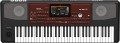 | 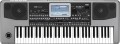 |
|---|---|---|
| Korg Pa700 | Korg Pa900 | |
| Compare prices 3 | from $2,128.00 up to $2,160.00 | |
| TOP sellers | ||
| Type | work station | work station |
Keys | ||
| Number of keys | 61 | 61 |
| Size | full size | full size |
| Mechanics | active | active |
| Rigidity | unweighted | semi-weighted |
Specs | ||
| Polyphony | 128 voices | 128 voices |
| Built-in timbres | 1700 шт | 1100 шт |
| User timbres | 384 шт | 640 шт |
| Auto accompaniment |  | |
| Accompaniment styles | 370 шт | 400 шт |
| Custom styles | 1152 шт | |
| Metronome | | |
| Sequencer (recording) | | |
| Sampling |  | |
| Mixer | | |
Effects and control | ||
| Timbres layering | | |
| Keyboard split | | |
| Octave shift | | |
| Arpeggiator | | |
| Reverberation | | |
| Chorus | | |
| Transposition | | |
| Pitch controller | | |
| Modulation controller | | |
Connectors | ||
| Inputs | Jack (6.35 mm) MIDI in USB to device (type A) card reader | Jack (6.35 mm) MIDI in USB to device (type A) card reader |
| Microphone | 2 pcs | 2 pcs |
| Connectable pedals | 2 шт | 2 шт |
| Outputs | USB to host (type B) MIDI out headphones | USB to host (type B) MIDI out |
| Linear outputs | 2 | 2 |
In box | ||
| In box | music stand PSU disc | music stand PSU disc |
General | ||
| Built-in acoustics | 50 W | 40 W |
| Number of bands | 1 | 1 |
| Display | colour | colour |
| Touch screen | | |
| Power consumption | 25 W | 20 W |
| Dimensions (WxHxD) | 1030x132x378 mm | 1030x139x378 mm |
| Weight | 9.9 kg | 11 kg |
| Color | ||
| Added to E-Catalog | february 2018 | march 2017 |




Compare Korg Pa700 and Pa900
Comparing the Korg Pa700 and Korg Pa900, several key differences can be highlighted. Both synthesizers have 61 full-size keys with active mechanics, but the Pa900 offers a semi-weighted keyboard, which might be preferable for some musicians. The Pa700 has 1700 built-in sounds, while the Pa900 has 1100, but the Pa900 supports 640 user sounds compared to 384 in the Pa700. Additionally, the Pa900 has 400 accompaniment styles compared to 370 in the Pa700. In terms of effects, the Pa900 includes an arpeggiator and modulation controller, which are absent in the Pa700. The built-in acoustics of the Pa700 are more powerful — 50 W compared to 40 W in the Pa900. The choice between them depends on keyboard preferences and required features.
Price comparison
You may be interested in
Korg Pa700 often compared


Korg Pa900 often compared


Glossary
Rigidity
— Unweighted. Keys with a very low pressing force, literally "failing" under the fingers. This option is well suited for inexpensive synthesizers with passive mechanics (see above), but is rarely used in active models — a small resistance force makes it difficult to choose the optimal pressing force.
— Semi- weighted. Medium-strength keys, not up to the hardness of a full-fledged piano, but showing noticeably more resistance than unweighted ones. This variant is most popular among instruments with active mechanics (see above) — the force on the keys provides adequate feedback and at the same time playing such an instrument does not cause any special difficulties even for those who previously dealt only with unweighted keyboards.
— Weighted. Keys with high actuation force, comparable to that of a classical piano. Used only in professional hammer action instruments (see above) — high rigidity is a must for such mechanics (more precisely, for the response that it must provide).
— Semi- weighted. Medium-strength keys, not up to the hardness of a full-fledged piano, but showing noticeably more resistance than unweighted ones. This variant is most popular among instruments with active mechanics (see above) — the force on the keys provides adequate feedback and at the same time playing such an instrument does not cause any special difficulties even for those who previously dealt only with unweighted keyboards.
— Weighted. Keys with high actuation force, comparable to that of a classical piano. Used only in professional hammer action instruments (see above) — high rigidity is a must for such mechanics (more precisely, for the response that it must provide).
Built-in timbres
The number of built-in sounds provided in the synthesizer.
The number of timbres is often described as the number of instruments that a given model can imitate. However, this is not entirely true — rather, this parameter can be called "the number of instruments and sound effects." For example, the same instrument — an electric guitar — with different "gadgets" (distortion, overdrive) will sound differently, and in the synthesizer each such gadget will be considered a separate timbre. The “drums” timbre usually combines different types of drums and other percussion instruments — in other words, it allows you to portray both the “bass drum” and the cymbals without switching settings, just by pressing the desired keys. And some timbres may not have analogues among real instruments at all.
The more built-in timbres, the more extensive the possibilities of the synthesizer, the more diverse the sounds that can be extracted from it. At the same time, in high-end models like workstations (see "Type"), this number can reach 1000 or even more.
The number of timbres is often described as the number of instruments that a given model can imitate. However, this is not entirely true — rather, this parameter can be called "the number of instruments and sound effects." For example, the same instrument — an electric guitar — with different "gadgets" (distortion, overdrive) will sound differently, and in the synthesizer each such gadget will be considered a separate timbre. The “drums” timbre usually combines different types of drums and other percussion instruments — in other words, it allows you to portray both the “bass drum” and the cymbals without switching settings, just by pressing the desired keys. And some timbres may not have analogues among real instruments at all.
The more built-in timbres, the more extensive the possibilities of the synthesizer, the more diverse the sounds that can be extracted from it. At the same time, in high-end models like workstations (see "Type"), this number can reach 1000 or even more.
User timbres
The number of memory slots for user tones provided in the synthesizer.
For Voices in general, see “Preset Voices” above. User timbres are sound settings that were not originally provided in the synthesizer's memory and are created by the user according to their preferences. This feature is indispensable in cases where the built-in set of timbres does not contain the necessary options. However, the capabilities of the User Voices may vary from model to model. So, one instrument only allows you to edit and supplement existing timbres (for example, add a “wah-wah” effect to a bass guitar and save such a bunch as a user setting), another makes it possible to set the sound parameters almost manually, and the third even allows you to load timbres through USB (see below).
The more user timbres in the synthesizer, the more personal “instruments” you can register in its memory.
For Voices in general, see “Preset Voices” above. User timbres are sound settings that were not originally provided in the synthesizer's memory and are created by the user according to their preferences. This feature is indispensable in cases where the built-in set of timbres does not contain the necessary options. However, the capabilities of the User Voices may vary from model to model. So, one instrument only allows you to edit and supplement existing timbres (for example, add a “wah-wah” effect to a bass guitar and save such a bunch as a user setting), another makes it possible to set the sound parameters almost manually, and the third even allows you to load timbres through USB (see below).
The more user timbres in the synthesizer, the more personal “instruments” you can register in its memory.
Accompaniment styles
The number of auto accompaniment styles (see above) originally provided in the synthesizer, in other words, the number of accompaniment options available to the user.
The more extensive this set, the higher the probability of finding among these melodies suitable options for a particular case. At the same time, the abundance of styles in itself is not yet a 100% guarantee that among them there will be a suitable one, especially since different synthesizer models can differ markedly in a specific set of melodies. So the list does not hurt to clarify before buying. Also note that the situation can be corrected by user styles (see below) — many synthesizers with auto accompaniment support them.
The more extensive this set, the higher the probability of finding among these melodies suitable options for a particular case. At the same time, the abundance of styles in itself is not yet a 100% guarantee that among them there will be a suitable one, especially since different synthesizer models can differ markedly in a specific set of melodies. So the list does not hurt to clarify before buying. Also note that the situation can be corrected by user styles (see below) — many synthesizers with auto accompaniment support them.
Custom styles
The number of user auto accompaniment styles supported by the synthesizer, in other words, the number of additional styles that can be stored in memory in addition to the built-in ones. Note that styles can have different volumes (depending on the number of notes used), so this parameter often turns out to be not exact, but only an average-approximate one.
Modern synthesizers may have a fairly extensive set of built-in auto accompaniment styles (see above), but even the richest set may not contain the desired melody. Thus, many models allow you to supplement the standard list with custom melodies. The addition methods themselves can be different: in some models, these melodies need to be downloaded from external media, in others they can even be composed manually. Nevertheless, the presence of user styles allows you to expand the range of auto accompaniment melodies, moreover, at the request of the user himself.
Modern synthesizers may have a fairly extensive set of built-in auto accompaniment styles (see above), but even the richest set may not contain the desired melody. Thus, many models allow you to supplement the standard list with custom melodies. The addition methods themselves can be different: in some models, these melodies need to be downloaded from external media, in others they can even be composed manually. Nevertheless, the presence of user styles allows you to expand the range of auto accompaniment melodies, moreover, at the request of the user himself.
Sampling
Synthesizer support for sampling.
Samples are short sound fragments used in the creation of musical compositions. Such a fragment can contain almost any sound — from a note on a musical instrument or a fragment of a drum part to a siren signal, a bird's chirp, the sound of a mechanism, etc. Specifically, the sampling function implies the ability to use the synthesizer to record samples for further use. Recording can be done either through the built-in microphone or through the audio input (from an external microphone or other audio device). At the same time, many synthesizers with this function are able not only to keep the sound not only "as is", but also to pass the incoming signal through the processing circuits, adding various effects to it — echo, "wah-wah", metallic sound coloring, etc. And ready-made samples can usually be "bound" to individual synthesizer keys and played back in real time. Other functions are possible, depending on the level of the instrument.
Samples are short sound fragments used in the creation of musical compositions. Such a fragment can contain almost any sound — from a note on a musical instrument or a fragment of a drum part to a siren signal, a bird's chirp, the sound of a mechanism, etc. Specifically, the sampling function implies the ability to use the synthesizer to record samples for further use. Recording can be done either through the built-in microphone or through the audio input (from an external microphone or other audio device). At the same time, many synthesizers with this function are able not only to keep the sound not only "as is", but also to pass the incoming signal through the processing circuits, adding various effects to it — echo, "wah-wah", metallic sound coloring, etc. And ready-made samples can usually be "bound" to individual synthesizer keys and played back in real time. Other functions are possible, depending on the level of the instrument.
Mixer
The presence of a mixer in the design of the synthesizer.
A mixer in this case is a device designed to control individual audio channels that make up the sound of a synthesizer as a whole. The list of these channels includes, in particular, the main voice, the layered voice (see “Dubbing voices”), several auto accompaniment channels (main, bass, drums, etc.). With a mixer, the musician can manually control these channels — turn some of them on and off, switch the timbre, tempo, key, etc. This greatly expands the possibilities for using the synthesizer.
A mixer in this case is a device designed to control individual audio channels that make up the sound of a synthesizer as a whole. The list of these channels includes, in particular, the main voice, the layered voice (see “Dubbing voices”), several auto accompaniment channels (main, bass, drums, etc.). With a mixer, the musician can manually control these channels — turn some of them on and off, switch the timbre, tempo, key, etc. This greatly expands the possibilities for using the synthesizer.
Octave shift
Synthesizer support for octave shift function.
This function allows you to shift the sound of the instrument one or more octaves up or down — for example, so that the keys of the first octave sound the notes of the second, or vice versa. This function can be used for both simple convenience and more practical purposes — it allows you to play very low and very high notes that are not initially covered by the keyboard range. This is especially useful for shortened 49- or 61-key synths that do not initially fit the full range of the piano.
This function allows you to shift the sound of the instrument one or more octaves up or down — for example, so that the keys of the first octave sound the notes of the second, or vice versa. This function can be used for both simple convenience and more practical purposes — it allows you to play very low and very high notes that are not initially covered by the keyboard range. This is especially useful for shortened 49- or 61-key synths that do not initially fit the full range of the piano.
Arpeggiator
The presence of an arpeggiator in the design of the synthesizer.
The term "arpeggio" originally means the technique of playing a chord, in which the notes are not sounded all at once, but one after another. Accordingly, arpeggiator, roughly speaking, is a device for the automated playing of chords using the arpeggio technique. Compared to manual playback by notes, this function is convenient because the arpeggiator can provide various additional settings: set the direction of playback (up or down), speed, interval between notes and their duration, special effects, background accompaniment, etc. At the same time, all effects work automatically, the user only needs to press the keys that make up the chord (and in some synthesizers in some modes, only one key can generally be responsible for a whole chord). The specific capabilities of arpeggiators can be different, often such a device allows you to create entire compositions just by pressing a sequence of chords.
The term "arpeggio" originally means the technique of playing a chord, in which the notes are not sounded all at once, but one after another. Accordingly, arpeggiator, roughly speaking, is a device for the automated playing of chords using the arpeggio technique. Compared to manual playback by notes, this function is convenient because the arpeggiator can provide various additional settings: set the direction of playback (up or down), speed, interval between notes and their duration, special effects, background accompaniment, etc. At the same time, all effects work automatically, the user only needs to press the keys that make up the chord (and in some synthesizers in some modes, only one key can generally be responsible for a whole chord). The specific capabilities of arpeggiators can be different, often such a device allows you to create entire compositions just by pressing a sequence of chords.