
Comparison Arturia MicroLab vs Akai LPK-25
Add to comparison | 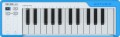 | 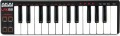 |
|---|---|---|
| Arturia MicroLab | Akai LPK-25 | |
| Compare prices 2 | from £40.00 | |
| TOP sellers | ||
Software included: Analog Lab Lite, UVI Grand Piano Model D, Bitwig Studio. | ||
| Keys | 25 шт | 25 шт |
| Key size | small-sized | small-sized |
| Mechanics | active (dynamic) | active (dynamic) |
| Rigidity | unweighted | unweighted |
| Aftertouch |  |  |
Control | ||
| Pitch controller | | |
| Modulation controller | | |
| Sustain | | |
| Octave shift | | |
| Arpeggiator | | |
Connections | ||
| USB to host (type B) | | |
| Connectable pedals | 1 шт | |
General | ||
| Dimensions (WxHxD) | 414x37x130 mm | 339x33x97 mm |
| Weight | 0.77 kg | 0.49 kg |
| Color | ||
| Added to E-Catalog | october 2019 | february 2018 |



Compare Arturia MicroLab and Akai LPK-25
Price comparison
You may be interested in
My comparisons
Arturia MicroLab often compared


Akai LPK-25 often compared


Glossary
Aftertouch
The presence of the aftertouch function in the keyboard (aftertouch). The essence of this function is to track the pressure force on the key after it is pressed. In fact, this means that in models with aftertouch, you can control the sound not only due to the force and speed of pressing the key, but also due to the change in pressure on it after pressing; this gives additional features and allows you to use various specific tricks of the game. The specific ways of changing the sound “tied” to aftertouch can be different, depending on the synthesis settings set: for example, when recording a guitar part, you can tie a small change in tone to this function and imitate string bending, when recording a saxophone, change the volume of notes, and etc.
Relatively inexpensive models use a common sensor to monitor aftertouch, which monitors the average force of pressure on all keys pressed; in more advanced ones, separate sensors are installed for each key.
Relatively inexpensive models use a common sensor to monitor aftertouch, which monitors the average force of pressure on all keys pressed; in more advanced ones, separate sensors are installed for each key.
Pitch controller
The presence of a pitch controller in the keyboard (Pitch Bend).
This controller is usually in the form of a small wheel or lever that slightly changes the pitch of the sounding note. This allows you to use some specific playing techniques — for example, to imitate string tightening on a guitar.
This controller is usually in the form of a small wheel or lever that slightly changes the pitch of the sounding note. This allows you to use some specific playing techniques — for example, to imitate string tightening on a guitar.
Modulation controller
The presence of a modulation controller in the keyboard.
This controller allows you to slightly change the volume of the sounding note. It is used mainly to achieve a characteristic "trembling" sound, which can be used both as an artistic technique and to imitate live performance on a particular instrument.
This controller allows you to slightly change the volume of the sounding note. It is used mainly to achieve a characteristic "trembling" sound, which can be used both as an artistic technique and to imitate live performance on a particular instrument.
Arpeggiator
The presence of an arpeggiator in the keyboard.
The name of this function comes from "arpeggio" — a technique for playing chords, in which notes are not played all at once, but in turn. Accordingly, the arpeggiator is a function that allows you to play a taken chord in the arpeggio technique: the musician presses all the keys at once, and the keyboard plays them in turn. This effect can also be achieved manually, but in some cases the arpeggiator turns out to be more convenient: it plays notes at a clearly defined speed and interval, can accompany them with various effects, and provides other additional features. These features vary depending on the model, but some instruments allow you to create entire songs with the arpeggiator by simply pressing a sequence of chords.
The name of this function comes from "arpeggio" — a technique for playing chords, in which notes are not played all at once, but in turn. Accordingly, the arpeggiator is a function that allows you to play a taken chord in the arpeggio technique: the musician presses all the keys at once, and the keyboard plays them in turn. This effect can also be achieved manually, but in some cases the arpeggiator turns out to be more convenient: it plays notes at a clearly defined speed and interval, can accompany them with various effects, and provides other additional features. These features vary depending on the model, but some instruments allow you to create entire songs with the arpeggiator by simply pressing a sequence of chords.
Connectable pedals
The maximum number of pedals that can be connected to the keyboard at the same time.
Pedals are used as additional controls to change various keyboard settings. The “classic of the genre” in this sense is the sustain pedal (see “Sustain”) — if the device has one connector for pedals, then this will almost certainly be the input for just such a pedal. Keyboards are produced, where there are 2 or more such inputs — in addition to sustain, you can connect pedals to them for other adjustments and effects (in particular, changing the volume).
Pedals are used as additional controls to change various keyboard settings. The “classic of the genre” in this sense is the sustain pedal (see “Sustain”) — if the device has one connector for pedals, then this will almost certainly be the input for just such a pedal. Keyboards are produced, where there are 2 or more such inputs — in addition to sustain, you can connect pedals to them for other adjustments and effects (in particular, changing the volume).