
Comparison VR Shinecon vs HTC Vive
Add to comparison | 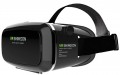 | 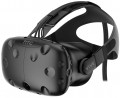 |
|---|---|---|
| VR Shinecon | HTC Vive | |
from $13.56 | Compare prices 1 | |
| TOP sellers | ||
Support for all PC games. Requires a relatively powerful PC and a lot of free space in the room. | ||
| Device type | VR glasses for phone | VR glasses |
| Purpose (compatibility) | Android iOS (iPhone) | Windows |
Specs | ||
| Max. phone screen size | 6 " | |
| Screen resolution | 2160x1200 px | |
| Field of view | 110 ° | |
| Refresh rate | 90 fps | |
| 6DoF motion tracking |  |  |
| Accelerometer | | |
| Gyroscope | | |
| Lens distance adjusting | | |
| Pupillary distance adjustment | | |
Multimedia | ||
| USB-A | | |
| DisplayPort | + | |
| HDMI | + | |
| Headphones | | |
General | ||
| Track camera | | |
| Material | plastic | plastic |
| Dimensions (HxWxD) | 100x200x140 mm | |
| Weight | 380 g | |
| Added to E-Catalog | september 2016 | july 2016 |



Compare VR Shinecon and HTC Vive
Price comparison
You may be interested in
VR Shinecon often compared


HTC Vive often compared


Glossary
Device type
— VR glasses. Headsets or goggles that display images directly in front of your eyes and block out the real world, creating the sensation that you are inside a virtual space. Through VR glasses, you don't see the room around you but rather a digital world: games, simulators, virtual cinemas. VR glasses completely block your real view and create a feeling of being "inside" the scene, so comfortable fit, good resolution, and refresh rate are important to reduce motion sickness and eye strain. Such devices are used by gamers, fans of car and flight simulators, and are also applied in training and 3D presentations of technology or real estate.
— MR glasses. Mixed reality devices that combine VR elements with display hints and allow virtual objects to "live" in the real space, considering the floor, walls, and furniture. In MR glasses, a 3D model can stand on a real table, and the user can walk around it, view it from different angles, and interact with gestures or controllers. MR glasses are suitable for engineering, interior design, medicine, and staff training.
— FPV goggles. Specialized goggles for first-person view flights that display real-time images from a drone camera or other remote-controlled devices. Unlike VR glasses, FPV goggles are almost always "geared" towards one task — providing the pilot with the most direct and minimally delayed image...for precise drone control, especially in racing or freestyle. Here, low signal latency, comfortable fit, transmitter compatibility, and support for the required video format are important.
— 3D video glasses. Compact glasses or mini headsets that create the effect of immersive images and a large screen before your eyes but without typical "gamer" VR functionality. They can connect to a laptop, media player, console and display movies, series, 3D content, or regular video, making viewing more private. Unlike FPV goggles, which show live footage from a drone, 3D video glasses are optimized for media content: the quality of the matrix, contrast, and comfort for long-term use are important. They are chosen by movie enthusiasts, frequently traveling users, and those who don't want to allocate space for a large TV.
— MR glasses. Mixed reality devices that combine VR elements with display hints and allow virtual objects to "live" in the real space, considering the floor, walls, and furniture. In MR glasses, a 3D model can stand on a real table, and the user can walk around it, view it from different angles, and interact with gestures or controllers. MR glasses are suitable for engineering, interior design, medicine, and staff training.
— FPV goggles. Specialized goggles for first-person view flights that display real-time images from a drone camera or other remote-controlled devices. Unlike VR glasses, FPV goggles are almost always "geared" towards one task — providing the pilot with the most direct and minimally delayed image...for precise drone control, especially in racing or freestyle. Here, low signal latency, comfortable fit, transmitter compatibility, and support for the required video format are important.
— 3D video glasses. Compact glasses or mini headsets that create the effect of immersive images and a large screen before your eyes but without typical "gamer" VR functionality. They can connect to a laptop, media player, console and display movies, series, 3D content, or regular video, making viewing more private. Unlike FPV goggles, which show live footage from a drone, 3D video glasses are optimized for media content: the quality of the matrix, contrast, and comfort for long-term use are important. They are chosen by movie enthusiasts, frequently traveling users, and those who don't want to allocate space for a large TV.
Purpose (compatibility)
The signal source in VR headsets reveals where exactly the image comes from and who performs the main "heavy" graphic processing. In one case, the image is generated by a powerful PC or console, in another — a mobile phone, and for FPV goggles, the signal comes directly from the drone via a radio channel. Stand-alone devices that do not require connection to external gadgets deserve special mention. The chosen signal source affects the image quality, latency, the range of available games and applications, as well as how the VR headset is connected — via cable, Wi-Fi, Bluetooth, or through a specialized transmitter.
— Stand-alone Device. VR headsets where the headset itself acts as the signal source: it has a mobile processor, video chip, memory, and its own operating system inside, so the image is generated directly in the headset, not on a computer or phone. The user wears the headset, connects to Wi-Fi, and launches games and apps from the built-in store — no wires, no PC, and no mandatory smartphone at hand. Such solutions are closer in power to a good Android smartphone and fall short of a Windows PC setup, but are noticeably more convenient than mobile headsets, where everything is tied to the phone: no need to insert the device into the casing, monitor heating, or charge two devices at once. Stand-alone VR headsets are especially suitable for everyday games, fitness, and education, where freedom of movement and ease of launc...h are more important than maximum graphic settings.
— Android. VR headsets are tied to Google's mobile platform and work either in tandem with a smartphone or independently as an Android stand-alone device. In the first case, the phone is inserted into the headset casing or connected to it wirelessly, forming the image and transmitting it to the headset's screens, in the second case, the headset contains a built-in chipset, memory, and app store, and the phone is used only for setup and streaming. This signal source makes VR mobile: a smartphone and headset are enough to run simple games, 360 videos, and educational apps without a powerful PC, but in terms of graphics, these solutions fall short of full-fledged PC and console systems.
— iOS (iPhone). Similar in concept to Android, but tailored to the Apple ecosystem and iPhone smartphones. In this case, the VR headset receives an image either from the phone itself, installed in the headset casing, or through a special streaming/mirroring mode from the iPhone via Wi-Fi or Lightning/USB-C cable. iOS support means that the user can access a large number of applications, 360 videos, and educational content from the App Store, while the system is generally simpler and more reliable in setup, but the choice of "real" VR games is smaller than in the Android or Windows world.
— Windows. VR headsets work in conjunction with a PC running Windows, which is fully responsible for 3D graphics output. Typically, the headset connects via USB-C / DisplayPort or via Wi-Fi in streaming mode, and the headset acts as a "display with sensors." This signal source provides the most advanced VR gaming: major gaming platforms, simulators, mods are supported, and the quality and stability depend on the computer's graphics card and processor.
— MacOS. VR headsets can receive images from Apple computers — iMac, MacBook, and other models with macOS. Here, VR is more often used for demonstrations, design, 3D viewing, and professional applications than hardcore gaming, so stable integration and proper driver operation are more important than maximum performance. Connection is usually through USB-C / Thunderbolt and specialized software, and the choice of native VR content for macOS is noticeably more modest than for Windows.
— PlayStation. VR headsets are designed to work with PS4 or PS5 consoles, which render all graphics. Proprietary HDMI/USB connections and Sony's own protocols are used here, and the headset itself is optimized for the console's ecosystem. This option provides a predictable experience: PS VR games are carefully adapted to the specific model of headset, latency is minimal, and the user does not need to think about drivers or hardware configuration.
— Xbox. The Xbox signal source implies compatibility with the console in display mode or via an intermediate PC. In the traditional sense, Xbox lacks complete VR support, so the headset is more often used as an external display rather than a comprehensive VR solution with game space tracking. If the manufacturer still declares Xbox as a signal source, it is worth carefully studying the description: most often these are specific scenarios like a "cinema" or streaming output, rather than full VR projects.
— Drone (quadcopter). A separate class of VR headsets where the image comes directly from the drone's camera in real-time via radio channel. Such goggles have a receiver operating on specific frequencies and protocols inside, so compatibility is usually strictly tied to a specific system: the headset "understands" only those video transmitters and modules for which it was originally designed. The main task here is to ensure minimal latency so the pilot can safely and accurately control the drone "first-person" rather than launching ordinary games, and it is crucial to check in advance whether the goggles will work correctly with your FPV set or if it will require changing the camera/transmitter to the required standard.
— Stand-alone Device. VR headsets where the headset itself acts as the signal source: it has a mobile processor, video chip, memory, and its own operating system inside, so the image is generated directly in the headset, not on a computer or phone. The user wears the headset, connects to Wi-Fi, and launches games and apps from the built-in store — no wires, no PC, and no mandatory smartphone at hand. Such solutions are closer in power to a good Android smartphone and fall short of a Windows PC setup, but are noticeably more convenient than mobile headsets, where everything is tied to the phone: no need to insert the device into the casing, monitor heating, or charge two devices at once. Stand-alone VR headsets are especially suitable for everyday games, fitness, and education, where freedom of movement and ease of launc...h are more important than maximum graphic settings.
— Android. VR headsets are tied to Google's mobile platform and work either in tandem with a smartphone or independently as an Android stand-alone device. In the first case, the phone is inserted into the headset casing or connected to it wirelessly, forming the image and transmitting it to the headset's screens, in the second case, the headset contains a built-in chipset, memory, and app store, and the phone is used only for setup and streaming. This signal source makes VR mobile: a smartphone and headset are enough to run simple games, 360 videos, and educational apps without a powerful PC, but in terms of graphics, these solutions fall short of full-fledged PC and console systems.
— iOS (iPhone). Similar in concept to Android, but tailored to the Apple ecosystem and iPhone smartphones. In this case, the VR headset receives an image either from the phone itself, installed in the headset casing, or through a special streaming/mirroring mode from the iPhone via Wi-Fi or Lightning/USB-C cable. iOS support means that the user can access a large number of applications, 360 videos, and educational content from the App Store, while the system is generally simpler and more reliable in setup, but the choice of "real" VR games is smaller than in the Android or Windows world.
— Windows. VR headsets work in conjunction with a PC running Windows, which is fully responsible for 3D graphics output. Typically, the headset connects via USB-C / DisplayPort or via Wi-Fi in streaming mode, and the headset acts as a "display with sensors." This signal source provides the most advanced VR gaming: major gaming platforms, simulators, mods are supported, and the quality and stability depend on the computer's graphics card and processor.
— MacOS. VR headsets can receive images from Apple computers — iMac, MacBook, and other models with macOS. Here, VR is more often used for demonstrations, design, 3D viewing, and professional applications than hardcore gaming, so stable integration and proper driver operation are more important than maximum performance. Connection is usually through USB-C / Thunderbolt and specialized software, and the choice of native VR content for macOS is noticeably more modest than for Windows.
— PlayStation. VR headsets are designed to work with PS4 or PS5 consoles, which render all graphics. Proprietary HDMI/USB connections and Sony's own protocols are used here, and the headset itself is optimized for the console's ecosystem. This option provides a predictable experience: PS VR games are carefully adapted to the specific model of headset, latency is minimal, and the user does not need to think about drivers or hardware configuration.
— Xbox. The Xbox signal source implies compatibility with the console in display mode or via an intermediate PC. In the traditional sense, Xbox lacks complete VR support, so the headset is more often used as an external display rather than a comprehensive VR solution with game space tracking. If the manufacturer still declares Xbox as a signal source, it is worth carefully studying the description: most often these are specific scenarios like a "cinema" or streaming output, rather than full VR projects.
— Drone (quadcopter). A separate class of VR headsets where the image comes directly from the drone's camera in real-time via radio channel. Such goggles have a receiver operating on specific frequencies and protocols inside, so compatibility is usually strictly tied to a specific system: the headset "understands" only those video transmitters and modules for which it was originally designed. The main task here is to ensure minimal latency so the pilot can safely and accurately control the drone "first-person" rather than launching ordinary games, and it is crucial to check in advance whether the goggles will work correctly with your FPV set or if it will require changing the camera/transmitter to the required standard.
Max. phone screen size
The largest diagonal of a smartphone compatible with the corresponding glasses (see "Intended use"). Note that this parameter can be specified both for universal models that do not have specialization for specific mobile phones, and for gadgets for specific devices (for more details, see "Compatible phone models"). The maximum diagonal is connected both with the features of the optics and with the physical dimensions of the "seat" for a mobile phone — a gadget that is too large simply does not fit there.
Note that even the smallest glasses for smartphones work quite correctly with devices with a diagonal of 5 – 5.5 ". So it makes sense to pay attention to this parameter if your device has a larger screen size. Nowadays, you can find glasses for gadgets 5.6 – 6 " and even 6" or more.
Note that even the smallest glasses for smartphones work quite correctly with devices with a diagonal of 5 – 5.5 ". So it makes sense to pay attention to this parameter if your device has a larger screen size. Nowadays, you can find glasses for gadgets 5.6 – 6 " and even 6" or more.
Screen resolution
Resolution of built-in displays in glasses equipped with such equipment — that is, models for PC / consoles, as well as standalone devices (see "Intended use").
The higher the resolution, the more smooth and detailed the “picture” is given out by glasses, all other things being equal. Thanks to the development of technology nowadays, models with Full HD (1920x1080) screens and even higher resolutions are not uncommon. On the other hand, this parameter significantly affects the cost of points. In addition, it is worth remembering that in order to fully work with high-resolution displays, you need powerful graphics capable of playing relevant content. In the case of glasses for PCs and set-top boxes, this puts forward corresponding requirements for external devices, and in standalone models you have to use advanced integrated video adapters (which affects the cost even more).
The higher the resolution, the more smooth and detailed the “picture” is given out by glasses, all other things being equal. Thanks to the development of technology nowadays, models with Full HD (1920x1080) screens and even higher resolutions are not uncommon. On the other hand, this parameter significantly affects the cost of points. In addition, it is worth remembering that in order to fully work with high-resolution displays, you need powerful graphics capable of playing relevant content. In the case of glasses for PCs and set-top boxes, this puts forward corresponding requirements for external devices, and in standalone models you have to use advanced integrated video adapters (which affects the cost even more).
Field of view
The viewing angle provided by virtual reality glasses is the angular size of the space that falls into the user's field of view. Usually, the characteristics indicate the size of this space horizontally; however, if you need the most accurate information, this point needs to be specified separately.
The wider the viewing angle — the more the game space the user can see without turning his head, the more powerful the immersion effect and the less likely that the image will be subject to the "tunnel vision" effect. On the other hand, making the field of view too wide also does not make sense, given the characteristics of the human eye. In general, a large viewing angle is considered to be an angle of 100° or more. On the other hand, there are models where this indicator is 30° or even less — these are, usually, specific devices (for example, drone piloting glasses and augmented reality glasses), where such characteristics are quite justified given the overall functionality.
The wider the viewing angle — the more the game space the user can see without turning his head, the more powerful the immersion effect and the less likely that the image will be subject to the "tunnel vision" effect. On the other hand, making the field of view too wide also does not make sense, given the characteristics of the human eye. In general, a large viewing angle is considered to be an angle of 100° or more. On the other hand, there are models where this indicator is 30° or even less — these are, usually, specific devices (for example, drone piloting glasses and augmented reality glasses), where such characteristics are quite justified given the overall functionality.
Refresh rate
The refresh rate supported by the glasses' built-in screens, in simple terms, is the maximum frame rate that the screens are capable of delivering.
Recall that screens are provided in models for PC / consoles and in stand-alone devices (see "Intended use"). And the quality of the picture directly depends on this indicator: other things being equal, a higher frame rate provides a smoother image, without jerks and with good detail in dynamic scenes. The flip side of these benefits is an increase in price.
It is also worth considering that in some cases the actual frame rate will not be limited by the capabilities of the glasses, but by the characteristics of the external device or the properties of the content being played. For example, a relatively weak PC graphics card may not be able to pull out a high frame rate signal, or a certain frame rate may be set in the game and not provide boosting. Therefore, you should not chase after large values and points with a frequency of 90 fps will be enough.
Recall that screens are provided in models for PC / consoles and in stand-alone devices (see "Intended use"). And the quality of the picture directly depends on this indicator: other things being equal, a higher frame rate provides a smoother image, without jerks and with good detail in dynamic scenes. The flip side of these benefits is an increase in price.
It is also worth considering that in some cases the actual frame rate will not be limited by the capabilities of the glasses, but by the characteristics of the external device or the properties of the content being played. For example, a relatively weak PC graphics card may not be able to pull out a high frame rate signal, or a certain frame rate may be set in the game and not provide boosting. Therefore, you should not chase after large values and points with a frequency of 90 fps will be enough.
6DoF motion tracking
6DoF tracking in VR headsets provides a full sense of "presence": the system reacts not only to head turns but also to real movements—forward-backward, side-to-side, and up-down, plus three axes of rotation. Unlike the simplified 3DoF, where the user seems to be anchored to one spot and can only look around, 6DoF allows you to lean toward objects, step back, crouch, or peek around corners—all these movements are accurately mirrored in the virtual scene. For this, the headset uses cameras and sensors (inside-out tracking) or external base stations, constantly calculating the position of the helmet and controllers in the room. In games and simulations, such tracking makes interaction with the world feel natural: you can actually "dodge" attacks, reach for levers, walk around the room, and in professional applications—practice gestures, body, and hand movements with high precision and without feeling unnatural limitations.
Accelerometer
Presence in points of own built — in accelerometer.
The accelerometer is a sensor that records the accelerations that the device is subjected to. It performs two main functions: determines the position of the glasses relative to the horizon (in the direction of gravity) and monitors jerks and tremors (however, this function is secondary in VR glasses). Such a sensor is necessary for a full-fledged "immersion" in virtual reality, so it must be provided in glasses made in the form of independent devices (see "Intended use"). But models for PC / consoles may not be equipped with an accelerometer — this means that the glasses are not designed for classic VR, but for more specific tasks (for example, controlling a drone with a first-person view).
As for models for smartphones, most of them do not have this function, since all modern smartphones are equipped with accelerometers. However, there are exceptions — high-end models designed for specific devices: in them, the accelerometer can work in conjunction with a smartphone sensor, which ensures the most accurate image positioning.
The accelerometer is a sensor that records the accelerations that the device is subjected to. It performs two main functions: determines the position of the glasses relative to the horizon (in the direction of gravity) and monitors jerks and tremors (however, this function is secondary in VR glasses). Such a sensor is necessary for a full-fledged "immersion" in virtual reality, so it must be provided in glasses made in the form of independent devices (see "Intended use"). But models for PC / consoles may not be equipped with an accelerometer — this means that the glasses are not designed for classic VR, but for more specific tasks (for example, controlling a drone with a first-person view).
As for models for smartphones, most of them do not have this function, since all modern smartphones are equipped with accelerometers. However, there are exceptions — high-end models designed for specific devices: in them, the accelerometer can work in conjunction with a smartphone sensor, which ensures the most accurate image positioning.
Gyroscope
The presence in the glasses of its own built-in gyroscope.
The gyroscope captures the direction, speed, and angle of rotation of the device—usually along all three axes. Without such a sensor, it is impossible to achieve a full-fledged "immersion" in virtual reality, so it is available in all standalone glasses, as well as in most models for PC / consoles (see "Intended use"). In the second case, the only exceptions are individual models with a specific purpose — "personal cinemas", glasses for piloting drones, etc. In turn, glasses for smartphones do not initially require gyroscopes, since smartphones themselves have such sensors. However, there are exceptions here too — advanced models created for specific top-level devices: in them, the built-in gyroscope works in conjunction with the gyroscope of the connected smartphone, ensuring maximum positioning accuracy.
The gyroscope captures the direction, speed, and angle of rotation of the device—usually along all three axes. Without such a sensor, it is impossible to achieve a full-fledged "immersion" in virtual reality, so it is available in all standalone glasses, as well as in most models for PC / consoles (see "Intended use"). In the second case, the only exceptions are individual models with a specific purpose — "personal cinemas", glasses for piloting drones, etc. In turn, glasses for smartphones do not initially require gyroscopes, since smartphones themselves have such sensors. However, there are exceptions here too — advanced models created for specific top-level devices: in them, the built-in gyroscope works in conjunction with the gyroscope of the connected smartphone, ensuring maximum positioning accuracy.