
Comparison Oscal Pad 13 256 GB vs Oscal Pad 10 128 GB
Add to comparison | 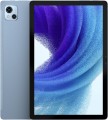 | 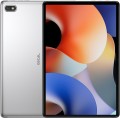 |
|---|---|---|
| Oscal Pad 13 256 GB | Oscal Pad 10 128 GB | |
| Compare prices 2 | from £89.21 | |
| TOP sellers | ||
Widevine L1 support. RAM expansion function up to 14 GB. Support for PC mode. | Widevine L1 support. 6 GB RAM expansion. | |
| Operating system | Android 12 | Android 12 |
Screen | ||
| Screen | 10.1 " 1920x1200 px 224 ppi IPS 60 Hz light sensor | 10.1 " 1920x1200 px 224 ppi IPS 60 Hz light sensor |
| Brightness | 350 nit | 350 nit |
| Screen to body ratio | 78 % | 68 % |
| TÜV Rheinland certificate |  |  |
Hardware | ||
| Processor (graphics) | Unisoc T606 (Mali-G57) | Unisoc T606 (Mali-G57) |
| CPU speed | 1.6 GHz | 1.6 GHz |
| CPU cores | 8 | 8 |
| RAM | 8 GB | 8 GB |
| RAM type | ||
| Storage capacity | 256 GB | 128 GB |
| Storage type | ||
| Card reader | | |
| Max. memory card storage | 1024 GB | 1024 GB |
Test results | ||
| AnTuTu Benchmark | 228 000 points | 227 000 points |
Communication | ||
| SIM card | x2 nano-SIM | x2 nano-SIM |
| Communication standard | 4G (LTE) | 4G (LTE) |
| Wi-Fi | Wi-Fi 5 (802.11aс) | Wi-Fi 5 (802.11aс) |
| Bluetooth | v5.0 | v5.0 |
| Connections | USB-C mini-Jack (3.5 mm) | USB-C |
Navigation | ||
| GPS | | |
| GLONASS | | |
| Galileo support | | |
| Digital compass | | |
Camera | ||
| Main | 2 modules 13 MP auxiliary lens autofocus flash | 13 MP flash |
| Full HD filming (1080p) | 1920x1080 px 30 fps | 1920x1080 px 30 fps |
| Camera (front) | 8 MP | 8 MP |
Features | ||
| Acoustics | stereo | stereo |
Power source | ||
| Battery capacity | 7680 mAh | 6580 mAh |
| Charger power | 18 W | |
General | ||
| Material | metal | plastic |
| Size | 239.2x157.95x7.6 mm | 241.3x160x8.9 mm |
| Weight | 435 g | 536 g |
| Color | ||
| Added to E-Catalog | april 2023 | december 2022 |



Compare Oscal Pad 13 and Pad 10
Price comparison
You may be interested in
Oscal Pad 13 often compared


Oscal Pad 10 often compared


Glossary
Screen to body ratio
This parameter shows how much of the tablet's front panel area is on the display. The higher the display/body ratio, the thinner the frames and the more compact the tablet (with the same diagonal), the more elegant and aesthetically pleasing it looks. This indicator is also important when holding the tablet with both hands at once (for example, in games): thin frames or even frameless models allow you to reach further with your fingers without removing your hands from the device.
TÜV Rheinland certificate
TÜV Rheinland certified for reduced screen emissions and good eye protection.
Storage capacity
The volume of the tablet's own built-in storage. The larger it is, the more information (programs, games, movies, photos, etc.) can be stored on the tablet without resorting to removable media, rewriting to other devices, etc. At the same time, the amount of built-in memory significantly affects the cost. Therefore, some models are available in several versions, differing only in the capacity of the drive. And the variety of built-in memory is quite wide: from 16 GB to 2 TB with a 2-fold increase ( 32 GB, 64 GB, 128 GB, 256 GB, 512 GB, 1 TB).
Note that this paragraph indicates the total amount of internal memory. The operating system and default programs also take up space in it; therefore, the volume of the drive actually available to the user will inevitably be less than the total.
Many tablets allow you to add memory cards to the built-in drive (see below). Such cards are relatively inexpensive, but they are much slower, and the ability to work with them may be limited by the manufacturer — for example, not all tablets with this function allow installing applications on removable media.
Note that this paragraph indicates the total amount of internal memory. The operating system and default programs also take up space in it; therefore, the volume of the drive actually available to the user will inevitably be less than the total.
Many tablets allow you to add memory cards to the built-in drive (see below). Such cards are relatively inexpensive, but they are much slower, and the ability to work with them may be limited by the manufacturer — for example, not all tablets with this function allow installing applications on removable media.
AnTuTu Benchmark
The result shown by a device when undergoing a performance test (benchmark) in the AnTuTu Benchmark.
AnTuTu Benchmark is a comprehensive test designed specifically for mobile devices, primarily smartphones and tablets. It evaluates the performance of the processor, memory, graphics, and input/output systems, providing a clear impression of the system's capabilities. The better the performance, the higher the score. According to AnTuTu, top models are those that score more than 1M points.
As with any benchmark, this test does not provide absolute precision; for more details on measurement inaccuracies, see the "3DMark Gamer's Benchmark" section.
AnTuTu Benchmark is a comprehensive test designed specifically for mobile devices, primarily smartphones and tablets. It evaluates the performance of the processor, memory, graphics, and input/output systems, providing a clear impression of the system's capabilities. The better the performance, the higher the score. According to AnTuTu, top models are those that score more than 1M points.
As with any benchmark, this test does not provide absolute precision; for more details on measurement inaccuracies, see the "3DMark Gamer's Benchmark" section.
Connections
— microUSB. A smaller version of the USB connector, widely used in modern tablets as a universal interface. MicroUSB is mainly used for charging the battery and connecting the device to a computer, and with USB OTG support, flash drives and other accessories can also be connected (of course, an adapter will be required to work with a full-sized USB plug in such cases). This connector is gradually being replaced by the more convenient and advanced USB-C (see below), but it is still a long way from completely disappearing.
— USB-C. It has similar dimensions to microUSB (see above) and has replaced it, but differs in connector design—it is symmetrical, allowing the plug to be connected either way. In terms of application, this interface is also similar to microUSB, with the caveat that USB-C often features support for the advanced standard of 10Gbps, which provides speeds up to 10 Gbps. Moreover, implementing fast charging through such a connector is easier—some fast charging technologies were initially created for USB-C.
— USB4. A high-speed revision of the USB interface introduced in 2019. It only uses symmetrical USB-C type connectors and does not have its own data format—instead, such a connection is used to transmit information across multiple standards: USB 20Gbps and DisplayPort as mandatory, and PCI-E as an option. Anoth...er feature is that USB4 is based on the Thunderbolt protocol. It should also be noted that this USB revision allows for "daisy chain" device connections and by default supports Power Delivery technology, optimizing the charging process of external gadgets (provided that they also implement this technology).
The maximum data transfer speed for such a connector should not be less than 10 Gbps, but variants with speeds of 20 Gbps and even 40 Gbps are often found (depending on the technologies and standards supported by the specific port). Meanwhile, USB4 ports are fully compatible with USB-C interface peripherals.
— DisplayPort Alt Mode. A function that allows transmitting video signals through a USB-C port. This means that a tablet can be connected to an external display (monitor, TV, etc.) directly via a USB-C cable, without the need for additional adapters or converters. For using DisplayPort Alt Mode, support is required on both the gadget and the connected device (monitor, TV), as well as a suitable USB-C cable capable of transmitting video. Note that this capability is often implemented in tablets with two USB-C ports, where one supplies power and the other outputs a signal to an additional monitor.
— USB-A 2.0. A full-sized USB port that complies with version 2.0. This port allows connecting standard USB peripherals to a tablet, such as flash drives or keyboards; however, due to its large size, it is rarely found, mainly in business models and "hybrids" equipped with docking stations (in such cases, the port may be located on the docking station). Version 2.0 supports data transfer speeds up to 480 Mbps.
— USB-A 5Gbps. A version of USB previously known as USB 3.2 gen1 or USB 3.0. It uses the traditional full-sized USB connector and provides operation speeds up to 4.8 Gbps—10 times higher than the previous 2.0 version—as well as higher power capacity. Additionally, USB-A 2.0 peripherals can also be connected to these connectors.
— HDMI. A digital interface specifically created for transmitting HD content: high-definition video and multi-channel sound. It is very popular in video equipment, particularly used in almost all modern TVs and often found in projectors, media players, and so on. Therefore, HDMI support will be very useful if you plan to stream video from your tablet to an external screen. In portable devices, a reduced miniHDMI or microHDMI connector is usually used; however, finding a cable for such a port is not problematic.
— Mini-jack (3.5 mm). A standard 3.5 mm mini-Jack socket. This plug is used by the vast majority of modern wired headphones, headsets, and portable speakers, which is why the 3.5 mm port typically plays the role of an audio jack in most tablets. While there are generally no issues with headphones and speakers, it doesn't hurt to check separately for compatibility with headsets—these devices have their own connection specifics. It should also be noted that there are tablets without a 3.5 mm jack—they are usually designed for specialized accessories connected via a proprietary connector or for wireless Bluetooth audio equipment.
— USB-C. It has similar dimensions to microUSB (see above) and has replaced it, but differs in connector design—it is symmetrical, allowing the plug to be connected either way. In terms of application, this interface is also similar to microUSB, with the caveat that USB-C often features support for the advanced standard of 10Gbps, which provides speeds up to 10 Gbps. Moreover, implementing fast charging through such a connector is easier—some fast charging technologies were initially created for USB-C.
— USB4. A high-speed revision of the USB interface introduced in 2019. It only uses symmetrical USB-C type connectors and does not have its own data format—instead, such a connection is used to transmit information across multiple standards: USB 20Gbps and DisplayPort as mandatory, and PCI-E as an option. Anoth...er feature is that USB4 is based on the Thunderbolt protocol. It should also be noted that this USB revision allows for "daisy chain" device connections and by default supports Power Delivery technology, optimizing the charging process of external gadgets (provided that they also implement this technology).
The maximum data transfer speed for such a connector should not be less than 10 Gbps, but variants with speeds of 20 Gbps and even 40 Gbps are often found (depending on the technologies and standards supported by the specific port). Meanwhile, USB4 ports are fully compatible with USB-C interface peripherals.
— DisplayPort Alt Mode. A function that allows transmitting video signals through a USB-C port. This means that a tablet can be connected to an external display (monitor, TV, etc.) directly via a USB-C cable, without the need for additional adapters or converters. For using DisplayPort Alt Mode, support is required on both the gadget and the connected device (monitor, TV), as well as a suitable USB-C cable capable of transmitting video. Note that this capability is often implemented in tablets with two USB-C ports, where one supplies power and the other outputs a signal to an additional monitor.
— USB-A 2.0. A full-sized USB port that complies with version 2.0. This port allows connecting standard USB peripherals to a tablet, such as flash drives or keyboards; however, due to its large size, it is rarely found, mainly in business models and "hybrids" equipped with docking stations (in such cases, the port may be located on the docking station). Version 2.0 supports data transfer speeds up to 480 Mbps.
— USB-A 5Gbps. A version of USB previously known as USB 3.2 gen1 or USB 3.0. It uses the traditional full-sized USB connector and provides operation speeds up to 4.8 Gbps—10 times higher than the previous 2.0 version—as well as higher power capacity. Additionally, USB-A 2.0 peripherals can also be connected to these connectors.
— HDMI. A digital interface specifically created for transmitting HD content: high-definition video and multi-channel sound. It is very popular in video equipment, particularly used in almost all modern TVs and often found in projectors, media players, and so on. Therefore, HDMI support will be very useful if you plan to stream video from your tablet to an external screen. In portable devices, a reduced miniHDMI or microHDMI connector is usually used; however, finding a cable for such a port is not problematic.
— Mini-jack (3.5 mm). A standard 3.5 mm mini-Jack socket. This plug is used by the vast majority of modern wired headphones, headsets, and portable speakers, which is why the 3.5 mm port typically plays the role of an audio jack in most tablets. While there are generally no issues with headphones and speakers, it doesn't hurt to check separately for compatibility with headsets—these devices have their own connection specifics. It should also be noted that there are tablets without a 3.5 mm jack—they are usually designed for specialized accessories connected via a proprietary connector or for wireless Bluetooth audio equipment.
Digital compass
A sensor that allows you to determine the direction to the cardinal points. Uses the earth's magnetic field, like a conventional mechanical compass, so the accuracy of the readings can be quite low. However, tablets are rarely used for high-precision compass navigation, and this disadvantage is not critical.
Main
— The number of lenses. The characteristics of the main (rear) camera of the tablet are represented primarily by the number of modules, which in most cases are 1, but there are also tablets with a dual camera.
— Resolution. The second important factor of the camera is the number of megapixels. Many really believe that the more MP, the better the quality of filming. However, this is not entirely true: only the maximum resolution of the resulting images depends on the resolution of the matrix, and their quality is determined by many other parameters. However a large sensor resolution may be a sign of an advanced camera, but this is not necessary — two "eyes" with the same number of megapixels can radically differ in the quality of shooting. Rear cameras in tablets may well be used for photo and video shooting; therefore, they have cameras of 8 MP, 10 MP and even higher (12 and 13 MP).
— Autofocus. For focus in such cameras, a movable lens system controlled by automation is responsible. It takes some time for the automation to work, and the lenses themselves turn out to be more complicated and more expensive than optics with a fixed focus (fixed lenses that are initially set to a large range of distances). However, the quality of the pictures is disproportionate...ly higher than that of cameras without autofocus, and the systems themselves are constantly being improved, and their response time is increasingly approaching instantaneous.
— Flash. Flash significantly expands the capabilities of the camera. First of all, it allows you to shoot in low light conditions; in this case, the backlight, usually, can also be used in the constant glow mode — for video shooting. The second situation where a flash can come in handy is backlighting when the subject is in shadow. In addition, in many tablets, the flash LED can also be used as a regular flashlight, without a camera.
— Resolution. The second important factor of the camera is the number of megapixels. Many really believe that the more MP, the better the quality of filming. However, this is not entirely true: only the maximum resolution of the resulting images depends on the resolution of the matrix, and their quality is determined by many other parameters. However a large sensor resolution may be a sign of an advanced camera, but this is not necessary — two "eyes" with the same number of megapixels can radically differ in the quality of shooting. Rear cameras in tablets may well be used for photo and video shooting; therefore, they have cameras of 8 MP, 10 MP and even higher (12 and 13 MP).
— Autofocus. For focus in such cameras, a movable lens system controlled by automation is responsible. It takes some time for the automation to work, and the lenses themselves turn out to be more complicated and more expensive than optics with a fixed focus (fixed lenses that are initially set to a large range of distances). However, the quality of the pictures is disproportionate...ly higher than that of cameras without autofocus, and the systems themselves are constantly being improved, and their response time is increasingly approaching instantaneous.
— Flash. Flash significantly expands the capabilities of the camera. First of all, it allows you to shoot in low light conditions; in this case, the backlight, usually, can also be used in the constant glow mode — for video shooting. The second situation where a flash can come in handy is backlighting when the subject is in shadow. In addition, in many tablets, the flash LED can also be used as a regular flashlight, without a camera.
Battery capacity
The capacity of the battery that is normally installed in the tablet.
Theoretically, a larger battery means longer battery life. However, in fact, the battery life of the tablet also depends on its power consumption — and it is influenced by the characteristics of the processor and screen, the installed OS, and other factors. Therefore, only models with similar characteristics can be compared in terms of battery capacity (and even such a comparison will be quite approximate); and to assess battery life, it is best to look at the directly claimed operating time in different modes.
Theoretically, a larger battery means longer battery life. However, in fact, the battery life of the tablet also depends on its power consumption — and it is influenced by the characteristics of the processor and screen, the installed OS, and other factors. Therefore, only models with similar characteristics can be compared in terms of battery capacity (and even such a comparison will be quite approximate); and to assess battery life, it is best to look at the directly claimed operating time in different modes.
Charger power
The power at which the tablet is charged in normal mode.
On the practical side, the higher the charging power, the less time spent on it (with the same battery capacity). But this parameter does not directly affect compatibility with chargers: modern devices are able to work with “chargers” of both higher and lower power. At the same time, in the first case, the battery controller will automatically limit the charging current, and in the second, charging will simply take more time. Accordingly, the standard charger may be of less power. And when looking for a third-party charger, you should focus on the allowable charging power indicated in the specifications — this will give the maximum guarantee against malfunctions.
On the practical side, the higher the charging power, the less time spent on it (with the same battery capacity). But this parameter does not directly affect compatibility with chargers: modern devices are able to work with “chargers” of both higher and lower power. At the same time, in the first case, the battery controller will automatically limit the charging current, and in the second, charging will simply take more time. Accordingly, the standard charger may be of less power. And when looking for a third-party charger, you should focus on the allowable charging power indicated in the specifications — this will give the maximum guarantee against malfunctions.