
Comparison Blackview Tab 13 Pro 128 GB vs Blackview Tab 13 128 GB
Add to comparison | 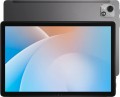 | 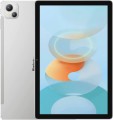 |
|---|---|---|
| Blackview Tab 13 Pro 128 GB | Blackview Tab 13 128 GB | |
from £145.98 | from £105.43 | |
| User reviews | ||
| TOP sellers | ||
8 GB RAM expansion function. Compared to the regular version, it has a worse processor, more RAM and battery, and a more recent version of Android. | RAM expansion function by 4 GB. Hybrid SIM card tray (SIM + SIM/microSD). PC-Mode. | |
| Operating system | Android 13 | Android 12 |
Screen | ||
| Screen | 10.1 " 1920x1200 px 224 ppi IPS 60 Hz | 10.1 " 1920x1200 px 224 ppi IPS 60 Hz |
| Brightness | 350 nit | up to 300 nit |
| Screen to body ratio | 78 % | 78 % |
| TÜV Rheinland certificate |  |  |
Hardware | ||
| Processor (graphics) | Helio G85 (Mali-G52) | |
| CPU speed | 2 GHz | 2 GHz |
| CPU cores | 8 | 8 |
| RAM | 8 GB | 6 GB |
| RAM type | LPDDR4X | |
| Storage capacity | 128 GB | 128 GB |
| Storage type | eMMC | |
| Card reader | | |
| Max. memory card storage | 1024 GB | 1024 GB |
Test results | ||
| AnTuTu Benchmark | 256 000 points | |
Communication | ||
| SIM card | x2 nano-SIM | x2 nano-SIM |
| Communication standard | 4G (LTE) | 4G (LTE) |
| Wi-Fi | Wi-Fi 5 (802.11aс) | Wi-Fi 5 (802.11aс) |
| Bluetooth | v5.0 | v5.0 |
| Connections | USB-C mini-Jack (3.5 mm) | USB-C |
Navigation | ||
| GPS | | |
| GLONASS | | |
| Galileo support | | |
Camera | ||
| Main | 2 modules 13 MP auxiliary lens autofocus flash | 2 modules 13 MP auxiliary lens autofocus flash |
| Full HD filming (1080p) | 1920x1080 px 30 fps | |
| Camera (front) | 8 MP | 8 MP |
Features | ||
| More features | FM receiver | FM receiver |
| Acoustics | stereo | stereo |
Power source | ||
| Battery capacity | 7680 mAh | 7280 mAh |
| Fast charging | + | |
| Charger power | 18 W | |
General | ||
| Case | | |
| Material | metal | metal |
| Size | 239.2x157.95x7.6 mm | 238.8x157.6x7.7 mm |
| Weight | 435 g | 450 g |
| Color | ||
| Added to E-Catalog | october 2023 | september 2022 |


Compare Blackview Tab 13 Pro and Tab 13
Tablets Blackview Tab 13 Pro and Blackview Tab 13 have similar characteristics, but there are key differences. The Tab 13 Pro runs on Android 13, while the Tab 13 uses Android 12. The processor in the Pro model is Helio P60 with 8 GB RAM, which provides better performance compared to Helio G85 and 6 GB RAM in the Tab 13. The Pro's battery is also slightly more powerful — 7680 mAh versus 7280 mAh. Both devices support 4G and have the same cameras, but the Pro model offers fast charging. The choice between them depends on performance preferences and OS version.
You may be interested in
My comparisons
Blackview Tab 13 Pro often compared


Blackview Tab 13 often compared


Glossary
Operating system
The operating system (OS) that the tablet runs on.
The most popular operating systems in modern tablets are such operating systems as Android of different versions,iPadOS (modern version of iOS), as well as Windows 10 and Windows 11. Here is a more detailed description of the different options:
— Android. Free open source OS from Google. Used by almost all modern manufacturers except Apple. Presented on the market in many versions — in particular, Android 10 Q, Android 10 Go Edition, Android 11 R, 11 Go Edition, Android 12, Android 12 Go Edition, Android 13, Android 13 Go Edition, Android 14, Android 15. It is worth considering that at the time of the release of the device, one version of the OS could be installed, and at the time of sale it could be updated to a more modern one. Functionally, this OS is notable primarily for its full-fledged multitasking and an extensive set of available applications - in both of these points it surpasses both iOS and Windows. On the...other hand, in general, the quality of Android applications is somewhat lower than in iOS, and the system itself is designed mainly for entertainment use (unlike Windows). Initially, Android has tight integration with Google services - the Google Play app and content store, Gmail mail, Google Drive cloud storage, etc.; however, exceptions to this rule are possible. Note that the latest versions of this OS can be found on the market both in its original form and in one of two specific editions:
— Windows. The operating system developed by Microsoft, originally created for PCs and laptops, but nowadays also used in tablets. Such tablets are considered mainly professional and business-class devices, they are well suited, in particular, for study and regular work with documents. The 11th revision of the operating system from Microsoft, which debuted in 2021, is now considered relevant. Of the qualitative improvements in the system, the taskbar has been redesigned, which is now located in the centre of the bottom edge of the desktop, new widget menus have been introduced, window resizing and position changes (Snap), and the operating system has become friends with Android applications. The system remains the prerogative of tablets for work and study with support for office and specialized programs written under Windows.
— HarmonyOS. Huawei's Universal Operating System, also known as Hongmeng. Provides operation of a wide range of devices: appliances from the smart home ecosystem, smartwatches, smartphones and tablets. Specifically, in the tablet league of gadgets, the Harmony OS system is a kind of add-on on top of Android without Google services. The app store for Harmony OS devices is called AppGallery.
In modern tablets, you can find other operating systems, in addition to those described above. However, these are very rare and specific systems that have not received significant distribution.
The most popular operating systems in modern tablets are such operating systems as Android of different versions,iPadOS (modern version of iOS), as well as Windows 10 and Windows 11. Here is a more detailed description of the different options:
— Android. Free open source OS from Google. Used by almost all modern manufacturers except Apple. Presented on the market in many versions — in particular, Android 10 Q, Android 10 Go Edition, Android 11 R, 11 Go Edition, Android 12, Android 12 Go Edition, Android 13, Android 13 Go Edition, Android 14, Android 15. It is worth considering that at the time of the release of the device, one version of the OS could be installed, and at the time of sale it could be updated to a more modern one. Functionally, this OS is notable primarily for its full-fledged multitasking and an extensive set of available applications - in both of these points it surpasses both iOS and Windows. On the...other hand, in general, the quality of Android applications is somewhat lower than in iOS, and the system itself is designed mainly for entertainment use (unlike Windows). Initially, Android has tight integration with Google services - the Google Play app and content store, Gmail mail, Google Drive cloud storage, etc.; however, exceptions to this rule are possible. Note that the latest versions of this OS can be found on the market both in its original form and in one of two specific editions:
- Go Edition. Modification of Android, designed for inexpensive gadgets with "weak" hardware. Both the OS itself and standard applications (Assistant, Gmail, etc.) have been redesigned in this edition in such a way as to ensure reliable operation even with low computing power. At the same time, the developers tried to preserve the functionality of full-fledged Android as much as possible — however, some specific functions in the Go Edition were still not available (for example, standard maps do not support turn-by-turn navigation).
- HMS. Edition of Android without Google services, used in devices from Huawei. Due to US sanctions against China, this company cannot fully cooperate with Google — in particular, use Google services (Google Mobile Services — GMS) in its Android gadgets. As a replacement, HMS — Huawei Mobile Services were introduced. These services include Huawei ID, AppGallery, branded equivalents of Google's core services (assistant, browser, cloud storage, music/video, etc.), and app developer tools.
- 7.0. Released in August 2016. In this version, for the first time, a multi-window mode appeared — the ability to display two windows with two different applications on the same screen — as well as a virtual reality mode.
- 7.1. Update version 7.0, released at the end of 2016. Introduced a number of minor improvements related to appearance and usability.
- 8.0. A major update that was released at the end of the summer of 2017. Among the most notable innovations are picture-in-picture multitasking when watching videos, compatibility with Bluetooth 5, support for applications for VoIP (Internet telephony) at the system level, the ability to group notifications into “channels”. It is also the first version of Android to feature a Go edition (see above).
- 8.1. An update released at the end of 2017. From the user's point of view, this version is almost the same as the original 8.0, the main innovations are related to minor improvements and bug fixes.
- 9.0. Update introduced in August 2018. One of the most notable changes was the look, with a redesigned design and more customization options. In addition, instead of the three standard buttons in the navigation bar, only one (Home) button is displayed by default, the Back button appears only when it is relevant, and the list of open applications is displayed by moving the Home button to the right. Other important innovations include optimization of background power consumption based on the actual frequency of use of applications, compatibility with additional types of biometric authorization (in addition to a fingerprint), and the ability to simultaneously use several cameras at once with one application.
- 10. Version released in September 2019. This version introduced an expanded set of full-screen gestures (with the possibility of optimization in individual applications — in particular, disabling gestures on certain areas of the screen to avoid conflicts), a "dark" display mode at the system level, a number of important security updates (including a separate encryption standard for weak devices that do not support the AES format at the hardware level), full support for 5G communications and improved capabilities for working with augmented reality. In addition, a number of solutions have been introduced to optimize work on foldable gadgets with a flexible screen.
- 11.The next major Anroid update, released in the fall of 2020. The most noticeable innovations in this version are related to messages and notifications. So, a separate section "Conversations" for messages was created in notifications, it also became possible to display various correspondence in the form of a "bubble" on top of any running application (Bubbles function). The functionality of the Do Not Disturb mode has been expanded — now you can add exceptions for individual correspondence to it. Other important innovations include a system tool for recording video from the screen (including fixing touch points), a single control centre for smart home components, quick switching between playback devices (phone speaker, wireless headphones, Smart TV, etc.) , built-in support for Android Auto, as well as advanced options for managing the access of individual applications to certain data.
— Windows. The operating system developed by Microsoft, originally created for PCs and laptops, but nowadays also used in tablets. Such tablets are considered mainly professional and business-class devices, they are well suited, in particular, for study and regular work with documents. The 11th revision of the operating system from Microsoft, which debuted in 2021, is now considered relevant. Of the qualitative improvements in the system, the taskbar has been redesigned, which is now located in the centre of the bottom edge of the desktop, new widget menus have been introduced, window resizing and position changes (Snap), and the operating system has become friends with Android applications. The system remains the prerogative of tablets for work and study with support for office and specialized programs written under Windows.
— HarmonyOS. Huawei's Universal Operating System, also known as Hongmeng. Provides operation of a wide range of devices: appliances from the smart home ecosystem, smartwatches, smartphones and tablets. Specifically, in the tablet league of gadgets, the Harmony OS system is a kind of add-on on top of Android without Google services. The app store for Harmony OS devices is called AppGallery.
In modern tablets, you can find other operating systems, in addition to those described above. However, these are very rare and specific systems that have not received significant distribution.
Brightness
The maximum brightness in nits provided by the tablet screen.
The brighter the display, the more readable the picture remains on it under intense ambient light. Also, high brightness is important for the correct display of HDR content. However, a large margin for this indicator affects the cost and power consumption of the screen. Manufacturers can specify standard, maximum, and peak brightness values. At the same time, an equal sign cannot be put between the maximum and peak brightness. The first indicates the ability of the screen to produce the specified brightness over its entire area, while the peak one - in a limited area and for a short time (mainly for HDR content).
The brighter the display, the more readable the picture remains on it under intense ambient light. Also, high brightness is important for the correct display of HDR content. However, a large margin for this indicator affects the cost and power consumption of the screen. Manufacturers can specify standard, maximum, and peak brightness values. At the same time, an equal sign cannot be put between the maximum and peak brightness. The first indicates the ability of the screen to produce the specified brightness over its entire area, while the peak one - in a limited area and for a short time (mainly for HDR content).
TÜV Rheinland certificate
TÜV Rheinland certified for reduced screen emissions and good eye protection.
Processor (graphics)
The processor is the "heart" of the device. It is responsible for performing all computing operations necessary for the normal functioning of the tablet and largely determines its overall performance. By knowing the specific model name of the processor, you can easily find detailed information about it, including comparisons with other models.
Nowadays, the most popular chips are Qualcomm's Snapdragon (especially top solutions like the Snapdragon series 7 and Snapdragon series 8), MediaTek (budget and "mid-range" processors such as MediaTek Helio and the advanced chipset line MediaTek Dimensity with 5G support), Unisoc. Among Windows tablets, Intel processors are common (mostly from the Intel Core family). And we must not forget about Apple's powerful processors M3, M4, M5.
The model of the graphics card installed in the tablet is indicated in parentheses. In such devices, the graphics card is not a separate unit but part of the processor; nevertheless, it still has a clear specialization and is responsible for graphics.
Accordingly, the graphics capabilities of the tablet directly de...pend on the characteristics of the graphics accelerator. In theory, by knowing the name, you can find detailed specifications of the graphics card, reviews, test results, and other information to assess how well it suits your needs. At the same time, in most cases, delving into such details is unnecessary— all system components, including the graphics card, are usually selected to fit the overall class of the tablet and the necessary capabilities for that class.
Nowadays, the most popular chips are Qualcomm's Snapdragon (especially top solutions like the Snapdragon series 7 and Snapdragon series 8), MediaTek (budget and "mid-range" processors such as MediaTek Helio and the advanced chipset line MediaTek Dimensity with 5G support), Unisoc. Among Windows tablets, Intel processors are common (mostly from the Intel Core family). And we must not forget about Apple's powerful processors M3, M4, M5.
The model of the graphics card installed in the tablet is indicated in parentheses. In such devices, the graphics card is not a separate unit but part of the processor; nevertheless, it still has a clear specialization and is responsible for graphics.
Accordingly, the graphics capabilities of the tablet directly de...pend on the characteristics of the graphics accelerator. In theory, by knowing the name, you can find detailed specifications of the graphics card, reviews, test results, and other information to assess how well it suits your needs. At the same time, in most cases, delving into such details is unnecessary— all system components, including the graphics card, are usually selected to fit the overall class of the tablet and the necessary capabilities for that class.
RAM
The amount of random access memory (RAM) installed in the tablet. This memory is used for direct data processing, and therefore its volume is one of the main indicators of system speed and power. However note that the optimal amount of RAM strongly depends on the OS used — different systems and even different versions of the same "OS" can vary greatly in terms of consumed resources. But models on the same OS can be compared with each other in terms of the amount of RAM.
As for specific values, indicators in 1 GB or less in our time are definitely a sign of a weak tablet. 2 GB and 3 GB can be called the entry level, 4 GB and 6 GB are middle class, and in the most advanced models, 8 GB, or even 16 GB can be installed (or even more) RAM.
As for specific values, indicators in 1 GB or less in our time are definitely a sign of a weak tablet. 2 GB and 3 GB can be called the entry level, 4 GB and 6 GB are middle class, and in the most advanced models, 8 GB, or even 16 GB can be installed (or even more) RAM.
RAM type
The type of random access memory (RAM) installed in the tablet.
All modern devices use LPDDR format RAM ( LPDDR4, LPDDR4x, LPDDR5, LPDDR5x). In addition to its miniature size, it differs from regular computer RAM by supporting special data transfer formats (16- and 32-bit memory buses). But the versions of such memory can be different:
— LPDDR3. The earliest generation of LPDDR of the current ones — presented in 2012, implemented in devices since 2013. Standardly operates at speeds up to 1600 MT/s (megatransactions per second) and a frequency of up to 933 MHz; the “enhanced” version supports speeds up to 2133 MT/s. Nowadays, this standard is rare, mainly among outdated devices.
— LPDDR4. The successor to LPDDR3, officially presented in August 2014 (although the first hardware developments were released back in late 2013). The operating speed, compared to its predecessor, has doubled — up to 3200 MT/s; the frequency has grown to 1600 MHz; and the power consumption has decreased by 40%. In addition, the data transfer format has changed — in particular, two 16-bit buses are used instead of one 32-bit, and some security improvements have been introduced into the standard. — LPDDR4x. An improved version of LPDDR4 with reduced power consumption — the standard uses a voltage of 0.6 V instead of 1.1 V. In addition, this type...of RAM has some improvements aimed at increasing the speed (it reaches 4266 MT/s) and general optimization of operation — for example, a single-channel mode has appeared for undemanding applications. Thanks to such characteristics, this version of memory has become much more widespread than the original LPDDR4.
— LPDDR5. Further development of "mobile" RAM, officially announced in early 2019. The operating speed in this version has been increased to 6400 MT/s, a differential signal format has been introduced to improve resistance to interference and errors, and dynamic frequency and voltage control has been implemented to reduce power consumption.
— LPDDR5x. A more energy-efficient and faster version of LPDDR5 RAM. Its data transfer rate has been increased to 8533 MT/s, and the peak throughput indicator has been increased to 8.5 Gbps. The number of memory banks per channel in LPDDR5x is always 16.
All modern devices use LPDDR format RAM ( LPDDR4, LPDDR4x, LPDDR5, LPDDR5x). In addition to its miniature size, it differs from regular computer RAM by supporting special data transfer formats (16- and 32-bit memory buses). But the versions of such memory can be different:
— LPDDR3. The earliest generation of LPDDR of the current ones — presented in 2012, implemented in devices since 2013. Standardly operates at speeds up to 1600 MT/s (megatransactions per second) and a frequency of up to 933 MHz; the “enhanced” version supports speeds up to 2133 MT/s. Nowadays, this standard is rare, mainly among outdated devices.
— LPDDR4. The successor to LPDDR3, officially presented in August 2014 (although the first hardware developments were released back in late 2013). The operating speed, compared to its predecessor, has doubled — up to 3200 MT/s; the frequency has grown to 1600 MHz; and the power consumption has decreased by 40%. In addition, the data transfer format has changed — in particular, two 16-bit buses are used instead of one 32-bit, and some security improvements have been introduced into the standard. — LPDDR4x. An improved version of LPDDR4 with reduced power consumption — the standard uses a voltage of 0.6 V instead of 1.1 V. In addition, this type...of RAM has some improvements aimed at increasing the speed (it reaches 4266 MT/s) and general optimization of operation — for example, a single-channel mode has appeared for undemanding applications. Thanks to such characteristics, this version of memory has become much more widespread than the original LPDDR4.
— LPDDR5. Further development of "mobile" RAM, officially announced in early 2019. The operating speed in this version has been increased to 6400 MT/s, a differential signal format has been introduced to improve resistance to interference and errors, and dynamic frequency and voltage control has been implemented to reduce power consumption.
— LPDDR5x. A more energy-efficient and faster version of LPDDR5 RAM. Its data transfer rate has been increased to 8533 MT/s, and the peak throughput indicator has been increased to 8.5 Gbps. The number of memory banks per channel in LPDDR5x is always 16.
Storage type
The specification primarily determines the memory speed and, accordingly, the overall flow Rate of the device (especially when working with large amounts of data or resource-intensive applications). Nowadays, there are two basic specifications - eMMC (embedded Multimedia Memory Card) and UFS (Universal Flash Storage); each of them has several versions. In general, the fastest and most advanced drives today are those with UFS 3.1 and UFS 4.0, but they also cost accordingly, and therefore are used mainly in premium tablets. A more detailed description of these standards looks like this:
— eMMC. One of the simplest and most accessible solid-state memory standards — for example, this is the specification used by most flash drives. In tablets and other portable gadgets, this standard was generally accepted until 2016, when UFS began to be introduced; however, it is still quite common — mainly due to its low cost and low power consumption. eMMC speeds are noticeably lower than UFS. Thus, in the current version of eMMC 5.1A (2019), the read speed is up to 400 MB/s, and the earlier and more common version of eMMC 5.1 provides up to 250 MB/s in read mode, up to 125 MB/s in sequential write mode, and only up to 7.16 MB/s for random write (in other words, in application mode).
— UFS. A solid-state drive standard created as a faster and more advanced successor to eMMC. In addition to increased data...exchange rates, UFS also changed its operating format — it is fully duplex, meaning that reading and writing can be done simultaneously (while in eMMC these processes were performed in turns). Efficiency in random read and write mode was also significantly increased, which had a positive effect on the quality of work with applications. Specific data exchange rates and operating features depend on the UFS version; these days, the following options can be found on the market:
— eMMC. One of the simplest and most accessible solid-state memory standards — for example, this is the specification used by most flash drives. In tablets and other portable gadgets, this standard was generally accepted until 2016, when UFS began to be introduced; however, it is still quite common — mainly due to its low cost and low power consumption. eMMC speeds are noticeably lower than UFS. Thus, in the current version of eMMC 5.1A (2019), the read speed is up to 400 MB/s, and the earlier and more common version of eMMC 5.1 provides up to 250 MB/s in read mode, up to 125 MB/s in sequential write mode, and only up to 7.16 MB/s for random write (in other words, in application mode).
— UFS. A solid-state drive standard created as a faster and more advanced successor to eMMC. In addition to increased data...exchange rates, UFS also changed its operating format — it is fully duplex, meaning that reading and writing can be done simultaneously (while in eMMC these processes were performed in turns). Efficiency in random read and write mode was also significantly increased, which had a positive effect on the quality of work with applications. Specific data exchange rates and operating features depend on the UFS version; these days, the following options can be found on the market:
- 2.0. The earliest version; it was released back in 2013. Provides data transfer speeds of up to 600 MB/s on one line and up to 1.2 GB/s on two lines, the maximum available in this version. The newer version 2.1 has the same indicators, but it is supplemented with a number of important innovations. Therefore, UFS 2.0 memory is very rarely used in tablets.
- 2.1. The first of the widely used versions; it was released in 2016. In terms of speed, it is no different from the version 2.0 described above, and the main differences are in some improvements. In particular, UFS 2.1 introduced a drive status ("health") indicator, the ability to remotely update the firmware, and a number of solutions aimed at increasing overall reliability.
- 2.2. An evolution of the UFS 2.x standard, introduced in summer 2020. The key improvement is the introduction of the WriteBooster feature (originally introduced in UFS 3.1); this feature allows for a significant increase in write speed and, therefore, overall flow Rate in tasks such as launching applications.
- 3.0. Version released in 2018 and implemented in hardware a year later. The throughput was increased to 2.9 GB/s on two lines (1.45 GB/s on one), new versions of the electronic protocol M-PHY (physical layer) and UniPro based on it were implemented, the reliability of data handling was increased, and the temperature range of the controllers was expanded (in theory, it can range from -40 °C to 105 °C).
- 3.1. The successor to the UFS 3.0 standard, officially introduced in early 2020. It is positioned as a specification created specifically for high-flow Rate mobile devices and aimed at increasing operating speed while minimizing power consumption. To this end, UFS 3.1 implements a number of innovations: a non-volatile Write Booster cache to speed up writing; a special DeepSleep power-saving mode for relatively simple and inexpensive systems; as well as the Performance Throttling Notification function, which allows the drive to send signals to the control system about overheating. In addition, this standard may additionally provide support for the HPB extension, which increases the read speed.
- 4.0. UFS 4.0 doubles the bandwidth per lane (23.2 Gbps per lane) and improves power efficiency by approximately 46% (compared to the previous 3.1 specification). UFS 4.0 memory modules provide maximum read speeds of up to 4,200 MB/s and write speeds of up to 2,800 MB/s.
AnTuTu Benchmark
The result shown by a device when undergoing a performance test (benchmark) in the AnTuTu Benchmark.
AnTuTu Benchmark is a comprehensive test designed specifically for mobile devices, primarily smartphones and tablets. It evaluates the performance of the processor, memory, graphics, and input/output systems, providing a clear impression of the system's capabilities. The better the performance, the higher the score. According to AnTuTu, top models are those that score more than 1M points.
As with any benchmark, this test does not provide absolute precision; for more details on measurement inaccuracies, see the "3DMark Gamer's Benchmark" section.
AnTuTu Benchmark is a comprehensive test designed specifically for mobile devices, primarily smartphones and tablets. It evaluates the performance of the processor, memory, graphics, and input/output systems, providing a clear impression of the system's capabilities. The better the performance, the higher the score. According to AnTuTu, top models are those that score more than 1M points.
As with any benchmark, this test does not provide absolute precision; for more details on measurement inaccuracies, see the "3DMark Gamer's Benchmark" section.
Connections
— microUSB. A smaller version of the USB connector, widely used in modern tablets as a universal interface. MicroUSB is mainly used for charging the battery and connecting the device to a computer, and with USB OTG support, flash drives and other accessories can also be connected (of course, an adapter will be required to work with a full-sized USB plug in such cases). This connector is gradually being replaced by the more convenient and advanced USB-C (see below), but it is still a long way from completely disappearing.
— USB-C. It has similar dimensions to microUSB (see above) and has replaced it, but differs in connector design—it is symmetrical, allowing the plug to be connected either way. In terms of application, this interface is also similar to microUSB, with the caveat that USB-C often features support for the advanced standard of 10Gbps, which provides speeds up to 10 Gbps. Moreover, implementing fast charging through such a connector is easier—some fast charging technologies were initially created for USB-C.
— USB4. A high-speed revision of the USB interface introduced in 2019. It only uses symmetrical USB-C type connectors and does not have its own data format—instead, such a connection is used to transmit information across multiple standards: USB 20Gbps and DisplayPort as mandatory, and PCI-E as an option. Anoth...er feature is that USB4 is based on the Thunderbolt protocol. It should also be noted that this USB revision allows for "daisy chain" device connections and by default supports Power Delivery technology, optimizing the charging process of external gadgets (provided that they also implement this technology).
The maximum data transfer speed for such a connector should not be less than 10 Gbps, but variants with speeds of 20 Gbps and even 40 Gbps are often found (depending on the technologies and standards supported by the specific port). Meanwhile, USB4 ports are fully compatible with USB-C interface peripherals.
— DisplayPort Alt Mode. A function that allows transmitting video signals through a USB-C port. This means that a tablet can be connected to an external display (monitor, TV, etc.) directly via a USB-C cable, without the need for additional adapters or converters. For using DisplayPort Alt Mode, support is required on both the gadget and the connected device (monitor, TV), as well as a suitable USB-C cable capable of transmitting video. Note that this capability is often implemented in tablets with two USB-C ports, where one supplies power and the other outputs a signal to an additional monitor.
— USB-A 2.0. A full-sized USB port that complies with version 2.0. This port allows connecting standard USB peripherals to a tablet, such as flash drives or keyboards; however, due to its large size, it is rarely found, mainly in business models and "hybrids" equipped with docking stations (in such cases, the port may be located on the docking station). Version 2.0 supports data transfer speeds up to 480 Mbps.
— USB-A 5Gbps. A version of USB previously known as USB 3.2 gen1 or USB 3.0. It uses the traditional full-sized USB connector and provides operation speeds up to 4.8 Gbps—10 times higher than the previous 2.0 version—as well as higher power capacity. Additionally, USB-A 2.0 peripherals can also be connected to these connectors.
— HDMI. A digital interface specifically created for transmitting HD content: high-definition video and multi-channel sound. It is very popular in video equipment, particularly used in almost all modern TVs and often found in projectors, media players, and so on. Therefore, HDMI support will be very useful if you plan to stream video from your tablet to an external screen. In portable devices, a reduced miniHDMI or microHDMI connector is usually used; however, finding a cable for such a port is not problematic.
— Mini-jack (3.5 mm). A standard 3.5 mm mini-Jack socket. This plug is used by the vast majority of modern wired headphones, headsets, and portable speakers, which is why the 3.5 mm port typically plays the role of an audio jack in most tablets. While there are generally no issues with headphones and speakers, it doesn't hurt to check separately for compatibility with headsets—these devices have their own connection specifics. It should also be noted that there are tablets without a 3.5 mm jack—they are usually designed for specialized accessories connected via a proprietary connector or for wireless Bluetooth audio equipment.
— USB-C. It has similar dimensions to microUSB (see above) and has replaced it, but differs in connector design—it is symmetrical, allowing the plug to be connected either way. In terms of application, this interface is also similar to microUSB, with the caveat that USB-C often features support for the advanced standard of 10Gbps, which provides speeds up to 10 Gbps. Moreover, implementing fast charging through such a connector is easier—some fast charging technologies were initially created for USB-C.
— USB4. A high-speed revision of the USB interface introduced in 2019. It only uses symmetrical USB-C type connectors and does not have its own data format—instead, such a connection is used to transmit information across multiple standards: USB 20Gbps and DisplayPort as mandatory, and PCI-E as an option. Anoth...er feature is that USB4 is based on the Thunderbolt protocol. It should also be noted that this USB revision allows for "daisy chain" device connections and by default supports Power Delivery technology, optimizing the charging process of external gadgets (provided that they also implement this technology).
The maximum data transfer speed for such a connector should not be less than 10 Gbps, but variants with speeds of 20 Gbps and even 40 Gbps are often found (depending on the technologies and standards supported by the specific port). Meanwhile, USB4 ports are fully compatible with USB-C interface peripherals.
— DisplayPort Alt Mode. A function that allows transmitting video signals through a USB-C port. This means that a tablet can be connected to an external display (monitor, TV, etc.) directly via a USB-C cable, without the need for additional adapters or converters. For using DisplayPort Alt Mode, support is required on both the gadget and the connected device (monitor, TV), as well as a suitable USB-C cable capable of transmitting video. Note that this capability is often implemented in tablets with two USB-C ports, where one supplies power and the other outputs a signal to an additional monitor.
— USB-A 2.0. A full-sized USB port that complies with version 2.0. This port allows connecting standard USB peripherals to a tablet, such as flash drives or keyboards; however, due to its large size, it is rarely found, mainly in business models and "hybrids" equipped with docking stations (in such cases, the port may be located on the docking station). Version 2.0 supports data transfer speeds up to 480 Mbps.
— USB-A 5Gbps. A version of USB previously known as USB 3.2 gen1 or USB 3.0. It uses the traditional full-sized USB connector and provides operation speeds up to 4.8 Gbps—10 times higher than the previous 2.0 version—as well as higher power capacity. Additionally, USB-A 2.0 peripherals can also be connected to these connectors.
— HDMI. A digital interface specifically created for transmitting HD content: high-definition video and multi-channel sound. It is very popular in video equipment, particularly used in almost all modern TVs and often found in projectors, media players, and so on. Therefore, HDMI support will be very useful if you plan to stream video from your tablet to an external screen. In portable devices, a reduced miniHDMI or microHDMI connector is usually used; however, finding a cable for such a port is not problematic.
— Mini-jack (3.5 mm). A standard 3.5 mm mini-Jack socket. This plug is used by the vast majority of modern wired headphones, headsets, and portable speakers, which is why the 3.5 mm port typically plays the role of an audio jack in most tablets. While there are generally no issues with headphones and speakers, it doesn't hurt to check separately for compatibility with headsets—these devices have their own connection specifics. It should also be noted that there are tablets without a 3.5 mm jack—they are usually designed for specialized accessories connected via a proprietary connector or for wireless Bluetooth audio equipment.