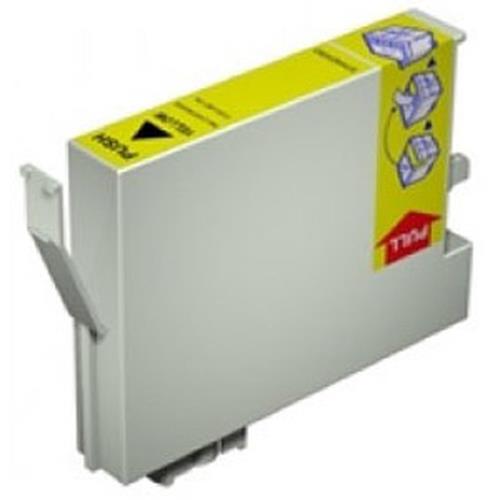
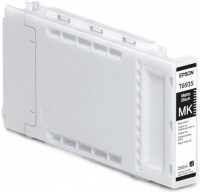
Epson Ink C13T642000
![]() | Compare prices 4 → When you make a purchase through links on our site, we may receive a affiliate commission.
|
Buy Epson Ink C13T642000
When you make a purchase through links on our site, we may receive a affiliate commission.
Epson Ink C13T642000 | £49.99 | ||||
Original Epson T6420 Cleaning Cartridge (C13T642000) C13T642000 | £56.27 | ||||
Epson Singlepack Cleaning Cartridge T642000 150 ml C13T642000 | £60.27 | ||||
Epson - 1 - original - cleaning cartridge C13T642000 | £62.38 | ![]() | |||
Epson INK WT7900 Cleaning CartridgeMaintain the exceptional performance and longevity of your professional printing equipment with the genuine Epson INK WT7900 Cleaning Cartridge. Specifically engineered for the Epson Stylus Pro WT7900 printer, this essential maintenance component is a cornerstone of a reliable and efficient workflow, particularly when working with complex ink systems. Investing in proper care is crucial to protect your hardware and ensure every print meets the highest standards of quality and consistency. This cleaning cartridge is not used for printing, it is a vital tool for the internal maintenance and flushing of your printer´s ink lines, ensuring a clear path for ink flow and preventing costly downtime. Essential Maintenance for Peak PerformanceThe primary benefit of the WT7900 Cleaning Cartridge is its role in preventing the clogging of printhead nozzles. This is especially critical in the Stylus Pro WT7900, which utilizes a specialized white ink. By running routine cleaning cycles with this dedicated cartridge, you actively dissolve and flush out any settled pigment, dried ink residue, and air bubbles that can accumulate in the ink delivery system. This proactive maintenance ensures consistent, uninterrupted operation, immaculate color accuracy, and the sharp detail your clients demand. By safeguarding the delicate printhead from blockages and permanent damage, this cartridge helps extend the operational life of your printer, maximizing your return on investment.As an integral part of Epson´s advanced printing technology, this cleaning cartridge works in perfect harmony with the printer´s internal systems. Epson´s official documentation states: Epson UltraChrome HDR represents our latest generation of pigment ink technology. Now utilizing ten colors – including an all-new White and Cleaning Cartridge – Epson UltraChrome HDR Ink produces the widest color gamut ever from an Epson Stylus Pro printer. This highlights that the cleaning cartridge is not an accessory but a fundamental component of the UltraChrome HDR ink system, designed from the ground up to support its revolutionary capabilities. Main Features* Genuine Epson Quality: Authenticated by Epson to guarantee perfect compatibility and seamless integration with your printer´s firmware and hardware.* System-Specific Design: Engineered exclusively for the Epson Stylus Pro WT7900 to perform precise maintenance cycles tailored to its unique ink configuration.* User-Friendly Installation: Designed as a simple, drop-in replacement cartridge, allowing for quick and effortless installation during routine maintenance prompts.* Printhead Protection: Actively works to prevent the build-up of ink sediment, which is the leading cause of print quality degradation and potential printhead failure.* Optimized for UltraChrome HDR: Formulated to work safely and effectively with the sophisticated Epson UltraChrome HDR pigment inks, including the challenging white ink channel.---
The product description is generated based on data from online stores. Before purchasing be sure to verify all information directly with the seller.

Best Color Laser Printers for Home and Small OfficeUniversal "workhorses" for printing black-and-white documents and color prints.

Best Powerline AdaptersNetworking equipment for creating and expanding local infrastructure without installation work and configuration.
How to place an order?How to add store?
Remember that the online store is responsible for the accuracy of information regarding price, warranty, and delivery!
We recommendCompare using chart →