
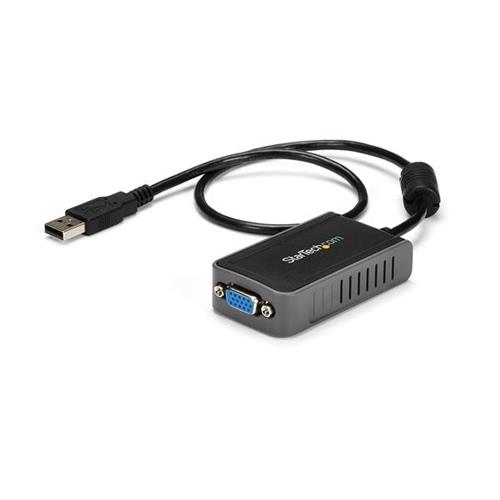
Startech.com USB 2.0 to VGA Adapter USB to VGA Monitor Converter for Windows 1440x900 (no support for macOS/ChromeOS/Linux)
 |
Buy Startech.com USB 2.0 to VGA Adapter USB to VGA Monitor Converter for Windows 1440x900 (no support for macOS/ChromeOS/Linux)
When you make a purchase through links on our site, we may receive a affiliate commission.
Startech USB to VGA Adapter - 1440x900 - adapter - VGA / USB - TAA Compliant - 7.5 cm USB2VGAE2 | £20.38 |  | |||
StarTech.com USB 2.0 to VGA Adapter, USB to VGA Monitor Converter for Windows, 1440x900 (no support for macOS/ChromeOS/Linux | £19.99 |  | |||
StarTech.com USB 2.0 to VGA Adapter USB to VGA Monitor Converter for Windows 1440x900 (no support for macOS/ChromeOS/Linux) | £27.58 |  | |||
StarTech.com USB to VGA Multi Monitor External Video Adapter USB2VGAE2 | £34.92 |  | |||
| £39.26 |  | ||||
USB 2.0 External Video & Graphics Card | Multi-Monitor | USB-Powered | Supports Windows
The USB2VGAE2 USB to VGA external video adapter is the perfect multi-monitor VGA solution for office applications and Internet browsing.
The USB video adapter features a small form factor and enables a USB 2.0 port to be used with a VGA port. A cost-saving multi-monitor or dual display option that can be used as an external graphics card for either laptop or desktop applications.
The USB video adapter can be used with up to four additional (five total) USB2VGAE2 USB video adapters creating multiple VGA connections that can be used to further extend or mirror the desktop shown on the existing display - all without having to open the computer case to add extra video cards.
Application Diagram
Backed by a StarTech.com 2-year warranty and free lifetime technical support.
The StarTech.com Advantage
- Compact USB powered adapter provides the easiest way add a secondary or additional display to your PC
- Completely external device offers a simple upgrade solution saving the cost and hassle of upgrading the internal video card on your system
- The ability to use multiple adapters (up to five) provides a scalable display configuration for future expansion
- Optimal performance at 1440x900 (higher resolutions supported) and ideal for use with 17" to 19" monitors or smaller
- Works with desktop and laptop computers
- No power adapter required
- Includes easy to use software that allows for multi-display management and EDID monitor detection for increased compatibility with displays
- Simple installation
The USB2VGAE2 USB to VGA external video adapter is the perfect multi-monitor VGA solution for office applications and Internet browsing.
The USB video adapter features a small form factor and enables a USB 2.0 port to be used with a VGA port. A cost-saving multi-monitor or dual display option that can be used as an external graphics card for either laptop or desktop applications.
The USB video adapter can be used with up to four additional (five total) USB2VGAE2 USB video adapters creating multiple VGA connections that can be used to further extend or mirror the desktop shown on the existing display - all without having to open the computer case to add extra video cards.
Application Diagram
Backed by a StarTech.com 2-year warranty and free lifetime technical support.
The StarTech.com Advantage
- Compact USB powered adapter provides the easiest way add a secondary or additional display to your PC
- Completely external device offers a simple upgrade solution saving the cost and hassle of upgrading the internal video card on your system
- The ability to use multiple adapters (up to five) provides a scalable display configuration for future expansion
- Optimal performance at 1440x900 (higher resolutions supported) and ideal for use with 17" to 19" monitors or smaller
- Works with desktop and laptop computers
- No power adapter required
- Includes easy to use software that allows for multi-display management and EDID monitor detection for increased compatibility with displays
- Simple installation
The product description is generated based on data from online stores. Before purchasing be sure to verify all information directly with the seller.

New USB Labels: How to Avoid Confusion in Speeds, Cables, and ConnectorsThe USB-IF organization has finally updated the USB port labels. Let's figure out what has changed.

How to Choose the Right Cable for Your Smartphone, Tablet, and LaptopConnectors, power, bandwidth and other criteria for choosing a cable for gadgets
How to place an order?How to add store?
Remember that the online store is responsible for the accuracy of information regarding price, warranty, and delivery!
You may be interested in