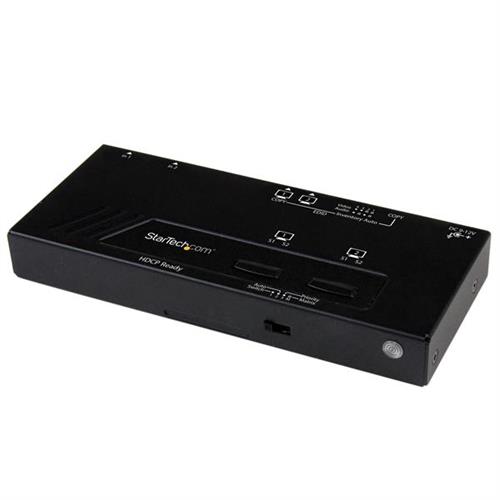
Startech.com 2X2 HDMI Matrix Switch w/ Automatic and Priority Switching 1080p - TAA HDMI Aluminium Plastic Black 10 m 1280 x
 |
Buy Startech.com 2X2 HDMI Matrix Switch w/ Automatic and Priority Switching 1080p - TAA HDMI Aluminium Plastic Black 10 m 1280 x
When you make a purchase through links on our site, we may receive a affiliate commission.
StarTech.com 2X2 HDMI Matrix Switch w/ Automatic and Priority Switching – 1080p - TAA VS222HDQ | £98.99 |  | |||
Startech VS222HDQ | £102.99 |  | |||
StarTech.com 2X2 HDMI® Matrix Switch w/ Automatic and Priority Switching 1080p VS222HDQ | £102.97 |  | |||
StarTech.com 2X2 HDMI® Matrix Switch w/ Automatic and Priority Switching 1080p Black VS222HDQ | £102.97 |  | |||
StarTech.com 2X2 HDMI Matrix Switch w/ Automatic and Priority Switching 1080p - TAA HDMI Aluminium Plastic Black 10 m 1280 x | £105.92 |  | |||
Startech 2x2 HDMI Matrix Switch with Remote - 1080p Automatic & Priority Switcher - Video Wall Auto Selector Splitter Box - | £105.58 |  | |||
Discover Hassle-Free Hdmi Connection And Automatic Video Port Selection With High-Definition Picture QualitySave Time And Hassle By Automatically Switching Between Your Hdmi Audio/Video Sources Using The Vs222hdq 2X2 Hdmi Matrix Switcher.This Easy-To-Use Hdmi Matrix Switch Ensures Seamless Transition While Switching Video And Display Sources With Edid CopyMaintaining Your Video Resolution.Seamless Signal SelectionEnsure Seamless Transition While Switching Video Sources With Edid CopyMaintaining Native Resolution With Support For 1080P. Video Connection Emulation Ensures The Settings On Any Connected Computers Are Not Disrupted While Switching To A Different Video Source.Effortless ControlSave Time By Connecting Two Hdmi Video Source Devices To Two Independent Hdmi Displays Instead Of Manually Connecting Individual Cables. Mounting Hardware Is Also Included For A Tidy Professional Installation.Versatile Switching OptionsEnjoy Hassle-Free Operation With Four Different Switching Modes:Automatic Port Selection: Enables Your Most Recently Activated Video Source To Be Displayed Automatically.Priority Port Selection:Prioritizes Input Number Two Above Input Number One. If The Video Source Connected To Input Number Two Is Activated That Source Will Be Displayed.Matrix Port Selection:Independently Switch Two Displays Between Two Video Sources.Manual Port Selection:Enables You To Manually Select Your Hdmi Source With Easy-To-Use Front Panel Buttons.The Startech.Com Advantage- Save Your Time By Conveniently Accessing Multiple Hdmi Source Devices With 2 Independent Hdmi Displays- Hassle-Free Operation With Four Video Selection Modes Including Automatic Priority Matrix And Manual- Worry-Free Switching With Edid Copy Video And Connection Emulation Ensuring No Signal Loss
The product description is generated based on data from online stores. Before purchasing be sure to verify all information directly with the seller.

New USB Labels: How to Avoid Confusion in Speeds, Cables, and ConnectorsThe USB-IF organization has finally updated the USB port labels. Let's figure out what has changed.

Useful gadgets for programmers that increase efficiencyUSB hub, widescreen monitor, comfortable chair and other useful gadgets for coders and IT industry workers
How to place an order?How to add store?
Remember that the online store is responsible for the accuracy of information regarding price, warranty, and delivery!
We recommendCompare using chart →
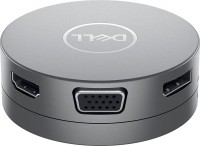
USB hub, connection USB-C, 5Gbps, ports: USB-A 2 pcs, USB-C 1 pcs, HDMI, DisplayPort, VGA, LAN, functions: Power Delivery

USB hub, connection USB-C, 5Gbps, ports: USB-A 4 pcs, USB-C 1 pcs, HDMI, DisplayPort, LAN, functions: external power supply, Power Delivery