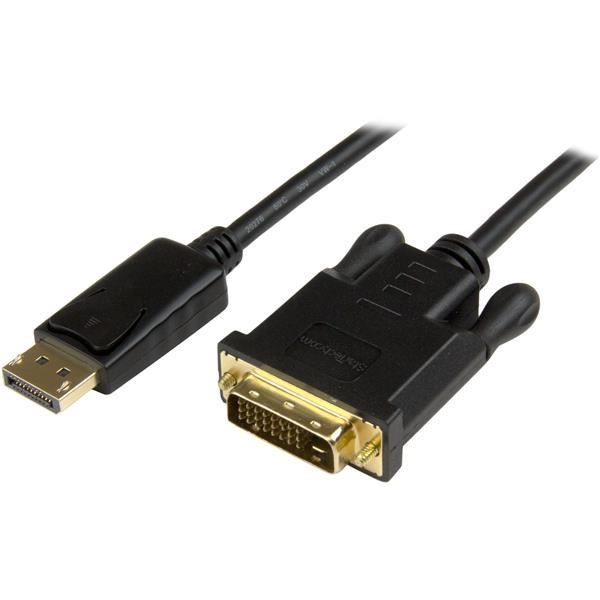
StarTech.com DisplayPort to HDMI Converter Cable 8STDP2HDMM2MB
This 6-foot 2M DisplayPort to HDMI adapter cable lets you connect your DisplayPort equipped Ultrabook, laptop or desktop comp... moreuter to an HDMI display or projector with no additional adapters or cables required. The passive adapter supports video
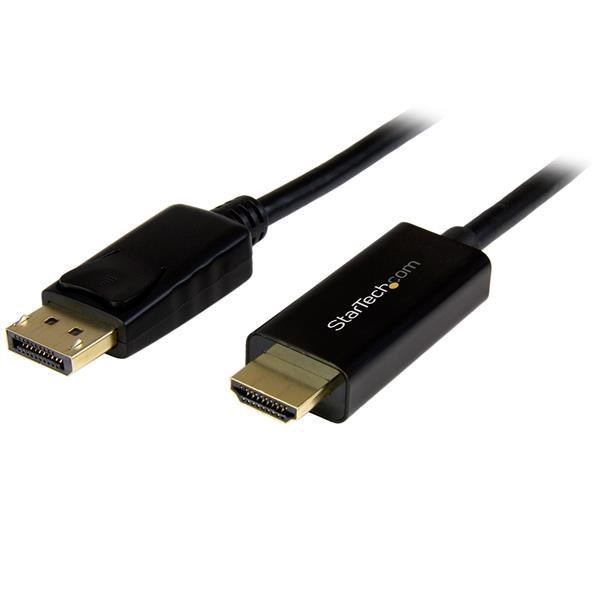
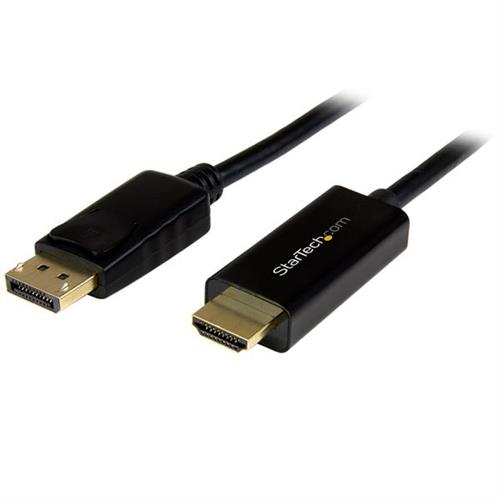
Eliminate clutter by connecting your PC directly to an HDMI display. This 6-foot (2M) DisplayPort to HDMI adapter cable lets... moreyou connect your DisplayPort equipped Ultrabook, laptop or desktop computer to an HDMI display or projector with no additional adapters or cables required. The passive adapter supports video resolutions up to Ultra HD 4K. This adapter cable ensures you can maintain an astonishing picture quality, four times the resolution of 1080p, when converting DisplayPort to HDMI. The adapter is also backward compatible with lower resolution displays and video sources. With support for high-definition resolutions of 1080p and 720p, you can future-proof your existing setup for 4K video. For the simplest and most discreet installation, this DP to HDMI adapter connects directly from your DisplayPort video source to the HDMI port on your display. It doesn't need a power source, unlike some converter dongles that require active power and separate bulky video cabling. At 6ft (2m) in length, this adapter cable delivers a compact connection that eliminates excess to ensure a tidy, professional installation. For shorter installations, StarTech.com also offers a 3 ft DP to HDMI cable (DP2HDMM1MB), enabling you to choose the right cable length for your custom installation needs.
Eliminate clutter by connecting your PC directly to an HDMI display. This 6-foot (2M) DisplayPort to HDMI adapter cable lets... moreyou connect your DisplayPort equipped Ultrabook, laptop or desktop computer to an HDMI display or projector with no additional adapters or cables required. The passive adapter supports video resolutions up to Ultra HD 4K. This adapter cable ensures you can maintain an astonishing picture quality, four times the resolution of 1080p, when converting DisplayPort to HDMI. The adapter is also backward compatible with lower resolution displays and video sources. With support for high-definition resolutions of 1080p and 720p, you can future-proof your existing setup for 4K video. For the simplest and most discreet installation, this DP to HDMI adapter connects directly from your DisplayPort video source to the HDMI port on your display. It doesn't need a power source, unlike some converter dongles that require active power and separate bulky video cabling. At 6ft (2m) in length, this adapter cable delivers a compact connection that eliminates excess to ensure a tidy, professional installation. For shorter installations, StarTech.com also offers a 3 ft DP to HDMI cable (DP2HDMM1MB), enabling you to choose the right cable length for your custom installation needs.
This 6-foot (2M) DisplayPort™ to HDMI® adapter cable lets you connect your DisplayPort equipped Ultrabook™, laptop or desktop... morecomputer to an HDMI display or projector with no additional adapters or cables required.The passive adapter supports video resolutions up to Ultra HD 4K.Astonishing picture quality.This adapter cable ensures you can maintain an astonishing picture quality, four times the resolution of 1080p, when converting DisplayPort to HDMI. The adapter is also backward compatible with lower resolution displays and video sources. With support for high-definition resolutions of 1080p and 720p, you can future-proof your existing setup for 4K video.Hassle-free setup.For the simplest and most discreet installation, this DP to HDMI adapter connects directly from your DisplayPort video source to the HDMI port on your display. It doesn´t need a power source, unlike some converter dongles that require active power and separate bulky video cabling.Clutter-free installation.At 6ft (2m) in length, this adapter cable delivers a compact connection that eliminates excess to ensure a tidy, professional installation.For shorter installations, we also offer a 3 ft DP to HDMI cable (DP2HDMM1MB), enabling you to choose the right cable length for your custom installation needs.
This 6-foot (2M) DisplayPort to HDMI adapter cable lets you connect your DisplayPort equipped Ultrabook, laptop or desktop co... moremputer to an HDMI display or projector with no additional adapters or cables required. The passive adapter supports video resolutions up to Ultra HD 4K. This adapter cable ensures you can maintain an astonishing picture quality, four times the resolution of 1080p, when converting DisplayPort to HDMI. The adapter is also backward compatible with lower resolution displays and video sources. With support for high-definition resolutions of 1080p and 720p, you can future-proof your existing setup for 4K video. For the simplest and most discreet installation, this DP to HDMI adapter connects directly from your DisplayPort video source to the HDMI port on your display. It doesn't need a power source, unlike some converter dongles that require active power and separate bulky video cabling. At 6ft (2m) in length, this adapter cable delivers a compact connection that eliminates excess to ensure a tidy, professional installation. For shorter installations, enabling you to choose the right cable length for your custom installation needs.
StarTech.com 6ft (2m) DisplayPort to HDMI Cable - 4K 30Hz - DisplayPort to
Eliminate Clutter By Connecting Your Pc Directly To An Hdmi DisplayThis 6-Foot (2M)DisplayportTo Hdmi Adapter CableLets You C... moreonnect Your Displayport Equipped Ultrabook Laptop Or Desktop ComputerTo An Hdmi Display OrProjectorWith No Additional Adapters Or CablesRequired. The Passive Adapter Supports Video Resolutions Up To Ultra Hd 4K.Astonishing Picture QualityThisAdapter Cable Ensures You CanMaintainAn Astonishing Picture Quality FourTimes The Resolution Of 1080P When Converting DisplayportTo Hdmi.The Adapter Is Also BackwardCompatible With Lower Resolution Displays And Video Sources.With Support ForHigh-Definition Resolutions Of 1080P And 720P YouCan Future-Proof Your Existing Setup For 4K Video.Hassle-Free SetupFor The Simplest And Most Discreet InstallationThis Dp To Hdmi Adapter Connects Directly From Your Displayport Video Source ToThe Hdmi Port On Your Display.ItDoesn't Need APower SourceUnlike SomeConverter Dongles That Require Active PowerAnd Separate Bulky VideoCabling.Clutter-Free InstallationAt 6Ft (2M) In Length ThisAdapter Cable Delivers A CompactConnection That Eliminates Excess ToEnsureA Tidy Professional Installation. For Shorter Installations We Also Offer ADp2hdmm1mb" Text="3 Ft Dp To HdmiCable (Dp2hdmm1mb)Enabling You To Choose The Right Cable Length For Your Custom Installation Needs.The Dp2hdmm2mb Is Backed By A 2-Year Startech.Com Warranty And Free Lifetime Technical Support.The Startech.Com Advantage- Achieve Astonishing Picture Quality With Support For 4K Resolution At 30 Hz- Reduce The Clutter Of Additional Adapters Or Cable Using An All-In-One Adapter Cable That Connects Directly To Your Display- Avoid The Hassle Of Power Adapters With A Plug-And-Play Adapter Cable That Does Not Require External Power
This 6-foot (2M) DisplayPort to HDMI adapter cable lets you connect your DisplayPort equipped Ultrabook, laptop or desktop computer to an HDMI display or projector with no additional adapters or cables required. The passive adapter supports video resolutions up to Ultra HD 4K. This adapter cable ensures you can maintain an astonishing picture quality, four times the resolution of 1080p, when converting DisplayPort to HDMI. The adapter is also backward compatible with lower resolution displays and video sources. With support for high-definition resolutions of 1080p and 720p, you can future-proof your existing setup for 4K video. For the simplest and most discreet installation, this DP to HDMI adapter connects directly from your DisplayPort video source to the HDMI port on your display. It doesn't need a power source, unlike some converter dongles that require active power and separate bulky video cabling. At 6ft (2m) in length, this adapter cable delivers a compact connection that eliminates excess to ensure a tidy, professional installation. For shorter installations, enabling you to choose the right cable length for your custom installation needs.
Product description is based on database from online stores. Be sure to verify all information directly with seller before purchasing.
This website uses cookies. Proceeding to use this website gives your consent for gathering and processing your data for analytic and marketing purposes.