
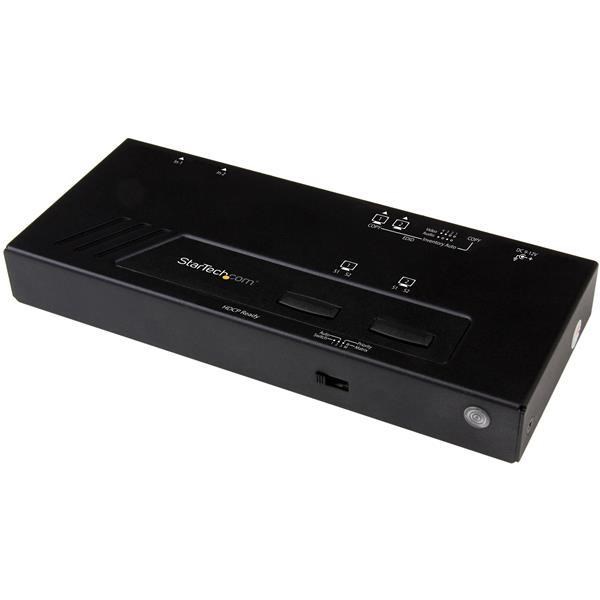
Startech.com 2x2 HDMI Matrix Switch with 4K Fast Switching And VS222HD4K
 | Compare prices 4 → When you make a purchase through links on our site, we may receive a affiliate commission.
|
Buy Startech.com 2x2 HDMI Matrix Switch with 4K Fast Switching And VS222HD4K
When you make a purchase through links on our site, we may receive a affiliate commission.
StarTech.com 2x2 HDMI Matrix Switch with 4K Fast Switching And VS222HD4K | £153.99 |  | |||
StarTech.com 2x2 HDMI Matrix Switch - 4K with Fast Switching and Auto-Sensing - TAA VS222HD4K | £155.99 |  | |||
| £161.22 |  | ||||
Startech 2x2 HDMI Matrix Switcher - 4K UltraHD HDMI Switch with Fast Switching, Auto-Sensing and Serial Control (VS222HD4K) | £176.38 |  | |||
Create a powerful visual experience, with the ability to switch between two 4K video sources seamlessly. This 2-port HDMI switch lets you share a monitor, projector or TV with two different HDMI enabled video sources, and switch between them with minimal disruption. The video switch maintains Ultra HD 4K picture quality while switching between content from HDMI source devices - including Blu-ray players or DVD players, computer systems, video game consoles, digital cable and satellite boxes and A/V receivers. 4K support ensures a higher level of image clarity and visibility, delivering four times the resolution of 1080p - 8.29 million pixels versus 2.07 million pixels. It provides a more engaging visual experience for audiences in a wide range of venues including conference centres and boardrooms, home theatres, and commercial settings. With its exceptional resolution and image quality, it's also ideal for bringing your digital signage to life. Enjoy hassle-free operation with three switching modes: Fast auto-switching: ensures minimal time for switching between HDMI sources. The switch provides effortless operation with advanced auto-sensing - it detects the latest connected HDMI source and automatically switches to it. Auto-switching encourages collaboration among colleagues, by making it easy to share your projector. It also ensures no downtime in a digital signage application if a source signal is accidentally powered off or fails. Priority switching: identifies one port to take first priority for HDMI sources when multiple sources are connected, ideal for applications such as digital signage. Manual switching: enables you to manually select your HDMI source with front-panel buttons that are easy to use. An IR remote control is included in the box, enabling you to select your desired input source remotely. The RS-232 serial control interface ensures easy remote operation with serial control enabled devices.
The product description is generated based on data from online stores. Before purchasing be sure to verify all information directly with the seller.

New USB Labels: How to Avoid Confusion in Speeds, Cables, and ConnectorsThe USB-IF organization has finally updated the USB port labels. Let's figure out what has changed.

How to Choose the Right Cable for Your Smartphone, Tablet, and LaptopConnectors, power, bandwidth and other criteria for choosing a cable for gadgets
How to place an order?How to add store?
Remember that the online store is responsible for the accuracy of information regarding price, warranty, and delivery!
You may be interested in