
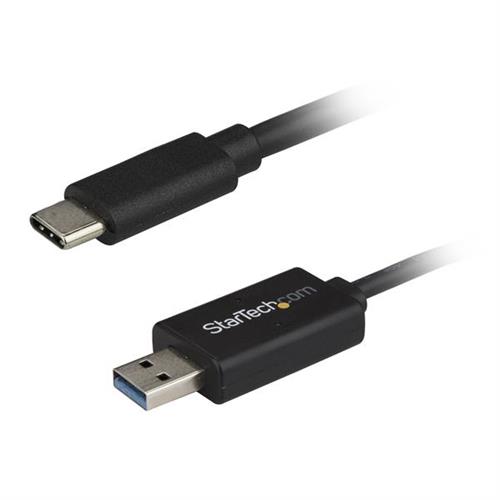
Startech.com USB-C to USB 3.0 Data Transfer Cable for Mac and Windows 2m USBC3LINK (6ft)
 |
Buy Startech.com USB-C to USB 3.0 Data Transfer Cable for Mac and Windows 2m USBC3LINK (6ft)
When you make a purchase through links on our site, we may receive a affiliate commission.
StarTech.com USB-C to USB 3.0 Data Transfer Cable for Mac and Windows, 2m (6ft) USBC3LINK | £28.99 |  | |||
StarTech.com USB C to USB Data Transfer Cable Mac / Windows USB 3.0 Windows Easy Transfer Cable Mac Data Transfer 2m (6ft) ( | £28.72 |  | |||
Startech USBC3LINK | £29.99 |  | |||
StarTech.com USB-C to USB Data Transfer Cable for Mac and Windows - USB 3.0 USBC3LINK | £34.48 |  | |||
StarTech.com USB-C to USB 3.0 Data Transfer Cable for Mac and Windows 2m (6ft) USBC3LINK | £35.58 |  | |||
StarTech.com USB-C to USB 3.0 Data Transfer Cable for Mac and Windows. USBC3LINK | £30.30 |  | |||
Quickly transfer your Windows or Mac files to your USB-C enabled laptop or desktop computer
Transfer files from your old computer to your new USB-C enabled laptop or desktop computer quickly over USB 3.0. This data transfer cable is easy to use and works with both Mac and Windows.
Save time setting up your new computer
The transfer cable saves you time and effort when youre upgrading from a USB-A computer to your new USB Type-C computer. You can quickly transfer your files and settings over USB 3.0 also known as USB 3.1 Gen 1 with file transfer speeds up to 5Gbps. Theres no CD or download required - the software is stored on the cable so youre ready to go.
Compatible with Mac and PC
As youre setting up your new computer the USB 3.0 transfer cable offers wide compatibility letting you transfer files between two computers including Windows to Windows transfers Windows to Mac Mac to Windows and even Mac to Mac transfers.
The cable is compatible with Windows Easy Transfer software for migrating to a newer version of Windows up to Windows 8 (Windows 8.1 does not support data transfer cables.). The PCLinq software stored on the cable allows file transfers in any direction between any compatible OS with no CD or download required.
Easy to use
The transfer cable comes in a convenient 2 m length for ease of use.
The USBC3LINK is backed by a StarTech.com 2-year warranty and free lifetime technical support.
The StarTech.com Advantage
Transfer files from your old computer to your new USB-C enabled laptop or desktop computer quickly over USB 3.0. This data transfer cable is easy to use and works with both Mac and Windows.
Save time setting up your new computer
The transfer cable saves you time and effort when youre upgrading from a USB-A computer to your new USB Type-C computer. You can quickly transfer your files and settings over USB 3.0 also known as USB 3.1 Gen 1 with file transfer speeds up to 5Gbps. Theres no CD or download required - the software is stored on the cable so youre ready to go.
Compatible with Mac and PC
As youre setting up your new computer the USB 3.0 transfer cable offers wide compatibility letting you transfer files between two computers including Windows to Windows transfers Windows to Mac Mac to Windows and even Mac to Mac transfers.
The cable is compatible with Windows Easy Transfer software for migrating to a newer version of Windows up to Windows 8 (Windows 8.1 does not support data transfer cables.). The PCLinq software stored on the cable allows file transfers in any direction between any compatible OS with no CD or download required.
Easy to use
The transfer cable comes in a convenient 2 m length for ease of use.
The USBC3LINK is backed by a StarTech.com 2-year warranty and free lifetime technical support.
The StarTech.com Advantage
The product description is generated based on data from online stores. Before purchasing be sure to verify all information directly with the seller.

New USB Labels: How to Avoid Confusion in Speeds, Cables, and ConnectorsThe USB-IF organization has finally updated the USB port labels. Let's figure out what has changed.

How to Choose the Right Cable for Your Smartphone, Tablet, and LaptopConnectors, power, bandwidth and other criteria for choosing a cable for gadgets
How to place an order?How to add store?
Remember that the online store is responsible for the accuracy of information regarding price, warranty, and delivery!
You may be interested in