
Startech.com 2-Port Hybrid USB-C DisplayPort Cable KVM Switch 4K 60Hz Compact KVM with 6ft/1.8m USB-A/DisplayPort/Audio &
 |
Buy Startech.com 2-Port Hybrid USB-C DisplayPort Cable KVM Switch 4K 60Hz Compact KVM with 6ft/1.8m USB-A/DisplayPort/Audio &
When you make a purchase through links on our site, we may receive a affiliate commission.
Startech 2-Port Hybrid USB-C DisplayPort Cable KVM Switch, 4K 60Hz, Compact KVM with 6ft/1.8m USB-A/DisplayPort/Audio & 4ft/ | £50.38 |  | |||
StarTech.com 2-Port Hybrid USB-C DisplayPort Cable KVM Switch, 4K 60Hz, Compact KVM with 6ft/1.8m USB-A/DisplayPort/Audio & | £53.99 |  | |||
StarTech.com 2-Port Hybrid USB-C DisplayPort Cable KVM Switch 4K 60Hz Compact KVM with 6ft/1.8m USB-A/DP/Audio & 4ft/1.2m US | £54.99 |  | |||
StarTech.com 2-Port Hybrid USB-C DisplayPort Cable KVM Switch 4K 60Hz Compact KVM with 6ft/1.8m USB-A/DisplayPort/Audio & | £57.99 |  | |||
2-PORT COMPACT 4K KVM SWITCH | £65.07 |  | |||
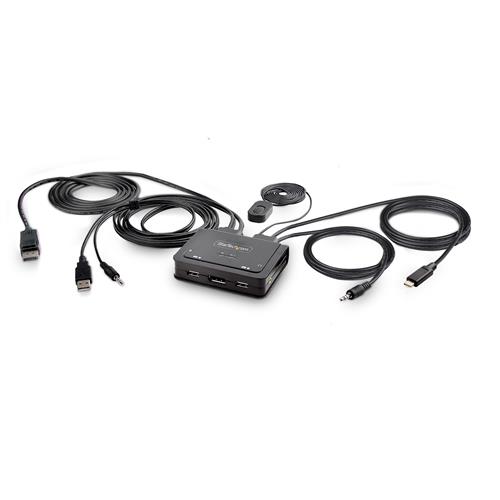
Share a mouse keyboard and a 4K 60Hz DisplayPort display between a USB-A computer and a USB-C DP Alt-mode computer using this KVM Switch with built-in cables
This Hybrid KVM Switch enables users to switch between a USB Type-A and DisplayPort-enabled desktop and a USB Type-C (DP Alt-Mode) enabled laptop to share a keyboard mouse audio input/output devices and a single 4K 60Hz DisplayPort monitor.
Hassle-Free Setup
The KVM switch is bus powered and features built-in DisplayPort USB-A USB-C and 3.5mm Audio Input/Output cables. This ensures compatibility and performance between the KVM switch monitors and peripherals - without the need to select and purchase the cables required for those connections.
Compatibility
The 2-port KVM switch is compatible with all operating systems including Windows macOS ChromeOS and Linux. The KVM works with all hardware platforms including Intel AMD and Apple M1/M2. The USB-C host port works with USB-C USB4 Thunderbolt 3 and Thunderbolt 4 laptops. If the desktop does not have a 4-position 3.5mm port the included 3.5mm Headset Adapter ensures compatibility out of the box.
Intuitive Control
The KVM switch offers two options to switch between hosts - a remote push button or hotkey commands using the downloadable software. The remote push button includes a 1.5m cable for optimal placement in the setup. Independent audio switching can be achieved through the software utilizing keyboard shortcuts (i.e. hotkeys) ensuring uninterrupted audio when switching between host devices.
Enhance Productivity and Device Management with the StarTech.com Connectivity Tools Application
Developed to improve performance and security StarTech.com Connectivity Tools is the only software suite on the market that works with a wide range of IT connectivity accessories. The software suite includes:
Advanced Windows Layout Utility: Setup and save custom windows layouts.
MAC Address Pass-Through Utility: Improve network security.
USB Event Monitoring Utility: Track and log connected USB devices.
Wi-Fi Auto Switch Utility: Enable users to quickly access faster network speeds via wired LAN.
For more information and to download the StarTech.com Connectivity Tools application please visit: www.startech.com/connectivity-tools
The StarTech.com Advantage
This Hybrid KVM Switch enables users to switch between a USB Type-A and DisplayPort-enabled desktop and a USB Type-C (DP Alt-Mode) enabled laptop to share a keyboard mouse audio input/output devices and a single 4K 60Hz DisplayPort monitor.
Hassle-Free Setup
The KVM switch is bus powered and features built-in DisplayPort USB-A USB-C and 3.5mm Audio Input/Output cables. This ensures compatibility and performance between the KVM switch monitors and peripherals - without the need to select and purchase the cables required for those connections.
Compatibility
The 2-port KVM switch is compatible with all operating systems including Windows macOS ChromeOS and Linux. The KVM works with all hardware platforms including Intel AMD and Apple M1/M2. The USB-C host port works with USB-C USB4 Thunderbolt 3 and Thunderbolt 4 laptops. If the desktop does not have a 4-position 3.5mm port the included 3.5mm Headset Adapter ensures compatibility out of the box.
Intuitive Control
The KVM switch offers two options to switch between hosts - a remote push button or hotkey commands using the downloadable software. The remote push button includes a 1.5m cable for optimal placement in the setup. Independent audio switching can be achieved through the software utilizing keyboard shortcuts (i.e. hotkeys) ensuring uninterrupted audio when switching between host devices.
Enhance Productivity and Device Management with the StarTech.com Connectivity Tools Application
Developed to improve performance and security StarTech.com Connectivity Tools is the only software suite on the market that works with a wide range of IT connectivity accessories. The software suite includes:
Advanced Windows Layout Utility: Setup and save custom windows layouts.
MAC Address Pass-Through Utility: Improve network security.
USB Event Monitoring Utility: Track and log connected USB devices.
Wi-Fi Auto Switch Utility: Enable users to quickly access faster network speeds via wired LAN.
For more information and to download the StarTech.com Connectivity Tools application please visit: www.startech.com/connectivity-tools
The StarTech.com Advantage
The product description is generated based on data from online stores. Before purchasing be sure to verify all information directly with the seller.
Best Keyboards with Optical SwitchesOptical gaming keyboards with maximum comfort and efficiency.
Best Keyboards with Adjustable Magnetic SwitchesMagnetic keyboards with extensive control customization options and advanced gaming modes.
How to place an order?How to add store?
Remember that the online store is responsible for the accuracy of information regarding price, warranty, and delivery!
We recommendCompare using chart →


play (for kids), mechanical, свитчи GL Tactile, format 80% (TKL, without Numpad), Bluetooth / radio / wired, additional keys: 3, backlight, RGB backlight, battery, up to 36 h

play (for kids), membrane, format 100% (full size), wired, additional keys: 9, backlight, water resistance, RGB backlight
play (for kids), mechanical, свитчи ROG NX Snow (Linear), format 1800 (compact full-size), Bluetooth / radio / wired, BT v 5, additional keys: 1, backlight, RGB backlight, battery, up to 1500 h
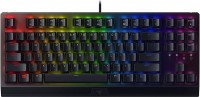
play (for kids), mechanical, свитчи Razer Green (Clicky), format 80% (TKL, without Numpad), wired, backlight, RGB backlight

play (for kids), magnetic, свитчи Logitech Low Profile Magnetic, format 80% (TKL, without Numpad), wired, additional keys: 1, backlight, RGB backlight
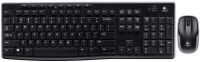
with a mouse, membrane, format 100% (full size), radio, additional keys: 8, water resistance, 2xAAA
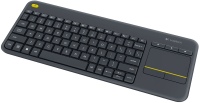
membrane, format 75% (compact TKL, without Num-block), radio, additional keys: 4, touchpad, 2xAA
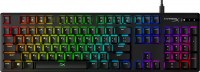
play (for kids), mechanical, свитчи Red (signature, Linear), format 100% (full size), wired, backlight, RGB backlight
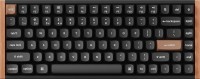
play (for kids), magnetic, свитчи Gateron Double-Rail Magnetic Nebula, format 75% (compact TKL, without Num-block), Bluetooth / radio / wired, BT v 5, additional keys: 2, backlight, RGB backlight, battery, 4000 mAh, up to 110 h

punch hole, scissor, format 100% (full size), Bluetooth / radio, BT v 5, additional keys: 7, backlight, battery, 1500 mAh, up to 10 days