
Startech.com Universal USB4 & Thunderbolt 4 Docking Station Quad Display on Windows Dual Display on MacBook HDMI DP Dock
 |
Buy Startech.com Universal USB4 & Thunderbolt 4 Docking Station Quad Display on Windows Dual Display on MacBook HDMI DP Dock
When you make a purchase through links on our site, we may receive a affiliate commission.
StarTech Thunderbolt 4 Multi-Display Docking Station (132UE-TB4USB4DOCK) 132UE-TB4USB4DOCK | £238.67 |  | |||
StarTech.com Universal USB4 & Thunderbolt 4 Docking Station, Quad Display on Windows, Dual Display on MacBook, HDMI DP Dock | £247.99 |  | |||
StarTech.com Universal USB4 & Thunderbolt 4 Docking Station Quad Display on Windows Dual Display on MacBook HDMI DP Dock | £257.03 |  | |||
Startech 132UE-TB4USB4DOCK | £283.99 |  | |||
StarTech.com Universal USB4 & Thunderbolt 4 Docking Station. Quad 132UE-TB4USB4DOCK | £248.10 |  | |||
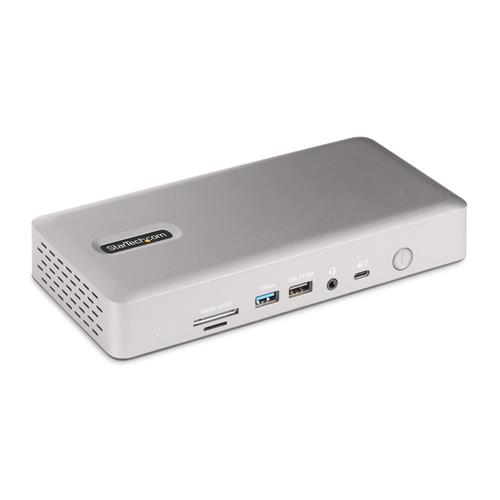
Transform a Thunderbolt 4 laptop into a high-resolution multi-monitor workstation with 7x USB ports 2.5 Gigabit Ethernet port 3.5mm audio plus USB Power Delivery and downstream device chargingThis Thunderbolt 4 Certified docking station uses a single Thunderbolt 3 Thunderbolt 4 USB4 or USB Type-C port on a host computer to add high-performance connectivity while charging the laptop. For rapid deployment the dock includes a 3.3ft. (1m) Thunderbolt 4 cable that connects to the front-facing USB-C host port and features two sizes of Kensington-style security slots.Flexible High-Performance Video Supporting up to Quad-Monitor 4K 60HzThe dock is equipped with 2x HDMI and 2x DisplayPort video outputs for connecting multiple monitors to the host computer. The dock offers video flexibility supporting single dual triple or quad monitor configurations. With an Intel 12th Gen processor or higher that supports DP 1.4 with DSC the docking station can support a quad-monitor configuration with resolutions up to 4K 60Hz. Quad displays are also available at lower resolutions or refresh rates on computers without DSC or with earlier Intel revisions. In addition the dock supports a single 8K 60Hz display on either of the HDMI output ports.Apple computers equipped with M1 M2 or M3 Max/Pro processors support dual displays. For Apple computers featuring the M1 M2 or M3 base processor as well as iPad Pros with M1 or later processors a single display is supported.Port ConnectivityThe docking station utilizes the high 40Gbps throughput available from your computer's Thunderbolt 4 Thunderbolt 3 or USB4 port to provide a wide range of port connectivity to suit a variety of applications.The dock features: 2x HDMI ports to connect displays 2x DisplayPort ports to connect displays 3x USB 3.2 Gen 2 (10Gbps) Type-A ports to connect USB peripheral devices 1x USB 3.2 Gen 2 (10Gbps) Type-C ports to connect USB peripheral devices 2x USB 3.2 Gen 1 (5Gbps) Type-A ports to connect USB peripheral devices 1x USB 2.0 (480Mbps) Type-A port that supports BC 1.2 with 7.5W (1.5A) for charging battery powered USB devices 1x 2.5 Gigabit Ethernet port with PXE boot and WoL to connect to a wired Local Area Network (LAN) 1x Secure Digital (SD) 4.0/UHS-II card reader to externally access SD SDHC and SDXC memory cards 1x Micro Secure Digital (microSD) 4.0/UHS-II card reader to externally access mSD mSDHC and mSDXC memory cards 1x 3.5mm 4-position TRRS Audio Jack to connect a 3.5mm headset98W USB Power Delivery CertifiedThe Thunderbolt 4 docking station includes a 180W power adapter and supports 98W USB power delivery. This enables the dock to charge the laptop with enough additional power for the downstream USB 2.0 port to support BC 1.2 with 7W (1.5A) for charging tablets smartphones or other battery-powered USB devices.Thunderbolt CertifiedThis certification ensures the dock will be fully compatible with Intel Evo/Tiger Lake (11th gen & up) Thunderbolt 4 laptops including: Dell Precision 5560/5760
The product description is generated based on data from online stores. Before purchasing be sure to verify all information directly with the seller.

New USB Labels: How to Avoid Confusion in Speeds, Cables, and ConnectorsThe USB-IF organization has finally updated the USB port labels. Let's figure out what has changed.
All about USB-C interfaceExploring the possibilities of USB-C: from universal charging and high-speed data transfer to image streaming
How to place an order?How to add store?
Remember that the online store is responsible for the accuracy of information regarding price, warranty, and delivery!
We recommendCompare using chart →
USB hub, connection USB-C, 5Gbps, ports: USB-A 2 pcs, USB-C 1 pcs, HDMI, DisplayPort, VGA, LAN, functions: Power Delivery
USB hub, connection USB-C, 5Gbps, ports: USB-A 4 pcs, USB-C 1 pcs, HDMI, DisplayPort, LAN, functions: external power supply, Power Delivery
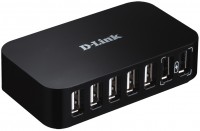
USB hub, connection USB-A and USB-C, 5Gbps, ports: USB-A 5 pcs, USB-C 2 pcs, HDMI, DisplayPort, LAN, functions: external power supply
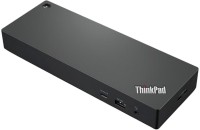
USB hub, connection USB-C, 10Gbps, ports: USB-A 4 pcs, USB-C 2 pcs, HDMI, DisplayPort, LAN, functions: external power supply, Power Delivery

hub with card reader, connection USB-C, 10Gbps, ports: USB-A 3 pcs, USB-C 1 pcs, HDMI, DisplayPort, LAN, card reader: SD, functions: external power supply, Power Delivery, Alt Mode
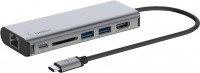
hub with card reader, connection USB-C, 5Gbps, ports: USB-A 2 pcs, USB-C 1 pcs, HDMI, LAN, card reader: SD, functions: Power Delivery
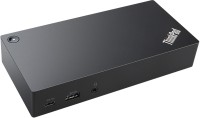
USB hub, connection USB-C, 10Gbps, ports: USB-A 5 pcs, USB-C 1 pcs, HDMI, DisplayPort, LAN, functions: external power supply, Power Delivery