
HP 9X3V1UT#ABB
 | Compare prices 4 → When you make a purchase through links on our site, we may receive a affiliate commission.
|
Buy HP 9X3V1UT#ABB
When you make a purchase through links on our site, we may receive a affiliate commission.
Hp 9X3V1UT#ABB | £112.49 |  | |||
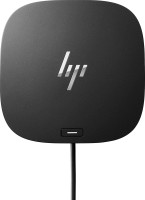
HP USB-C 100W G6 Dock Wired USB 3.2 Gen 2 (3.1 Gen 2) Type-C Black | £131.17 |  | |||
HP USB-C 100W G6 Dock Wired USB 3.2 Gen 2 (3.1 Gen 2) Type-C Black 9X3V1UT#ABB | £131.17 |  | |||
| £136.99 |  | ||||
HP USB-C 100W G6 Docking Station | Universal 4K Connectivity HubCategory: DevicesSubcategory: ConnectivitiesTransform your laptop into a complete desktop powerhouse with the HP USB-C 100W G6 Docking Station. Designed for the modern professional and hybrid work environment, this sleek and powerful dock eliminates desk clutter and streamlines your workflow by connecting all your devices through a single, versatile USB-C cable. Experience unparalleled productivity, expansive connectivity, and robust power delivery in one compact, enterprise-grade solution. Key Benefits* Single-Cable Simplicity: Declutter your workspace instantly. One USB-C® cable connects your laptop to multiple monitors, a wired network, and a full range of accessories while simultaneously charging your device, saving you time and effort every day.* Massive Power Delivery: Keep your high-performance laptop fully charged and ready for any task with up to 100W of intelligent power delivery. The dock provides consistent, reliable power to your host laptop, eliminating the need for a separate power adapter.* Expand Your Visual Workspace: Drive up to three stunning 4K displays simultaneously to multitask like never before. Whether you´re analysing complex data, creating detailed designs, or managing multiple applications, the G6 dock provides the crisp, fluid visuals you need to stay productive and focused.* Blazing-Fast, Reliable Networking: Move beyond standard connectivity with the integrated 2.5 Gigabit Ethernet port. Enjoy ultra-fast and stable network speeds for rapid file transfers, smooth video conferencing, and uninterrupted cloud access—a critical advantage for data-intensive workflows.* Universal Compatibility: Designed for maximum flexibility, the HP G6 dock works seamlessly across a wide range of notebooks from HP, Apple®, Dell, Lenovo, and more. It offers broad operating system support, including Windows, macOS, and ChromeOS, making it the perfect solution for mixed-device environments.* Enterprise-Grade Management & Security: IT managers can easily and securely manage deployed HP notebooks with advanced features like Pre-Boot Execution Environment (PXE) Boot, Wake-on-LAN (WOL), and MAC Address Pass-Through, ensuring your fleet is secure and up-to-date. Main Features* Host Connection: Single USB-C® with a convenient 1-meter cable for flexible desk setups.* Power to Host: Up to 100W pass-through charging via USB Power Delivery.* Video Ports: A versatile combination of DisplayPort™ 1.4 and HDMI 2.0 ports for extensive monitor support.* Peripheral Ports: A rich array of USB ports, including high-speed USB 3.2 Gen 2 Type-C and Type-A, to connect all your essential peripherals like keyboards, mice, and external drives.* Product Type: Docking Station, USB-C HUBs.* Networking: One RJ-45 port supporting 10/100/1000/2500 Mbps Ethernet.* Security: A standard lock slot (Kensington lock compatible) to secure the dock to your desk. Technical SpecificationsHP USB-C 100W G6
The product description is generated based on data from online stores. Before purchasing be sure to verify all information directly with the seller.

New USB Labels: How to Avoid Confusion in Speeds, Cables, and ConnectorsThe USB-IF organization has finally updated the USB port labels. Let's figure out what has changed.
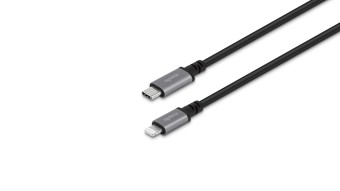
All about USB-C interfaceExploring the possibilities of USB-C: from universal charging and high-speed data transfer to image streaming
How to place an order?How to add store?
Remember that the online store is responsible for the accuracy of information regarding price, warranty, and delivery!
We recommendCompare using chart →
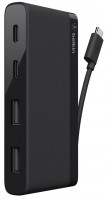
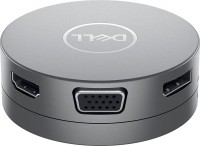
USB hub, connection USB-C, 5Gbps, ports: USB-A 2 pcs, USB-C 1 pcs, HDMI, DisplayPort, VGA, LAN, functions: Power Delivery
USB hub, connection USB-C, 5Gbps, ports: USB-A 4 pcs, USB-C 1 pcs, HDMI, DisplayPort, LAN, functions: external power supply, Power Delivery
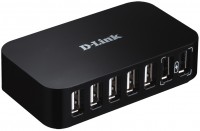
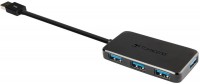
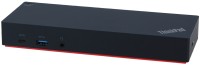
USB hub, connection USB-A and USB-C, 5Gbps, ports: USB-A 5 pcs, USB-C 2 pcs, HDMI, DisplayPort, LAN, functions: external power supply
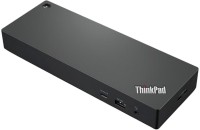
USB hub, connection USB-C, 10Gbps, ports: USB-A 4 pcs, USB-C 2 pcs, HDMI, DisplayPort, LAN, functions: external power supply, Power Delivery

hub with card reader, connection USB-C, 10Gbps, ports: USB-A 3 pcs, USB-C 1 pcs, HDMI, DisplayPort, LAN, card reader: SD, functions: external power supply, Power Delivery, Alt Mode