
HP Series 5 27 inch FHD - 527da B11W6AT
 |
Buy HP Series 5 27 inch FHD - 527da B11W6AT
When you make a purchase through links on our site, we may receive a affiliate commission.
HP Series 5 527da 27 IPS Full HD 100Hz Monitor Black B11W6AT | £139.97 |  | |||
HP Series 5 27 inch FHD Monitor - 527da B11W6AT | £141.99 |  | |||
HP Series 5 27 inch FHD Monitor - 527da | £147.61 |  | |||
HP Series 5 27 inch FHD Monitor - 527da B11W6AT#ABU | £147.61 |  | |||
HP Series 5 Pro 27" FHD Monitor - 527da B11W6AT#ABU | £169.99 |  | |||
HP Series 5 27 inch FHD Monitor - 527da 68.6 cm (27") 1920 x 1080 pixels Full HD LCD 5 ms Black B11W6AT#ABU | £141.90 |  | |||
See everything as it was meant to be seen, from any angle, with IPS technology and a 100 Hz refresh rate for seamless scrolling and smooth video.[1]. This sleek monitor features built-in dual backfiring 2 W speakers for crisp audio and a 3-sided borderless design for seamless dual-monitor setups.. Customized comfort with height and tilt adjustability, Ergonomic Setup Guide,[2] and HP Eye Ease to limit blue light without impacting color accuracy.. Thoughtfully designed with at least 90% recycled plastic, 20% recycled glass in the panel,[3] and ENERGY STAR certification and EPEAT registration.[4]. Exactly what you need throughout your day. Take on a full day of projects, meetings, and more with this HP Series 5 27" FHD Monitor. Its sleek design complements any workspace, while the beautiful screen, adjustable stand, and built-in dual speakers bring your productivity to the next level.. Display. Display diagonal. 68.6 cm (27"). Display resolution. 1920 x 1080 pixels. Native aspect ratio. 16:9. Display technology. LCD. Touchscreen. No. HD type. Full HD. Panel type. IPS. LED backlight. Yes. Backlight type. Edge LED. Display brightness (typical). 300 cd/m². Display brightness. 300 cd/m². Response time. 5 ms. Response time measurement type. GTG (Gray to Gray). Display surface. Matt. Anti-glare screen. Yes. Screen shape. Flat. Supported graphics resolutions. 1024 x 768 (XGA), 1280 x 1024 (SXGA), 1280 x 720 (HD 720), 1280 x 800, 1440 x 900 (WXGA+), 1600 x 900, 1680 x 1050 (WSXGA+), 1920 x 1080 (HD 1080), 640 x 480 (VGA), 720 x 400, 800 x 600 (SVGA). Aspect ratio. 16:9. Contrast ratio (typical). 1500:1. Contrast ratio (dynamic). 8000000:1. Maximum refresh rate. 100 Hz. Viewing angle, horizontal. 178°. Viewing angle, vertical. 178°. Display number of colours. 16.7 million colours. Pixel pitch. 0.3114 x 0.3114 mm. Pixel density. 82 ppi. Horizontal scan range. 30 - 113 kHz. Vertical scan range. 48 - 100 Hz. Viewable size, horizontal. 59.8 cm. Viewable size, vertical. 33.6 cm. Display diagonal (metric). 68.6 cm. Haze rate. 25%. Surface hardness. 3H. Colour depth. 8 bit. Colour gamut standard. sRGB. Colour gamut. 99%. sRGB coverage (typical). 99%. Performance. NVIDIA G-SYNC. No. AMD FreeSync. No. Flicker-free technology. Yes. Low Blue Light technology. Yes. HP segment. Business. Multimedia. Built-in speaker(s). Yes. Number of speakers. 2. RMS rated power. 4 W. Built-in camera. No. Design. Market positioning. Business. Product colour. Black. Colour name. Black. Detachable stand. Yes. Feet colour. Grey. Ports & interfaces. Built-in USB hub. No. VGA (D-Sub) ports quantity. 1. HDMI. Yes. HDMI ports quantity. 2. HDMI version. 1.4. Audio input. Yes. Headphone out. Yes. Headphone outputs. 1. Headphone connectivity. 3.5 mm. HDCP. Yes. Ergonomics. VESA mounting. No. Cable lock slot. Yes. Height adjustment. Yes. Adjustable height (max). 10 cm. Tilt adjustment. Yes. Tilt angle range. -5 - 25°. On Screen Display (OSD). Yes. Power. Energy efficiency class (SDR). D.
The product description is generated based on data from online stores. Before purchasing be sure to verify all information directly with the seller.

Most Overrated and Underrated Modern TechWhich gadgets and tech are not worth spending money on, and which ones can pleasantly surprise you.
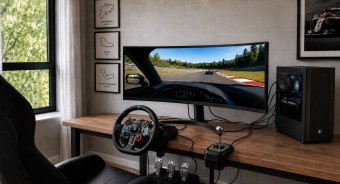
Best 34-inch Curved Gaming MonitorsA large ultra-wide screen provides full immersion in virtual gaming worlds.
How to place an order?How to add store?
Remember that the online store is responsible for the accuracy of information regarding price, warranty, and delivery!
SimilarCompare using chart →

gaming, 31.5 ", 4K, 3840x2160 (16:9), WOLED, response 0.03 ms, 165 Hz, 330 Hz (Full HD), 10-bit (1.07B Colors), DCI-P3 99 %, HDMI, v 2.1, DisplayPort, USB-C (DP Alt Mode), Power Delivery, HUB: USB-A 3x5Gbps, KVM switch, AMD FreeSync Premium Pro, NVIDIA G-Sync Compatible, HDR, TÜV Rheinland
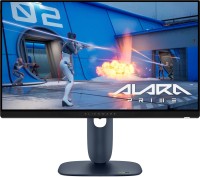
gaming, 24.5 ", 1920x1080 (16:9), IPS, response 0.5 ms, 320 Hz, 16.7M Colors, sRGB 99 %, HDMI, v 2.1, DisplayPort, HUB: USB-A 2x5Gbps, AMD FreeSync Premium, NVIDIA G-Sync Compatible, VESA Adaptive-Sync, HDR

gaming, 31.5 ", 4K, 3840x2160 (16:9), IPS, response 0.5 ms, 160 Hz, 320 Hz (Full HD), 8-bit + FRC (1.07B Colors), sRGB 131 %, DCI-P3 99 %, HDMI, v 2.1, DisplayPort, HUB: USB-A 2x2.0, VESA Adaptive-Sync, HDR, TÜV Rheinland

gaming, 24.5 ", 1920x1080 (16:9), IPS, response 1 ms, 240 Hz, 16.7M Colors, sRGB 120 %, HDMI, DisplayPort, speakers, AMD FreeSync Premium, HDR, TÜV Rheinland

gaming, 31.5 ", 4K, 3840x2160 (16:9), QD-OLED, response 0.03 ms, 240 Hz, 10-bit (1.07B Colors), DCI-P3 99 %, HDMI, v 2.1, DisplayPort, USB-C (DP Alt Mode), Power Delivery, HUB: USB-A 2x5Gbps, KVM switch, speakers, AMD FreeSync Premium Pro, NVIDIA G-Sync Compatible, HDR
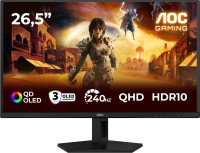
gaming, 26.5 ", 2560x1440 (16:9), QD-OLED, response 0.03 ms, 240 Hz, sRGB 147.6 %, DCI-P3 99.1 %, HDMI, DisplayPort, NVIDIA G-Sync Compatible, VESA Adaptive-Sync, HDR, TÜV Rheinland

gaming, 27 ", 2560x1440 (16:9), QD-IPS, response 1 ms, 200 Hz, 1.07B Colors, sRGB 150 %, DCI-P3 99 %, HDMI, DisplayPort, USB-C (DP Alt Mode), Power Delivery, HUB: USB-A 2x5Gbps, KVM switch, NVIDIA G-Sync Compatible, VESA Adaptive-Sync, HDR, TÜV Rheinland

gaming, 27 ", 4K, 3840x2160 (16:9), IPS, response 1 ms, 160 Hz, 320 Hz (Full HD), 1.07B Colors, sRGB 125 %, DCI-P3 95 %, HDMI, v 2.1, DisplayPort, USB-C (DP Alt Mode), Power Delivery, HUB: USB-A 3x5Gbps, KVM switch, speakers, AMD FreeSync Premium, NVIDIA G-Sync Compatible, VESA Adaptive-Sync, HDR, TÜV Rheinland

gaming, 27 ", 2560x1440 (16:9), WOLED, response 0.03 ms, 240 Hz, 10-bit (1.07B Colors), DCI-P3 99 %, HDMI, v 2.1, DisplayPort, USB-C (DP Alt Mode), AMD FreeSync Premium, NVIDIA G-Sync Compatible, HDR, TÜV Rheinland
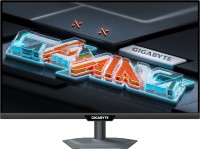
gaming, 27 ", 2560x1440 (16:9), IPS, response 1 ms, 300 Hz, 1.07B Colors, sRGB 132 %, DCI-P3 95 %, HDMI, v 2.1, DisplayPort, USB-C (DP Alt Mode), Power Delivery, HUB: USB-A 2x5Gbps, KVM switch, NVIDIA G-Sync Compatible, VESA Adaptive-Sync, HDR, TÜV Rheinland

gaming, 27 ", 4K, 3840x2160 (16:9), Mini LED IPS, response 1 ms, 160 Hz, 320 Hz (Full HD), 8-bit + FRC (1.07B Colors), sRGB 151.8 %, DCI-P3 98 %, HDMI, v 2.1, DisplayPort, HUB: USB-A 4x5Gbps, NVIDIA G-Sync Compatible, VESA Adaptive-Sync, HDR
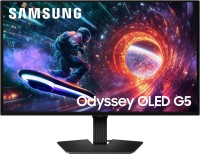
gaming, 27 ", 2560x1440 (16:9), QD-OLED, response 0.03 ms, 180 Hz, 1.07B Colors, DCI-P3 99 %, HDMI, DisplayPort, AMD FreeSync, NVIDIA G-Sync Compatible, HDR, Pantone Validated