Print Head Printhead Replacement for IPF650 IPF655 IPF750 IPF755 IPF760 for Home Office Printer
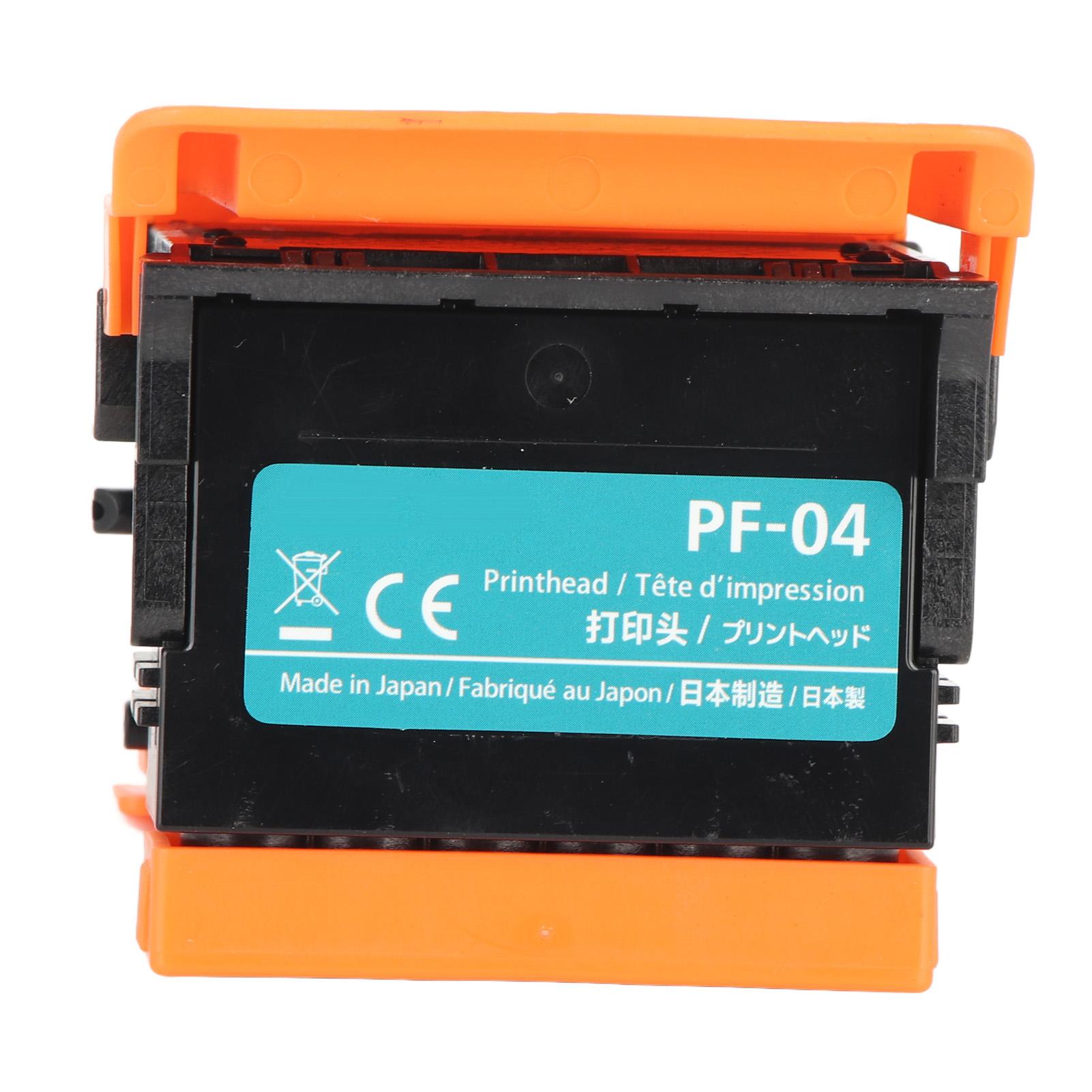 |
Buy Print Head Printhead Replacement for IPF650 IPF655 IPF750 IPF755 IPF760 for Home Office Printer
When you make a purchase through links on our site, we may receive a affiliate commission.
Print Head Printhead Replacement for IPF650 IPF655 IPF750 IPF755 IPF760 for Home Office Printer | £25.00 |  | |||
Feature: 1. 100percent Functional Test: When generated, the print head will be tested for 100percent functionality. All products will not be shipped until they pass the tests. 2. Wide Compatibility: Our print head replacement for iPF650 iPF655 iPF670 iPF671 iPF680 iPF681 iPF685 iPF686 iPF750 iPF755 iPF760 iPF765 iPF770 iPF771 iPF780 iPF781 iPF785 iPF786 iPF830 iPF831 iPF840 iPF841 iPF850 iPF851. 3. Great Printhead Replacement: With stable performance and high reliability and safety, our print head has great use experience. It is suitable for replacing your damaged products. 4. Long Term Use: The printhead has undergone strict material selection and accurate processing to ensure its lightweight, rust resistant, colorfast and durable. 5. Ea
The product description is generated based on data from online stores. Before purchasing be sure to verify all information directly with the seller.
Best Color Laser Printers for Home and Small OfficeUniversal "workhorses" for printing black-and-white documents and color prints.

Best Budget Gaming ChairsInexpensive and comfortable computer chairs for long gaming sessions and work projects.
How to place an order?How to add store?
Remember that the online store is responsible for the accuracy of information regarding price, warranty, and delivery!
We recommendCompare using chart →