
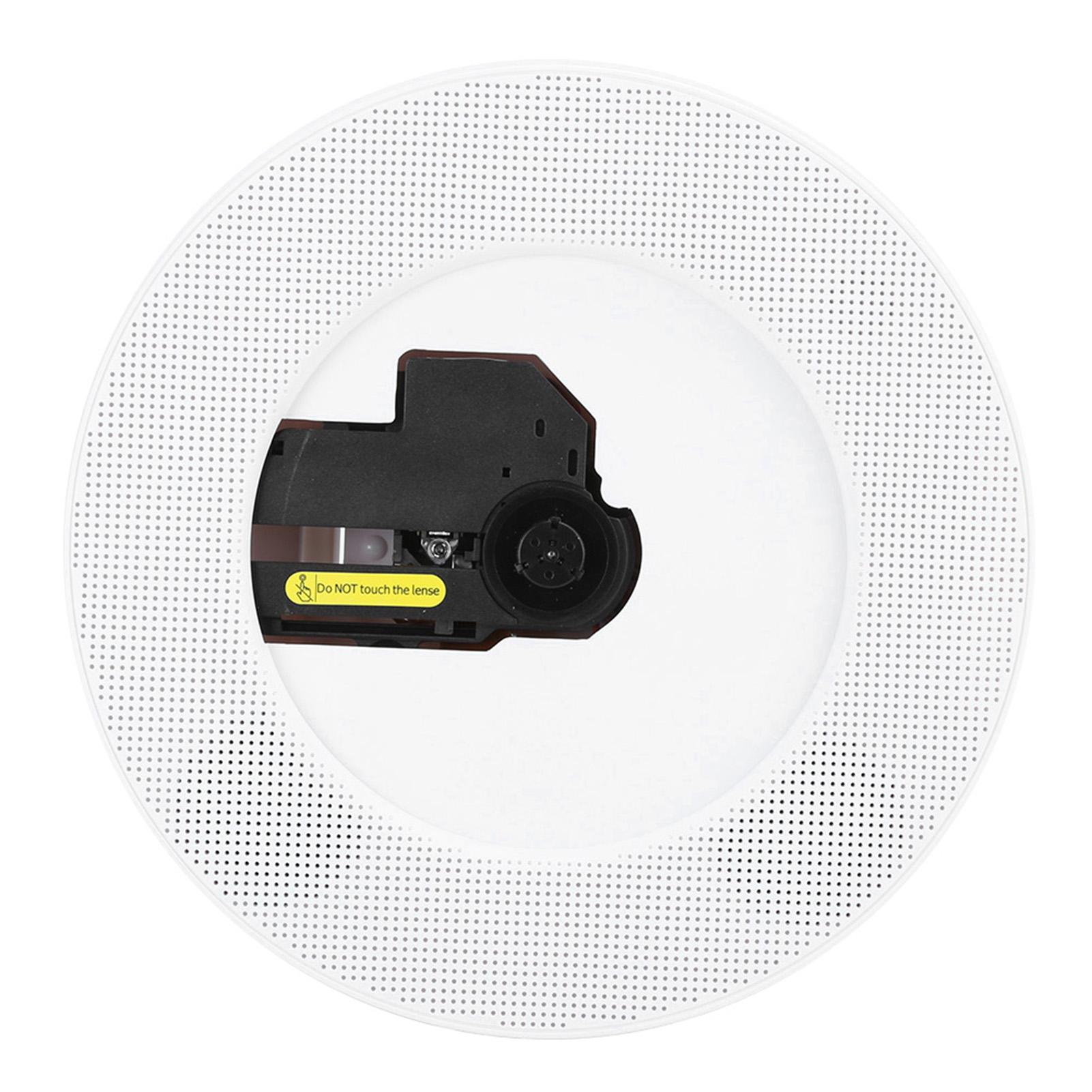
Q100 CD Player Wall Mountable Bluetooth o Remote Control Speaker for CD AUX USB FMJP Plug Japanese version
 |
Buy Q100 CD Player Wall Mountable Bluetooth o Remote Control Speaker for CD AUX USB FMJP Plug Japanese version
When you make a purchase through links on our site, we may receive a affiliate commission.
Q100 CD Player Wall Mountable Bluetooth o Remote Control Speaker for CD AUX USB FMJP Plug Japanese version | £59.00 |  | |||
Feature: 1. Classic and elegant design, remote control, FM tuning radio, USB MP3, 3.5mm0.1in inputoutput jack, creative handle switches and walls. 2. Hd for HDMI+1080P dual combination, more eye protection more understand you, not only support normal for AV socket output 480P+720P but also support for HDMI output true 1080P HD video. 3. Not only music player, but also HD DVD function, supporting for DVDCDVCDMP3WMAAVM. 4. There is bluetooth smart compatibility, mobile music unlimited real‑time playback, compatible with all bluetooth‑enabled mobile phones, tablets, computers, television, laptops and other devices with automatic return function. 5. Creative design of multi‑function port, support for HDMI1080PUSBfor AV port can be connected to TV playback screen. 6. Wall‑mounted design makes it an ornament on the wall and makes your home more artistic. Specification: Condition: 100percent Brand New Item Type: Wall Mountable CD Player Material: ABS Colour: As Pictures Shown Weight: Approx. 937g33.1ozProduct Features: 1. Pull switch: Pull power cord onoff 2. USB flash readplay 3. Full band FM Radio 4. Bluetooth upgrade V5.0 connection 4. Bluetooth upgrade V5.0 connection 5. The remote control 7. Recycling play mode: repeat one, repeat all, play randomly, normal 8. Support A-B repetition 9. Add the function of indicator and indicator Bluetooth Mode Specification: 1. Press the bluetooth button on the remote control to switch to bluetooth mode, and then CD The player will be ready to pair other bluetooth devices, such as mobile phones, Pad and so on, the color of its indicator will turn dark blue 2. Activate bluetooth in your phone and it will search automaticallyPair it with a nearby bluetooth device.3. Select a device named CD Player from your phone s bluetooth device The list of matching 4. Your phone will pairconnect to the CD player in a matter of seconds 5. Play music on your phone and send the o to a CD Play the speaker over bluetooth Description of FM Mode 1. Press the FMSH button on the remote control to switch to FM mode 2. The CD player will then play the preset radio and its indicator color Will turn pink 3. Press < last > or < next > button to enter the previous or next station; either Press the number key to change a preset station 4. Press the FMSH button again to search all stations and search automatically If there are enough stations around, store the first 40 stations; after When the search is complete, it plays the first radio station USB Mode Specification:1. Insert the U disk into the USB port of the CD player 2. Press the USB button on the remote control to switch to USB mode 3. The CD player will read and play music from the USB flash drive and its indicator light The color will turn to grass green A-B repeatsThe A-B repetition function can be played over and over to A specific part Set the starting point (A) and ending point (B) of the section. 1. Press the A-B button on the remote control to set the starting point
The product description is generated based on data from online stores. Before purchasing be sure to verify all information directly with the seller.
Best Powerline AdaptersNetworking equipment for creating and expanding local infrastructure without installation work and configuration.
Stages of OLED Evolution Across Different DevicesThe evolution of OLED technology in smartphones, TVs, monitors, laptops, and tablets.
How to place an order?How to add store?
Remember that the online store is responsible for the accuracy of information regarding price, warranty, and delivery!