
Viewsonic IFP55505
 |
Buy Viewsonic IFP55505
When you make a purchase through links on our site, we may receive a affiliate commission.
Viewsonic IFP55505 | £1,300.99 |  | |||
Viewsonic ViewBoard IFP5550-5 55” 4K Interactive Display | £1,439.50 |  | |||
Viewsonic IFP5550-5 interactive whiteboard 139.7 cm (55") 3840 x | £1,492.66 |  | |||
| £1,492.66 |  | ||||
Viewsonic IFP5550-5 interactive whiteboard 139.7 cm (55") 3840 x 2160 pixels Touchscreen Black HDMI | £1,673.63 |  | |||
EU PlugDesigned with modern educators in mind, the ViewBoard® 50-5 Series offers an intuitive and interactive interface for a multi-user writing experience. With a single-cable USB-C for instant, worry-free connectivity, teachers can seamlessly plug-in and control their devices while continuing the lesson. Both students and educators enjoy smooth writing with Ultra Fine Touch Technology offering 40-point touch, and the dual-pen that comes in a range of colors and sizes. Rest assured you and your students´ eyes are cared for and protected as the ViewBoard® 50-5 Series comes with Flicker-Free technology and an integrated TÜV certified blue light filter for all brightness levels. Fully integrated with the myViewBoard suite, the ViewBoard® 50-5 Series brings together hardware and software for a complete classroom solution. Compatible with a full line of accessories, the ViewBoard® 50-5 Series enables you to effectively teach with a variety of engaging tools. Smooth Writing with Ultra Fine Touch Technology. Enjoy the incomparably smooth and natural writing experience offered by the dual-pen and Ultra Fine Touch Technology. The ViewBoard® 50-5 Series´ multi-touch capability enables up to 40-point touch input by multiple users, supporting and fostering in-class activities and student collaboration. . One Cable to Do It All . Designed for simple use, the ViewBoard® 50-5 Series offers a USB-C port as part of its comprehensive connectivity. With this one-cable-solution, simply plug-in any compatible device for instant multimedia playback, data transfer, and power charging while enjoying a clutter-free space. Teach your Way with myViewBoard Whiteboard. Fully integrated with the myViewBoard suite and compatible across platforms, the ViewBoard empowers you to make the most of classroom time. Enjoy tailor-made tools, like pop quizzes, an immersive reader, digital spinners, and timers, for effortless lesson planning and activities no matter if you´re teaching in the classroom or online. Students can use the ViewBoard which is split into up to six mini whiteboards, for enhanced learning through doing. Disclaimer:*The mini whiteboard features in Participate Mode is available on WhiteBoard for Windows. Present your Lessons from Any Device. myViewBoard Display is a browser-based screensharing solution that allows instant wireless screen-mirroring on the ViewBoard without needing cables, additional software, or any other complex presentation systems. Efficient Remote Communication and Management. Update, schedule, broadcast, and manage multiple displays simultaneously from any location via a secure, user-friendly remote management system. Streamline campus communication with multimedia messages, share text announcements, or set up emergency alarms. All thanks to myViewBoard Manager. Disclaimer:*Task scheduling and multimedia broadcast are available with the optional Manager Advanced license. Wireless Screen Mirroring. Make the most of your time in class
The product description is generated based on data from online stores. Before purchasing be sure to verify all information directly with the seller.
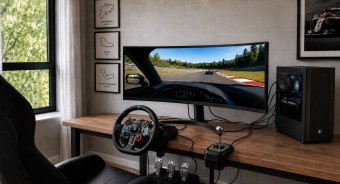
Best 34-inch Curved Gaming MonitorsA large ultra-wide screen provides full immersion in virtual gaming worlds.

Best Portable MonitorsPortable monitors in the format of a "laptop cover".
How to place an order?How to add store?
Remember that the online store is responsible for the accuracy of information regarding price, warranty, and delivery!
SimilarCompare using chart →
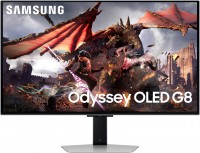
gaming, smart, 32 ", 4K, 3840x2160 (16:9), QD-OLED, response 0.03 ms, 240 Hz, 10-bit (1.07B Colors), DCI-P3 99 %, HDMI, v 2.1, DisplayPort, Bluetooth, Wi-Fi, HUB: USB-A 2x5Gbps, speakers, AMD FreeSync Premium Pro, VESA Adaptive-Sync, HDR

gaming, 31.5 ", 4K, 3840x2160 (16:9), WOLED, response 0.03 ms, 165 Hz, 330 Hz (Full HD), 10-bit (1.07B Colors), DCI-P3 99 %, HDMI, v 2.1, DisplayPort, USB-C (DP Alt Mode), Power Delivery, HUB: USB-A 3x5Gbps, KVM switch, AMD FreeSync Premium Pro, NVIDIA G-Sync Compatible, HDR, TÜV Rheinland
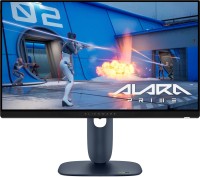
gaming, 24.5 ", 1920x1080 (16:9), IPS, response 0.5 ms, 320 Hz, 16.7M Colors, sRGB 99 %, HDMI, v 2.1, DisplayPort, HUB: USB-A 2x5Gbps, AMD FreeSync Premium, NVIDIA G-Sync Compatible, VESA Adaptive-Sync, HDR

gaming, 31.5 ", 4K, 3840x2160 (16:9), IPS, response 0.5 ms, 160 Hz, 320 Hz (Full HD), 8-bit + FRC (1.07B Colors), sRGB 131 %, DCI-P3 99 %, HDMI, v 2.1, DisplayPort, HUB: USB-A 2x2.0, VESA Adaptive-Sync, HDR, TÜV Rheinland

gaming, 31.5 ", 4K, 3840x2160 (16:9), QD-OLED, response 0.03 ms, 240 Hz, 10-bit (1.07B Colors), DCI-P3 99 %, HDMI, v 2.1, DisplayPort, USB-C (DP Alt Mode), Power Delivery, HUB: USB-A 2x5Gbps, KVM switch, speakers, AMD FreeSync Premium Pro, NVIDIA G-Sync Compatible, HDR
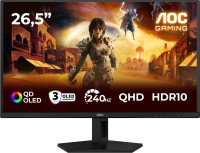
gaming, 26.5 ", 2560x1440 (16:9), QD-OLED, response 0.03 ms, 240 Hz, sRGB 147.6 %, DCI-P3 99.1 %, HDMI, DisplayPort, NVIDIA G-Sync Compatible, VESA Adaptive-Sync, HDR, TÜV Rheinland

gaming, 27 ", 2560x1440 (16:9), IPS, response 1 ms, 220 Hz, 10-bit (1.07B Colors), sRGB 133 %, DCI-P3 97 %, HDMI, v 2.1, DisplayPort, USB-C (DP Alt Mode), Power Delivery, AMD FreeSync Premium, NVIDIA G-Sync Compatible, VESA Adaptive-Sync, HDR, TÜV Rheinland

gaming, 27 ", 2560x1440 (16:9), QD-IPS, response 1 ms, 200 Hz, 1.07B Colors, sRGB 150 %, DCI-P3 99 %, HDMI, DisplayPort, USB-C (DP Alt Mode), Power Delivery, HUB: USB-A 2x5Gbps, KVM switch, NVIDIA G-Sync Compatible, VESA Adaptive-Sync, HDR, TÜV Rheinland
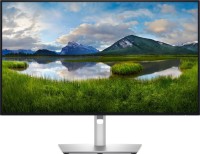
for graphics, 27 ", 4K, 3840x2160 (16:9), IPS, response 5 ms, 120 Hz, 1.07B Colors, sRGB 100 %, DCI-P3 99 %, HDMI, v 2.1, DisplayPort, USB-C (Thunderbolt v4), Power Delivery, LAN, HUB: USB-A 5x10Gbps, USB-C 2x10Gbps, KVM switch, VESA Adaptive-Sync, HDR, CalMAN Verified, TÜV Rheinland
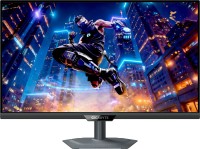
gaming, 27 ", 4K, 3840x2160 (16:9), IPS, response 1 ms, 160 Hz, 320 Hz (Full HD), 1.07B Colors, sRGB 125 %, DCI-P3 95 %, HDMI, v 2.1, DisplayPort, USB-C (DP Alt Mode), Power Delivery, HUB: USB-A 3x5Gbps, KVM switch, speakers, AMD FreeSync Premium, NVIDIA G-Sync Compatible, VESA Adaptive-Sync, HDR, TÜV Rheinland

gaming, 27 ", 2560x1440 (16:9), WOLED, response 0.03 ms, 240 Hz, 10-bit (1.07B Colors), DCI-P3 99 %, HDMI, v 2.1, DisplayPort, USB-C (DP Alt Mode), AMD FreeSync Premium, NVIDIA G-Sync Compatible, HDR, TÜV Rheinland

gaming, 42.5 ", 4K, 3840x2160 (16:9), *VA, MPRT 0.3 ms, 144 Hz, 8-bit + FRC (1.07B Colors), HDMI, v 2.1, DisplayPort, HUB: USB-A 4x5Gbps, speakers, VESA Adaptive-Sync, HDR