
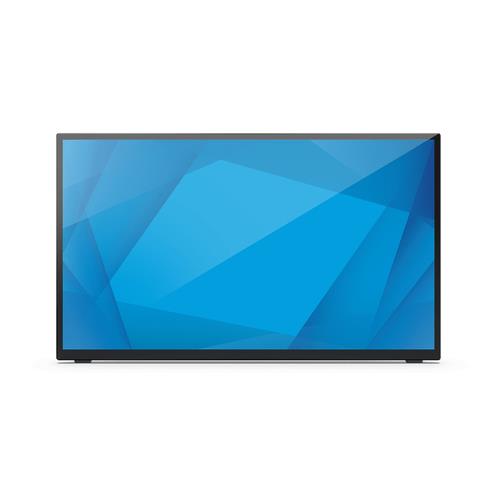
ELO Touch Solutions E510459 60.5 cm 1920 x 1080 pixels 4K Ultra HD LCD 16 ms Black (23.8")
 | Compare prices 4 → When you make a purchase through links on our site, we may receive a affiliate commission.
|
Buy ELO Touch Solutions E510459 60.5 cm 1920 x 1080 pixels 4K Ultra HD LCD 16 ms Black (23.8")
When you make a purchase through links on our site, we may receive a affiliate commission.
Elo Touch Solutions E510459 computer monitor 60.5 cm (23.8") 1920 | £355.93 |  | |||
| £357.66 |  | ||||
Elo Touch Solutions E510459 60.5 cm (23.8") 1920 x 1080 pixels 4K Ultra HD LCD 16 ms Black | £361.05 |  | |||
Elo 2470L - 24" Touchscreen Monitor - 10 Touch, 1920 x 1080, Black E510459 | £509.15 |  | |||
The touchmonitor just got better.
Elo 2470L 24" Full HD Touchscreen Monitor
The bezel just got smaller.
The 2470L 24 touchscreen offers up to a 70% reduction in the bezel compared to similar models.
Minimalistic design to fit any space.
From 20 degrees to 70 degrees angle the display where you want it.
Place it on a desktop mount it on a wall or configure the 2470L to fit your space with VESA-compatibility.
Scratch-resistant glass surface
- IK07 impact resistant
- ES8.0 certified for greater
- energy efficiency
Increase viewing comfort with low blue light and flicker free features.
Navigate the OSD directly on the touchscreen.
We have made it easier to manage your On-Screen Display (OSD) controls Now you can use the touchscreen or the controls you are used to on the rear side of the monitor.
Elo 2470L 24" Full HD Touchscreen Monitor
The bezel just got smaller.
The 2470L 24 touchscreen offers up to a 70% reduction in the bezel compared to similar models.
Minimalistic design to fit any space.
From 20 degrees to 70 degrees angle the display where you want it.
Place it on a desktop mount it on a wall or configure the 2470L to fit your space with VESA-compatibility.
Scratch-resistant glass surface
- IK07 impact resistant
- ES8.0 certified for greater
- energy efficiency
Increase viewing comfort with low blue light and flicker free features.
Navigate the OSD directly on the touchscreen.
We have made it easier to manage your On-Screen Display (OSD) controls Now you can use the touchscreen or the controls you are used to on the rear side of the monitor.
The product description is generated based on data from online stores. Before purchasing be sure to verify all information directly with the seller.
HDMI vs. DisplayPort: Which Is Better for a Monitor?Detailed comparison of the two most popular video interfaces

Most Overrated and Underrated Modern TechWhich gadgets and tech are not worth spending money on, and which ones can pleasantly surprise you.
How to place an order?How to add store?
Remember that the online store is responsible for the accuracy of information regarding price, warranty, and delivery!
SimilarCompare using chart →

gaming, 31.5 ", 4K, 3840x2160 (16:9), WOLED, response 0.03 ms, 165 Hz, 330 Hz (Full HD), 10-bit (1.07B Colors), DCI-P3 99 %, HDMI, v 2.1, DisplayPort, USB-C (DP Alt Mode), Power Delivery, HUB: USB-A 3x5Gbps, KVM switch, AMD FreeSync Premium Pro, NVIDIA G-Sync Compatible, HDR, TÜV Rheinland
gaming, 24.5 ", 1920x1080 (16:9), IPS, response 0.5 ms, 320 Hz, 16.7M Colors, sRGB 99 %, HDMI, v 2.1, DisplayPort, HUB: USB-A 2x5Gbps, AMD FreeSync Premium, NVIDIA G-Sync Compatible, VESA Adaptive-Sync, HDR

gaming, 31.5 ", 4K, 3840x2160 (16:9), IPS, response 0.5 ms, 160 Hz, 320 Hz (Full HD), 8-bit + FRC (1.07B Colors), sRGB 131 %, DCI-P3 99 %, HDMI, v 2.1, DisplayPort, HUB: USB-A 2x2.0, VESA Adaptive-Sync, HDR, TÜV Rheinland

gaming, 24.5 ", 1920x1080 (16:9), IPS, response 1 ms, 240 Hz, 16.7M Colors, sRGB 120 %, HDMI, DisplayPort, speakers, AMD FreeSync Premium, HDR, TÜV Rheinland

gaming, 31.5 ", 4K, 3840x2160 (16:9), QD-OLED, response 0.03 ms, 240 Hz, 10-bit (1.07B Colors), DCI-P3 99 %, HDMI, v 2.1, DisplayPort, USB-C (DP Alt Mode), Power Delivery, HUB: USB-A 2x5Gbps, KVM switch, speakers, AMD FreeSync Premium Pro, NVIDIA G-Sync Compatible, HDR
gaming, 26.5 ", 2560x1440 (16:9), QD-OLED, response 0.03 ms, 240 Hz, sRGB 147.6 %, DCI-P3 99.1 %, HDMI, DisplayPort, NVIDIA G-Sync Compatible, VESA Adaptive-Sync, HDR, TÜV Rheinland

gaming, 27 ", 2560x1440 (16:9), QD-IPS, response 1 ms, 200 Hz, 1.07B Colors, sRGB 150 %, DCI-P3 99 %, HDMI, DisplayPort, USB-C (DP Alt Mode), Power Delivery, HUB: USB-A 2x5Gbps, KVM switch, NVIDIA G-Sync Compatible, VESA Adaptive-Sync, HDR, TÜV Rheinland
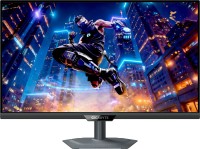
gaming, 27 ", 4K, 3840x2160 (16:9), IPS, response 1 ms, 160 Hz, 320 Hz (Full HD), 1.07B Colors, sRGB 125 %, DCI-P3 95 %, HDMI, v 2.1, DisplayPort, USB-C (DP Alt Mode), Power Delivery, HUB: USB-A 3x5Gbps, KVM switch, speakers, AMD FreeSync Premium, NVIDIA G-Sync Compatible, VESA Adaptive-Sync, HDR, TÜV Rheinland

gaming, 27 ", 2560x1440 (16:9), WOLED, response 0.03 ms, 240 Hz, 10-bit (1.07B Colors), DCI-P3 99 %, HDMI, v 2.1, DisplayPort, USB-C (DP Alt Mode), AMD FreeSync Premium, NVIDIA G-Sync Compatible, HDR, TÜV Rheinland
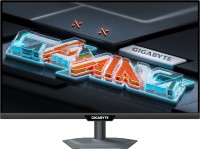
gaming, 27 ", 2560x1440 (16:9), IPS, response 1 ms, 300 Hz, 1.07B Colors, sRGB 132 %, DCI-P3 95 %, HDMI, v 2.1, DisplayPort, USB-C (DP Alt Mode), Power Delivery, HUB: USB-A 2x5Gbps, KVM switch, NVIDIA G-Sync Compatible, VESA Adaptive-Sync, HDR, TÜV Rheinland

gaming, 27 ", 4K, 3840x2160 (16:9), Mini LED IPS, response 1 ms, 160 Hz, 320 Hz (Full HD), 8-bit + FRC (1.07B Colors), sRGB 151.8 %, DCI-P3 98 %, HDMI, v 2.1, DisplayPort, HUB: USB-A 4x5Gbps, NVIDIA G-Sync Compatible, VESA Adaptive-Sync, HDR
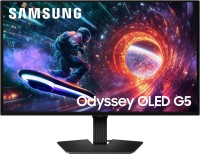
gaming, 27 ", 2560x1440 (16:9), QD-OLED, response 0.03 ms, 180 Hz, 1.07B Colors, DCI-P3 99 %, HDMI, DisplayPort, AMD FreeSync, NVIDIA G-Sync Compatible, HDR, Pantone Validated