
QNAP TL-D400S storage drive enclosure HDD/SSD enclosure Black, Grey 2.5/3.5"
 |


Lockable hard drive trays prevent accidental drive removal. SFF-8088 (or SFF-8644) connection cable supports four SATA 6Gb/s channels per cable (24Gb/s in total) and provides faster data transfer speeds than eSATA and USB. Easy to use. QNAP NAS and PC can both use utility software to monitor, obtain, and manage JBOD information. TL-D400S JBOD storage enclosure allows you to back up and expand your QNAP NAS, Windows and Ubuntu computers and servers. The TL-D400S features four 3.5-inch SATA 6Gb/s drive bays and comes with a QXP PCIe card for connecting the enclosure using a SFF-8088 (or SFF-8644) cable. It provides reliable read/write performance for smooth storage and backup tasks.. High-performing TL SATA JBOD. The TL SATA JBOD supports multi-lane SATA 6Gb/s transfer, and each SATA lane directly connects to a single SATA drive to help improve performance. With the 1-1 high-speed channel, the TL SATA JBOD delivers excellent transfer performance.. Flexible Storage Configuration and Management. The TL-D400S provides software-controlled storage configuration for greater management flexibility. You can configure RAID and monitor JBOD enclosure and disk health with Storage & Snapshots when connected to a QTS or QTS hero NAS, or with the QNAP JBOD Manager utility when connected to a computer.. What you need to know. You can connect your TL-D400S to Windows® and Ubuntu® computers through SFF-8088 (or SFF-8644) high-speed cable and use built-in utility to manage RAID configuration.. Intelligently Monitor JBOD Enclosure Status on PC and Servers with QNAP JBOD Manager. The QNAP JBOD Manager is a desktop utility for monitoring the TL-D400S on Windows and Ubuntu computers. You can quickly obtain the disk statuses, JBOD information and health, view fan rotation speed, and check for firmware version updates. All device events are recorded, and will send desktop notifications when a system alert occurs.. Flexibly Expand Connectivity with QXP PCIe Cards. Install an exclusive QXP PCIe card onto your QNAP NAS, Windows or Ubuntu PC to connect the JBOD enclosure via SFF-8088 (or SFF-8644) cable , for easy and flexible storage expansion.. Versatile usage scenarios to meet storage expansion needs. The TL-D400S meets many storage expansion requirements for the home and office. Below is a list of potential application scenarios:. Scenario 1: Expand your NAS capacity. The TL-D400S provides an alternative method for users to expand their NAS storage capacity. By connecting the TL-D400S to their NAS and using Storage & Snapshots Manager in QTS or QTS hero, users can easily configure and manage their storage expansion. The TL-D400S supports a variety of QNAP NAS storage and file management functions, allowing users to build storage pools, finding files with Qsirch, and organizing files with Qfiling.. Scenario 2: External storage for your NAS. You can use the TL-D400S to expand your NAS storage. You can select disks to create storage pools for expanding your NAS capacity,
The product description is generated based on data from online stores. Before purchasing be sure to verify all information directly with the seller.
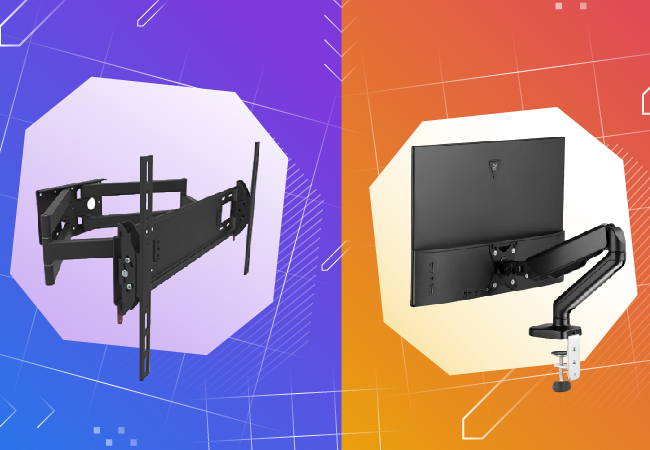
How to choose a bracket for TV and monitorCriteria for choosing a functional and reliable bracket for TVs and monitors with a certain screen diagonal

Best Desk Mounts for Monitors with Hidden Cable ManagementFunctionality and aesthetics of the workplace thanks to desktop brackets with cable management slots.
You may be interested in