
Icy Box IcyBox 11 in 1 USB 3.0 Type-A + Type-C® Dock with two HDMI® interfaces IB-DK2251AC
 | Compare prices 2 → When you make a purchase through links on our site, we may receive a affiliate commission.
|
Buy Icy Box IcyBox 11 in 1 USB 3.0 Type-A + Type-C® Dock with two HDMI® interfaces IB-DK2251AC
When you make a purchase through links on our site, we may receive a affiliate commission.
| £99.98 |  | ||||
Icy Box IcyBox 11 in 1 USB 3.0 Type-A + Type-C® Dock with two HDMI® interfaces IB-DK2251AC | £119.99 |  | |||
With the IcyBox 11 in 1 USB 3.0 Type-A + Type-C® Dock with two HDMI® interfaces, you can add a range of additional accessories to your set-up. Equipped with six USB ports, you can connect multiple peripherals to your PC or laptop, such as keyboards, mice, webcams, printers, and external hard drives. This dock also facilitates gaming monitors and audio equipment, thanks to two HDMI ports and 3.5mm audio jacks. Plus, with a Gigabit Ethernet port, you can enjoy blazing fast internet speeds. IcyBox 11 in 1 USB 3.0 Type-A + Type-C® Dock with two HDMI® interfaces at a Glance: USB docking station USB 3 connectivity with data transfer rates of up to 5Gbps Six USB-A ports Dual HDMI video outputs Gigabit Ethernet port 3.5mm headset and microphone jacks Extensive Hardware Connectivity With the IcyBox 11 in 1 USB 3.0 Type-A + Type-C® Dock with two HDMI® interfaces, you can easily connect additional peripherals to your PC or laptop using the USB 2.0 and 3.0 ports, providing data transfer rates of up to 5Gbps. Additionally, the USB 3.0 ports offer up to 5V power delivery. What’s more, the Gigabit Ethernet port facilitates blazing fast internet connectivity, for seamless web surfing, video streaming, and online gaming. The IcyBox docking station is perfect for adding extra audio-visual hardware to your set-up. Connect two extra displays to your computer, using the dual HDMI ports, each supporting 2K 60Hz signals. Plus, the 3.5mm audio and mic jack can facilitate your favourite headset or speakers.
The product description is generated based on data from online stores. Before purchasing be sure to verify all information directly with the seller.
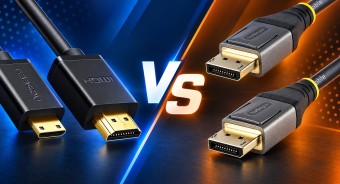
HDMI vs. DisplayPort: Which Is Better for a Monitor?Detailed comparison of the two most popular video interfaces

How Gadgets React to Heat and How to Protect Them from OverheatingWe explain how different devices react to heat, how to prevent overheating, and what to do if it has already happened.
How to place an order?How to add store?
Remember that the online store is responsible for the accuracy of information regarding price, warranty, and delivery!
You may be interested in