
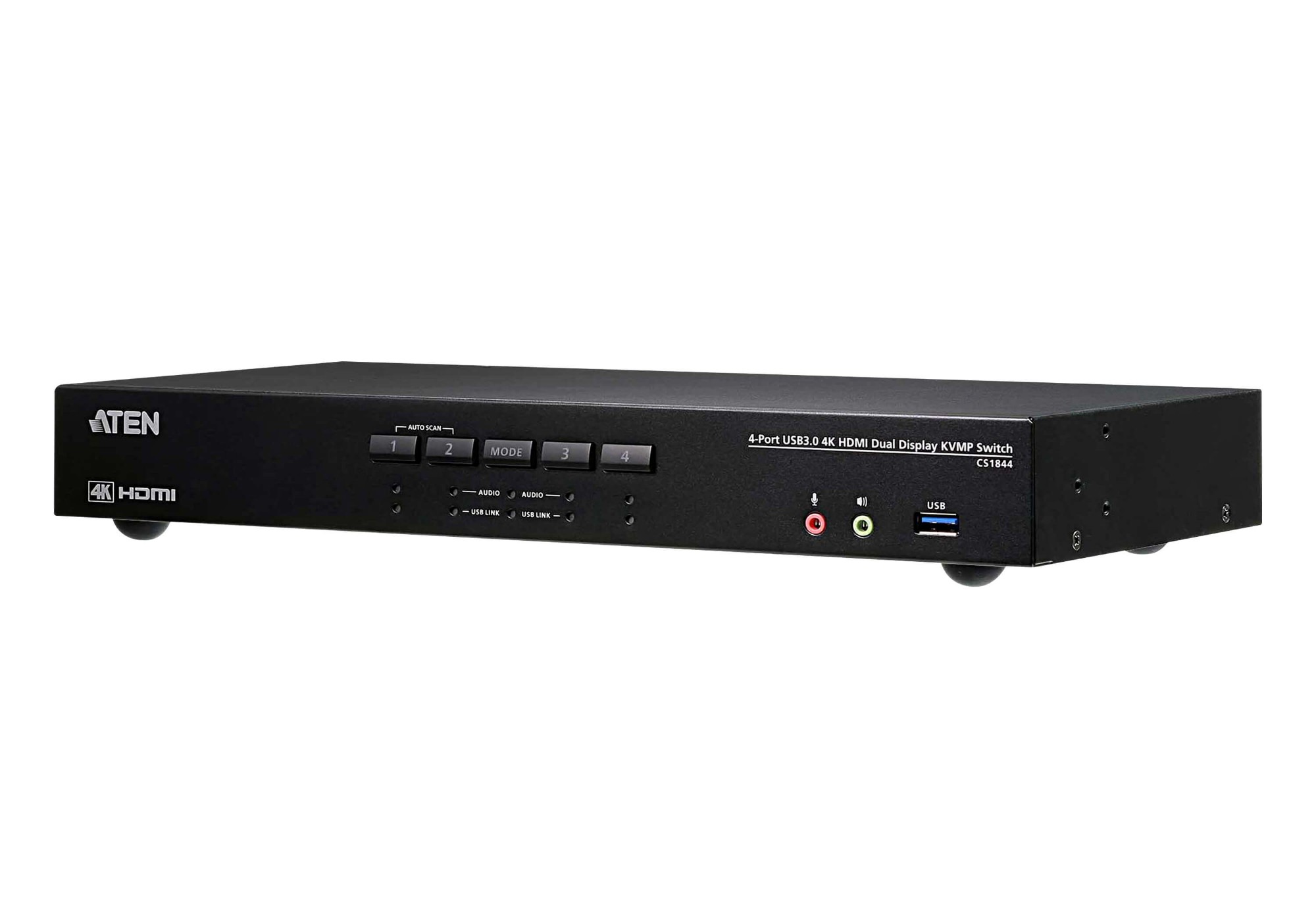
ATEN CS1844 Black
 |
Buy ATEN CS1844 Black
When you make a purchase through links on our site, we may receive a affiliate commission.
ATEN CS1844 KVM switch Black | £556.28 |  | |||
| £556.28 |  | ||||
| £590.99 |  | ||||
ATEN CS1844 4-Port USB 3.1 4K HDMI Dual Display KVMP Switch, Black | £601.00 |  | |||
4-Port USB 3.0 4K HDMI Dual Display KVMP™ Switch CS1844-AT-G | £641.56 |  | |||
ATEN CS1844 KVMP Switch - KVM / audio / USB switch - 4 ports | £647.98 |  | |||
| £550.47 |  | ||||
ATEN CS1844 KVM switch Black The ATEN CS1844 Dual Display KVMP™ Switch presents a valuable solution for desktop workstation with instant and effortless access to four HDMI interface computers from a single USB keyboard. mouse and two HDMI monitors; to meet users’ needs. the CS1844 is compliant with HDMI 2.0 standard and supports superior video quality up to 4K DCI (4096 x 2160 @ 60Hz). offering the most stunning and vivid visuals.In addition. with patented ATEN technology – Video DynaSync™. which optimizes display resolution. speeds up switching between systems. and ensures that windows opened on an extended desktop will not revert to their default configurations on the main display when switching between ports. providing a smooth and uninterrupted user experience. Considering immediate data sharing. a built-in USB 3.1 Gen 1 hub delivers data transfer rates up to 5 Gbps. allowing you to speed up operations and share USB peripherals efficiently.For requirements of more displays to monitor. users can daisy-chain two CS1844 for up to four displays to multitask easily and process tremendous information. Besides. a remote port selector is available for quick and streamlined port selection apart from pushbuttons. hotkeys and mouse port switching.As a feature-rich KVM switch. the CS1844 is especially suitable for users who need to perform multiple tasks smoothly at CGI work. graphic design. video post production. and CAD engineering.
The product description is generated based on data from online stores. Before purchasing be sure to verify all information directly with the seller.
HDMI vs. DisplayPort: Which Is Better for a Monitor?Detailed comparison of the two most popular video interfaces

How Gadgets React to Heat and How to Protect Them from OverheatingWe explain how different devices react to heat, how to prevent overheating, and what to do if it has already happened.
How to place an order?How to add store?
Remember that the online store is responsible for the accuracy of information regarding price, warranty, and delivery!
You may be interested in