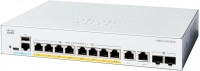
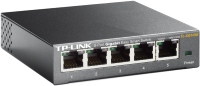
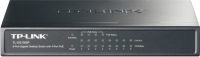
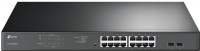
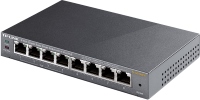
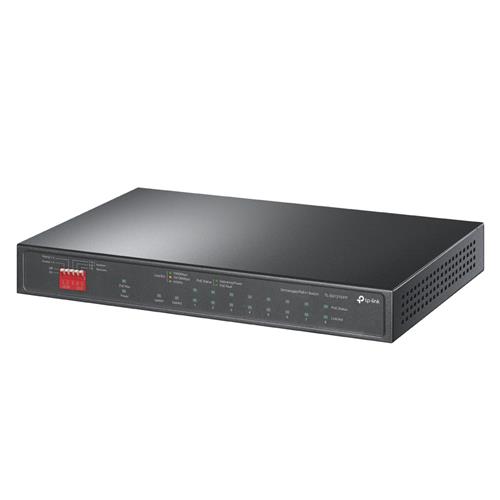
TP-LINK 10-Port Gigabit Desktop with 6-Port PoE+ and 2-Port PoE++ Unmanaged Gigabit Ethernet Power over (10/100/1000)
 |
Buy TP-LINK 10-Port Gigabit Desktop with 6-Port PoE+ and 2-Port PoE++ Unmanaged Gigabit Ethernet Power over (10/100/1000)
When you make a purchase through links on our site, we may receive a affiliate commission.
TP-Link TL-SG1210PP V1 - switch - 10 ports - unmanaged | £136.81 |  | |||
TP-Link 10-Port Gigabit Desktop Switch with 6-Port PoE+ and 2-Port PoE++ Unmanaged Gigabit Ethernet (10/100/1000) Power over | £143.49 |  | |||
TP-Link 10-Port Gigabit Desktop Switch with 6-Port PoE+ and 2-Port PoE | £150.32 |  | |||
TP-Link 10-Port Gigabit Desktop Switch with 6-Port PoE+ and 2-Port PoE TL-SG1210PP | £150.32 |  | |||
TP-Link TL-SG1210PP 10-Port Gigabit Desktop Switch with TL-SG1210PP | £115.93 |  | |||
Overview
TL-SG1210PP is an unmanaged switch with 10 Gigabit ports that requires no configuration and provides 8 PoE (Power over Ethernet) ports. It can automatically detect and supply power with all IEEE 802.3af/at/bt compliant Powered Devices (PDs) at port 1-2 and IEEE 802.3af/at compliant Powered Devices (PDs) at port 3-8. In this situation the electrical power is transmitted along with data in one single cable allowing you to expand your network to where there are no power lines or outlets where you wish to fix devices such as APs IP Cameras or IP Phones etc.
Power Over Ethernet
8 RJ45 ports (port 1 to port 8) of the switch support Power over Ethernet (PoE) function. They can automatically detect and supply power with those IEEE 802.3af/at/bt compliant Powered Devices (PDs) at port 1-2 and IEEE 802.3af/at compliant Powered Devices (PDs) at port 3-8.
Overload Arrangement
TL-SG1210PP has the priority function which will help protect the system when the system power is overloaded. If all PoE PDs power consumption is 123 W* a priority will be arranged among the PoE ports then the system will cut off the power of the lowest-priority port.
Intelligent Power Management
Priority (port 1 > port 2 > port 8): This function will help protect the system when the system power is overloaded. For example port 3 4 5 and 6 is using 25 W respectively (maximum power per port is 30 W); the system power is 100 W in total. If there is an additional PD inserted to port 1 with 35 W and then the system will cut off the power of port 6 because of the overloaded power this means port 3 4 and 5 will use 25 W respectively and port 1 will use 35 W no power will be supplied to port 6.
Highlight Performance
Up to 250 m PoE power supply and data transmission under Extend Mode** for port 1-4.
Priority Mode ensures high priority of ports 12 to guarantee the quality of the sensitive applications
Isolation Mode allows one-click client traffic separation for higher security and performance
With PoE Auto Recovery the switch will constantly detect the data transmission with PoE-powered devices (PD) for port 1-8. When the switch finds that a PD stops sending data packets to the switch for a long period the switch will reboot it automatically.
TL-SG1210PP is easy to install and use. It requires no configuration and installation. With desktop and wall mountable design outstanding performance and quality the TP-Link 10-Port Gigabit Desktop Switch with 8-Port PoE+ and 2-Port PoE++ TL-SG1210PP is a great selection for expanding your network.
TL-SG1210PP is an unmanaged switch with 10 Gigabit ports that requires no configuration and provides 8 PoE (Power over Ethernet) ports. It can automatically detect and supply power with all IEEE 802.3af/at/bt compliant Powered Devices (PDs) at port 1-2 and IEEE 802.3af/at compliant Powered Devices (PDs) at port 3-8. In this situation the electrical power is transmitted along with data in one single cable allowing you to expand your network to where there are no power lines or outlets where you wish to fix devices such as APs IP Cameras or IP Phones etc.
Power Over Ethernet
8 RJ45 ports (port 1 to port 8) of the switch support Power over Ethernet (PoE) function. They can automatically detect and supply power with those IEEE 802.3af/at/bt compliant Powered Devices (PDs) at port 1-2 and IEEE 802.3af/at compliant Powered Devices (PDs) at port 3-8.
Overload Arrangement
TL-SG1210PP has the priority function which will help protect the system when the system power is overloaded. If all PoE PDs power consumption is 123 W* a priority will be arranged among the PoE ports then the system will cut off the power of the lowest-priority port.
Intelligent Power Management
Priority (port 1 > port 2 > port 8): This function will help protect the system when the system power is overloaded. For example port 3 4 5 and 6 is using 25 W respectively (maximum power per port is 30 W); the system power is 100 W in total. If there is an additional PD inserted to port 1 with 35 W and then the system will cut off the power of port 6 because of the overloaded power this means port 3 4 and 5 will use 25 W respectively and port 1 will use 35 W no power will be supplied to port 6.
Highlight Performance
Up to 250 m PoE power supply and data transmission under Extend Mode** for port 1-4.
Priority Mode ensures high priority of ports 12 to guarantee the quality of the sensitive applications
Isolation Mode allows one-click client traffic separation for higher security and performance
With PoE Auto Recovery the switch will constantly detect the data transmission with PoE-powered devices (PD) for port 1-8. When the switch finds that a PD stops sending data packets to the switch for a long period the switch will reboot it automatically.
TL-SG1210PP is easy to install and use. It requires no configuration and installation. With desktop and wall mountable design outstanding performance and quality the TP-Link 10-Port Gigabit Desktop Switch with 8-Port PoE+ and 2-Port PoE++ TL-SG1210PP is a great selection for expanding your network.
The product description is generated based on data from online stores. Before purchasing be sure to verify all information directly with the seller.
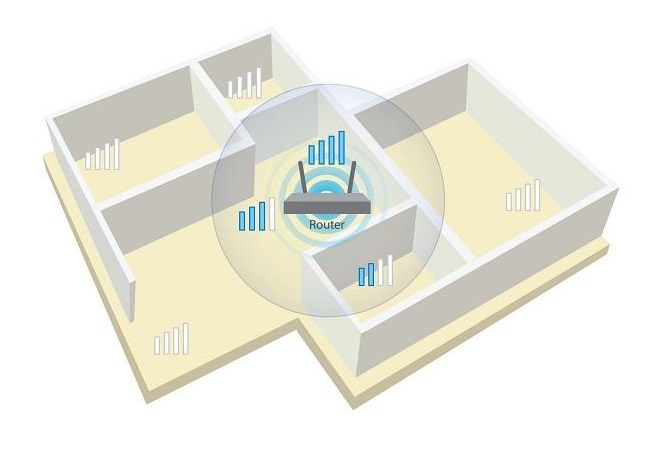
Wi-Fi without blind areas: stable signal throughout the house or apartmentSimple and efficient ways to ensure stable Wi-Fi signal in small and large rooms

Power over twisted pair: the essentials of Power over EthernetKey Information about Power over Ethernet to Network Endpoints
How to place an order?How to add store?
Remember that the online store is responsible for the accuracy of information regarding price, warranty, and delivery!
We recommendCompare using chart →