
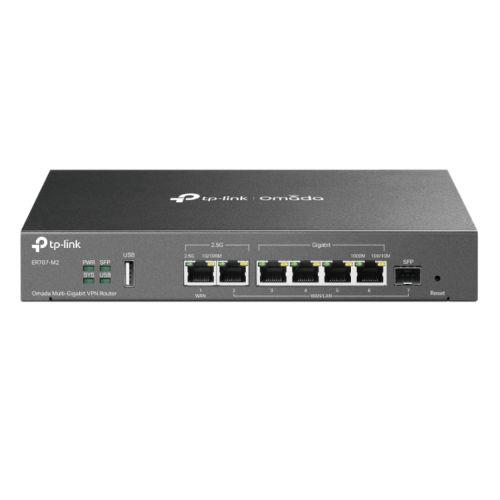
TP-LINK Omada Multi-Gigabit VPN Ethernet WAN 2.5 Gigabit Ethernet Fast Ethernet Gigabit Ethernet Black ER707-M2
 |
Buy TP-LINK Omada Multi-Gigabit VPN Ethernet WAN 2.5 Gigabit Ethernet Fast Ethernet Gigabit Ethernet Black ER707-M2
When you make a purchase through links on our site, we may receive a affiliate commission.
| £193.95 |  | ||||
TP-Link Omada ER707-M2 V1 - router - desktop, wall-mountable | £200.38 |  | |||
TP-Link Omada Multi-Gigabit VPN Router | £202.64 |  | |||
TP-Link Omada Multi-Gigabit VPN Router Ethernet WAN 2.5 Gigabit Ethernet Fast Ethernet Gigabit Ethernet Black ER707-M2 | £207.78 |  | |||
| £208.99 |  | ||||
TP-Link ER707-M2 Omada Multi-Gigabit VPN Router ER707-M2 | £121.60 |  | |||
Dual 2.5 Gbps Ports Engineered for Dense Environments
Delivering high-speed transmissions through dual 2.5 Gbps ports ER707-M2 is designed for multi-person environments such as retail stores hotels and offices. Enjoy a blazing-fast network experience while working from home.
6 WAN Ports & 1 USB WAN for Mobile Broadband
Empowered with up to 6 WAN SFP and RJ45 ports ER707-M2 supports various internet access. Multi-WAN Load Balancing distributes data streams based on the bandwidth proportion of every WAN port to increase the utilization rate of multi-line broadband.
Connect a 4G/3G modem to the USB 2.0 port for a LTE WAN backup.
High-Security VPN
Pass-through traffic and a variety of VPN protocols such as SSL GRE IPSec PPTP and L2TP are available on ER707-M2 giving consumers versatile options. One-click auto IPSec VPN simplifies VPN configuration and facilitates network management and deployment.* The router also features a built-in hardware engine to boost VPN performance.
Internet Access Management Strategy
Standardize users online behavior and easily specify the internet access rights and strategies of employees via IP/MAC/URL Filtering and Access Control List (ACL). Captive Portal authentication facilitates network resource control by capturing authenticating and classifying user access. Appropriate network resources can also be allocated for particular users or guests.
Omada SDNThe Smarter Cloud Solution for Business Networking
As the router that seamlessly integrates into the Omada Software Defined Networking (SDN) platform ER707-M2 allows for remote and centralized management anywhere anytime. Standalone management via the Web UI or app is also available to maximize convenience.
Easy Management with the Omada App
Follow configuration instructions on the free Omada app to get set up in minutes. Omada lets you configure settings monitor the network status and manage clients all from the convenience of a smart phone or tablet.
Delivering high-speed transmissions through dual 2.5 Gbps ports ER707-M2 is designed for multi-person environments such as retail stores hotels and offices. Enjoy a blazing-fast network experience while working from home.
6 WAN Ports & 1 USB WAN for Mobile Broadband
Empowered with up to 6 WAN SFP and RJ45 ports ER707-M2 supports various internet access. Multi-WAN Load Balancing distributes data streams based on the bandwidth proportion of every WAN port to increase the utilization rate of multi-line broadband.
Connect a 4G/3G modem to the USB 2.0 port for a LTE WAN backup.
High-Security VPN
Pass-through traffic and a variety of VPN protocols such as SSL GRE IPSec PPTP and L2TP are available on ER707-M2 giving consumers versatile options. One-click auto IPSec VPN simplifies VPN configuration and facilitates network management and deployment.* The router also features a built-in hardware engine to boost VPN performance.
Internet Access Management Strategy
Standardize users online behavior and easily specify the internet access rights and strategies of employees via IP/MAC/URL Filtering and Access Control List (ACL). Captive Portal authentication facilitates network resource control by capturing authenticating and classifying user access. Appropriate network resources can also be allocated for particular users or guests.
Omada SDNThe Smarter Cloud Solution for Business Networking
As the router that seamlessly integrates into the Omada Software Defined Networking (SDN) platform ER707-M2 allows for remote and centralized management anywhere anytime. Standalone management via the Web UI or app is also available to maximize convenience.
Easy Management with the Omada App
Follow configuration instructions on the free Omada app to get set up in minutes. Omada lets you configure settings monitor the network status and manage clients all from the convenience of a smart phone or tablet.
The product description is generated based on data from online stores. Before purchasing be sure to verify all information directly with the seller.
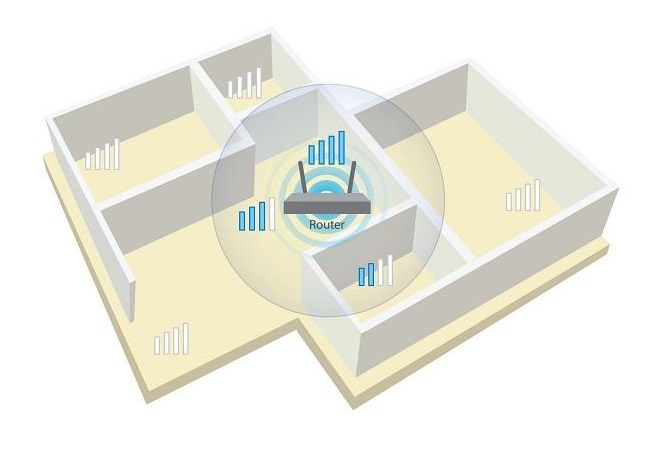
Wi-Fi without blind areas: stable signal throughout the house or apartmentSimple and efficient ways to ensure stable Wi-Fi signal in small and large rooms

Internet without light: GPON technologyWhat is GPON technology and how to use the Internet without electricity?
How to place an order?How to add store?
Remember that the online store is responsible for the accuracy of information regarding price, warranty, and delivery!
We recommendCompare using chart →
router, rack, connection: Ethernet, SFP, ports: 1 Gbps 16 pcs, SFP+ 2 pcs, control protocol: SSH, Telnet, Web, SNMP, mAC cloning
router, connection: Ethernet, ports: 100 Mbps 5 pcs, control protocol: SSH, Telnet, Web, SNMP

router, connection: Ethernet, SFP, ports: 2.5 Gbps 4 pcs, 10 Gbps 1 pcs, SFP+ 2 pcs, control protocol: Web, PoE
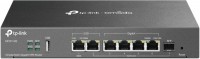
router, connection: Ethernet, modem (in USB), SFP, ports: 1 Gbps 4 pcs, 2.5 Gbps 2 pcs, SFP 1 pcs, control protocol: SSH, Telnet, Web, SNMP, mAC cloning, VPN 634 Mbps
router, connection: Ethernet, DSL, ports: 1 Gbps 2 pcs, control protocol: SSH, Telnet, Web, SNMP, mAC cloning

Firewall, connection: Ethernet, ports: 1 Gbps 5 pcs, control protocol: SSH, Telnet, Web, SNMP, firewall 2000 Mbps, VPN 500 Mbps
router, connection: Ethernet, modem (in USB), ports: 1 Gbps 7 pcs, control protocol: SSH, Telnet, Web, VPN 800 Mbps
router, connection: Ethernet, ports: 1 Gbps 4 pcs, 2.5 Gbps 1 pcs, control protocol: Web
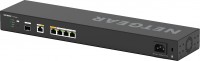
router, rack, connection: Ethernet, SFP, ports: 2.5 Gbps 4 pcs, 10 Gbps 1 pcs, SFP+ 1 pcs, control protocol: Web, mAC cloning
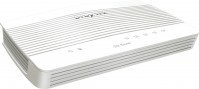
router, connection: Ethernet, DSL, modem (in USB), ports: 1 Gbps 4 pcs, control protocol: SSH, Telnet, Web, SNMP, firewall 950 Mbps, VPN 200 Mbps

router, rack, connection: Ethernet, DSL, modem (in USB), SFP, x1 SIM card, LTE Cat.6 (300/50 Mbps), ports: 1 Gbps 5 pcs, SFP 1 pcs, control protocol: Web, SNMP, mAC cloning, VPN 527 Mbps
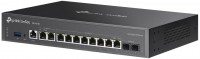
router, rack, connection: Ethernet, modem (in USB), SFP, ports: 1 Gbps 8 pcs, 2.5 Gbps 2 pcs, SFP 2 pcs, control protocol: Web, SNMP, mAC cloning, VPN 1125 Mbps