
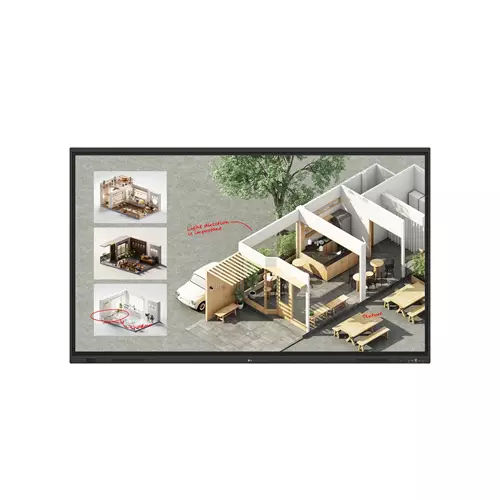
LG CreateBoard Standard interactive whiteboard 2.18 m 3840 x 2160 pixels Touchscreen Black 86TR3DQ-B.AUEQ (86")
 | Compare prices 4 → When you make a purchase through links on our site, we may receive a affiliate commission.
|
Buy LG CreateBoard Standard interactive whiteboard 2.18 m 3840 x 2160 pixels Touchscreen Black 86TR3DQ-B.AUEQ (86")
When you make a purchase through links on our site, we may receive a affiliate commission.
LG CreateBoard Standard interactive whiteboard 2.18 m (86") 3840 | £1,390.74 |  | |||
LG CreateBoard Standard interactive whiteboard 2.18 m (86") 3840 x 2160 pixels Touchscreen Black 86TR3DQ-B.AUEQ | £1,398.85 |  | |||
LG 86TR3DQ-B 86" Interactive Display | £1,415.99 |  | |||
LG CreateBoard Standard interactive whiteboard 2.18 m (86") 3840 x 2160 pixels Touchscreen Black 86TR3DQ-B.AUEQ | £1,438.99 |  | |||
86 Black 4K Uhd Interactive Display 16/7 3X HdmiCreative Whiteboard SolutionLg Create Board Offers A Lifelike Touch Experience Allowing Users To Interact With Content Directly On The Board. You Can Write Draw Zoom And Rotate Using Just Your Fingers Making It An Effective Tool For Creative Projects Or Presentations. Additionally Lg Create Board Enables Screen And Content Sharing Making It An Excellent Tool For Seamless Collaboration Even With Remote Team Members.Various Teaching TemplatesLg Create Board Offers A Variety Of Educational Templates And Tools Such As A Ruler Table And Sticky Note Fostering Active Student Participation And Facilitating Intuitive Lessons.Easy To Save / Import / ExportLg Create Board Incorporates Straightforward Import And Export Features. Resources Can Be Saved And Directly Imported To And From Google Drive Or Onedrive. After Meetings You Can Directly Send Emails To Share Materials Or Scan A Qr Code To Transfer Them To Your Personal Device.Tools For Fluid DiscussionA Variety Of Tools Such As A Calculator Clock And Sticky Note Are Available To Facilitate Smooth Discussions And Ensure Seamless Idea Sharing And Communication. Also Users Can Personalize The Menu Bar With Their Most Frequently Used Tools Thereby Improving Their Work Efficiency. Web BrowserWhen You Need A Reference During A Discussion You Can Access Various Online Information In Real Time With The Simple Click Of A Web Browser. The Necessary Information Found On The Internet Can Be Easily Dragged And Dropped Into The Material You’Re Creating Enhancing The Productivity Of Your Meetings.Multi-Os SupportLg Create Board Lab Offers Multi-Os Support Allowing Users To Utilize It Not Only With Lg Create Board But Also With Other Devices. This Enables Users To Maintain A Seamless Experience On Tablets Laptops And Various Other Devices Even Outside The Classroom.Lg Create Board ShareLg Create Board Share Offers A Wireless Screen Sharing Feature Providing Users With A Flexible Discussion Environment. Users Can Share Their Screen From Their Own Pc Tablet Or Smartphone Simplifying The Process Of Sharing And Collaborating On Team Projects Or Presentation Materials.Wireless Screen ShareLg Create Board Share Establishes A Seamless And Stable Meeting Room Without The Need For Extra Cables Or Connections. Presenters Can Now Share Their Screens Without The Need To Inconveniently Move Around And Unplug And Plug Cables Each Time The Presenter Changes. With The Capability To Share Up To 9 Screens In Real-Time It’S Possible To Display Multiple People’S Materials Simultaneously When Needed Thereby Enhancing The Efficiency Of Collaboration.Simple Connection To Lg Create Board ShareUsers Can Easily Utilize The Wireless Screen Sharing Feature Via Lg Create Board Share App And Even Without The App They Can Still Conveniently Access This Feature Through The Website. A Quick Connection To Lg Create Board Share Can Be Established By Entering A 6-Digit Code.Presentation
The product description is generated based on data from online stores. Before purchasing be sure to verify all information directly with the seller.

Best Portable Smart ProjectorsCompact devices that will replace your TV and let you watch movies anywhere.

New USB Labels: How to Avoid Confusion in Speeds, Cables, and ConnectorsThe USB-IF organization has finally updated the USB port labels. Let's figure out what has changed.
How to place an order?How to add store?
Remember that the online store is responsible for the accuracy of information regarding price, warranty, and delivery!
We recommendCompare using chart →

projection: from 1 m, up to 10 m, coefficient 1.2:1 – 1.92:1, зум 1.6 x, lens shift, 3840x2160 px, 4K, HDR, 3D, lamp: Laser-LED, 5000 lm, 3 200 000:1, sRGB 100 %, DCI-P3 95 %, service life 30000 h, HDMI 3
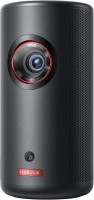
motorized, portable, Android TV, projection: from 1.06 m, up to 3.18 m, coefficient 1.2:1, rear projection, Full HD, 1920x1080 px, HDR, lamp: Laser-LED, ANSI 300 lm, service life 30000 h, HDMI 1, USB-C, Wi-Fi, 802.11ac, speakers, 10400 mAh, up to 2.5 hours of work

projection: from 0.88 m, up to 14.29 m, coefficient 1.30:1 – 2.09:1, зум 1.62 x, rear projection, Full HD, 1920x1080 px, lamp: UHE, ANSI 4100 lm, 16 000:1, service life 5500 h, HDMI 2, Wi-Fi, speakers
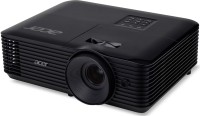
projection: from 1 m, up to 10 m, coefficient 1.54:1 – 1.72:1, зум 1.1 x, rear projection, 1280x800 px, lamp: ANSI 5000 lm, 20 000:1, service life 5000 h, VGA, HDMI 1

projection: from 1 m, up to 8 m, coefficient 1.12:1 — 1.47:1, зум 1.3 x, rear projection, Full HD, 1920x1080 px, HDR, 3D, lamp: UHP, ANSI 3840 lm, 20 000:1, service life 15000 h, VGA, HDMI 2, speakers

projection: from 1.99 m, up to 5.47 m, coefficient 1.5:1 — 1.65:1, зум 1.1 x, rear projection, 3840x2160 px, 4K, HDR, 3D, lamp: LED, ANSI 900 lm, 200 000:1, service life 30000 h, HDMI 1
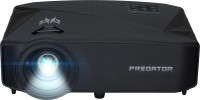
Smart TV, projection: from 1.6 m, up to 8.1 m, coefficient 1.22:1, rear projection, 3840x2160 px, 4K, HDR, 3D, lamp: LED, 4000 lm, ANSI 1450 lm, 2 000 000:1, service life 20000 h, HDMI 2, Wi-Fi, 802.11ac, speakers
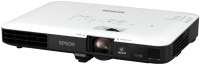
projection: from 0.7 m, up to 8.2 m, coefficient 1.04:1 – 1.26:1, зум 1.2 x, rear projection, 1280x800 px, lamp: 3200 lm, 10 000:1, service life 4000 h, VGA, HDMI 1, Wi-Fi
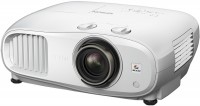
projection: from 1.16 m, up to 9.58 m, coefficient 1.32:1 – 2.15:1, rear projection, lens shift, Full HD, 1920x1080 px, HDR, 3D, lamp: UHE, 3000 lm, 120 000:1, service life 3500 h, HDMI 2, speakers
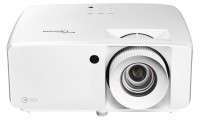
projection: from 1.3 m, up to 9.4 m, coefficient 1.4:1 — 2.24:1, rear projection, lens shift, 3840x2160 px, 4K, HDR, 3D, lamp: Laser-LED, 4000 lm, 500 000:1, service life 30000 h, HDMI 2, speakers
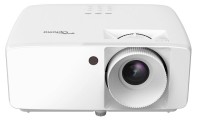
projection: from 0.8 m, up to 10 m, coefficient 1.48:1 — 1.62:1, rear projection, Full HD, 1920x1080 px, 3D, lamp: Laser-LED, 3800 lm, 2 000 000:1, service life 30000 h, HDMI 2, speakers

portable, projection: short throw, from 0.26 m, up to 0.4 m, coefficient 0.18:1, Full HD, 1920x1080 px, HDR, lamp: Laser-LED, ANSI 650 lm, 2 500 000:1, service life 20000 h, HDMI 1, Wi-Fi, speakers, up to 1.5 hours of work