
BirdDog iPad based live-streaming application for up to 4K Live production recording and effects with Bluetooth hardware Control Sur
 |
Buy BirdDog iPad based live-streaming application for up to 4K Live production recording and effects with Bluetooth hardware Control Sur
When you make a purchase through links on our site, we may receive a affiliate commission.
BIRDDOG MAKI Studio | £654.97 |  | |||
BIRDDOG MAKI Studio BDMK-CS | £654.97 |  | |||
iPad based live-streaming application for up to 4K Live production recording and effects with Bluetooth hardware Control Sur | £657.97 |  | |||
| £659.99 |  | ||||
| £1,739.99 | | ||||
| £2,099.99 | | ||||
iPad based live-streaming application for up to 4K Live production recording and effects with Bluetooth hardware Control Surface for switching and control
MAKI Studio with Control Surface is your portable live production suite built to make multi-camera switching and streaming easier than ever. Designed for use with MAKI Live cameras and compatible with NDI? HX video MAKI Studio runs on iPad and brings intuitive touch-friendly control to your workflow—no laptop required. For even more precision and feel pair it with the MAKI Control Surface: a compact BirdDog-designed hardware panel offering tactile buttons dials and joystick control. Together they give you the power to direct live shows podcasts lectures or events with pro-level polish—whether you’re in the studio or on the move. With support for streaming overlays picture-in-picture audio mixing ISO recording and more MAKI Studio makes it simple to create stunning content. It's the director's seat in your backpack.
iPad-Based Live Production
MAKI Studio is a native iPad application purpose-built for live production. With an intuitive touch-friendly interface you can switch between multiple camera sources manage audio add graphics and stream—all from a single portable device. It’s fast fluid and incredibly easy to use even for solo creators or first-time producers.
NDI? HX and High Bandwidth Compatible
MAKI Studio works seamlessly with BirdDog MAKI Live cameras and the full BirdDog X-Series supporting both NDI? HX and Full Bandwidth NDI. It integrates perfectly into modern IP workflows enabling wireless multi-camera production without additional video converters SDI routers or bulky cabling—just power up connect and go.
Portable Bluetooth Control Surface
Add tactile precision to your live production with the MAKI Control Surface. This compact wireless panel connects via Bluetooth and features 6 dedicated Program/Preview buttons customizable shortcuts and dedicated transition controls. It’s designed to give you fast responsive control without taking up space—perfect for live shows classrooms or events.
Touchscreen & Hardware Combo
MAKI Studio delivers the best of both worlds: touchscreen flexibility for creative control and customization and a tactile hardware surface for fast reliable operation. Quickly build your show using the iPad interface then drive your production with button-based precision—just like a traditional broadcast switcher but ultra-portable.
Stream Anywhere
Broadcast your content to audiences everywhere. MAKI Studio supports RTMP streaming to popular platforms like YouTube Facebook and Twitch and can transmit locally using NDI? HX or Full NDI to connected monitors or video walls. Whether online or on-site your stream is always ready to roll
Multi-Cam Switching
Switch between multiple camera sources in real time with clean cuts or smooth transitions. Whether you’re mixing a live
MAKI Studio with Control Surface is your portable live production suite built to make multi-camera switching and streaming easier than ever. Designed for use with MAKI Live cameras and compatible with NDI? HX video MAKI Studio runs on iPad and brings intuitive touch-friendly control to your workflow—no laptop required. For even more precision and feel pair it with the MAKI Control Surface: a compact BirdDog-designed hardware panel offering tactile buttons dials and joystick control. Together they give you the power to direct live shows podcasts lectures or events with pro-level polish—whether you’re in the studio or on the move. With support for streaming overlays picture-in-picture audio mixing ISO recording and more MAKI Studio makes it simple to create stunning content. It's the director's seat in your backpack.
iPad-Based Live Production
MAKI Studio is a native iPad application purpose-built for live production. With an intuitive touch-friendly interface you can switch between multiple camera sources manage audio add graphics and stream—all from a single portable device. It’s fast fluid and incredibly easy to use even for solo creators or first-time producers.
NDI? HX and High Bandwidth Compatible
MAKI Studio works seamlessly with BirdDog MAKI Live cameras and the full BirdDog X-Series supporting both NDI? HX and Full Bandwidth NDI. It integrates perfectly into modern IP workflows enabling wireless multi-camera production without additional video converters SDI routers or bulky cabling—just power up connect and go.
Portable Bluetooth Control Surface
Add tactile precision to your live production with the MAKI Control Surface. This compact wireless panel connects via Bluetooth and features 6 dedicated Program/Preview buttons customizable shortcuts and dedicated transition controls. It’s designed to give you fast responsive control without taking up space—perfect for live shows classrooms or events.
Touchscreen & Hardware Combo
MAKI Studio delivers the best of both worlds: touchscreen flexibility for creative control and customization and a tactile hardware surface for fast reliable operation. Quickly build your show using the iPad interface then drive your production with button-based precision—just like a traditional broadcast switcher but ultra-portable.
Stream Anywhere
Broadcast your content to audiences everywhere. MAKI Studio supports RTMP streaming to popular platforms like YouTube Facebook and Twitch and can transmit locally using NDI? HX or Full NDI to connected monitors or video walls. Whether online or on-site your stream is always ready to roll
Multi-Cam Switching
Switch between multiple camera sources in real time with clean cuts or smooth transitions. Whether you’re mixing a live
The product description is generated based on data from online stores. Before purchasing be sure to verify all information directly with the seller.
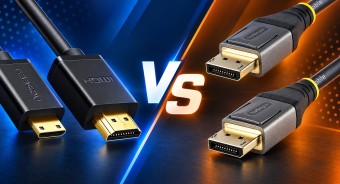
HDMI vs. DisplayPort: Which Is Better for a Monitor?Detailed comparison of the two most popular video interfaces

How Gadgets React to Heat and How to Protect Them from OverheatingWe explain how different devices react to heat, how to prevent overheating, and what to do if it has already happened.
How to place an order?How to add store?
Remember that the online store is responsible for the accuracy of information regarding price, warranty, and delivery!
You may be interested in