
Attack Shark X3 Max
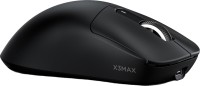 | Outdated Product Product type: mouse; Connection: radio / Bluetooth / wired; Multi-Device; Sensor: optical; Type: for game; Sensor: PixArt 3950; Sensor resolution (DPI): 800 – 42000; Max. acceleration (G): 50; Max. polling rate: 1000 Hz (1 ms); Buttons: 4; Side buttons; DPI-button; Switch type: optical |


We recommend products in stockMice Attack Shark →

gaming mouse, radio / Bluetooth / wired, USB-A, Multi-Device, buttons: 5, programmable, + wheel, свитчи: mechanical, Kailh, up to 100 mln, sensor 26000 DPI, battery
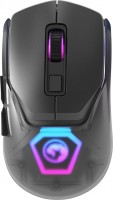
gaming mouse, radio / Bluetooth / wired, USB-A, Multi-Device, buttons: 5, programmable, + wheel, свитчи: mechanical, Omron, RGB backlight, sensor 19000 DPI, in box: replaceable top panels, battery, up to 120 h
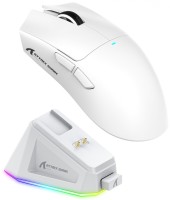
gaming mouse, radio / Bluetooth / wired, USB-A, Multi-Device, buttons: 4, programmable, + wheel, свитчи: mechanical, Huano White Spots, up to 20 mln, sensor 22000 DPI, battery, 300 mAh, up to 65 h
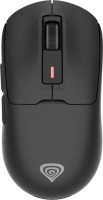
gaming mouse, radio / Bluetooth / wired, USB-A, BT v 5, Multi-Device, with memory, buttons: 5, programmable, + wheel, свитчи: mechanical, Kailh GM 8.0, up to 80 mln, sensor 26000 DPI, battery, up to 80 h
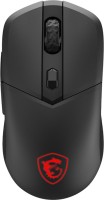
gaming mouse, radio / Bluetooth / wired, USB-A, BT v 5, Multi-Device, buttons: 5, programmable, + wheel, свитчи: mechanical, Omron, up to 60 mln, RGB backlight, sensor 26000 DPI, battery, up to 200 h

gaming mouse, radio / Bluetooth / wired, USB-C, USB-A, BT v 5, Multi-Device, buttons: 5, programmable, + wheel, свитчи: mechanical, Kailh, up to 80 mln, sensor 12000 DPI, battery, up to 95 h
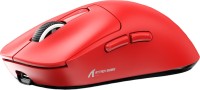
gaming mouse, radio / Bluetooth / wired, USB-A, BT v 5, Multi-Device, buttons: 4, programmable, + wheel, свитчи: up to 80 mln, sensor 26000 DPI, battery, up to 200 h

gaming mouse, radio / Bluetooth / wired, USB-A, Multi-Device, buttons: 4, programmable, + wheel, свитчи: mechanical, Huano Ice Berry Pink Dot, sensor 26000 DPI, battery, 250 mAh, up to 40 h

gaming mouse, radio / Bluetooth / wired, USB-A, Multi-Device, buttons: 5, programmable, + wheel, свитчи: mechanical, Huano Transparent Blue Pink Dot, up to 80 mln, sensor 12000 DPI, battery, 500 mAh, up to 44 h
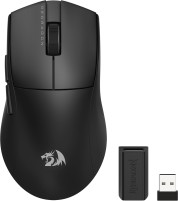
gaming mouse, radio / Bluetooth / wired, USB-A, Multi-Device, buttons: 4, programmable, + wheel, свитчи: mechanical, Huano, up to 50 mln, sensor 26000 DPI, battery, up to 150 h
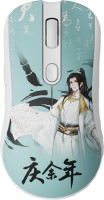
gaming mouse, radio / Bluetooth / wired, USB-A, Multi-Device, buttons: 5, programmable, + wheel, sensor 26000 DPI, battery

gaming mouse, radio / Bluetooth / wired, USB-A, BT v 5, Multi-Device, buttons: 4, programmable, + wheel, sensor 12000 DPI, battery, up to 32 h

gaming mouse, radio / Bluetooth / wired, USB-A, Multi-Device, buttons: 4, + wheel, свитчи: up to 80 mln, sensor 26000 DPI, battery, 300 mAh

gaming mouse, radio / Bluetooth / wired, USB-A, Multi-Device, buttons: 5, + wheel, свитчи: mechanical, Kailh, up to 100 mln, sensor 30000 DPI, battery, 500 mAh
Attack Shark X3 Max | ||||||||||||||||||||||||||||||||||||||||||||||||||||||||||||||||||||||||||||||
|
| |||||||||||||||||||||||||||||||||||||||||||||||||||||||||||||||||||||||||||||


E-Catalog UK editor, Mice
Mykola Boberskyi, edited 19.05.2026
The information in the model description is for reference purposes.
Always clarify the specifications and configuration of the product with the online store manager before purchasing.
Catalog Attack Shark 2026 - new arrivals, bestsellers, and the most relevant models Attack Shark.
Always clarify the specifications and configuration of the product with the online store manager before purchasing.
Catalog Attack Shark 2026 - new arrivals, bestsellers, and the most relevant models Attack Shark.

How to choose a gaming mouseWe'll look at grip types, sensor sensitivity, pushbutton switches, and other important nuances

How to choose a mouse for games, office tasks and creative workLet's explore the nuances of the computer mouse market together and find the perfect options that match your requirements
AccessoriesAll accessories for Attack Shark X3 Max →











very light, previously had one that was 2.5 times heavier. Got used to it in less than an hour while playing CS. Comfortable in terms of length and width (my hand is small, 18 cm/9 size, palm grip), the travel of the main buttons is short and effortless, great clickability. Initially connected via Bluetooth, but experienced micro stutters in the game, non-smooth image changes during turns, got disappointed. Then connected the radio module, and everything fell into place, movement became smooth. Haven't played via cable yet; the cable inserts quite snugly through type C, but without an additional clip, which is not good, as over time the connection will become loose if playing with a cable. Though the cable is nice, with a fabric braid (it seems the cable weighs more than the mouse). Then found the official website and downloaded the software (immediately in Russian, probably picked up the system language), the application is simple and convenient. Configured the sensitivity, managed to play 3 matches (won all 3, finished first in all, maybe just a coincidence, or perhaps the opponents didn't have any cheaters). Due to the small width, it's comfortable to aim in burst fire, just need to get used to shooting with clicks, as the buttons press differently and the actuation height is less. Several times the sensitivity slipped, possibly because I was lifting it too high off the table, configured the lift-off distance to 2 mm in the software, and it didn't bother me anymore. Before the game, charged it to 96%, after 2 hours charge dropped to 72%, which is suspicious since it claims more than 200 hours on a single charge (but that's probably via Bluetooth). Didn't like the quality of the mouse case material, it feels quite cheap with slightly rough, hard slippery plastic. lightweight, small and easy click on the main buttons, smooth radio operation, functionality, user-friendly software, the quality/price ratio is practically unbeatable) case material, unsmooth Bluetooth operation |

Add Review
Video reviews

Attack Shark X3 Max - First look - The return of the king!
24 December 20246 049 view

Attack Shark X3 MAX | PAW-3950 @ATTACKSHARKGEAR
26 August 2024988 view