
BenQ EW2480 24 " (9H.LJ3LA.TSE)
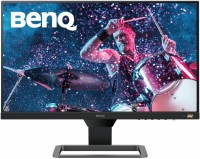 | Outdated Product Product type: monitor; Size ("): 24; Panel type: IPS; Treatment: anti-glare; Resolution: 1920x1080 (16:9); Response time GtG (ms): 5; Viewing angle vert.: 178; Horizontal viewing angle: 178; Brightness (cd/m²): 250; Static contrast: 1 000:1; Dynamic Contrast: 20 000 000:1; Colour depth: 6-bit + FRC (16.7M Colors) |


We recommend products in stockMonitors BenQ →
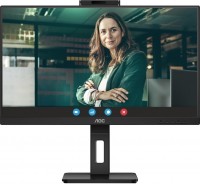
23.8 ", 1920x1080 (16:9), IPS, response 4 ms, 75 Hz, 8-bit (16.7M Colors), HDMI, DisplayPort, USB-C (DP Alt Mode), Power Delivery, LAN, HUB: USB-A 4x5Gbps, speakers, webcam, VESA Adaptive-Sync
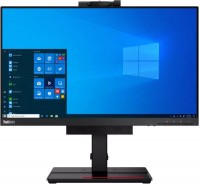
24 ", 1920x1080 (16:9), IPS, response 4 ms, 60 Hz, DisplayPort, HUB: USB-A 2x5Gbps, speakers, webcam
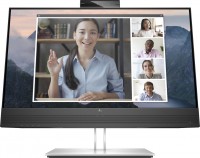
23.8 ", 1920x1080 (16:9), IPS, response 5 ms, 60 Hz, 6-bit + FRC (16.7M Colors), VGA, HDMI, DisplayPort, HUB: USB-A 4x5Gbps, speakers, webcam
23.8 ", 1920x1080 (16:9), IPS, response 5 ms, 60 Hz, 8-bit (16.7M Colors), VGA, HDMI, DisplayPort, HUB: USB-A 3x5Gbps, speakers, webcam
23.8 ", 1920x1080 (16:9), IPS, response 4 ms, 60 Hz, HDMI, DisplayPort, USB-C (DP Alt Mode), Power Delivery, LAN, HUB: USB-A 4x5Gbps, speakers
23.8 ", 1920x1080 (16:9), IPS, response 4 ms, 75 Hz, 8-bit (16.7M Colors), HDMI, DisplayPort, USB-C (DP Alt Mode), Power Delivery, LAN, HUB: USB-A 4x5Gbps, KVM switch, speakers, VESA Adaptive-Sync
24 ", 1920x1080 (16:9), IPS, response 5 ms, 60 Hz, VGA, HDMI, DisplayPort, HUB: USB-A 2x5Gbps, speakers, webcam
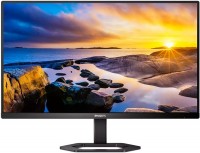
23.8 ", 1920x1080 (16:9), IPS, response 4 ms, MPRT 1 ms, 75 Hz, sRGB 121 %, HDMI, DisplayPort, USB-C (DP Alt Mode), Power Delivery, HUB: USB-A 4x5Gbps, speakers
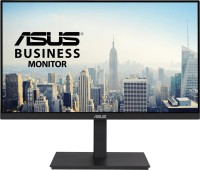
23.8 ", 1920x1080 (16:9), IPS, response 5 ms, 75 Hz, HDMI, DisplayPort, USB-C (DP Alt Mode), Power Delivery, LAN, HUB: USB-A 3x5Gbps, speakers
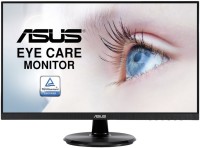
24 ", 1920x1080 (16:9), IPS, response 5 ms, 75 Hz, 8-bit (16.7M Colors), VGA, HDMI, DisplayPort, speakers, AMD FreeSync, NVIDIA G-Sync Compatible
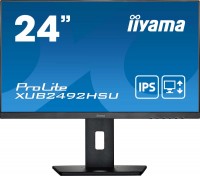
23.8 ", 1920x1080 (16:9), IPS, response 4 ms, 75 Hz, sRGB 99 %, VGA, HDMI, DisplayPort, HUB: USB-A 2x2.0, speakers
24 ", 1920x1080 (16:9), IPS, response 4 ms, 75 Hz, 6-bit + FRC (16.7M Colors), sRGB 107 %, HDMI, DisplayPort, USB-C (DP Alt Mode), Power Delivery, LAN, HUB: USB-A 4x5Gbps, speakers
24 ", 1920x1080 (16:9), IPS, response 5 ms, 60 Hz, 8-bit (16.7M Colors), sRGB 102 %, VGA, DVI-D, HDMI, DisplayPort, HUB: USB-A 3x5Gbps, speakers
24 ", 1920x1080 (16:9), IPS, response 4 ms, 75 Hz, 8-bit (16.7M Colors), sRGB 104 %, VGA, HDMI, DisplayPort, USB-C (DP Alt Mode), Power Delivery, HUB: USB-A 4x5Gbps, speakers
23.8 ", 1920x1080 (16:9), IPS, response 4 ms, 75 Hz, sRGB 99 %, HDMI, v 2.1, DisplayPort, LAN, HUB: USB-A 4x5Gbps, speakers, webcam, TÜV Rheinland
BenQ EW2480 24 "
Screen size:24 "
Resolution:1920x1080 (16:9)
Panel:IPS, response 5 ms
Frequency:60 Hz
Contrast:1 000:1
Brightness:250 cd/m²
Functions:HDR, AMD FreeSync, Flicker-Free
Connectors:3xHDMI v2.0
All specifications
Specifications EW2480
|
| ||||||||||||||||||||||||||||||||||||||||||||||||||||||||||||||||||||||||||||||||


E-Catalog UK editor, Monitors
Dmytro Prokopenko, edited 19.08.2026
The information in the model description is for reference purposes.
Always clarify the specifications and configuration of the product with the online store manager before purchasing.
Catalog BenQ 2026 - new arrivals, bestsellers, and the most relevant models BenQ.
Always clarify the specifications and configuration of the product with the online store manager before purchasing.
Catalog BenQ 2026 - new arrivals, bestsellers, and the most relevant models BenQ.

Series BenQ E (multimedia)Compare using chart →

27 ", 2560x1440 (16:9), IPS, response 1 ms, 200 Hz, 1.07B Colors, DCI-P3 90 %, HDMI, DisplayPort, USB-C (DP Alt Mode), Power Delivery, speakers, AMD FreeSync Premium, HDR, TÜV Rheinland
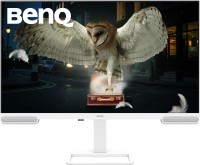
31.5 ", 4K, 3840x2160 (16:9), IPS, response 5 ms, 60 Hz, 1.07B Colors, DCI-P3 98 %, HDMI, USB-C (DP Alt Mode), Power Delivery, HUB: USB-A 3x5Gbps, USB-C 1x5Gbps, speakers, subwoofer, HDR, TÜV Rheinland
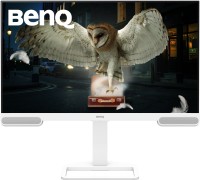
27 ", 4K, 3840x2160 (16:9), IPS, response 5 ms, 60 Hz, 1.07B Colors, DCI-P3 95 %, HDMI, USB-C (DP Alt Mode), Power Delivery, HUB: USB-A 3x5Gbps, USB-C 1x5Gbps, speakers, HDR, TÜV Rheinland
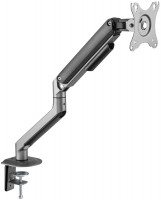
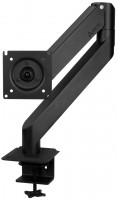
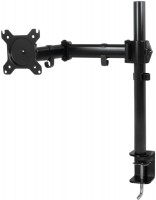
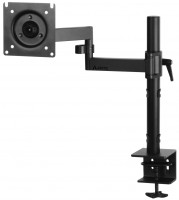
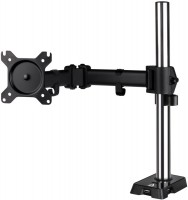
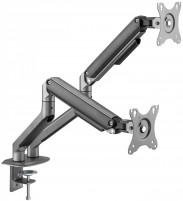
AccessoriesAll accessories for BenQ EW2480 →







Model overview based on user reviews
The BenQ EW2480 24" monitor is praised for its excellent image quality, stylish design, and HDR capability. Users appreciate the clear and rich display with a non-reflective screen coating. The monitor features three HDMI ports, although some users wish for a DisplayPort option. The built-in speakers are satisfactory, providing decent sound without needing maximum volume. The monitor is described as budget-friendly, though its price has increased over time. While some initially noticed a slight glow effect, adjustments resolved this, and the 12-bit matrix performs well without dead pixels. The colors may appear slightly yellow, but the brightness is generally sufficient. The monitor's frameless design and reliable stand are appreciated, with the option for wall mounting. Additional features include an automatic brightness adjustment function and the ability to turn off all indicators, enhancing user experience.
Pros
Cons
Excellent monitor at a reasonable price. The image is clear and rich, no complaints here. The design is beyond praise. There are no bezels on all sides. There's just a small "chin" at the bottom about two centimeters thick. The control buttons are conveniently located and easy to distinguish. Very pleased with the presence of three HDMI ports, but it would be nice to have at least one DisplayPort as well. The speakers didn't disappoint either. Not very loud, but you don't need to crank up the volume to maximum. The screen coating is good, non-reflective. The stand is small, doesn't take up much space, and there are also holes for wall mounting. Image quality, design, HDR, sound volume Not found  Gleb Gleb: use BenQ EW2480 more than year Gleb Gleb: use BenQ EW2480 more than year |
At first I didn’t like it, it seemed like there was a bit of a glow effect. But no, then I adjusted everything, the 12-bit matrix works fine, there are no highlights or dead pixels in it, at least in my model. The colors in it are a little yellow, but not too much, its brightness is enough for me personally, I set it to 50/50. Still, the monitor is positioned as a budget one. There is an HDR function, but the diagonal is small at 27 inches, so you won’t really enjoy it. Firstly, films should support HDR, but it is useless on 27 inches. Good built-in speakers, this was important for me, an external power supply is also an important factor for me. Three HDMI outputs version 2.0, but why they are needed for a full HD matrix at 75Hz is a mystery to me. This version of HDMI outputs for monitors above 140 Hertz, 4K, 8K, monitors should have. Frameless in general, the matrix is glued on top, without any gaps or margins, but it seems to be glued well and does not come off. Might be a drawback for some. The leg is excellent and reliable, but I did not insert it because it hangs on my bracket. There is a function in the settings to turn off all indicators, so that the indicators will not light, the same way when it is turned on. There is also a function, like in smartphones, that automatically adjusts the brightness: when it’s light, it’s very bright, when it’s dark, then lower the brightness. But I don't use it Overall, I liked the good monitor, it inspires confidence. I did not identify any shortcomings in my model. use BenQ EW2480 few months |
Add Review