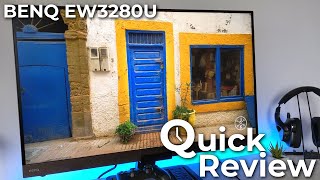
BenQ EW3280U 32 " copper
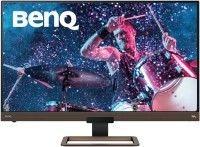 | Outdated Product Large multimedia monitor with a detailed 31.5-inch 4K thin-bezel screen, wide colour gamut, integrated stereo system with subwoofer (2x2 + 5W) and full support for high dynamic range (HDR) images. It features a high resolution matrix of 3840x2160, good colour reproduction (95% DCI-P3), accurate factory calibration and modest power consumption (average 33 W). It is positioned as a professional product of the upper price category, focused on use as part of graphic workstations. It will be useful in the processing of various digital photo / audio / video content. Can be used as part of configurations for 3D modeling, software development/testing, and engineering CAD/CAE systems. Decent detail of the semi-glossy screen (137 ppi) provides a clear and even image without a crystalline effect, pix...elation visible to the eye and “ladders” on slanted lines. The screen is based on a 10-bit (8-bit + FRC) IPS-matrix with bright WLED backlight (up to 400 cd/m²). Equipped with 2xHDMI 2.0, DisplayPort 1.4 and USB-C (DisplayPort Alt Mode) ports. Easily connects to PCs and laptops/Apple Mac system units. |



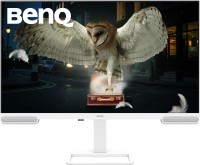
Large multimedia monitor with a detailed 31.5-inch 4K thin-bezel screen, wide colour gamut, integrated stereo system with subwoofer (2x2 + 5W) and full support for high dynamic range (HDR) images. It features a high resolution matrix of 3840x2160, good colour reproduction (95% DCI-P3), accurate factory calibration and modest power consumption (average 33 W). It is positioned as a professional product of the upper price category, focused on use as part of graphic workstations.
It will be useful in the processing of various digital photo / audio / video content. Can be used as part of configurations for 3D modeling, software development/testing, and engineering CAD/CAE systems. Decent detail of the semi-glossy screen (137 ppi) provides a clear and even image without a crystalline effect, pixelation visible to the eye and “ladders” on slanted lines. The screen is based on a 10-bit (8-bit + FRC) IPS-matrix with bright WLED backlight (up to 400 cd/m²). Equipped with 2xHDMI 2.0, DisplayPort 1.4 and USB-C (DisplayPort Alt Mode) ports. Easily connects to PCs and laptops/Apple Mac system units.
|
| ||||||||||||||||||||||||||||||||||||||||||||||||||||||||||||||||||||||||||||||||||||||||


Always clarify the specifications and configuration of the product with the online store manager before purchasing.
Catalog BenQ 2026 - new arrivals, bestsellers, and the most relevant models BenQ.










Monitor with a bunch of features. Would anyone find the mediocre built-in sound useful? Or the IR remote (specifically in remote control mode)? 1) Conditionally decent black. But better from a distance and strictly perpendicular. 2) 95% DCI-P3 looks much nicer than sRGB. And even for gaming, 40% brightness is enough. For working in light themes, it’s better to lower it to 20%. 3) Auto-brightness mode for work tasks - automatically reduces brightness if the screen is too bright, making eyes much less strained. The monitor generally has an abundance of brightness - even for games I only use 40%. 4) Power is generously supplied via USB-C. 1) The full-screen black looks good only when viewed from a meter away. If you sit at a typical "monitor" distance, the screen glow becomes noticeable around the edges with dark themes in work programs. 2) HDRi didn't work at all, in any mode of use. A downside because they promised a treat but delivered a dud. 3) The auto-brightness mode was extremely annoying in any game, constantly reminding you with a large permanent window in the "minimap" corner of the screen that it activates when the image changes. You have to toggle it twice a day. 4) The included USB-C cable is unpleasantly short, not long enough to properly position a laptop with ports on the left side to the left of the monitor. 5) The firmware was clearly made by amateurs for a bottle of beer - when the input selection or auto-brightness pop-up is on, none of the menu buttons work (except the power off). Many things are somehow controlled much more conveniently from the remote than from the menu. 6) There is sound, but it's better if there wasn't. You have to dive into Windows sound settings to disable it manually. It sounds like some 2.0 Sven/Dialog/Defender/Oklick for 1k. There's nothing below 110Hz, and from there to 300Hz it's very nonlinear. The funny thing is, when your monitor costs about 50k, your sound system isn’t bought as an afterthought. My daughter's toy bunny costs 2k, it's the size of a pepper shaker, and it sounds way better. 7) Reflashing can only be done through a service center, which is hard to find. It would actually be useful because with the old firmware you can't run 4k60p on Macs with M1. |