
Defender Blast (64285)
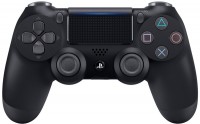
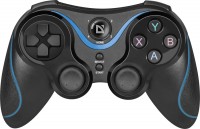 | Outdated Product A universal game pad (gamepad) for personal computers, smartphones or tablets running the Android operating system and the PlayStation 3 game console. It connects to a PC and consoles using a USB cable, a bluetooth wireless interface is used to work with mobile gadgets. When used with personal computers, it can support both the traditional D-input mode and X-Input (a relatively new input standard designed specifically for game consoles). The Defender Blast gamepad is equipped with a special holder for a smartphone, which saves the user from having to hold the gadget in their hands and from the discomfort associated with heating the case. The layout and exterior design of this model is largely similar to the Dual Shock controller from the Sony Playstation family of consoles. It is worth not...ing good ergonomics and a comfortable fit in the palms of any size. The gamepad is equipped with a digital D-pad, four main keys, two analogue sticks, four triggers, and a Select button that allows you to quickly switch between different modes. Can be used in games of all popular genres, except for competitive shooters, which require precise manual aiming, and some simulators. Powered by built-in Li-Ion battery. |




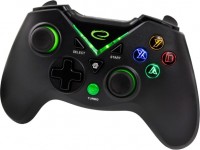
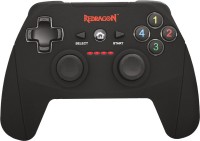
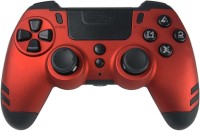
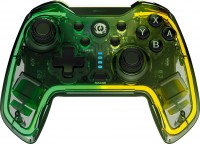
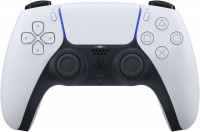
Defender Blast | |||||||||||||||||||||||||||||||||||||||||||||||||||||||||||||||||||||
|
| ||||||||||||||||||||||||||||||||||||||||||||||||||||||||||||||||||||


A universal game pad (gamepad) for personal computers, smartphones or tablets running the Android operating system and the PlayStation 3 game console. It connects to a PC and consoles using a USB cable, a bluetooth wireless interface is used to work with mobile gadgets. When used with personal computers, it can support both the traditional D-input mode and X-Input (a relatively new input standard designed specifically for game consoles).
The Defender Blast gamepad is equipped with a special holder for a smartphone, which saves the user from having to hold the gadget in their hands and from the discomfort associated with heating the case. The layout and exterior design of this model is largely similar to the Dual Shock controller from the Sony Playstation family of consoles. It is worth noting good ergonomics and a comfortable fit in the palms of any size. The gamepad is equipped with a digital D-pad, four main keys, two analogue sticks, four triggers, and a Select button that allows you to quickly switch between different modes. Can be used in games of all popular genres, except for competitive shooters, which require precise manual aiming, and some simulators. Powered by built-in Li-Ion battery.
Always clarify the specifications and configuration of the product with the online store manager before purchasing.
Catalog Defender 2026 - new arrivals, bestsellers, and the most relevant models Defender.
1 1 2 0 |
I started playing Dead Cells and decided to buy myself a budget controller. The controller is not bad; the sticks are slightly stiff, but it’s not critical. It’s a shame that it doesn’t connect to a PC via Bluetooth. If you’re not a “raging” player, the controller will last at least six months. I think it justifies its €720 price. Easy setup, does not slip in your hands thanks to a special coating, charging via a USB cable. The sticks are slightly stiff, and it won’t connect to a PC via Bluetooth.  Artem: use Defender Blast less than month Artem: use Defender Blast less than month |
For that price, you can find something better. Features D-input and X-input, a symmetrical stick layout, and a battery that lasts up to 15 hours of gaming on a smartphone. The triggers act like buttons, the sticks have dead zones, and the buttons are stiff to press.  Dmitriy Petrov: use Defender Blast less than month Dmitriy Petrov: use Defender Blast less than month |
+ Convenient + Relatively easy to connect and set up, both wired and via Bluetooth As for Bluetooth, in more detail: everything works natively with Android, i.e. without any additional settings, but with Windows you need to have at least Steam on your computer (it recognizes the D-Input gamepad, which is what it is when connected via Bluetooth, and can emulate an Xbox 360 controller for many games) If you want full support for games that support an Xbox 360 controller (not just those from the Steam library), get ready to jump through hoops, since a special driver and program are required (driver: ViGEmBus; program: a fork of XOutput that works with this driver (GitHub repository csutorasa/XOutput; the releases include a ready-to-use program)) - The casing came apart after three days (!) of not very active use - When connecting to a PC via Bluetooth, you’ll have to fiddle around - Switching devices completely breaks the Bluetooth pairing - The triggers are a little stiff - The sticks are too twitchy, so they’re not suitable for shooters (unless adjusted in Steam), plus there’s a small dead zone, which also negatively affects sensitivity - Vibration does not work via Bluetooth Daniil Morozyuk: use Defender Blast less than month |