
Gemix W-210
 | Outdated Product Connection: wired; Type: for game; Form factor: 100% (full size); Layout: JIS; Key profile: high; Switch technology: membrane; Additional keys: 14; Cyrillic colour: transparent; Volume control: add. keys; Lighting: red / blue; Cable: Interface: USB-A; braided; Size (mm): 500x210x38; |


We recommend products in stockKeyboards Gemix →
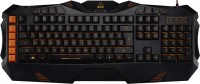
play (for kids), membrane, 100% (full size), wired, additional keys: 14, with macros, backlight
play (for kids), membrane, 100% (full size), wired, additional keys: 16, with macros, backlight, water resistance, RGB backlight
play (for kids), membrane, 100% (full size), wired, additional keys: 14, with macros, backlight, RGB backlight
play (for kids), membrane, 100% (full size), wired, additional keys: 16, with macros, backlight, RGB backlight
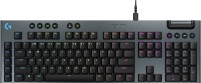
play (for kids), mechanical, 100% (full size), wired, additional keys: 17, with macros, backlight, RGB backlight
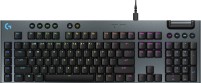
play (for kids), mechanical, 100% (full size), wired, additional keys: 17, with macros, backlight, RGB backlight

play (for kids), mechanical, 100% (full size), wired, additional keys: 17, backlight, screen, RGB backlight

play (for kids), mechanical, 100% (full size), wired, additional keys: 17, backlight, screen, RGB backlight
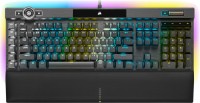
play (for kids), optical, 100% (full size), wired, additional keys: 14, with macros, backlight, USB hub, RGB backlight
Gemix W-210 | |||||||||||||||||||||||||||||||||||||||||||||||||||||||||
|
| ||||||||||||||||||||||||||||||||||||||||||||||||||||||||


The information in the model description is for reference purposes.
Always clarify the specifications and configuration of the product with the online store manager before purchasing.
Catalog Gemix 2026 - new arrivals, bestsellers, and the most relevant models Gemix.
Always clarify the specifications and configuration of the product with the online store manager before purchasing.
Catalog Gemix 2026 - new arrivals, bestsellers, and the most relevant models Gemix.

How to choose a gaming keyboardLet's look at the differences between the types of switches and additional equipment for gaming keyboards

Differences between different types of keyboards, their sizes and types of layoutsUnderstanding how a full-sized keyboard differs from TKL and what is the difference between layouts
AccessoriesAll accessories for Gemix W-210 →



- Good build quality for its price - All keys are fine after several years of use - Backlighting (despite some nuances, it does its job) - Cable - Over the years, the paint wears off frequently-used keys - Bulky, in my opinion - Inconvenient to clean  Mykola Boberskyi: use Gemix W-210 more than year Mykola Boberskyi: use Gemix W-210 more than year |
This is my first gaming keyboard. Therefore, compared to an office one, and at this price, the "keyboard" is just "awesome"! A simple gaming solution with quality execution and a real price of $20.43. Although it looks more expensive. I recommend it for non-fanatic gamers with a limited budget. With this keyboard, you'll look cool. Beautiful, functional, quite weighty and quite durable construction. Very useful additional shortcut keys, unlike other keyboards in this price category. In general, the quality is very good. Non-erasable letters on the keys (laser printing). Excellent illumination (two colors) with brightness control. The key travel is two times quieter than a regular office keyboard. The only drawback is the lack of internal memory, and as a result, the lack of the ability to programme buttons. But since I never had a need for it, I can’t consider it a full-fledged disadvantage. Still, do not forget about the cost of the goods... Indicators Caps, Num, Scroll Lock shine very brightly right in the eye. This little thing is easily solved with a black or dark blue marker. :0) Nekrid Power: use Gemix W-210 week i recommend it should buy |
Add Review
I don't use the multimedia keys at all, but the additional calculator calling buttons and the "star" are used often. In most programs or games, the star can be set for any action. I configured it to toggle the microphone in Discord — very convenient.
The backlighting is not too bright — not very noticeable during the day, but in the evening it helps distinguish the letters without straining the eyes. I should also note that the Cyrillic letters shine through on the same level as the Latin ones (i.e., well). There are two backlight colors to choose from — red or blue (switched with the Scroll Lock button). Since some elements of the keyboard are red, the red backlight suits it better; I've never used the blue. The brightness of the backlight is adjustable with a wheel, but for some reason, the red doesn't turn off completely, even if you dial it down to zero — it barely glows, but still does (the blue turns off completely).
The keyboard is somewhat difficult to clean from dust — this procedure takes quite a bit of time.
Overall, the keyboard is more good than bad. If the listed downsides don't scare you and its appearance appeals to you, you can go for it.