
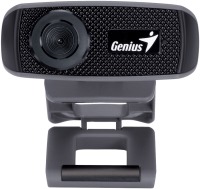
Genius FaceCam 1000X
 | Compare prices 4 → When you make a purchase through links on our site, we may receive a affiliate commission.
|

Genius FaceCam 1000X | |||||||||||||||||||||||||||||||
| |||||||||||||||||||||||||||||||

E-Catalog UK editor, Webcams
Inna Rokytska, edited 05.05.2023
The information in the model description is for reference purposes.
Always clarify the specifications and configuration of the product with the online store manager before purchasing.
Catalog Genius 2026 - new arrivals, bestsellers, and the most relevant models Genius.
Always clarify the specifications and configuration of the product with the online store manager before purchasing.
Catalog Genius 2026 - new arrivals, bestsellers, and the most relevant models Genius.
Buy Genius FaceCam 1000X
When you make a purchase through links on our site, we may receive a affiliate commission.
Genius FaceCam 1000X 720P HD Webcam with Microphone 32200003400 | £17.17 |  | |||
Genius FaceCam 1000X HD WebCam with Built-in Microphone Black 32200003400 | £17.97 |  | |||
| £21.95 |  | ||||
Genius Computer Technology FaceCam 1000X webcam 1 MP 1280 x 720 pixels | £25.04 |  | |||
Series Genius FaceCamCompare using chart →

Model overview based on user reviews
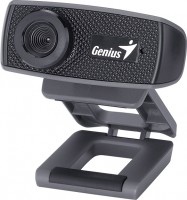
The Genius FaceCam 1000X is a compact webcam designed for computer use, offering a 1.3-megapixel resolution and HD filming at 720p. Users appreciate its nice design and small dimensions, making it easy to mount on a monitor. However, some have noted that the picture quality is not as high as expected, with a real sensor resolution of 640x320, which affects sharpness and exposure adjustments. The camera lacks the advertised software, which disappointed some users. Despite these drawbacks, the webcam is praised for its good video quality for Skype and chat, with a reasonably good autofocus and color balance adjustment. The sound quality is adequate, though some users found it lacking in sensitivity and bass. The price-quality ratio is considered favorable compared to more advanced models, making it a viable option for those seeking a budget-friendly webcam.
Pros
Cons
I bought this camera a week ago and was immediately disappointed. 1890 rubles thrown away. The sound is worse than in the old "Creative Live! Cam Video IM" camera. Poor sensitivity and no bass. The worst part is that the real resolution of the sensor is only 640x320, whereas the old one was 640x480. Terrible sharpness, the auto-adjustment of exposure and white balance is slow and incomplete. Also, they didn’t include the software disc, even though it should have been included. I couldn't return it to the store because the money-back guarantee does not apply to opened blister packs. Nice design and small dimensions. Picture quality, low resolution, sound and lack of software included. use Genius FaceCam 1000X less than month |
I have been using the camera for less than a month. Before that, I used a dash cam with Full HD recording quality, so I wanted to purchase a model that did not lag much behind the previous model in terms of video quality. I spent a long time choosing among different models. In the end, I opted for the Gtnius FaseCam 1000X model, as it was the most suitable in terms of price-quality ratio. I found no software disc when unpacking the camera, even though it was advertised with software for providing additional "tricks" during Skype communication. It installed on Windows 7 without any issues. The video quality is 4+, there's no graininess, and the AUTOFOCUS pleasantly surprised me! The color balance adjusts under various lighting conditions with some delay but it does not bother me. The monitor mount is somewhat weak, but considering the camera's compactness, it can be secured with some adjustment. The length of the USB cable is about 1.5 meters. Overall, summarizing all the above, the purchase can be considered successful. Oh, I almost forgot to mention, the sound quality of the camera is good; you can even hear the mouse moving on the table. The "price-quality" ratio compared to more advanced models, compactness, autofocus, reasonably good video quality (compared to my dashcam with Full HD quality that I used instead of a webcam), easy installation on a computer without software. Absence of the advertised additional software. Weak "clip" on the monitor. |
Add Review
We recommendCompare using chart →
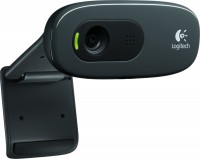
HD (720p), viewing angle 55 °, focus manual, noise canceling, monitor mount, activity indicator
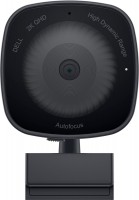
HD (720p), Full HD (1080p), viewing angle 78 °, focus automatic, noise canceling, monitor mount, tripod mounting, activity indicator
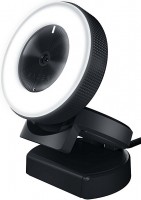
VGA (640x480), HD (720p), Full HD (1080p), viewing angle 82 °, focus automatic, lighting, monitor mount, tripod mounting
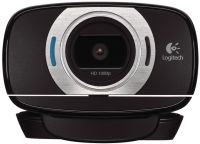
HD (720p), Full HD (1080p), viewing angle 78 °, focus automatic, noise canceling, monitor mount, tripod mounting, activity indicator
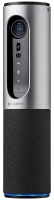
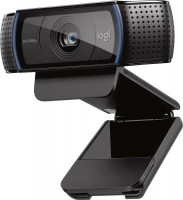
Full HD (1080p), viewing angle 78 °, focus automatic, monitor mount, tripod mounting, activity indicator
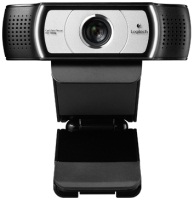
Full HD (1080p), viewing angle 90 °, focus automatic, noise canceling, monitor mount, tripod mounting, activity indicator
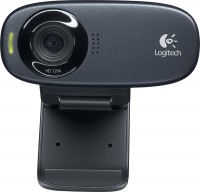
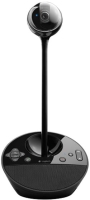
conferences, Full HD (1080p), viewing angle 78 °, focus automatic, noise canceling, speaker, activity indicator
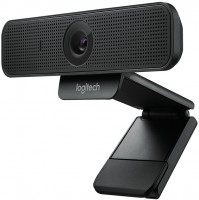
Full HD (1080p), viewing angle 78 °, focus automatic, noise canceling, monitor mount, tripod mounting
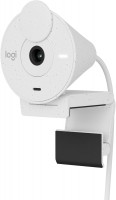
HD (720p), Full HD (1080p), viewing angle 70 °, focus fixed, monitor mount, activity indicator