
HP OMEN Reactor (2VP02AA)
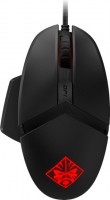 | Outdated Product Product type: mouse; Connection: wired; Sensor: optical; Type: for game; Sensor resolution (DPI): 16000; Buttons: 5; Side buttons; DPI-button; Programmable buttons; Lighting; Cable: Interface: USB-A; |


We recommend products in stockMice HP →
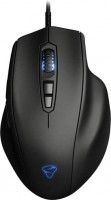
gaming mouse, wired, USB-A, with memory, buttons: 6, programmable, + wheel, sensor 19000 DPI
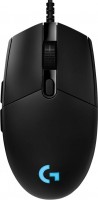
gaming mouse, wired, USB-A, with memory, buttons: 5, programmable, + wheel, RGB backlight, sensor 25600 DPI

gaming mouse, wired, USB-A, with memory, buttons: 5, programmable, + wheel, свитчи: optical, Razer Gen-3, up to 90 mln, RGB backlight, sensor 8500 DPI
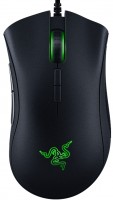
gaming mouse, wired, USB-A, buttons: 6, programmable, + wheel, свитчи: mechanical, Razer, RGB backlight, sensor 16000 DPI
HP OMEN Reactor | ||||||||||||||||||||||||||||||||||||||||||||||||||||||||
|
| |||||||||||||||||||||||||||||||||||||||||||||||||||||||


Palm rest height adjustment
The information in the model description is for reference purposes.
Always clarify the specifications and configuration of the product with the online store manager before purchasing.
Catalog HP 2026 - new arrivals, bestsellers, and the most relevant models HP.
Always clarify the specifications and configuration of the product with the online store manager before purchasing.
Catalog HP 2026 - new arrivals, bestsellers, and the most relevant models HP.

How to choose a gaming mouseWe'll look at grip types, sensor sensitivity, pushbutton switches, and other important nuances

How to choose a mouse for games, office tasks and creative workLet's explore the nuances of the computer mouse market together and find the perfect options that match your requirements
Series HP OMEN (gaming)

gaming, 27 ", 2560x1440 (16:9), IPS, response 1 ms, 180 Hz, 8-bit (16.7M Colors), DCI-P3 95 %, HDMI, DisplayPort, AMD FreeSync, VESA Adaptive-Sync, HDR, TÜV Rheinland

game, 16 ", 2560x1600 (16:10), IPS, 240 Hz, Ryzen AI, 9 365, 2 GHz, RAM 24 GB, DDR5, RTX 5070, SSD M.2 NVMe, 1 TB, Win 11 Home, USB-A 5Gbps, USB-A 10Gbps, USB-C 10Gbps, Wi-Fi 6, VR, fast charge, 2.44 kg
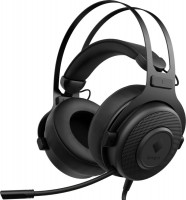
gaming, overhead, closed, wired, 3.5 mm, USB-A, 1.2 m, multichannel, 20 – 20000 Hz, 32 Ohm
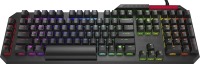
play (for kids), optical, 100% (full size), wired, additional keys: 6, with macros, backlight, USB hub, RGB backlight
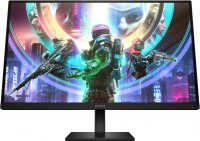
gaming, 27 ", 2560x1440 (16:9), IPS, response 1 ms, 240 Hz, 8-bit (16.7M Colors), sRGB 99 %, DCI-P3 95 %, HDMI, DisplayPort, HUB: USB-A 2x5Gbps, speakers, AMD FreeSync Premium, NVIDIA G-Sync Compatible, VESA Adaptive-Sync, HDR, TÜV Rheinland
game, 16 ", 2560x1600 (16:10), IPS, 240 Hz, Ryzen AI, 7 350, 2 GHz, RAM 16 GB, DDR5, RTX 5060, SSD M.2 NVMe, 512 GB, Win 11 Home, USB-A 5Gbps, USB-A 10Gbps, USB-C 10Gbps, Wi-Fi 6E, VR, fast charge, 2.44 kg
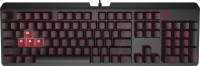
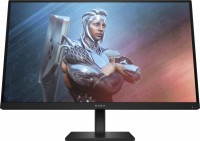
gaming, 27 ", 1920x1080 (16:9), IPS, response 1 ms, 165 Hz, 8-bit (16.7M Colors), sRGB 99 %, DCI-P3 95 %, HDMI, DisplayPort, AMD FreeSync Premium, HDR
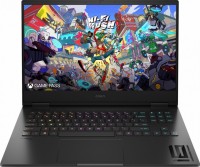
game, 16.1 ", matte, 1920x1080 (16:9), IPS, 165 Hz, Core i7, 14700HX, 1.5 GHz, RAM 16 GB, DDR5, RTX 4060, SSD M.2 NVMe, 1 TB, Win 11 Home, USB-A 5Gbps, USB-C 40G (USB4), Thunderbolt, Wi-Fi 6E, VR, fast charge, 2.4 kg
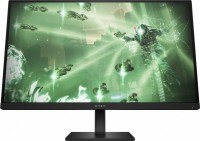
gaming, 27 ", 2560x1440 (16:9), IPS, response 1 ms, 165 Hz, 8-bit (16.7M Colors), sRGB 99 %, DCI-P3 95 %, HDMI, DisplayPort, AMD FreeSync Premium, VESA Adaptive-Sync, HDR

ultrabook, game, 14 ", 2880x1800 (16:10), OLED, 120 Hz, Core Ultra 9, 285H, 1 GHz, RAM 32 GB, LPDDR5X, RTX 5070, SSD M.2 NVMe, 2 TB, Win 11 Home, USB-A 10Gbps, USB-C 10Gbps, USB-C 40G (USB4), Thunderbolt, Wi-Fi 7, VR, fast charge, 3D face scanner, 1.63 kg
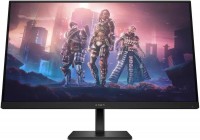
gaming, 31.5 ", 2560x1440 (16:9), IPS, response 1 ms, 165 Hz, 8-bit (16.7M Colors), sRGB 99 %, DCI-P3 95 %, HDMI, DisplayPort, AMD FreeSync Premium, HDR
game, 16.1 ", matte, 1920x1080 (16:9), IPS, 165 Hz, Core i5, 14500HX, 1.9 GHz, RAM 16 GB, DDR5, RTX 4050, SSD M.2 NVMe, 512 GB, Win 11 Home, USB-A 5Gbps, USB-C 40G (USB4), Thunderbolt, Wi-Fi 7, VR, fast charge, 2.4 kg
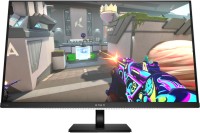
gaming, 31.5 ", 4K, 3840x2160 (16:9), QD-OLED, response 0.03 ms, 240 Hz, 10-bit (1.07B Colors), sRGB 100 %, DCI-P3 99 %, HDMI, v 2.1, DisplayPort, USB-C (DP Alt Mode), Power Delivery, HUB: USB-A 3x5Gbps, USB-C 2x5Gbps, KVM switch, speakers, AMD FreeSync Premium Pro, NVIDIA G-Sync Compatible, VESA Adaptive-Sync, HDR, TÜV Rheinland

game, 17.3 ", 2560x1440 (16:9), IPS, 240 Hz, Ryzen AI, 7 350, 2 GHz, RAM 32 GB, DDR5, no RAM upgrade, RTX 5070, SSD M.2 NVMe, 1 TB, Win 11 Home, USB-A 5Gbps, USB-A 10Gbps, USB-C 10Gbps, Wi-Fi 6E, VR, fast charge, 3D face scanner, 3 kg
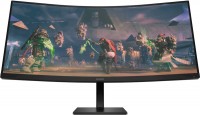
34 ", 3440x1440 (21:9), curved 1500R, *VA, response 1 ms, 165 Hz, 8-bit (16.7M Colors), sRGB 99 %, DCI-P3 90 %, HDMI, DisplayPort, speakers, AMD FreeSync Premium, VESA Adaptive-Sync, HDR
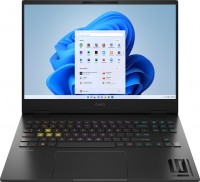
game, 16 ", 1920x1200 (16:10), IPS, 165 Hz, Core i7, 13700HX, 1.5 GHz, RAM 16 GB, DDR5, RTX 4060, SSD M.2 NVMe, 1 TB, Win 11 Home, USB-A 5Gbps, USB-C 40G (USB4), Thunderbolt, Wi-Fi 6E, VR, fast charge, 3D face scanner, 2.17 kg
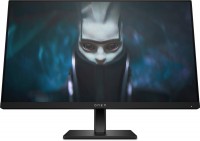
gaming, 23.8 ", 1920x1080 (16:9), IPS, response 1 ms, 165 Hz, 8-bit (16.7M Colors), sRGB 99 %, DCI-P3 90 %, HDMI, DisplayPort, AMD FreeSync Premium
game, 16 ", 2560x1600 (16:10), IPS, 240 Hz, Ryzen 9, 8940HX, 2.4 GHz, RAM 24 GB, DDR5, RTX 5070, SSD M.2 NVMe, 1 TB, Win 11 Home, USB-A 5Gbps, USB-A 10Gbps, USB-C 10Gbps, Wi-Fi 6E, VR, fast charge, 2.44 kg

gaming, 27 ", 1920x1080 (16:9), IPS, response 1 ms, 180 Hz, 16.7M Colors, DCI-P3 95 %, HDMI, DisplayPort, AMD FreeSync, HDR
AccessoriesAll accessories for HP OMEN Reactor →











Model overview based on user reviews
The HP OMEN Reactor mouse is a gaming mouse known for its unusual design and adjustable grip, making it comfortable for palm grip users. It features a top-of-the-line optical sensor with a resolution of up to 16000 DPI, although some users find the DPI switching process cumbersome due to the lack of customizable settings. The mouse is equipped with high-quality lighting and HP Omen software that allows for lighting customization and macro settings. The build includes optical main buttons, which are quieter and have a longer lifespan than traditional switches. While the mouse is not ultra-light, its weight is balanced, and the metal braided cord adds durability, though it may require a holder to prevent pulling. The mouse is generally well-received for its performance and features, especially at a price point below 4500 RUB, making it a competitive option in its category. However, it is not suitable for left-handed users.
Pros
Cons
My office had outlived its usefulness and I completely decided to update my devices. After looking at the reviews and studying the hardware on the entire topic, I realized that for my budget of 1-3 thousand there was a choice in the budget segment, but I wanted something better than the market could offer for that money. I bought it in m.video, the original price was 2,990 rubles. With bonuses it came out to about 1,600-1,800 rubles at the price of g102. Top-of-the-line sensor on the market - PWM 3389 Ergonomics Comfortable for palm grip The weight is not critical, it's not an ultra-light mouse, but it's also not ultra-heavy, so the hand won't feel discomfort Adjustable rear part of the mouse in terms of height Convenient and smooth slope from the left button to the right, which is very convenient for right-handers, but the mouse is definitely not suitable for left-handers. Switches Optical main buttons, which allegedly reduce delay (there is almost no difference or none at all). From this, we can note that the sound is quieter than traditional switches and the lifespan is longer. Two side buttons are pressed without problems and do not wobble. Software - it just exists, like the lighting of this device, yes, the speed and animation of the lighting can be changed in the software from available presets, which was enough for me. Cord (see disadvantages) it is in a metal braid, which surprised me, and for me, it became something unique, and the chance of cord bending is reduced to zero. About the cord - the cord both surprised and left a bit of a residue. The mouse itself is not heavy, but if the cord lacks a holder on the work surface, the cord will inevitably pull the mouse under the desk (especially if your system unit is under the desk like mine). The software, although counted as a plus just for its existence, offers macro settings for additional buttons and recognizes which games you start, applying the necessary preset if configured. BUT WHAT DISAPPOINTED ME: Yes, you have 16000 dpi which is good, but personally, I couldn't figure out how to conveniently switch between them. In short, the mouse offers settings from 800 to 16000 dpi with a dedicated button for switching. However, you have 12 modes with specific increments, and if you miss, you have to press this button 11 more times, and personal parameters cannot be set. You can't select 3 necessary modes for the moment, or so I understood. And this is the biggest disappointment personally for me. Despite having a top sensor, the lack of ability to set custom parameters for dpi or customize animations, etc. is frustrating.  Kuzma Kuzmichev: use HP OMEN Reactor few months Kuzma Kuzmichev: use HP OMEN Reactor few months |
How good it is will depend on how much you can buy it for. Up to 4500 RUB is a fair purchase. If it's more expensive, it's easier to look at competitors. - Unusual design - Adjustable grip - Good sensor - High-quality lighting - HP Omen software - Did not get used to the grip immediately  Evgeniy : use HP OMEN Reactor few months Evgeniy : use HP OMEN Reactor few months |
Add Review
Video reviews

OMEN BY HP SEQUENCER & REACTOR [REVIEW]
23 November 201858 508 view

The HP Omen Reactor Gaming Mouse is Great for FPS and MOBA's - Unboxing and First Impressions
22 February 201942 709 view

Omen reactor mouse Drag click review (40+ cps)
25 January 20215 081 view

Is HP Omen Reactor Worth Buying In 2021!
23 April 20214 309 view

Omen Reactor Mouse by HP!!!
16 March 20202 804 view

HP Omen Reactor
11 August 20202 245 view

Omen Reactor Mouse Unboxing & Review
23 June 20191 824 view

Best Gaming Mouse Unboxing & Review | Gaming Test | HP Omen Reactor
13 July 20191 269 view

Unboxing HP Omen Reactor RGB Gaming Mouse in Stop Motion
14 April 2019936 view

OMEN Reactor by hp Optical-Mechanical Gaming Mouse
5 December 2020418 view