
LG 24QP550 24 " black
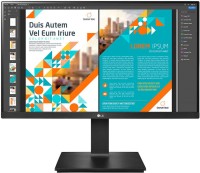 | Outdated Product Product type: monitor; Size ("): 24; Panel type: IPS; Treatment: anti-glare; Resolution: 2560x1440 (16:9); Response time GtG (ms): 5; Viewing angle vert.: 178; Horizontal viewing angle: 178; Brightness (cd/m²): 300; Static contrast: 1 000:1; HDR; Video transmission: DisplayPort: DisplayPort v1.4 |


We recommend products in stockMonitors LG →
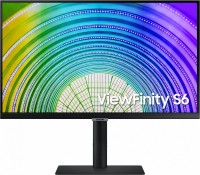
24 ", 2560x1440 (16:9), IPS, response 5 ms, 75 Hz, 1.07B Colors, 1.07B, sRGB 99 %, HDMI, DisplayPort, USB-C (DP Alt Mode), Power Delivery, ХАБ: USB-A 2x2.0, 1x5Gbps, AMD FreeSync, HDR, TÜV Rheinland
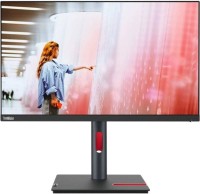
23.8 ", 2560x1440 (16:9), IPS, response 4 ms, 60 Hz, sRGB 99 %, HDMI, DisplayPort, USB-C (DP Alt Mode), ХАБ: USB-A 4x5Gbps, HDR, TÜV Rheinland
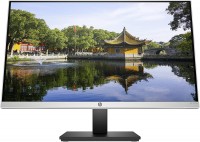
24 ", 2560x1440 (16:9), IPS, response 5 ms, 60 Hz, 8-bit (16.7M Colors), 16.7M, VGA, HDMI
24 ", 2560x1440 (16:9), IPS, response 4 ms, 75 Hz, sRGB 99 %, HDMI, DisplayPort, speakers
24 ", 2560x1440 (16:9), IPS, response 4 ms, 60 Hz, 8-bit (16.7M Colors), 16.7M, sRGB 99 %, DCI-P3 84 %, HDMI, DisplayPort, ХАБ: USB-A 4x5Gbps
23.8 ", 2560x1440 (16:9), IPS, response 4 ms, 60 Hz, 6-bit + FRC (16.7M Colors), 16.7M, sRGB 99 %, HDMI, DisplayPort, USB-C (DP Alt Mode), Power Delivery, LAN, ХАБ: USB-A 4x5Gbps, HDR, TÜV Rheinland
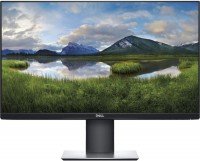
24 ", 2560x1440 (16:9), IPS, response 5 ms, 60 Hz, 6-bit + FRC (16.7M Colors), 16.7M, sRGB 99 %, HDMI, DisplayPort, ХАБ: USB-A 2x2.0, 2x5Gbps
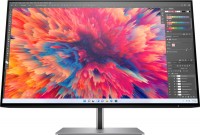
23.8 ", 2560x1440 (16:9), IPS, response 5 ms, 90 Hz, 8-bit + FRC (1.07B Colors), 1.07B, sRGB 99 %, DCI-P3 90 %, HDMI, DisplayPort, ХАБ: USB-A 4x5Gbps, HDR
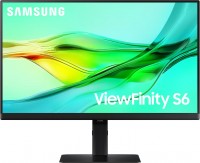
23.8 ", 2560x1440 (16:9), IPS, response 5 ms, 100 Hz, 1.07B Colors, 1.07B, sRGB 99 %, HDMI, DisplayPort, USB-C (DP Alt Mode), Power Delivery, LAN, ХАБ: USB-A 3x5Gbps, KVM-switch, AMD FreeSync, HDR, TÜV Rheinland
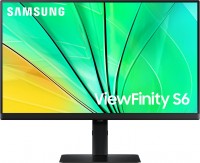
23.8 ", 2560x1440 (16:9), IPS, response 5 ms, 100 Hz, 1.07B Colors, 1.07B, sRGB 99 %, HDMI, DisplayPort, ХАБ: USB-A 3x5Gbps, AMD FreeSync, HDR, TÜV Rheinland
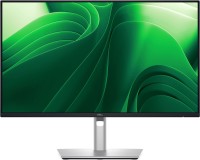
23.8 ", 2560x1440 (16:9), IPS, response 5 ms, 100 Hz, 16.7M Colors, 16.7M, sRGB 99 %, HDMI, v 2.1, DisplayPort, USB-C (DP Alt Mode), Power Delivery, LAN, ХАБ: USB-A 3x5Gbps, USB-C 1x5Gbps, TÜV Rheinland
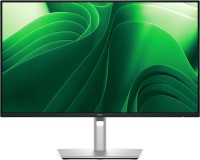
23.8 ", 2560x1440 (16:9), IPS, response 5 ms, 100 Hz, 16.7M Colors, 16.7M, sRGB 99 %, HDMI, v 2.1, DisplayPort, ХАБ: USB-A 3x5Gbps, USB-C 1x5Gbps, TÜV Rheinland

23.8 ", 2560x1440 (16:9), IPS, response 4 ms, 120 Hz, 6-bit + FRC (16.7M Colors), 16.7M, sRGB 99 %, DCI-P3 98 %, HDMI, v 2.1, DisplayPort, USB-C (DP Alt Mode), Power Delivery, LAN, ХАБ: USB-A 4x5Gbps, USB-C 1x5Gbps, KVM-switch, VESA Adaptive-Sync, HDR, TÜV Rheinland
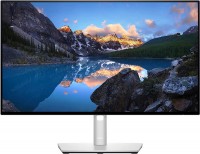
24 ", 1920x1080 (16:9), IPS, 60 Hz, sRGB 100 %, DCI-P3 85 %, HDMI, DisplayPort, USB-C (DP Alt Mode)
LG 24QP550 24 " black
Screen size:24 "
Resolution:2560x1440 (16:9)
Panel:IPS, response 5 ms
Frequency:75 Hz
Contrast:1 000:1
Brightness:300 cd/m²
Functions:HDR, AMD FreeSync, Flicker-Free
Connectors:DisplayPort v1.4 • 2xHDMI
All specifications
Specifications 24QP550
|
| ||||||||||||||||||||||||||||||||||||||||||||||||||||||||||||||||||||||||||||||


The information in the model description is for reference purposes.
Always clarify the specifications and configuration of the product with the online store manager before purchasing.
Catalog LG 2026 - new arrivals, bestsellers, and the most relevant models LG.
Always clarify the specifications and configuration of the product with the online store manager before purchasing.
Catalog LG 2026 - new arrivals, bestsellers, and the most relevant models LG.

How to Choose a Gaming MonitorWe understand matrix types, suitable resolution, FreeSync and other important aspects when choosing a gaming monitor
Monitor matrices types: TN+film, IPS, VA, OLED, QLED and QD-OLEDCurrent types of monitor matrices, their pros and cons, as well as recommendations for selection
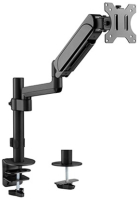
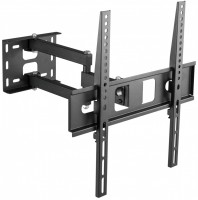
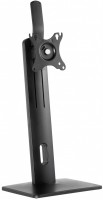
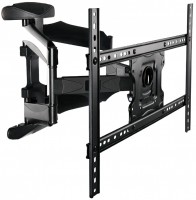
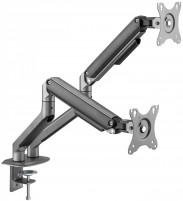
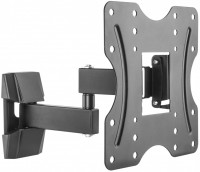
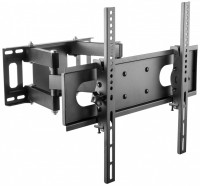
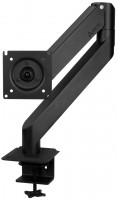
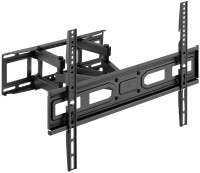
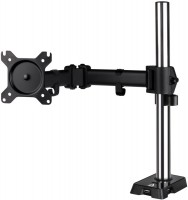
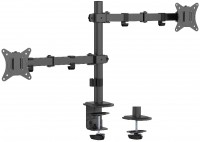
AccessoriesAll accessories for LG 24QP550 →






Great monitor, very even black. No dead pixels, checked when buying at MVideo. Excellent size, a lot of space appeared immediately after 1080p, nice. I haven't figured out all the settings yet, but adjusting the colors was quite a non-obvious task - there are gamma settings described as "gamma 1", "gamma 2", etc., and temperature is set dimensionlessly like "+1 cold" or "-3 warm". 1440p in 24 inches Smooth black without any light bleeds 75Hz FreeSync and full sRGB coverage Supposedly supports HDR10 but it's pretty pointless Non-intuitive color settings Not very convenient control - joystick in the center of the lower edge of the monitor, under the LG logo Software included, but there is almost nothing you can do in terms of adjustment  molotilkin: use LG 24QP550 less than month molotilkin: use LG 24QP550 less than month |
Add Review
Video reviews

Value for Money 1440P Monitor | LG QHD 24QP550 Monitor
8 October 202310 724 view

Unboxing of LG QHD Monitor 24QP550
21 July 20239 608 view

LG 24QP550-B 23.8" QHD IPS Monitor price in bd
9 June 20236 987 view

LG Monitor 24QP550 Unboxing and initial impressions ️️. #lg #monitor #2k #technology #unboxing
5 November 20231 812 view

Unbelievable Unboxing: LG Quad HD LG 24QP550 Monitor at Just ₹11,000! #flipkartsale #flipkart
30 September 20241 519 view