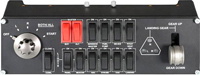
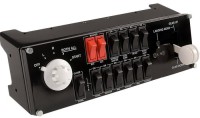
Mad Catz Pro Flight Switch Panel
 |

Mad Catz Pro Flight Switch Panel | |||||||||||
| |||||||||||
An aircraft control panel that can serve as an excellent addition to the Saitek Pro Flight Yoke System game system and will allow you to take the process of controlling a virtual aircraft to a whole new level of realism. The model has 13 programmable buttons, 1 landing gear lever and, accordingly, a power button - with the help of such a set, the user can control the timely extension of the landing gear, turning the landing lights on and off, changing engine power, etc. The device has small dimensions and carries about 0.8 kg.
The information in the model description is for reference purposes.
Always clarify the specifications and configuration of the product with the online store manager before purchasing.
Catalog Mad Catz 2026 - new arrivals, bestsellers, and the most relevant models Mad Catz.
Always clarify the specifications and configuration of the product with the online store manager before purchasing.
Catalog Mad Catz 2026 - new arrivals, bestsellers, and the most relevant models Mad Catz.
Buy Mad Catz Pro Flight Switch Panel
When you make a purchase through links on our site, we may receive a affiliate commission.
Logitech G Flight Simulator Aircraft Switch Panel in Black 945-000012 | £44.99 |  | |||
Logitech Pro Flight Switch Panel Flight Sim | £74.51 |  | |||
SAITEK G SAITEK Pro Flight Switch Panel 945-000012 | £74.98 |  | |||
SAITEK G SAITEK Pro Flight Switch Panel | £74.99 |  | |||
Logitech 945-000012 Flight Switch Panel for PC 945-000012 | £82.62 |  | |||
Additional features joystick Mad Catz Pro Flight Switch Panel:
Saitek continues to delight all flight simulator enthusiasts with new products such as the Pro Flight Switch Panel. This device allows you to control your aircraft with even greater realism; the panel features a starter switch, enabling you to manage the electrical systems, lighting equipment, and it is also equipped with a realistic landing gear lever. Upgrade your virtual flight system with the Pro Flight Switch Panel. The panel is compatible with Microsoft Flight Simulator X and is a great addition to the Saitek Pro Flight Yoke System. The panel adds 11 control functions to your virtual cockpit. You can freely place the Pro Flight Switch Panel on the table or the Yoke System control yoke.
- Addition to Saitek Pro Flight Yoke System
- Realistic aircraft control
- Engine start and other cockpit functions
- Fits comfortably on Yoke System case
- Compatibility: Windows XP or Windows Vista
Saitek continues to delight all flight simulator enthusiasts with new products such as the Pro Flight Switch Panel. This device allows you to control your aircraft with even greater realism; the panel features a starter switch, enabling you to manage the electrical systems, lighting equipment, and it is also equipped with a realistic landing gear lever. Upgrade your virtual flight system with the Pro Flight Switch Panel. The panel is compatible with Microsoft Flight Simulator X and is a great addition to the Saitek Pro Flight Yoke System. The panel adds 11 control functions to your virtual cockpit. You can freely place the Pro Flight Switch Panel on the table or the Yoke System control yoke.
We recommendCompare using chart →
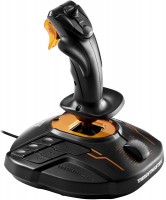
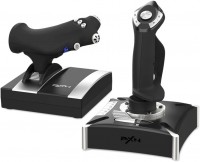
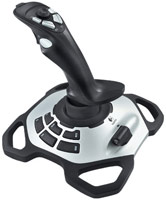
joystick and throttle (HOTAS), 1 рычаг, compatibility: PS4, Xbox, PC (Windows), buttons 16 pcs, triggers 1 pcs
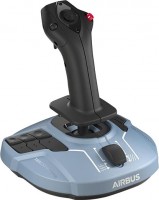
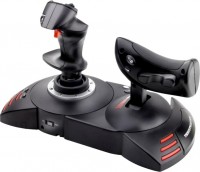
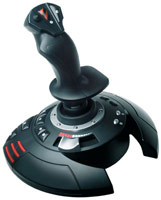
joystick and throttle (HOTAS), 1 рычаг, compatibility: PS3, PC (Windows), buttons 12 pcs, triggers 1 pcs, feedback vibration
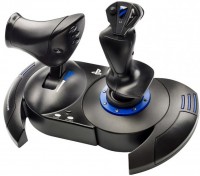
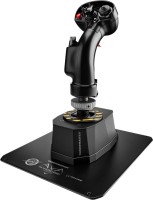
joystick and throttle (HOTAS), 1 рычаг, compatibility: PS4, PC (Windows), buttons 15 pcs, triggers 1 pcs, feedback vibration